Fix Error Code 0x0003: Urgent Troubleshooting Guide
Learn how to diagnose and fix error code 0x0003 quickly with practical steps, quick checks, and expert guidance from Why Error Code.


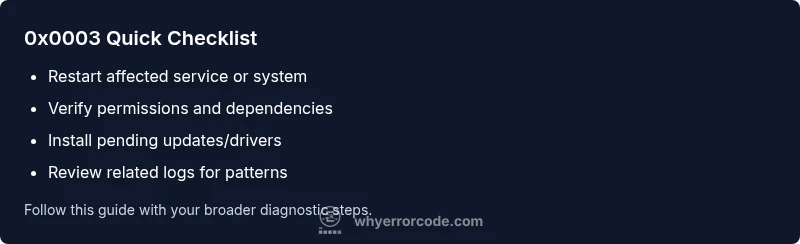
The error code 0x0003 typically signals a startup failure caused by a resource conflict or initialization issue. It can appear across software services, drivers, or devices. For a fast, non-destructive fix, try the following quick steps: 1) restart the affected service or system, 2) check for loose cables or permissions, and 3) install pending updates or driver patches. If the error persists, proceed with a deeper diagnostic flow.
What 0x0003 Means in Real-World Terms
Error code 0x0003 is a generic indicator used by many software systems to signal an initialization problem or a resource conflict that prevents a component from starting. In practice, you may see it during startup sequences, service boot, plugin loads, or driver initializations. Because the same code can appear across different subsystems, the exact cause depends on the context: operating system, application, or hardware. The urgency is real because a misinterpreted 0x0003 can cascade into longer outages, failed rollbacks, or degraded performance. The Why Error Code team notes that you should treat 0x0003 as a red flag rather than a single fault; it usually points to one of a handful of common root causes rather than a single culprit. By focusing on immediate checks and a structured diagnostic flow, you can isolate the issue quickly and minimize downtime. According to Why Error Code, staying methodical and documenting each step improves the odds of a fast resolution.
Quick Checks You Can Do Right Now (Non-Destructive)
- Restart the affected service or device to clear transient states. This often resolves initialization timeouts or momentary resource conflicts.
- Verify permissions and access control lists for the involved components. A misconfigured user or service account can trigger 0x0003 during startup.
- Ensure all pending updates are installed, including system firmware, drivers, and application patches. Updates often include bug fixes for known 0x0003 conditions.
- Check for dependent services or processes that must start first. If a dependency fails to initialize, 0x0003 can appear in downstream components.
- Capture exact error messages and timestamps to compare against logs later. This makes the deeper diagnostic flow faster and more precise.
How to Read the Error in Logs and Screenshots
- Look for patterns across reboots: recurring 0x0003 entries at the same module or service.
- Correlate times with recent changes: new software installs, driver updates, or configuration edits.
- Collect system state data: OS version, hardware model, installed drivers, and running services. This context is essential for narrowing down causes.
Quick Fixes that Tend to Work First
- Restart the system or service to reset internal timers and resource locks. This is often the fastest path to a clean state.
- Reconnect cables, reseat hardware, or reinitialize peripheral devices if 0x0003 relates to a device startup.
- Roll back or temporarily disable a recent change if the error began after an update or config change.
- Run built-in diagnostic tools or update assistants provided by the vendor to check for known issues related to 0x0003.
What If It Persists? Prepare for a Deeper Dive
If the error remains after quick fixes, you’ll need to perform a more thorough diagnostic flow that investigates specific subsystems (software, drivers, hardware) and reviews logs in detail. The goal is to identify the exact root cause rather than applying generic remedies.
Safety and Precautions
Always back up critical configurations and data before making substantial changes. Avoid making multiple changes at once; test each fix individually to gauge its impact. If you’re unsure, escalate to a qualified IT professional to prevent unintended downtime.
Steps
Estimated time: 45-90 minutes
- 1
Reproduce and capture the error
Document when the error first appears, capture exact messages, and note the sequence leading to 0x0003. Gather logs, timestamps, and any recent changes to the system.
Tip: Take screenshots or copy error text to speed up triage. - 2
Isolate the failing subsystem
Identify whether the error originates from software, drivers, or hardware. Check for recently updated components and study related services in the startup sequence.
Tip: Disable non-essential services temporarily to see if 0x0003 disappears. - 3
Apply a quick fix and test
Restart services, clear caches, and apply any vendor-recommended patches. Reboot and observe whether 0x0003 reappears.
Tip: Only change one variable at a time to measure impact. - 4
Validate with logs and telemetry
Review logs after each fix to confirm the root cause is addressed. Compare post-fix states with baseline healthy runs.
Tip: Look for a reduction in 0x0003 occurrences and smoother startup times. - 5
Escalate if necessary
If 0x0003 persists after core fixes, escalate to IT or vendor support with your gathered evidence and a reproducible test case.
Tip: Provide all artifacts: error text, timestamps, and steps you took. - 6
Document the resolution
Record what solved the issue, including configuration changes and any follow-up monitoring plans.
Tip: Create a knowledge base entry to help future triage.
Diagnosis: Error code 0x0003 appears during startup of a service, system hangs on boot.
Possible Causes
- highResource conflict or contention during initialization
- mediumIncorrect permissions or corrupted configuration
- lowOutdated drivers or firmware causing startup failure
Fixes
- easyRestart the affected service or system to clear locks
- easyVerify and repair permissions/configurations for startup components
- hardUpdate drivers/firmware and reinstall dependent software
Frequently Asked Questions
What does error code 0x0003 mean in most systems?
0x0003 is a generic startup error indicating an initialization problem or a resource conflict. The exact cause varies by system, so you should confirm the context, logs, and dependent services to identify the root cause.
0x0003 is a generic startup error indicating an initialization problem. Check context and logs to find the root cause.
Can 0x0003 be hardware-related?
Yes, 0x0003 can originate from hardware startup conflicts, USB devices, or firmware initialization. Testing hardware independence and updating firmware can help determine if hardware is at fault.
Yes, it can be hardware-related. Check hardware initializations and update firmware if needed.
Is it safe to fix 0x0003 myself?
Many 0x0003 fixes are safe, such as restarting services and applying updates. Start with non-destructive steps and only proceed to deeper changes if you’re comfortable and have backups.
Yes, start with safe, non-destructive steps and ensure you have backups before deeper changes.
How long does a typical fix take?
Time varies by complexity. Quick fixes may take 15-30 minutes; deeper investigations with logs and tests can extend to 60-90 minutes or more depending on root cause.
Quick fixes can take about 15 to 30 minutes; deeper investigations may take longer.
When should I contact support?
If 0x0003 persists after applying best-practice fixes, escalate to IT or vendor support. Provide screenshots, logs, timestamps, and a description of changes made.
If it keeps happening after basic fixes, contact support with logs and steps you've tried.
Does 0x0003 impact data integrity?
In most cases, 0x0003 affects startup behavior rather than data integrity. However, if file systems or databases are involved, perform data backups and integrity checks as a precaution.
It usually doesn't affect data, but back up before major fixes just in case.
Watch Video
Top Takeaways
- Identify whether 0x0003 is environmental or systemic
- Start with safe, quick fixes before deep repairs
- Use logs to pinpoint root cause and avoid guesswork
- Escalate with evidence if the problem persists
- Document the fix for future outages