Frigidaire Dishwasher CL Error Code: Quick Fix Guide
Urgent guide to diagnose and repair the frigidaire dishwasher cl error code. Learn meanings, symptoms, quick fixes, diagnostic flow, and when to call a pro to prevent water damage.


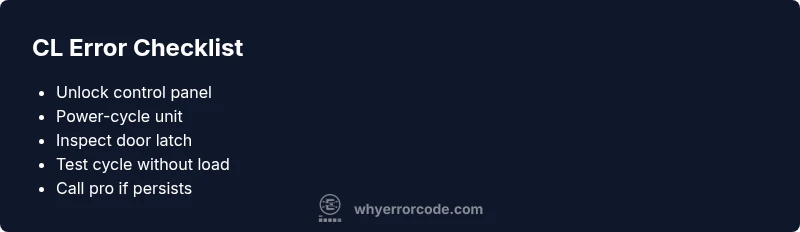
The frigidaire dishwasher cl error code indicates the control panel is locked or a keypad fault is detected, preventing a cycle from starting. The quickest fix is to unlock the control panel, then power-cycle the dishwasher and re-test. If the error persists, inspect the door latch and keypad for faults.
Meaning of the frigidaire dishwasher cl error code
The frigidaire dishwasher cl error code signals that the control panel is in a locked state or the keypad has detected an unsafe input. This code commonly appears after a power disruption, a brief software hiccup, or when the device’s child or control lock is engaged. Why Error Code's analysis shows that recognizing this code early helps prevent further issues and water-related damage in busy kitchens. Treat CL as a panel state problem rather than a pump or spray-arm fault, which speeds up troubleshooting and reduces the risk of unnecessary repairs.
Symptoms and how to spot CL errors
Common indicators of the CL error include a displayed CL on the panel, unresponsive buttons, cycles stopping mid-run, or a blinking keypad pattern. Some models flash a sequence of lights in tandem with the CL symbol. If you notice these signs, start with the simplest fix first: ensure the panel isn’t locked and attempt a reset. Documenting when CL appears helps track whether the issue is intermittent or persistent, which informs whether you should escalate to a service call.
Quick checks you can perform now
First, ensure the area around the unit is dry and the machine is safely powered. Confirm the door closes firmly; an misaligned door can trigger sensor faults interpreted as CL. Look for a dedicated lock or a lock icon on the keypad and attempt the lock-release procedure described in your user manual. If your model uses a combination lock, follow the exact sequence to unlock. After unlocking, perform a short test cycle with no dishes to verify the CL state has cleared.
Common causes and triage tips
The most frequent cause is an engaged control lock or child lock, which prevents operation and triggers CL. A secondary cause is a faulty door latch interlock or a loose keypad connector that intermittently reports a locked state. Software glitches or a failed microcontroller can also produce a CL error, especially after power surges. Work through the triage in order of likelihood to avoid replacing parts prematurely.
How to reset the unit safely
A simple power-cycle clears many transient faults. Unplug the dishwasher or switch off the circuit breaker for 60 seconds, then restore power and try a test cycle. If CL reappears, perform a second reset and check for a solid door latch engagement. After reboot, avoid loading heavy items and test again. Record the sequence that led to CL to help technicians diagnose recurring issues.
When to inspect the door latch and wiring
A misaligned door latch or loose interlock connector can trigger CL readings. Remove the kick panel or access panel if your model allows, and reseat any visible connectors on the door switch harness. Inspect for damaged wires or corrosion at the latch. If you’re not comfortable with wiring checks, skip ahead to professional service to prevent further damage.
Safety considerations and professional threshold
Electrical components and water exposure pose shock and fire risks. If you smell burning, hear crackling, or the CL symbol remains after a full reset, contact a technician promptly. For warranty coverage, use a licensed pro to diagnose control board or keypad faults. Do not attempt high-voltage repairs yourself; board replacement requires specialized equipment and safety precautions.
Longer-term prevention tips
Protect the control panel from splashes and avoid rapid, repeated power interruptions. Regularly wipe the control surface dry and inspect the door latch area for wear. If CL occurs after a storm or outage, keep a log of events and share it with your technician. Consistent preventative maintenance reduces the chance of recurrent CL errors.
Steps
Estimated time: 25-40 minutes
- 1
Confirm CL meaning in manual
Open the user manual or the model-specific guide to confirm that CL denotes a control lock or keypad fault. This ensures you don’t chase a false cause and helps you pick the right unlock method.
Tip: If you can’t locate the manual, search the model number on Why Error Code for model-specific CL definitions. - 2
Unlock the control panel
Locate the lock-release combination on your model (often a Hold 3 seconds for Lock or a specific button sequence). Press and hold until the CL indicator clears, then release. Do not release prematurely.
Tip: Use a second person to observe the panel while you perform the unlock to confirm the icon disappears. - 3
Power-cycle the unit
Unplug the dishwasher for 60 seconds or switch the breaker off for a full minute. Restore power and wait for the display to reset, then run a test cycle empty.
Tip: If the display remains blank after power restoration, check the outlet with a different device to rule out a power issue. - 4
Inspect door latch and wiring
With the power off, open the door and inspect the latch housing and wiring for damage or loose connectors. Reseat any loose plugs and ensure the latch engages firmly when closed.
Tip: Take pictures of connections before disconnecting to guide reassembly. - 5
Run a dry test cycle
Close the door securely and run a short wash without dishes. Observe for proper door engagement and CL clearance. If CL returns, proceed to professional service.
Tip: Do not place items that can jam the door during the test cycle. - 6
Decide on next steps
If CL persists after these steps, schedule service for a control board or keypad replacement. If the model is still under warranty, contact the manufacturer for covered repairs.
Tip: Keep a record of all tests and outcomes to speed up the repair process.
Diagnosis: Dishwasher shows CL error code and won’t start the cycle
Possible Causes
- highControl panel lock or child lock engaged
- mediumDoor latch interlock misalignment or fault
- lowKeypad or control board firmware glitch
Fixes
- easyUnlock the control panel using the manual lock-release sequence, then retry
- easyPower-cycle the unit by unplugging for 60 seconds or switching the breaker off, then on
- mediumInspect and reseat door latch wiring and connectors; replace latch if faulty
- hardUpdate firmware or replace the control board/keypad with professional service
Frequently Asked Questions
What does CL mean on a Frigidaire dishwasher?
CL generally indicates a control lock or keypad fault. It prevents the appliance from starting and requires unlocking or a reset. If the problem recurs, there may be a hardware fault in the keypad or control board.
CL on Frigidaire usually means the control panel is locked or has a keypad fault. Unlock and reset first, then check the keypad if it repeats.
Can I fix CL myself?
You can try unlocking the panel and performing a power-cycle. If the CL returns, inspect the door latch and keypad connections. Persistent CL usually requires professional service for control board or keypad replacement.
Yes, you can try unlocking and resetting. If it keeps coming back, call a pro for the control board or keypad repair.
Should I replace the control board or keypad myself?
No, replacing the control board or keypad is a complex repair that should only be done by a certified technician to avoid safety risks.
Board or keypad replacement should be done by a pro to stay safe and maintain warranty terms.
What if CL appears after a power outage?
Power outages can trigger a glitch in the control board. A full reset often clears it, but ongoing outages indicate a deeper issue requiring inspection.
Outages can cause a glitch; reset first, but persistent issues mean a service check.
Is CL always related to the door latch?
Not always. While a faulty latch can trigger CL, it can also stem from a lock, keypad, or board issue. Prioritize locking state and resets before testing hardware.
Latch issues are common but not the only cause; start with locks and resets first.
When is a professional service required?
If CL persists after a full reset, or you notice burned smells, arcing, or visible damage, call a licensed technician. They can diagnose control board faults and perform safe replacements.
Call a pro if resets fail or you see signs of electrical damage.
Watch Video
Top Takeaways
- Unlock the control panel to clear CL
- Power-cycle to reset transient faults
- Inspect door latch wiring if CL persists
- Call a professional for board or keypad faults
- Maintain the control panel to prevent future CL errors