Frigidaire Dishwasher Error Code 55: Urgent Troubleshooting Guide
Urgent, step-by-step troubleshooting for Frigidaire dishwasher error code 55. Learn meanings, symptoms, causes, DIY fixes, safety tips, and when to call a pro.


Frigidaire dishwasher error code 55 signals a drainage fault in the washer’s drain system—often the drain pump, filter, or hose are involved. This typically means the pump isn’t evacuating water correctly, triggering a safety shutoff. Try a quick wash-cycle reset, check the drain filter, and inspect hoses before deeper repairs.
Understanding What Frigidaire Dishwasher Error Code 55 Means
Frigidaire appliance error code 55 is a user-facing diagnostic code that points to a drainage problem within the dishwasher. In most common models, it signals that water isn’t draining properly from the sump, which can stem from a blocked filter, a faulty drain pump, or a kinked drain hose. The root cause is usually mechanical rather than software: a physical obstruction or a motor issue that prevents water from exiting the tub as scheduled. This is why the dishwasher halts mid-cycle or displays the error at the end of a wash; the control board detects insufficient drainage and protects the machine from overflow. According to Why Error Code, error 55 is frequently the result of a clogged drain path rather than a total pump failure. By systematically inspecting the drain components, you can often restore normal operation without major repairs.
Common Symptoms You Might See
When error 55 appears, you may notice standing water in the tub after a cycle, a buzzing or humming pump sound, or a cycle that terminates prematurely with the error code displayed. Other signs include a failure to drain within the expected time, dishes not drying properly due to trapped water, and occasional leaks around the toe-kick area if the drain line is loose. The issue is often intermittent, turning up after heavy loads or while using hard water; the display may occur on the first cycle after installation or during a delayed-start setting. The error sometimes triggers a safety shutoff that prevents further cycles until the drainage issue is addressed. Why Error Code analysis notes that drain-related cues, such as a clogged filter or a collapsed hose, are common precursors to code 55, making the initial triage steps straightforward for a technician or capable homeowner.
Primary Causes (Ranked by Likelihood)
- Clogged drain filter or sump area (high)
- Faulty drain pump or impeller (high)
- Kinked, clogged, or blocked drain hose (medium)
- Control board glitch or software fault (low)
The drainage system path includes the tub, filter, pump, and hose. Blockages or failures anywhere along that path can trigger error 55. In some models a misrouted or loose hose can fool the sensor into reporting a drain fault.
Quick Fixes to Try Right Now
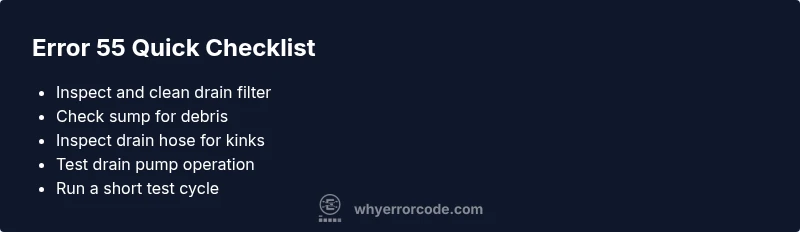
- Power down the unit and unplug it, then wait 60 seconds before plugging back in and running a new cycle. This can clear transient sensor faults.
- Inspect and clean the drain filter and sump area; rinse under running water until clear.
- Check the drain hose for kinks, folds, or pinch points behind or underneath the machine. If you see any, reposition or replace the hose.
- Run a short test cycle with a small load to observe drainage. If water still pools, proceed to deeper checks or professional service. Why Error Code analysis shows that starting with simple checks often resolves Code 55 without disassembly.
Step-by-Step Repair Guide for the Most Likely Cause: Clogged Drain Filter
- Power down the dishwasher and unplug it; shut off the water supply to reduce any leakage risk. Tip: Use a flashlight to inspect tight spaces.
- Remove the bottom access panel and locate the drain filter assembly. Tip: Have a bowl ready to catch any residual water.
- Take out the filter, rinse, and scrub the mesh to remove debris. Tip: A soft brush helps dislodge stuck particles.
- Inspect the sump area for trapped food or soap scum; wipe clean. Tip: Avoid using metal tools that could scratch plastic.
- Reinstall the filter and run a test cycle with a small load. Tip: Listen for a normal pump hum and verify the water drains on schedule.
- If drainage remains poor, recheck hoses for kinks and confirm the pump is receiving power. Tip: Do a visual pump test by listening for a brief, consistent motor operation.
EstimatedTime: 45-60 minutes
Additional Causes and How to Address Them
- Blocked drain hose: Disconnect one end and blow air through to clear obstructions. If the hose is cracked or collapsed, replace it.
- Faulty drain pump or impeller: If the pump hums without moving water, the impeller may be jammed or the motor worn. Replacing the pump assembly is usually the fix.
- Control board glitch: Intermittent software faults or sensor misreads can trigger code 55. A factory reset or software update may help; if not, professional testing is advised.
Safety Precautions and When to Call a Pro
- Always unplug before servicing and shut off water supply to avoid shock or flooding. Wear gloves to protect hands from sharp edges and dirty water.
- If you smell burning plastic, hear crackling sounds, or notice visible damage to wiring or the pump, stop immediately and call a professional.
- If the unit is under warranty, DIY repairs may void coverage; consult the manual or manufacturer support first.
Prevention Tips to Avoid Error 55 in the Future
- Clean the drain filter regularly, ideally every 1–2 weeks during heavy use.
- Load dishes to avoid obstructing the filter or spray arms; avoid overfilling.
- Use appropriate cycles and avoid running with partial loads that can impede drainage.
- Inspect hoses for wear and replace aging hoses proactively; secure hose routing to prevent kinks. The habit of routine maintenance reduces the chance of recurrence.
Real-World Troubleshooting Scenarios
Scenario A: A user notices water pooling after cycle and the code 55 appears. They clean the filter, rerun a small load, and the issue resolves. This aligns with common drain-path blockages. Scenario B: A customer reports the pump hums but no water drains; after testing power to the pump and replacing a failed impeller, drainage returns to normal. In rare cases, the control board may misread sensors and necessitate professional service. The key is to start with simple checks and escalate to component testing only if necessary.
Steps
Estimated time: 45-60 minutes
- 1
Power down and safety check
Unplug the unit, shut off the water supply, and wait 60 seconds to discharge capacitors. This minimizes shock risk and clears minor faults.
Tip: Use dry hands and wear protective gloves. - 2
Access the drain area
Remove the lower kick panel or toe panel as per the model manual to reach the drain components. Take caution for residual water.
Tip: Have a towel ready for spills. - 3
Clean and inspect the drain filter
Take out the drain filter, rinse it under warm water, and scrub away debris from the sump area. Check for any obstructive buildup.
Tip: A soft brush helps remove stubborn residue. - 4
Inspect drain hose and connections
Look for kinks, pinched sections, or loose clamps. Straighten or replace the hose as needed and reseat clamps securely.
Tip: Run a hand along the hose to feel for hidden dents. - 5
Test the drain pump function
With power disconnected, access the pump for a quick continuity test if you have the tools. Look for obstructions in the impeller area.
Tip: If unsure, defer to a professional to avoid damage. - 6
Reset or power cycle
Reconnect power, run a empty cycle to confirm drainage. If needed, perform a factory reset per the manual.
Tip: Document any codes shown during the test. - 7
Evaluate results and plan next steps
If water drains properly and no code reappears, the fix is successful. If not, re-evaluate pump or board and consider professional service.
Tip: Keep a maintenance log for future reference.
Diagnosis: Dishwasher shows error code 55 during cycle or on start
Possible Causes
- highClogged drain filter
- highFaulty drain pump
- mediumBlocked drain hose
- lowControl board glitch
Fixes
- easyClean the drain filter and sump area
- easyInspect drain hose for kinks and reconfigure as needed
- mediumTest the drain pump and replace if it hums without pumping
- hardReset or replace the control board if software fault is suspected
Frequently Asked Questions
What does Frigidaire dishwasher error code 55 mean?
Code 55 usually points to a drainage problem in the washer. It often involves the drain pump, filter, or hose. Start with simple drain checks before deeper repairs.
Code 55 is a drainage fault. Begin with the drain filter and hose checks, then test the pump if needed.
Can I fix error 55 myself safely?
You can perform basic checks such as cleaning the filter and inspecting hoses. Always unplug the unit and shut off water before working. If you’re unsure, contact a professional.
Yes for basic checks, but unplug first and seek a pro if you’re unsure.
What are the common causes of error 55?
The most common causes are a clogged drain filter, a faulty drain pump, or a kinked drain hose. A rare software glitch on the control board can also trigger the code.
Clogged filters, faulty pumps, or hose kinks are typical; a rare board glitch can also cause it.
What is the typical cost to fix code 55?
Parts usually cost around $50-$200, with labor ranging from $100-$350 depending on the diagnosis and location. Replacement pumps or boards may increase the total.
Expect parts around a few dozen to a couple hundred dollars, labor about a hundred to three hundred plus, depending on the repair.
When should I call a professional?
If the error persists after cleaning, if the pump or board appears damaged, or you’re uncomfortable with electrical components, it’s wise to call a technician.
If it keeps coming back after basic checks or you see damaged parts, call a pro.
Watch Video
Top Takeaways
- Identify drainage issues quickly by inspecting filters, hoses, and pumps.
- Start with simple fixes: filter clean and hose check before disassembly.
- If the pump or board is defective, expect higher repair costs and potential replacement.
- Budget ranges: parts typically $50-$200; labor $100-$350 depending on diagnosis.
- Prevent recurrence with regular cleaning and proper loading practices.