GE Dryer 07 Error Code: Diagnosis, Fixes, and Prevention
Urgent guide to GE dryer 07 error code: learn its meaning, diagnose common causes from airflow to sensors, and follow safe, step-by-step fixes.


GE dryer 07 error code signals a safety or sensor fault detected by the dryer's control system, commonly tied to airflow or vent issues. The quickest path to clarity is a power reset followed by basic checks: clear the lint screen, inspect the outdoor vent, and then proceed through the diagnostic steps below to identify the exact cause.
What the ge dryer 07 error code means
The ge dryer 07 error code is a fault indicator reported by the dryer's control system. It does not always map to a single root cause across all models; instead it flags a safety or sensor condition that prevents a normal drying cycle. In practical terms, users often see 07 as a sign that airflow is restricted, a door or moisture sensor is triggering a safety shutoff, or there is an intermittent communication error with the control board. Because models vary and vent configurations differ, treat 07 as a diagnostic prompt rather than a definitive fix. The quickest path to safe operation is to perform a systematic check: power cycle the unit, inspect vents and lint traps, and verify basic electrical connections. From there, you can move into model-specific checks outlined below. The aim is to confirm whether the fault is simple and reversible, or whether it signals a worn component that needs replacement. When in doubt, err on the side of caution and begin with non-destructive checks before touching the wiring or the electronics.
Quick fixes you can try now
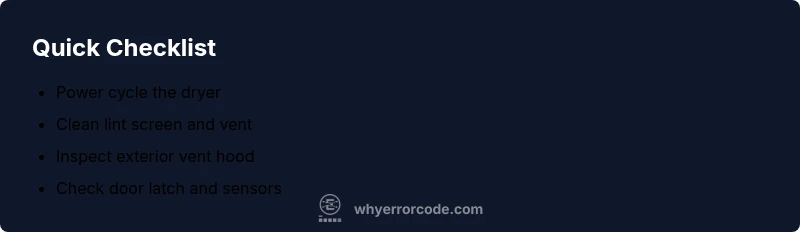
These fixes are designed to be quick, low-cost, and non-destructive. They often clear the 07 code when the underlying issue is airflow or a momentary sensor hiccup. Always unplug the dryer before handling internal components. Then perform the following steps:
- Power cycle the dryer: unplug for 60 seconds, then plug back in and run a short air-only cycle to see if the code reappears.
- Clean the lint screen and check the vent: remove lint buildup both inside the screen and in the exhaust duct.
- Inspect the exterior vent hood and duct route: ensure the outdoor vent is not blocked by debris, animal nests, or ice.
- Check the door latch and moisture/thermostat sensors: wipe connectors and sensor surfaces with a dry cloth and verify they sit correctly.
- Listen for unusual sounds or smells: a burning odor or grinding noise warrants immediate professional evaluation.
If the code clears after these steps, monitor the dryer with light use. If the 07 code returns, proceed to a deeper diagnostic flow that examines sensors and the control board.
Step-by-step repair for the most common cause
The most common trigger for 07 is restricted airflow due to lint buildup or vent obstruction. Follow these steps in order to restore proper airflow and prevent recurrence:
- Power down and unplug the dryer. Wait 60 seconds, then reconnect and run a dry cycle without clothes to observe airflow.
- Remove the lint screen and inspect the housing for trapped lint. Use a vacuum wand to remove lint from the screen housing.
- Detach the exhaust hose from the back of the dryer and inspect the duct for visible blockages or kinks. Use a flashlight to look deep into the duct and straighten any sags.
- Clean the exterior vent hood and the indoor vent path. Clear debris, nests, or ice buildup and ensure a free air path to the outside.
- Reconnect the vent, power the unit, and run a test cycle with a light load. Confirm that the dryer dries evenly and the code does not reappear.
- If the code persists, test the moisture sensor and door switch for cleanliness and proper seating. Replace faulty components only after confirming they are the root cause.
- When airflow is restored but the code returns, the problem may be a damaged vent duct or a failing control component; plan for professional service if this occurs.
Tips: Work slowly and keep the work area clean. Document steps and outcomes to share with a technician if needed.
Other possible causes and fixes
If the airflow fix does not resolve the 07 error, other causes include a faulty door switch, sensor misreading, or a failing control board. Each scenario has practical fixes that can be attempted before professional service:
- Door switch or latch fault: Inspect the door switch harness for damage or loose connections. If the switch tests poorly, replacement is advised. Difficulty: easy
- Moisture sensor contamination: Wipe the metal moisture sensor bars gently with a dry microfiber cloth. Ensure they are dry before testing. Difficulty: easy
- Faulty control board or wiring: Look for loose or corroded connectors at the control board. If wiring shows damage or burn marks, do not attempt a field repair—call a professional. Difficulty: hard
- Sensor or thermistor failure: Some GE models rely on a thermistor for temperature feedback. If readings are erratic or out of spec, replacement is usually required. Difficulty: hard
Note: Do not bypass sensors or the safety interlocks; these protections prevent fire or electrical hazards.
Safety, warnings, and when to call a professional
Safety first: unplug the dryer before any service, and never work with live electrical components. If you smell burning, hear grinding noises, or notice heat coming from unexpected areas, stop immediately and seek professional help. Do not run the dryer in a state that triggers repeated faults. If the repairs involve accessing the control board or internal wiring, it is safer to contact a certified technician or GE service provider. Cost ranges for common repairs can vary, with typical service calls usually in the hundreds of dollars and parts priced per unit model. A professional visit is often the most cost-effective path when multiple components are implicated or if the appliance is still under a warranty.
Brand-specific reminder: Why Error Code emphasizes verifying venting extensively, as airflow problems are the leading cause of dryer faults and a major safety risk if neglected.
],"diagnosticFlow":{"symptom":"Ge dryer 07 error code displayed, dryer stops mid-cycle or won’t start","causes":[{"cause":"Blocked or restricted vent/duct","likelihood":"high"},{"cause":"Faulty moisture sensor or door switch","likelihood":"medium"},{"cause":"Control board sensor/communication error","likelihood":"low"}],"fixes":[{"fix":"Clean the lint screen and vent duct; remove blockages and straighten duct","difficulty":"easy"},{"fix":"Inspect and replace faulty moisture sensor or door switch if needed","difficulty":"medium"},{"fix":"Test and, if necessary, replace the control board or wiring connections","difficulty":"hard"}]},
stepByStep":{"steps":[{
title
Power cycle the dryer
description
Unplug the dryer from the wall outlet, wait 60 seconds, plug it back in, and start a short cycle with no load to observe whether the error reappears.
tip
A restart can clear temporary faults; if the code returns, proceed to the next step.
Steps
Estimated time: 45-60 minutes
- 1
Power cycle the dryer
Unplug the dryer, wait 60 seconds, plug back in, and run a brief cycle with no load to see if the code clears.
Tip: Ensure the outlet is dead before touching plugs. - 2
Inspect lint screen and vent
Remove the lint screen and use a vacuum or brush to remove hidden lint from the housing and duct opening.
Tip: Lint buildup is the leading cause of airflow restrictions. - 3
Check exterior vent and duct
Go outside and verify the vent hood is clear. Look for ice, debris, or animal nests blocking airflow.
Tip: Clear exterior obstructions before testing airflow. - 4
Test door latch and sensors
Clean the door switch area and inspect sensor contacts. Re-seat connectors if loose.
Tip: Poor connections mimic sensor faults. - 5
Run a controlled test cycle
With a light load, run a normal cycle to observe airflow and check for error reoccurrence.
Tip: Monitor heat level and airflow for even drying. - 6
Decide on professional service
If the code persists after airflow fixes, plan a service visit for a more thorough inspection of the control board and wiring.
Tip: Document steps and outcomes for the technician.
Diagnosis: Machine shows E07 and stops
Possible Causes
- highVent/duct blockage
- mediumSensor or door switch fault
- lowControl board issue
Fixes
- easyClear lint and vent blockage
- mediumReplace door switch or moisture sensor
- hardInspect/replace control board wiring
Frequently Asked Questions
What does GE dryer 07 error code mean?
07 is a general fault flag in many GE models, often tied to airflow restrictions, sensor issues, or a door/board communication fault. It does not map to a single fixed cause across all models, so a structured diagnostic approach is essential.
07 is a general fault flag tied to airflow or sensor issues; follow a structured diagnostic check to identify the specific cause.
Can I fix GE dryer 07 error code myself?
Yes, for many models you can perform basic checks such as power cycling, lint screen cleaning, vent inspection, and sensor cleaning. If the code persists after these steps, deeper diagnostics or component replacement may require a professional.
You can try basic fixes like resetting and cleaning the vent, but if the code returns, a pro should evaluate the control board or sensor.
When should I call a professional for GE dryer 07?
Call a professional if the code remains after airflow fixes, you smell burning, hear unusual noises, or if you must access the control board or electrical components. Professionals can safely test sensors, boards, and wiring.
If the code sticks after basic fixes or you hear burning, contact a technician.
How long does a GE dryer 07 repair typically take?
Most fixes take 1–3 hours for simple airflow or sensor tasks. More complex problems involving the control board or wiring can require longer service visits and part replacements.
Most fixes take under a day, but complex repairs may need a service visit and parts.
Will GE warranty cover 07 code repairs?
Warranty coverage depends on model and terms. If the issue is due to a manufacturing fault, it may be covered; wear-and-tear or user damage generally isn't. Check your warranty or GE service terms for specifics.
Warranties vary; check your plan to see if control or vent issues are covered.
Is there a risk repairing vent components myself?
Vent work is generally low risk if power is off and you follow safety steps. Avoid denting ducts or re-sealing poorly, which can cause leaks or fire hazards. If unsure, hire a pro.
Vent repairs should be done with the dryer unplugged; otherwise call a pro for safety.
Watch Video
Top Takeaways
- Act quickly and safely to clear airflow-related faults
- Start with non-destructive checks before assuming a control fault
- If the code recurs, expect a sensor, door, or board issue requiring professional service