GE Washer 67 Error Code: Troubleshooting Guide (2026)
Urgent guide to diagnosing GE washer 67 error code with practical fixes, step-by-step repair, safety tips, and prevention strategies from Why Error Code.


GE washer 67 error code points to a drainage or sensor fault that halts the cycle. Quick fixes usually involve clearing the drain path, inspecting the pump for clogs, and verifying the lid switch and harness connections. If the code persists after these checks, perform a power cycle and schedule service if needed.
What the GE washer 67 error code means
The GE washer 67 error code signals a drainage or sensor fault that stops the cycle from completing. In many models, a clogged drain pump, blocked filter, or faulty lid switch triggers the code. Because the error halts operation, acting quickly helps prevent overflow, odor, or mold. According to Why Error Code Team, starting with basic checks is essential before replacing major components. A quick reset can sometimes clear transient faults, but persistent codes point to a hardware issue that needs attention.
This code is model-specific, so consult your user manual or GE's online support for exact definitions. In practice, the most common triggers are debris in the drain pump, a kinked drain hose, or a loose wiring connection to the lid switch or control module. If the washer uses a direct-drive motor, a pump relay fault can also show as a 67. Water level sensors, pressure switches, or a faulty timer can also generate a 67 on certain firmware versions. If the washer fills but stops mid-cycle, inspect the drain path and any recent changes to plumbing. For households with hard water, mineral buildup can affect the pump and valve, causing intermittent 67 calls. Always exercise caution with hot water or electricity.
Quick fixes you can try right now
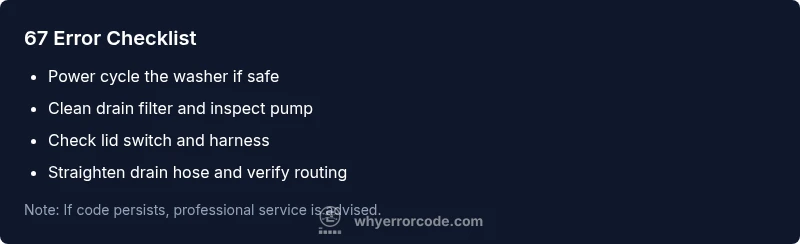
- Unplug and replug the washer to perform a soft reset.
- Inspect the drain hose for kinks or clogs, and straighten it if necessary.
- Check and clean the drain pump filter or debris screen (if accessible).
- Verify the lid switch engages fully when the lid is closed; test with a multimeter or by gently tapping.
- Run a short, cold-water test cycle to observe whether the code reappears.
- Inspect electrical connections to the lid switch and the main control board; reseat any loose connectors.
- If you have recently installed new plumbing or moved the machine, ensure the drain line is correctly routed and not backflowing.
Likeliest causes in order (for GE washer 67)
- High likelihood: Clogged drain filter or pump debris. Debris buildup blocks water flow, triggering a 67.
- Medium likelihood: Faulty lid switch or loose wiring to the control board. A bad sensor can stall cycles.
- Low likelihood: Control board failure or relay fault. Rare but possible with firmware or power surges.
Step-by-step repair for the most common cause
This section outlines a practical repair approach for the leading cause (drain path blockage).
- Power down and unplug the washer. Access the lower front panel to reach the drain area.
- Remove the drain pump filter or debris screen and clear any hair, lint, or coins.
- Rinse the strainer, inspect the pump inlet for obstructions, and reseat the filter housing.
- Reassemble the panel, ensure the drain hose isn’t kinked, and confirm proper routing.
- Reconnect any loose wiring harnesses and ensure the lid switch connector is secure.
- Plug in, run a short cycle, and watch for the 67 code to reappear.
Tip: If the code recurs after cleaning, you may need a professional diagnosis for the control board or pump replacement.
Other possible causes and how to confirm
Beyond a clogged filter, other causes include a failing drain pump relay, damaged pump wiring, or a faulty pressure/level sensor. To confirm, test the lid switch continuity, inspect the pump wiring harness for frayed insulation, and temporarily bypass the lid switch only under expert guidance. If testing reveals an electrical fault, replacement parts are often warranted to restore reliable operation.
Safety, cost, and when to call a professional
Safety first: unplug the machine before accessing internal components, avoid working with wet hands, and never work near live water and power. Costs vary by model and region but expect a broad range for parts and labor, typically in the low hundreds to a few hundred dollars depending on whether a filter, pump, or control board is replaced. If you’re uncomfortable with disassembly, if water leaks persist, or if the code reappears after the above steps, call a professional technician to prevent further damage.
Prevention: maintenance to avoid future 67 errors
- Schedule regular drain-path cleanings and filter checks every 3–6 months.
- Inspect hoses for kinks and ensure proper routing to minimize backflow.
- Keep the lid switch and harness connections clean and dry.
- Use high-quality water filters if your area has hard water or mineral content.
- Create a simple maintenance routine, documenting error codes and reset steps for quick responses.
Steps
Estimated time: 30-60 minutes
- 1
Power down and unplug
For safety, unplug the washer and turn off the circuit breaker to avoid shock. This step reduces risk before you access any internal components.
Tip: Use a grounded outlet and avoid touching metal parts. - 2
Access the drain area
Remove the lower front panel to reach the drain pump and filter. Keep a towel handy for residual water.
Tip: Have a shallow tray ready for spilled water. - 3
Clean the drain filter/pump
Remove the filter; clear hair, lint, coins, and debris. Rinse the screen and inspect for damage.
Tip: Do not force the filter if it’s stuck; use gentle pressure. - 4
Inspect drain hose and routing
Check the hose for kinks or blockages. Ensure it runs to the standpipe without sharp bends.
Tip: Avoid crimping the hose during reassembly. - 5
Check lid switch wiring
Inspect the lid switch and harness for damage; reseat connectors firmly.
Tip: Relation to top panel: realigning connectors can fix intermittent faults. - 6
Test after reassembly
Plug back in and run a short cycle to see if the 67 code returns. Observe for leaks.
Tip: If the code returns, there may be an electrical fault requiring replacement parts.
Diagnosis: GE washer displays code 67 and will not complete a cycle
Possible Causes
- highClogged drain filter or pump debris
- mediumFaulty lid switch or wiring to the control board
- lowControl board or pump relay failure
Fixes
- easyClear the drain filter and remove pump debris
- easyInspect lid switch and reseat wiring harness
- hardReplace control board or pump relay if faults persist
Frequently Asked Questions
What does GE washer 67 mean?
The 67 code signals a drainage or sensor fault that halts the cycle. It usually points to a blocked pump, clogged filter, or lid switch issue that needs attention.
GE washer 67 means drainage or sensor fault stopping the cycle. Check the pump, filter, and lid switch before calling for help.
Can I fix 67 myself?
Yes, for many models you can perform quick checks like cleaning the drain path, inspecting the lid switch, and resetting the unit. If the problem recurs, a professional diagnosis is advised.
You can try quick checks yourself, but if it comes back, get a pro.
Is 67 dangerous to attempt repairs myself?
There is minimal electrical risk if the unit is unplugged. Always take safety precautions and avoid working with live circuits or water near outlets.
Unplug first and take standard safety precautions; if unsure, consult a professional.
How much does it cost to fix GE washer 67?
Repair costs vary by model and part; expect parts and labor to fall in a general range, depending on whether you replace a filter, pump, or control board.
Costs vary, but expect a broad range depending on parts and labor.
How long does a typical 67 repair take?
A basic drain/pump fix can take 1–2 hours; more complex diagnostics or parts replacement may take longer or require a service call.
Most fixes take about one to two hours.
When should I call a professional for 67?
If the code persists after basic fixes, if there are leaks, or if you’re uncomfortable with electrical work, contact a licensed appliance technician.
Call a pro if the code keeps coming back or if you see leaks.
Watch Video
Top Takeaways
- Identify root cause quickly with the diagnostic flow.
- Start with simple fixes before expensive parts.
- Power cycle the machine to reset controls.
- Call a professional for complex or recurring errors.
- Maintain the drain system to prevent repeats.