GTA Error Code 6000.87: Quick Fixes and Diagnostics
Urgent guide to GTA error code 6000.87: meanings, quick fixes, diagnostic flow, and step-by-step repairs to restore gameplay quickly and minimize downtime.


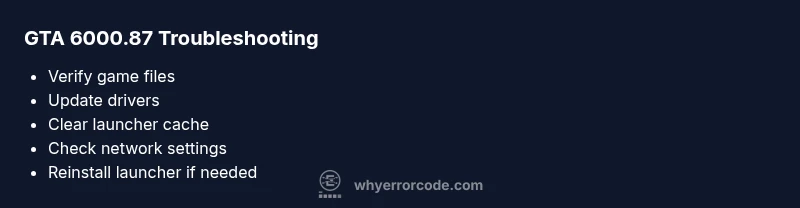
GTA error code 6000.87 indicates a startup or authentication issue in GTA. It often stems from corrupted game files, launcher cache, network blocks, or outdated drivers. Quick fixes include verifying integrity, restarting the launcher, updating graphics drivers, and ensuring your firewall isn’t blocking GTA services. If the error persists, follow the diagnostic flow below for deeper repairs.
What GTA error code 6000.87 means and when you see it
GTA error code 6000.87 is a startup/authentication related error that players sometimes encounter after patches, while launching the game, or when authentication tokens expire. In practical terms, it signals that the game client cannot complete the initial handshake with the service or properly load necessary assets. This urgent, structured diagnostic approach is what Why Error Code recommends to minimize downtime. The Why Error Code Team emphasizes a methodical path that separates local machine issues from launcher or network problems.
When you see 6000.87, think in terms of scope: is the issue repeatable on multiple PCs, or tied to a single installation? Is the problem reproducible after a fresh launcher start, or does it persist after a system reboot? These questions guide the troubleshooting path and help you avoid unnecessary changes that don’t address the root cause.
Steps
Estimated time: 40-70 minutes
- 1
Collect symptoms and confirm scope
Document the exact error message, when it appears, and whether it happens on one or multiple installations. Take screenshots if possible and note recent patches or updates.
Tip: A clear symptom log speeds up diagnosis and helps you avoid unnecessary changes. - 2
Back up saves and close processes
Exit GTA and kill related processes from the Task Manager. Back up any save data if required before performing repairs that touch game files or caches.
Tip: Backups prevent data loss during reinstall or file repair. - 3
Verify game file integrity
Open the game launcher, locate GTA, and choose Verify/Repair. Allow the process to complete without interruptions and relaunch the game.
Tip: Verification replaces missing or corrupted files automatically. - 4
Clear launcher cache and re-auth
Sign out of the launcher, clear cached data (if available), and sign back in. Restart the launcher before launching GTA again.
Tip: Cache clears stale tokens that can cause startup errors. - 5
Update drivers and OS
Update GPU drivers to the latest version and install any pending operating system updates. A fresh baseline reduces compatibility issues.
Tip: Restart after updates to ensure all components load correctly. - 6
Check network and security settings
Temporarily disable VPNs and test with direct connection. Ensure Windows firewall or antivirus isn’t blocking GTA. Create a temporary rule if needed.
Tip: Security settings often block startup traffic. - 7
Reinstall launcher or GTA as a last resort
If nothing else works, reinstall the launcher and GTA to repair deeper corruption. This should fix persistent 6000.87 errors.
Tip: Last resort step; ensure backups are in place.
Diagnosis: GTA launches but displays error 6000.87 on startup
Possible Causes
- highCorrupted or missing game files / dependencies
- highLauncher cache or authentication tokens stale
- mediumNetwork restrictions, firewall, or VPN interference
- mediumOutdated graphics drivers or operating system
Fixes
- easyVerify integrity of game files through the launcher platform (Steam/Epic/Rockstar launcher)
- easyClear launcher cache and re-authenticate by signing out and back in
- easyUpdate graphics drivers and install the latest OS patches
- easyTemporarily disable firewall/antivirus or create an exception for GTA services
- hardReinstall the game launcher or platform if corruption persists
Frequently Asked Questions
Is GTA error code 6000.87 a common issue?
While not widely documented, 6000.87 is a startup/authentication error that many players encounter after patches or due to corrupted files and network blocks. Following a structured diagnostic flow helps identify whether the problem is local, launcher-related, or network-based.
6000.87 is commonly tied to startup or authentication problems; follow a structured diagnostic flow to identify the root cause.
Should I repair game files or reinstall the launcher first?
Start with repairing game files to preserve your installation and save time. Reinstall the launcher only if the repair doesn’t resolve the issue, as this indicates deeper corruption.
Repair first; reinstall the launcher only if repairs don’t fix the error.
Can updating drivers fix 6000.87?
Yes. Updated graphics drivers and system patches improve compatibility and may resolve startup errors like 6000.87.
Driver updates often fix startup errors by improving compatibility.
Is there a risk to security software when troubleshooting?
Temporarily disable security software only for testing with caution. If the error persists, restore protections and add exceptions for GTA rather than leaving software disabled.
Only disable security software briefly while testing; restore protections afterward, using exceptions for GTA if needed.
How long does the repair typically take?
Most quick repairs finish within 20-40 minutes. More involved steps like reinstalling the launcher or the game can extend to 60-90 minutes.
Most fixes take under an hour, with longer repairs if reinstallation is required.
Watch Video
Top Takeaways
- Verify game files first for quickest repair
- Clear launcher cache to refresh authentication
- Update drivers and OS to meet game requirements
- Use last-resort reinstallation only if other fixes fail