How to Fix ED Error Code Dishwasher: A Practical Troubleshooting Guide
Learn how to diagnose and fix the ED error code on dishwashers quickly. This urgent guide covers common causes, safe checks, and when to call a pro.


ED on a dishwasher typically signals a fault that prevents a wash cycle from starting, often tied to drainage, door latch, or control system. The quickest path to regain operation is to perform safe checks: inspect the drain path for clogs, ensure the door is fully latched, and reset the control panel. If these steps don’t resolve the issue, proceed to a structured diagnostic flow.
What ED error code means on a dishwasher
ED error code on many dishwashers indicates a fault that stops the cycle from starting or completing. In practice, this often points to issues in three core areas: drainage, door latch integrity, and the control/PCB. Reading the display, you’ll typically see the ED symbol paired with a halted cycle. According to Why Error Code, many ED incidents arise from straightforward problems that are fixable without professional service—drains blocked, doors not fully closed, or a reset needed on the control. This block will outline how to interpret the code’s context and how to triage safely. The aim is to restore a stable, safe operation quickly, especially if your household depends on a functioning dishwasher for daily meals. The guidance provided here prioritizes safety and practical fixes, so you can decide whether you can fix it yourself or if a pro should be called.
Key takeaways from this section
- ED commonly signals a fault preventing operation
- Start with easy checks before tools or parts
- Prioritize drainage, door latch, then electronics
Steps
Estimated time: 30-60 minutes
- 1
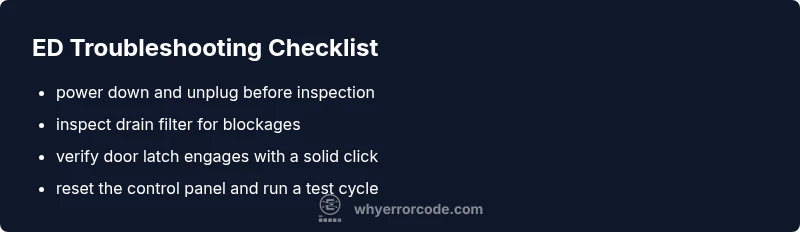
Power down and secure safety
Unplug the dishwasher or switch off the circuit breaker. Wait 60 seconds to discharge residuals. This protects you from shocks while inspecting components.
Tip: Use dry hands and stand on a dry surface; never poke into electrical areas with wet tools. - 2
Access the drain path
Remove the lower rack and access the drain filter and sump area. Look for visible blockages, crumbs, or broken pieces that could block drainage.
Tip: Have a shallow tray ready to catch any standing water. - 3
Inspect and clean the drain filter
Rinse the filter under warm water, removing any buildup. Use a soft brush to remove stubborn residue. Reinstall securely.
Tip: Never run the unit without the filter in place. - 4
Check the door latch and seal
Close the door firmly and listen for a definitive latch click. Inspect the door seal for wear or damage; replace any frayed seals.
Tip: A loose latch can falsely report a door not closed, triggering ED. - 5
Reset the control panel
Power the unit back on and perform a reset sequence specified in your user manual (often a button hold or unplug-replug cycle).
Tip: If your model supports a software reset, avoid forceful unplugging repeatedly. - 6
Test run and observe
Run a short cycle to verify ED no longer appears. If the code returns, proceed to a professional inspection for more complex faults.
Tip: Document any patterns (time of day, cycle type) to help the tech diagnose faster.
Diagnosis: ED error code displayed on dishwasher control panel
Possible Causes
- highClogged drain filter or pump obstruction
- highFaulty door latch or seal
- mediumControl board or timer fault
Fixes
- easyClean drain filter and check for blockages in the sump
- easyInspect door latch, strike, and door seal; replace worn parts
- hardReset control panel or replace the control board if faults persist
Frequently Asked Questions
What does ED error code mean on a dishwasher?
ED typically signals a fault that stops operation, often related to drainage, door latch, or control electronics. Start with quick checks before moving to deeper diagnostics.
ED usually means a fault stopping operation, often from drainage or the door latch. Start with quick checks.
Can I fix ED myself?
Yes, if the issue is a simple drain or latch fault. Always unplug first, follow safety steps, and proceed to a professional if the code returns.
Yes, you can try basic checks like draining and latching, but unplug and be safe. If it persists, call a pro.
What are the first things to check when ED appears?
Unplug the unit, inspect the drain filter and sump, look for kinks in hoses, and test the door latch for a solid click.
Unplug, check the drain, and verify the door latch is secure.
Should I replace the control board for ED?
Only if other causes fail and ED persists after checks; control boards can be costly and may require a professional install.
Only if other fixes fail; board replacement is usually a last resort.
Is ED a safety risk?
Yes, particularly if there is water near electrical components. Stop use and arrange inspection if safety concerns arise.
ED can be a safety risk, especially with water and electricity nearby; don’t run it until checked.
Watch Video
Top Takeaways
- Inspect drainage first, then door latch, then electronics.
- Unplug before starting; safety first.
- Most ED faults are fixable with simple maintenance.
- Call a professional if the code persists after checks.