Hulu Error Code 6: Diagnosis, Fixes, and Prevention
Facing Hulu error code 6? This urgent guide delivers fast diagnosis, practical fixes, and prevention tips to restore streaming quickly and keep your account and device in good standing.


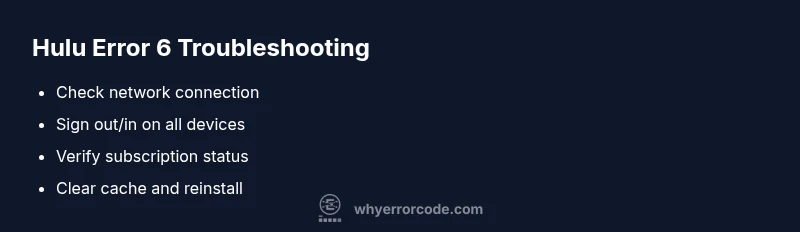
Hulu error code 6 means the streaming app has lost connection to the server or has a payment/account issue blocking playback. The quickest fixes start with a fresh network check, sign-out/sign-in, and verifying your subscription status. If the problem persists, clear cache and reinstall the app on your streaming device.
What Hulu Error Code 6 Means
According to Why Error Code, Hulu error code 6 signals an authentication or streaming authorization issue that blocks playback. The Why Error Code team found that most occurrences arise from two broad sources: a problem with your account or payment on Hulu's side, and a problem with network connectivity or device authentication. It is not a random fault; it is a configuration or session issue that can usually be resolved with a structured troubleshooting sequence. When you encounter this code, you may see an interruption during playback, a login prompt, or a message stating that access is blocked. The recommended first steps are quick checks: verify internet health, confirm your subscription is active and paid, and refresh your login session. If those steps do not resolve the problem, the issue is more likely at the device or app layer, often cache corruption, an outdated app, or a partially completed update. Prompt action reduces downtime and helps protect your streaming continuity.
Common Signs and Symptoms
Hulu error code 6 often appears with a streaming interruption, message stating there is a problem with your account, or a login screen that reappears during playback. Users may notice slow buffering on one device but not another, or the error occurs after switching networks. In some cases, it accompanies a payment or subscription notice, such as an expired payment method or a paused account. Because the root causes typically involve account validation or network authentication, symptoms frequently track back to the device or service layer rather than a fatal service outage. If you see this error on multiple devices within the same home or network segment, that points toward your router, ISP, or Hulu account status rather than a single device issue.
Quick Fixes You Can Try Now
Try these fixes in order to rapidly recover streaming: - Restart your modem and router to refresh network routes. - Switch to a different network, such as a mobile hotspot, to test if the problem is ISP-related. - Sign out of Hulu on all devices, then sign back in to refresh tokens and session data. - Check your Hulu subscription status and payment method; update if needed. - Clear the Hulu app cache or data and update to the latest version. - If you are on a browser, clear browser cookies and cache, then reload. - Reinstall the Hulu app if problems persist across devices. These steps are designed to be done quickly and often resolve the majority of cases, with minimal downtime.
Diagnostic Clues by Device Layer
Understanding where the fault originates helps you prioritize fixes. If only one device exhibits the error, focus on that device’s app data, cache, and recent updates. If multiple devices across the same network fail, the issue is more likely network or Hulu account status. Pay attention to device OS version, app version, and any recent password or payment changes. Network-level issues (router settings, DNS, or ISP blocks) can mimic account problems, so testing across networks is essential. Always check Hulu’s service status page or official social channels for outage notices before deep-diving into devices.
In-Depth Diagnostic Flow (Network, Account, and App Layers)
The root cause typically fits into three layers: network connectivity, Hulu account status, and the streaming app on the device. Network issues include unstable Wi‑Fi, VPNs, or DNS misconfigurations. Account issues involve expired payment methods, paused or suspended memberships, or regional access restrictions. App-layer problems cover cache corruption, outdated versions, or failed updates. Start with the quickest network tests, then validation of the account status, and finally app-layer checks. By isolating each layer, you’ll identify the fastest and most reliable fix while avoiding unnecessary changes.
Step-by-Step Fix (Preview)
This section previews the step-by-step process you’ll see in the dedicated fix guide. It covers rapid network checks, session refresh, payment verification, cache management, updating/reinstalling the Hulu app, and device isolation testing. Following these steps in order ensures you correct the most common causes first and minimizes downtime. For a detailed, numbered guide with tips, continue to the official fix flow in the STEP-BY-STEP section.
Other Causes and How to Address Them
Beyond the usual network or account issues, there are less common causes that can trigger Hulu error code 6. These include DRM/feature flags on certain devices, regional content restrictions, improper parental controls, or corrupted local data after a software update. Address these by ensuring your device region matches your Hulu account, disabling conflicting parental controls temporarily, and performing a clean data reset on the app if caches are suspected to be corrupted. If you recently updated your device OS, verify compatibility with Hulu’s latest app requirements and consider rolling back if issues arise.
Safety, Privacy, and When to Call Professional Help
Always practice safe troubleshooting. Do not share account credentials on public networks and avoid executing unknown scripts or third-party tools. If you cannot resolve Hulu error code 6 after following official steps, contact Hulu Support or a trusted technician for device-specific investigations. Professional help often costs in the range of service calls and hardware checks; expect typical ranges from about $50–$150 for a basic diagnostic to $100–$400 for hardware-related fixes. The Why Error Code team recommends escalating when payment issues, potential account suspensions, or ISP-level blocks are suspected, as improper handling can risk data or access to your streaming services.
Steps
Estimated time: 30-45 minutes
- 1
Check network health
Power cycle your modem and router, then run a quick speed test to confirm at least 5–8 Mbps for HD streaming. If speeds are low, contact your ISP or adjust router placement to improve signal strength.
Tip: Note the current speeds in case you need to compare after fixes. - 2
Sign out and back in
Open Hulu on all devices and sign out. Sign back in using your primary account credentials to refresh authentication tokens and session data. This often clears access blocks caused by stale credentials.
Tip: If you use password managers, ensure you’re signing into the correct account. - 3
Verify account status and payments
Log into Hulu on a web browser to check your active subscription, payment method, and any flags or holds on the account. Update expired methods and confirm regional access if you travel.
Tip: Keep a record of last successful payment date and method. - 4
Clear cache/data and update or reinstall
On each device, clear the Hulu app cache or data. Update to the latest version; if problems persist, uninstall and reinstall the app. For browsers, clear cookies and cache, then reload Hulu.
Tip: Perform these steps one device at a time to isolate the issue. - 5
Test across devices
Try streaming Hulu on a different device (phone, tablet, smart TV, computer) and/or different network. If the error disappears on one device but not another, focus troubleshooting on the problematic device.
Tip: Document device model, OS version, and app version for support notes. - 6
Escalate if needed
If the issue remains after all steps, contact Hulu Support or your device manufacturer’s support line. Share the steps you performed and any cost estimates you received for a faster resolution.
Tip: Ask for a case number and potential warranty or service options.
Diagnosis: Hulu error code 6 appears when attempting to play content, login prompts appear, or playback stops unexpectedly
Possible Causes
- highNetwork connectivity issues affecting streaming authentication
- highAccount or payment method problem blocking access
- mediumOutdated or corrupted Hulu app on the device
- lowHulu service outage or regional restrictions
Fixes
- easyRestart modem/router and test different networks
- easySign out of Hulu everywhere, then sign back in
- easyVerify subscription status and update payment details
- mediumClear app cache/data and reinstall the Hulu app
- easyTest on another device or browser to isolate the issue
- easyCheck for Hulu service outages or regional access restrictions
Frequently Asked Questions
What does Hulu error code 6 mean?
Hulu error code 6 points to an authentication or account-related block that prevents playback. It usually means a problem with your account status, payment, or a network/session issue affecting streaming authorization.
Hulu error 6 means your account or network is blocking playback. Try signing in again and checking your payment status.
Can I fix Hulu error 6 myself?
Yes, most cases can be resolved with a structured sequence: verify network, refresh login, verify subscription and payments, clear caches, and reinstall the app. If problems persist, contact Hulu support.
Most fixes are doable on your own by checking network, re-signing in, and clearing caches. If it persists, reach out to Hulu support.
I can stream on one device but not another. What does that mean?
If the error only appears on one device, focus troubleshooting on that device’s app data, settings, and OS compatibility. The other devices suggest the issue is device-specific rather than a network or account block.
If only one device shows the error, it's likely the device or app, not the whole account or network.
Will a VPN affect Hulu error code 6?
Yes. VPNs and proxies can trigger authentication blocks. Disable VPNs on affected devices to restore standard network routing and retry streaming.
A VPN can cause authentication problems. Turn it off and test streaming again.
How much does it cost to fix Hulu error code 6?
Costs vary by cause and provider. A basic diagnostic may range from $50–$150, while hardware-related fixes can reach $100–$400. Always confirm pricing before authorizing service.
Diagnostics cost about 50 to 150 dollars; hardware fixes can be 100 to 400 dollars.
Watch Video
Top Takeaways
- Start with quick network and login checks.
- Isolate the issue by testing across devices and networks.
- Follow the official steps before considering hardware repair.
- Call a pro if payment or regional access issues appear.