Hulu Error Code P-301: Complete Troubleshooting Guide
A comprehensive guide to diagnosing and fixing Hulu error code p 301, covering common causes, quick fixes, diagnostic steps, and prevention tips for reliable streaming.


Hulu error code p 301 indicates a playback interruption that blocks streaming. It often points to network problems, device compatibility, or an account/app glitch. For a quick fix, restart the streaming device, verify your internet connection, sign out then back into Hulu, update the app, and clear the app cache or data.
What Hulu error code p 301 means and why it happens
Hulu error code p 301 signals a playback interruption during streaming. It is not a single root cause and usually points to a combination of client-side issues such as network instability, device compatibility, app bugs, or account/session problems. According to Why Error Code analysis, p 301 most often arises when the streaming client cannot establish a reliable data path to Hulu servers or cannot validate a valid playback session. This makes it important to differentiate between network, device, and account-related causes to avoid chasing the wrong fix. By framing the issue as a triage problem, you can triage effectively and reach a resolution faster.
-notePlaceholder
Steps
Estimated time: 25-40 minutes
- 1
Test and stabilize the network
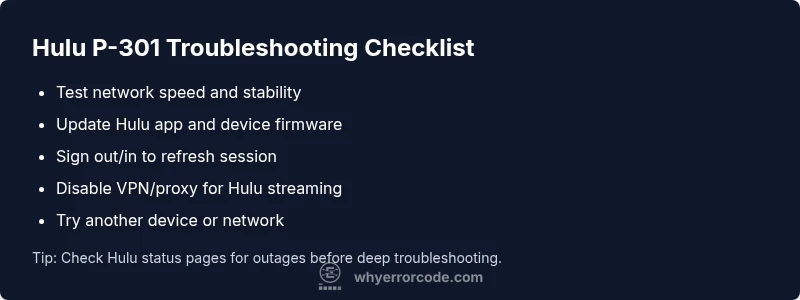
Run a speed test and verify your connection meets Hulu’s streaming requirements. If speeds are below the threshold, reboot the router, switch to a wired connection if possible, and reduce other devices using bandwidth.
Tip: A wired Ethernet connection often provides a more stable stream than Wi‑Fi. - 2
Reset your Hulu session
Sign out of Hulu on all devices, then sign back in. This refreshes tokens and validates your session. Clear any in-app caches if the device supports it.
Tip: On some platforms, fully closing the app (not just minimizing) ensures a clean sign-out. - 3
Update and reinstall
Ensure the Hulu app is up to date and reinstall if you suspect corrupted app data. Also update your device firmware or OS to the latest version.
Tip: Always back up login credentials before reinstall. - 4
Check for VPN/proxy
Disable any VPN or proxy services. Hulu often blocks playback from non-approved routes. If the VPN is necessary for other apps, disable it only for Hulu testing.
Tip: DNS leaks can reveal your real location; flush DNS after disabling VPN. - 5
Try a different device or network
If playback works on another device or network, the issue is likely device-specific or network-specific. This helps narrow down the root cause quickly.
Tip: Isolate variables one at a time to avoid unnecessary changes. - 6
Inspect account status
Verify that your Hulu subscription is active, billing is up to date, and you’re within the service’s region. Sign out/in again to reauthenticate.
Tip: If you travel, region changes can temporarily affect access. - 7
Clear cache and data
Clear cache or app data on mobile and smart TV apps. After clearing, reopen the app and retry playback.
Tip: Clearing data will sign you out — have your login details handy. - 8
Contact support if needed
If p 301 persists after all steps, contact Hulu support with device model, OS/app version, time of error, and steps you’ve performed.
Tip: Provide a concise troubleshooting timeline to speed up resolution.
Diagnosis: Hulu error code p 301 appears during playback on Hulu
Possible Causes
- highPoor or unstable internet connection
- mediumVPN/proxy or DNS-related blocks
- lowOutdated Hulu app or device firmware
Fixes
- easyRestart router and streaming device to refresh network state
- easySign out of Hulu on all devices, then sign back in to refresh tokens
- mediumUpdate the Hulu app and device firmware to the latest versions
- mediumDisable VPN/proxy and test with a direct connection (turn off DNS overlays if applicable)
Frequently Asked Questions
What does Hulu error code p 301 mean?
P-301 is a playback error indicating an interruption during streaming. It can be caused by network issues, device/app problems, or account-related glitches. The fix is usually a sequence of network checks, app updates, and session refreshes.
P-301 means playback was interrupted. Start by checking your network, updating the Hulu app, and refreshing your session.
Can p 301 be caused by my network?
Yes. An unstable or slow connection is a common cause for p 301. Test speeds, switch to a wired connection if possible, and reset the router to improve stability.
Yes. A weak or unstable network often triggers P-301, so test your speed and try a wired connection if you can.
Does VPN trigger p 301?
Yes. Using a VPN or proxy can cause Hulu to block playback and return p 301. Disable VPN for testing and streaming to see if the issue resolves.
Yes. VPNs can trigger P-301; try turning it off for Hulu streaming.
How long does it take to fix p 301?
Most quick fixes take a few minutes to complete. If the issue is server-side or device-specific, it may take longer or require support.
Usually a few minutes for quick fixes; longer if the problem is on the device or Hulu side.
Is Hulu support free for p 301 problems?
Most software-related streaming issues are resolved free of charge via standard support channels. Hardware issues or third-party device repairs may incur costs.
Support for app issues is typically free; hardware repairs may cost depending on the service.
Watch Video
Top Takeaways
- Check and stabilize network first
- Update app and device firmware regularly
- Disable VPNs/proxies for Hulu testing
- Sign out/in to refresh sessions
- If unresolved, collect device details before contacting support