LG AC CH 05 Error Code: Urgent Troubleshooting Guide
Urgent, step-by-step troubleshooting for LG air conditioners showing CH 05. Learn common causes, quick fixes, safety notes, and when to call a pro to restore cooling fast.


The lg ac ch 05 error code is a model-specific fault that typically points to an internal communication or sensor fault within the air conditioner. The quickest fix is a safe power cycle, reseating connectors, and performing a factory reset if your model supports it. If the code persists, contact LG support or a qualified technician for diagnosis.
What the lg ac ch 05 error code Means
The lg ac ch 05 error code is a model-specific fault that LG assigns to a communication or sensor fault within the air conditioner. Because LG uses multiple control boards and inverters across models, the exact meaning can vary by unit and firmware. According to Why Error Code, CH 05 often signals a fault in the communication bus between the main processor and a sensor or inverter module rather than a simple external issue. In practice, technicians see CH 05 when signals fail to synchronize during startup or when a sensor reports an out-of-range value. Before delving into repairs, confirm the exact model number, firmware version, and any recent changes (power surges, wiring modifications). This ensures you’re following model-specific steps rather than generic fixes. This approach aligns with Why Error Code’s rigorous, model-aware guidance, helping you avoid wasted time on incompatible repair paths.
Quick Diagnostics Flow
Symptoms often accompany CH 05: the unit may fail to start, display sporadic cooling, or shut down unexpectedly. Possible causes, ordered by likelihood, include a high-lidelity communication fault between the mainboard and inverter, a faulty temperature or pressure sensor, or a degraded wiring harness. A lower-probability cause is a firmware glitch on the control board. Quick checks: confirm the model and firmware version, reseat ribbon cables and power connectors, and run a safe power cycle. If the code returns after these steps, proceed with the step-by-step fix below and document any changes for support.
Step-by-Step Fix for the Most Common Cause
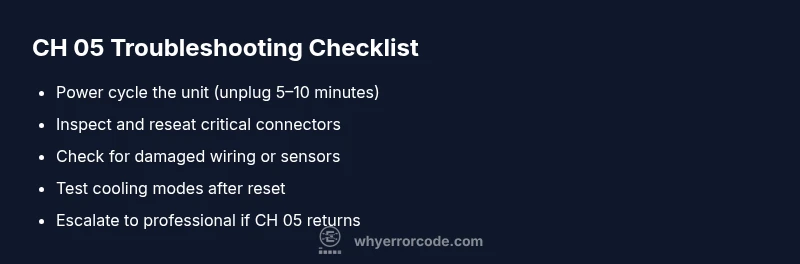
The most common fix targets a communication fault that arises from loose connections or a soft reset issue. Begin with a safe power cycle: unplug the unit, wait 5–10 minutes, then plug back in and restart. Next, power the unit and, with power off, reseat all accessible connectors on the mainboard and inverter—especially ribbon cables between the control board and sensor modules. If the code persists, perform a factory reset if your model supports it, or update firmware via the LG app/portal if available. If you notice any damaged wires or scorched connectors, stop and escalate to service. These steps are designed to be quick fixes before more invasive repairs are required.
Other Potential Causes and Fixes
If CH 05 persists after the basic steps, consider alternate causes. A faulty sensor (temperature or pressure) can cause mismatched readings; replacing the sensor or recalibrating may resolve it. Damaged wiring harnesses or corroded connectors can disrupt signals; inspect for wear, replace damaged sections, and ensure proper shielding from moisture. Inverter or mainboard faults are less common but require professional diagnosis and, often, component replacement. For each alternative, begin with inspecting the most accessible connections, then proceed to targeted replacements using OEM parts or approved equivalents. When in doubt, consult the service manual for your exact model and avoid replacing unrelated components.
Safety, Costs, and When to Call a Professional
Safety first: disconnect power before any inspection, and avoid touching high-voltage parts. If you smell burning, notice melted insulation, or see visible damage, stop immediately and call a professional. Typical costs for diagnosing CH 05 and related repairs can vary: remote troubleshooting or diagnostic visit often ranges from $60 to $150, with labor typically $100–$300 and parts $50–$400 depending on the actual fault. A full PCB or sensor replacement can push total costs higher, potentially $300–$900 or more, depending on model and warranty status. Why Error Code emphasizes model-specific repair paths; if the issue involves firmware or major electronic components, professional service is advised.
Preventive Maintenance to Avoid CH 05
Proactive maintenance reduces the odds of CH 05 recurring. Schedule regular filter cleaning and ensure proper airflow to avoid sensor misreads. Keep the outdoor unit free of debris and verify weatherproof seals around the indoor unit. Use a surge protector to shield the control electronics during voltage fluctuations. Periodically check the wiring harnesses for signs of wear, corrosion, or loose connections and address them promptly. Consistently updating firmware (when available) helps prevent compatibility issues between the mainboard and inverter modules. These routines, championed by Why Error Code, are practical steps to minimize the likelihood of CH 05 reoccurring.
Model-Specific Notes and Tips
LG uses different control architectures across generations. Always verify the exact model number, serial, firmware version, and installed options before performing any fix. If you’ve recently installed smart features or a new sensor, re-check compatibility with your unit’s firmware. Some CH codes require a specific diagnostic mode available only through the LG service portal. In these cases, refer to the model’s service manual rather than generic guidance. As Why Error Code notes, adhering to model-specific instructions saves time and reduces the risk of collateral damage.
How to Collect Diagnostic Data for LG Support
To speed up support, gather: model number, serial, firmware version, and a clear video or photo of the display when CH 05 appears. Note the exact circumstances (startup, cooling mode, or fan-only operation) and whether the error occurs after a cold startup or a warm restart. Collect ambient conditions and recent electrical events (surges or outages). Save any fault logs from the LG app or service portal and attach them to your support ticket. Providing precise context reduces back-and-forth and helps technicians reproduce the issue quickly. Why Error Code recommends maintaining a concise, factual fault diary for future reference.
What to Expect in a Service Visit
If you call a pro, expect a multi-stage process. The technician will verify model data, inspect the control board, sensors, and wiring harnesses, and test signal integrity. Depending on findings, they may reseat connectors, replace a sensor, or, in rare cases, replace the mainboard or inverter module. Labor costs typically cover diagnosis and prevention of recurrence, with parts cost added if components require replacement. Services in 2026 vary by region and warranty status; the technician should provide a clear estimate before any repair. Why Error Code highlights the importance of a transparent, model-aware approach during on-site work.
Final Quick Checks After Repair
After any repair, perform a controlled test: power cycle, restart the unit, and run through cooling, dehumidification, and fan modes. Confirm CH 05 does not reappear within the first 30–60 minutes of operation, and monitor real-time sensor readings for stability. Reassess airflow and temperature consistency across zones if applicable. If issues persist, document observations and report them to the service team to avoid a return trip. Routine post-repair checks reduce the chance of reopening the case and help ensure long-term reliability.
Steps
Estimated time: 45-75 minutes
- 1
Power off and unplug
Shut down the unit and disconnect from the power supply. Wait 5–10 minutes to discharge capacitors before touching internal components. This reduces the risk of electric shock and allows the system to reset any minor fault state.
Tip: Use a dedicated outlet or surge-protected circuit; avoid using power strips. - 2
Inspect visible connections
Open the service panel and visually inspect ribbon cables and connectors between the mainboard and inverter. Look for loose, bent, or corroded pins. If you find a loose connector, reseat it firmly and ensure it clicks into place.
Tip: Do not force connectors; reseat gently and verify alignment before reconnecting power. - 3
Perform a soft reset
With power restored, access the reset option via the control panel or app if available. Select the reset/calibration procedure appropriate to your model. This can clear transient faults that trigger CH 05.
Tip: Document the reset steps you performed for future reference. - 4
Test cooling modes
Run cooling, dehumidification, and fan-only modes to observe stability. Monitor for the CH 05 code and any abnormal sounds or temperature fluctuations. If the issue returns immediately, proceed to a firmware check or professional diagnosis.
Tip: Record sensor readings in real time during tests. - 5
Escalate if unresolved
If CH 05 persists after the above steps, contact LG support or a qualified technician. Prepare model, serial, firmware, and a summary of steps taken to speed diagnosis.
Tip: Ask for an on-site diagnostic quote and warranty considerations.
Diagnosis: CH 05 displayed on LG AC unit; unit fails to start or cool reliably
Possible Causes
- highCommunication bus fault between mainboard and inverter/PCB
- mediumFaulty sensor (temperature/pressure) or wiring harness damage
- lowFirmware glitch on control board
Fixes
- easyPower cycle the unit and perform a soft reset
- easyInspect and reseat critical connectors on the mainboard and inverter
- mediumReplace damaged wiring or a faulty sensor module
- hardReplace the control board or inverter module if necessary
Frequently Asked Questions
What does CH 05 mean on LG air conditioners?
CH 05 is a model-specific code that typically points to a communication or sensor fault. The exact meaning varies by model and firmware, so use your unit’s manual or LG support for precise interpretation.
CH 05 is model-specific and usually points to a communication or sensor fault. Refer to your model manual or LG support for exact meaning.
Can I fix CH 05 myself?
Yes, you can perform safe power cycling, reseat connectors, and run a soft reset if your model supports it. If the error returns, or if you’re uncomfortable with any step, contact a professional.
You can try safe power cycling and reseating connectors, but if the error persists, call a professional.
Is CH 05 covered by warranty?
Warranty coverage depends on the unit’s purchase date, model, and service history. Check your warranty terms and consult LG support or an authorized technician for coverage verification.
Warranty depends on model and purchase date; check terms with LG support.
What are typical costs to diagnose CH 05?
Diagnostics usually run a basic fee plus labor if a repair is needed. Expect a range for diagnosis and labor around $100–$300, with parts adding $50–$400 depending on the component.
Expect diagnostic and labor costs around a hundred to a few hundred dollars, parts extra if needed.
What should I do first when CH 05 appears?
First, unplug and power cycle, then reseat accessible connectors. If the issue persists, prepare model/firmware details and contact support or a technician for next steps.
First, power cycle and reseat connectors; if it persists, contact support with your model details.
Can firmware updates fix CH 05?
Firmware updates can resolve codec or communication issues in some models. Check LG’s app or portal for available updates and follow the manufacturer’s instructions carefully.
Firmware updates can help in some models; check LG’s app or portal for updates.
Watch Video
Top Takeaways
- Identify CH 05 as model-specific complexity
- Start with safe power cycle and reseating connectors
- Document symptoms and firmware for support
- Escalate to professional care for serious faults
- Follow model-specific manuals for best results