LG Washing Machine Zero Error Code: Quick Fixes and Diagnostics
Diagnose and fix LG washing machine zero error code quickly with expert guidance from Why Error Code. Learn common causes, safe resets, cost ranges, and when to call a pro.


LG washing machine zero error code generally means no fault is active, but a transient glitch or sensor hiccup can trigger the display. The quickest fix is a power cycle (unplug for 1 minute) and then run a short cycle. If the code returns, perform a reset, check door lock, water inlet, and filter, and contact support if needed.
What the lg washing machine zero error code Means
When an LG washing machine displays a zero error code, it often signals a placeholder or phantom fault rather than an actual defect. In many cases, the error code appears due to a transient software hiccup, a momentary sensor misread, or a data-sync issue between the control board and the display. The important takeaway is that a zero error code does not always indicate a failed component. As the Why Error Code team notes, these phantom faults are surprisingly common after power interruptions or firmware updates. If you regularly see this code, you should approach the problem methodically: verify power stability, perform a reset, and then test basic functions like draining, filling, and spinning to confirm whether the machine operates normally. This approach aligns with our general troubleshooting philosophy: start with the simplest checks and escalate only when the fault reappears. In the context of LG, a zero error code can mask issues with the door lock sensor, pressure switch, or inlet valve, but it's most often a temporary glitch that clears with a proper reset.
Why phantom zero error codes occur on LG washers
Phantom fault codes on LG models often stem from data corruption in the control board, a loose connection, or a sensor briefly reading out of spec during a cycle. A surge, brownout, or interrupted power supply can cause the console to 'think' an old fault persists, even when the underlying hardware is fine. Other common triggers include a clogged filter or a stuck drain path that momentarily triggers safety logic, or a door/LID switch reporting closed state when it isn’t fully seated. Why Error Code analyses indicates that these scenarios account for a large share of zero-code events, especially on mid-range and newer LG machines that rely heavily on software intelligence to manage pump timing, valve open/close cycles, and spin speeds. The practical implication for users is clear: treat zero error codes as signals to verify power, reset, and basic hardware status before assuming a chronic fault.
Quick fixes you can try now (no tools required)
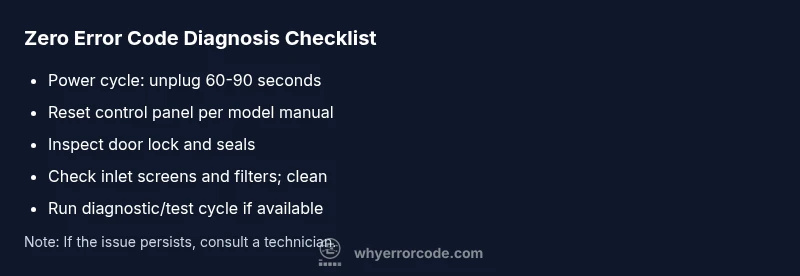
If you encounter a zero error code, there are several safe, non-destructive steps you can perform to reset the state of the machine and determine if the fault was transient. First, unplug the machine from the power outlet or switch it off at the wall and wait for 60-90 seconds. This power cycle can clear residual faults stored in the control board. Next, plug back in and run a short wash or test cycle with no clothes to observe whether the cycle completes normally. If the code reappears, perform a reset sequence for the control panel as described in your user manual. At a minimum, inspect the door lock for secure seating and verify that the water inlet screens are free of lint and debris. If a soft reset and basic checks do not resolve the issue, proceed to the more thorough checks below or contact support.
Step-by-step diagnostic approach for the most common cause
The most common underlying cause of a lingering zero error code on LG washers is an intermittent door lock sensor or a minor control-board quirk. The diagnostic approach below is designed to identify and fix that specific issue without replacing major parts:
Other potential causes and how to address them
Beyond the door lock sensor, several other issues can produce a zero error code. A clogged drain, kinked hose, or blocked inlet can trigger safety protocols that momentarily halt a cycle and reset the display. Accumulated lint or mineral buildup on filters and screens can interfere with water flow and pressure readings, prompting a false fault. In some cases, a firmware glitch after a failed update can leave the system in a limbo state where the display shows 0 even though the machine is technically ready to operate. Each of these causes has a practical, low-cost remedy that you can perform with common household tools and a little time.
Safety, costs, and when to call a professional
Safety always comes first. Always unplug before inspecting components you can reach without tools, such as filters or hoses. If you observe hot surfaces, exposed wiring, or notice a burning smell, stop and call a professional immediately. Cost-wise, typical service for a phantom zero error code can range from a small diagnostic fee to a mid-range repair, depending on whether the issue is a simple reset, cleaning, or a control-board replacement. In general, expect ranges like $50-$150 for basic resets and cleanups, $150-$350 for sensor or valve-related fixes, and up to $400-$800 for board-level replacements. These figures vary by region and warranty status; always confirm a written estimate before any work is performed.
Prevention tips to avoid future zero error codes
To minimize recurrence, adopt regular maintenance routines: keep filters and inlet screens clean, check hoses for kinks or wear, and ensure the power outlet is stable and unswitched by other devices. Update firmware if your model supports it, but only through official channels or your authorized service provider. Record any abnormalities (e.g., unusual noises, detergent usage, cycle delays) and monitor whether the zero error code reappears after specific cycles, loads, or settings. Consistent, proactive maintenance reduces the likelihood of phantom faults and helps protect the longevity of your LG washing machine.
Steps
Estimated time: 40-60 minutes
- 1
Power cycle the washer
Unplug the washer from the wall outlet or switch off the circuit breaker for 60-90 seconds to clear the control board’s memory. Plug back in and run a short cycle with no clothes to observe whether the code returns.
Tip: Ensure you use a dedicated outlet; avoid using an extension cord for safety. - 2
Run a basic reset of the control panel
Perform the reset sequence specified in your model’s manual, which often involves a combination of button presses after unplugging. Reconnect power afterward and start a test wash.
Tip: Document the exact model and any on-screen messages to aid diagnostics if needed. - 3
Inspect the door lock and seals
Check that the door/Lid lock engages fully and that the latch is not damaged. A loose or misaligned door switch can trigger false faults and stop cycles.
Tip: Test by closing the door firmly and listening for a locking click; replace if the lock is faulty. - 4
Check water inlet and filters
Remove the water inlet screens/filters and inspect for lint, mineral buildup, or debris. Reinstall after cleaning to restore proper water flow and pressure readings.
Tip: Do not scrub screens with harsh tools; use a soft brush to avoid damaging mesh. - 5
Run a diagnostic test (if available)
Some LG models include a diagnostic mode accessible via keypad or app. Use this mode to confirm electrical and sensor status without running a full wash.
Tip: Consult the manual for exact steps; never force settings beyond what the model supports. - 6
Decide on escalation
If the zero error code persists after these steps, contact LG support or a certified technician for a deeper inspection (board, sensors, or wiring harness).
Tip: Have model/serial, recent firmware version, and a log of symptoms ready for the technician.
Diagnosis: Display shows a 0 or 'zero error code' on LG washing machine and cycle stops unexpectedly
Possible Causes
- highTransient software glitch or sensor misreading
- mediumDoor lock sensor issue causing false fault
- lowWater inlet/filter obstruction triggering safety check
Fixes
- easyPower cycle: unplug for 60-90 seconds, then reconnect and test
- easyReset control panel per manual, then run a short cycle
- easyInspect and clean door lock area, inlet screens, and filters
- hardIf the code persists, schedule professional diagnostics for board or sensor tests
Frequently Asked Questions
What does zero error code mean on an LG washing machine?
A zero error code often indicates a phantom fault or a transient glitch rather than a confirmed hardware failure. It usually clears with a reset and basic checks. If it recurs, deeper diagnostics may be needed.
A zero error code usually means a temporary fault rather than a real hardware failure. Try a reset and basic checks, and escalate if it keeps appearing.
Can I fix a zero error code myself?
Yes, many zero error code cases resolve with a power cycle, a control panel reset, and cleaning the door lock and inlet screens. If the code returns, you should perform more thorough checks or contact support.
Yes—many times a power cycle and a quick reset solve it. If it comes back, consider deeper checks or contacting support.
How much does repair cost for a persistent zero error code?
Costs vary by fix and region. Typical ranges cover basic resets to $50-$150, sensor or valve issues around $150-$350, and board replacement possibly $400-$800, plus diagnostic fees if applicable.
Costs vary with the fix. Expect roughly $50 to $150 for basic resets, higher for sensors, and up to $800 for a board replacement.
When should I contact LG support?
Contact LG support if the zero error code persists after safe resets and basic inspections, or if you notice electrical smells, overheating, or water leaks. Professional diagnostics are recommended in these cases.
If the code persists after safe resets or you notice signs of a bigger issue, contact LG support for professional diagnostics.
Is firmware update relevant to zero error code?
Firmware updates can fix software glitches that might trigger phantom codes. Only update through official channels and ensure compatibility with your model.
Firmware updates can fix glitches; update only via official channels and ensure compatibility.
What maintenance helps prevent future zero error codes?
Regularly clean filters and inlet screens, check hoses for wear, and ensure stable power supply. Keeping the machine well-maintained reduces phantom codes and extends lifespan.
Regular cleaning and checks prevent phantom codes and extend the washer’s life.
Watch Video
Top Takeaways
- Identify if the code is a phantom fault rather than a true failure
- Start with safe resets and basic inspections before replacing parts
- Costs vary by fix: $50-$150 for resets/filters, up to $800 for board replacement
- Call a pro if the code persists after safe diagnostics
- Maintain filters and inlet screens to prevent future issues