Maytag Dishwasher F8 Error Code Troubleshooting
Urgent guide to diagnosing and fixing the Maytag dishwasher F8 error code. Learn common causes, quick fixes, a step-by-step repair flow, and when to call a pro. Includes cost ranges and safety notes.


According to Why Error Code, the F8 error on a Maytag dishwasher indicates a drainage or water-flow fault that prevents the cycle from continuing. The quickest fix is to unplug the unit, clean the filter and sump, and inspect the drain hose for kinks or clogs. If it persists, contact support immediately.
What the F8 Error Means on Maytag Dishwashers
The F8 error code on Maytag dishwashers signals a drainage or water-flow fault that interrupts a cycle. In many units, this stems from a blocked filter, a kinked or restricted drain hose, a failing drain pump, or a faulty sensor in the drainage path. Why Error Code has seen drainage issues as the most common root cause for F8 across Maytag models. The practical response is to trace the path from the tub to the drain and restore clear flow. Start with the simplest checks: unplug the machine, remove the lower filter assembly, and inspect for debris that could impede water movement. A clear drain path is the fastest route back to a normal cycle.
Common Symptoms and Immediate Actions
When F8 appears, you may notice that the cycle stops mid-run, water remains in the tub, or the unit hums without draining. The most urgent actions are safety-based: unplug the unit before poking around, then perform a quick visual audit of the drain components. Look for a clogged filter, any foreign objects in the sump, and kinks or bends in the drain hose. If water is trapped in the base, carefully remove it with a sponge after powering down. After the immediate checks, run a short drain test by starting a cycle with no dishes to observe whether water evacuates properly. If the error recurs, proceed with a deeper inspection of the pump and control board as described in the diagnostic flow.
Diagnostic Flow Overview
The diagnostic flow for F8 begins with symptom recognition: an F8 display and halted cycle. Possible causes, ranked by likelihood, include: a clogged drain filter (high), a kinked or blocked drain hose (medium), a faulty drain pump (medium), or a control board or sensor fault (low). Common fixes follow the same order: clean the filter, straighten or clear the drain hose, inspect/replace the pump, and reset or test the control board. This approach mirrors industry best practices and aligns with Why Error Code's diagnostic philosophy for kitchen appliance error codes.
Step-by-Step Fix: Drain Path Deep Dive
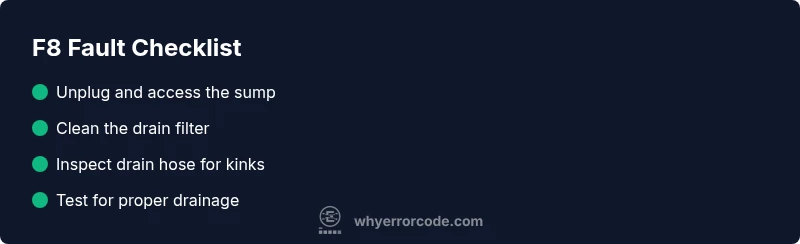
To address the most common cause—drainage blockage—start with these detailed steps. Begin with safety: unplug the dishwasher and ensure there is no residual power. Remove the lower access panel or filter assembly to access the sump. Remove debris from the filter and sump screen. Reinstall the filter and run a quick drain check. If water won’t drain, inspect the drain hose for kinks or blockages; disconnect and thoroughly flush the line. Make sure the hose end is free after reassembly. If you still see F8, it’s time to test the drain pump and controller in the next steps. Costs for this stage vary by whether you perform repairs yourself or hire a technician.
- Cleaning the filter and sump is usually an easy fix that costs little to nothing if you do it yourself.
- Replacing a clogged drain hose or kink is typically a low-cost fix, especially if you DIY.
- Replacing a drain pump or controller board involves parts and labor; expect higher costs and a longer repair timeline.
Other Causes and Fixes
If the drain path itself checks out, the F8 fault may be caused by a failing drain pump or a faulty control sensor. A pump replacement is more involved and may require disassembly and testing of electrical connections. A control-board fault can trigger intermittent drainage errors and may be resolved by a firmware reset or board replacement. In these cases, you may notice that the error reappears after a period of time, suggesting an underlying hardware failure. When dealing with pumps or boards, weigh the cost of parts and labor against a full replacement dishwasher if the appliance is older.
Safety, Warnings, and When to Call a Pro
Electrical components and water are a hazardous combination. Always unplug the unit before inspecting electrical connections. If you notice burning smells, exposed wiring, or a shock sensation, stop and call a professional immediately. Do-it-yourself fixes are most effective for simple tasks like filter cleaning or hose straightening. For pump or board failures, professional repair is often safer and more cost-efficient in the long run. Expect a rough cost range for more involved repairs: basic diagnostics to identify the fault may range from $60 to $120 if done by a pro, while pump replacement or board repair could run from roughly $150 to $500 depending on parts and labor.
Steps
Estimated time: 60-90 minutes
- 1
Power down and access sump
Unplug the dishwasher and remove the lower access panel or toe-kick plate to access the sump and filter housing. This prevents any accidental shocks while you inspect the unit.
Tip: Keep track of screws and small parts; you may need a magnetic tray. - 2
Inspect and clean the filter
Remove the filter and rinse under warm water; scrub away debris with a soft brush. Reinstall firmly to ensure proper sealing.
Tip: Tip: do not use abrasive cleaners that could damage the gasket. - 3
Check the drain hose
Trace the hose from the tub to the drain connection. Look for kinks, crushing, or signs of blockage. Detach and flush with water to clear any buildup.
Tip: Be prepared for water in the hose; have towels ready. - 4
Inspect the drain pump area
If accessible, inspect the pump for debris and test the impeller by rotating it gently. Look for a burnt smell or obvious damage.
Tip: Do not force any components; damage could worsen the fault. - 5
Reset or test the controller
After reassembling, perform a short drain test and then run a cycle empty to observe drainage behavior. A simple power reset (unplug, wait 1 minute, plug back in) can clear minor faults.
Tip: If the code returns, you may have a more serious electrical fault. - 6
Decide on next steps
If the F8 persists after the pump and hose are verified, plan for professional diagnostics or consider part replacement.
Tip: Have model and serial numbers ready when calling for service.
Diagnosis: Dishwasher displays F8 and halts mid-cycle
Possible Causes
- highClogged or blocked drain filter
- mediumKinked or blocked drain hose
- mediumFaulty drain pump
- lowControl board or sensor fault
Fixes
- easyClean the drain filter and sump area
- easyCheck drain hose for kinks and clear blockages
- mediumInspect/replace the drain pump if accessible
- hardReset the control board or replace it if needed
Frequently Asked Questions
What does the F8 error code mean on a Maytag dishwasher?
F8 indicates a drainage or water-flow fault that interrupts the cycle. Common causes are a blocked filter, a kinked drain hose, or a faulty pump. Start with cleaning the filter and inspecting the drain path.
F8 means there's a drainage issue. Start by cleaning the filter and checking the drain hose.
Is F8 covered under warranty?
Warranty coverage depends on your purchase date and service plan. Check your warranty terms or contact the retailer and Maytag support to confirm coverage.
Warranty depends on your purchase date; check with Maytag or the retailer.
What should I do first when I see F8?
Unplug the unit, inspect the drain filter and sump for debris, and examine the drain hose for kinks or clogs. If possible, run a brief drain test after cleaning.
First unplug it, clean the filter, and check the drain hose.
Can I fix F8 myself at home?
Yes for simple tasks like cleaning filters or straightening hoses. For pump or board failures, consider professional service to avoid injury or further damage.
You can DIY simple tasks, but pump or board issues are best left to pros.
When should I call a professional?
If a drain pump replacement or control-board diagnosis is required, or if the error persists after basic fixes, call a technician for safe, accurate repair.
Call a professional if a pump or board replacement is needed or the error stays after fixes.
What are rough cost ranges for F8 repairs?
Costs vary by part and labor. Simple filter cleaning is inexpensive or free if you DIY; a pump replacement may cost more, and a board repair can be pricey—typically in the hundreds of dollars range depending on parts and service.
Costs range from DIY-friendly to a few hundred dollars for pump or board work.
Will resetting the dishwasher clear F8?
A power reset can clear minor faults. If F8 returns after a reset, the issue is likely mechanical or electrical and requires further diagnosis.
Try a power reset, but if F8 comes back, you’ll need deeper diagnosis.
Is there a known pattern for F8 across Maytag models?
F8 patterns commonly involve drainage pathways rather than electronic firmware across several Maytag models, making filter and hose checks universally important.
F8 often points to drainage paths across Maytag models, so check filters and hoses.
Watch Video
Top Takeaways
- Identify F8 as a drainage fault and start with filters and hoses
- Follow a top-to-bottom diagnostic flow; address the simplest fixes first
- If the fault persists after checks, expect higher-cost components like the pump or board
- Always prioritize safety and consider professional help for hard repairs