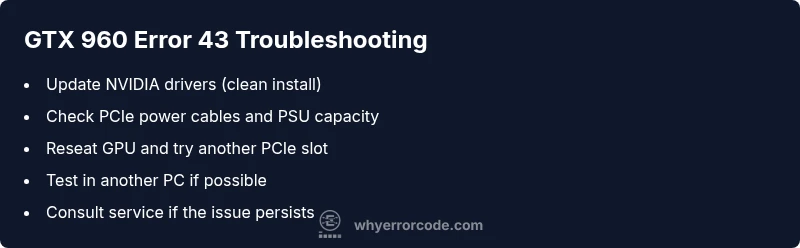
GTX 960 Error Code 43: Quick Fix Guide
Diagnose and fix the nvidia geforce gtx 960 error code 43 with a practical, step-by-step guide. Learn common causes—drivers, power, seating—and safe fixes, plus when to seek professional help.


nvidia geforce gtx 960 error code 43 means Windows has stopped the GTX 960 GPU due to a detected problem. The most common fixes are updating or reinstalling drivers, reseating the card and power connectors, and testing the GPU in another slot or system. If these steps fail, it’s usually a power supply issue or a hardware fault requiring further evaluation.
What the nvidia geforce gtx 960 error code 43 actually means
If you see the nvidia geforce gtx 960 error code 43, you're likely facing a conflict between the GPU, its drivers, and the system firmware. This error is Windows reporting that the GPU has stopped responding and has been disabled to prevent damage. In most cases, the root cause is software- or power-related rather than a dead card. At Why Error Code we consistently see driver misconfigurations, improper GPU seating, or insufficient power delivery as the top culprits. The message in Device Manager is your first signal that troubleshooting should be systematic, not speculative.
In practical terms, this means you may encounter a black screen, driver crashes, artifacting, or the GPU disappearing from Device Manager. The objective is to separate software issues from hardware problems so you can apply the correct fix. This guide from Why Error Code provides a structured approach tailored to the nvidia geforce gtx 960 and similar GPUs.
According to Why Error Code analyses this year, most GTX 960 Code 43 cases originate from driver conflicts, power cable problems, or a marginal PCIe connection. Start with software, then verify power and seating, and finally consider hardware health if symptoms persist. The goal is a safe, repeatable process you can follow without guessing.
Diagnostic Reality: Symptoms, Root Causes, and Quick Troubleshooting
The practical symptoms of the nvidia geforce gtx 960 error code 43 include a blank screen on boot, a failed GPU in Device Manager with a Code 43 warning, driver crashes, or intermittent artifacts when the card is under load. These symptoms help you triage quickly: if the GPU is not recognized at all, reseating and power checks are paramount; if the screen flickers but the card appears, driver conflicts are more probable.
Root causes are typically ordered by likelihood. High likelihood drivers and software conflicts can trigger Code 43 even when hardware is fine. Medium likelihoods include power delivery issues and loose PCIe cables or seating. Low likelihoods cover BIOS misconfigurations, motherboard PCIe slot faults, or a true GPU hardware failure. Troubleshooting should follow this order: software checks first, then power and seating, then hardware health.
For quick troubleshooting, ensure you have a spare PCIe power connector and a known-good power supply. If available, test the GTX 960 in a different PCIe slot or another PC to isolate the problem. Always keep backups of important data before performing firmware or driver modifications, and use clean install methods to avoid cascading conflicts.
Step-by-Step Fix: Quick Fixes You Can Try Right Now
- Reboot and check for pending Windows updates. Some GPU blocks or Windows component updates can indirectly trigger Code 43. Ensure your OS is current and that NVIDIA components are not blocked by security software.
- Update or reinstall GPU drivers. Use a clean-install method (NVIDIA Driver Download > Custom > Perform a clean installation) or run a dedicated driver cleaner tool if you suspect residue may cause conflicts.
- Power down and unplug. Inspect PCIe power cables (the 6-pin or 8-pin connectors) and verify the PSU is supplying adequate wattage for the GTX 960 under load. Replace any frayed cables.
- Reseat the GTX 960. Remove the card from the PCIe slot, inspect for dust or finger oils, reseat firmly, and re-seat any auxiliary power connectors. A loose seating is a frequent, overlooked cause.
- Try a different PCIe slot. If the motherboard has multiple slots, move the GPU to another slot to rule out a bad PCIe lane or slot fault.
- Test in another PC or with a different PSU. If the problem persists across systems, the GPU itself may be failing and require replacement or professional evaluation.
- Check for overheating. Ensure the GPU heatsink is properly mounted, fans are spinning, and thermal paste is in good condition if you’re comfortable with DIY maintenance.
- If the card still reports Code 43, consider hardware diagnostics from a service center or request an RMA if under warranty.
Estimated time: 60–90 minutes for most of the above steps, longer if you need to source parts or perform more extensive testing. Tips: document each step and keep logs so you can reproduce conditions if you contact support.
tip1|2|3|4|5|6|7|8|note|warning|pro_tip|undefined
Steps
Estimated time: 60–90 minutes
- 1
Prepare and back up
Power down the PC, unplug from the wall, and ground yourself. If you have important work, save and back up data before making device changes. This minimizes risk and provides recovery peace of mind.
Tip: Use an anti-static wrist strap or touch a metal surface before handling components. - 2
Update or reinstall drivers
Boot into Windows and run Windows Update to ensure system components are current. Then install the latest NVIDIA drivers using a clean install option to remove old files that could cause conflicts.
Tip: Prefer a clean install over an in-place update when troubleshooting Code 43. - 3
Inspect power delivery
Power down again and unplug. Check PCIe power cables (6-pin/8-pin) for damage or loose connections. If your PSU is marginal for your GTX 960, consider upgrading or temporarily reducing load.
Tip: Check for frayed cables and ensure no bent pins in the connectors. - 4
Reseat the GPU
Remove the GTX 960 from its PCIe slot, clean the contacts if you see dust, then reseat firmly. Reconnect any auxiliary power and ensure the card is evenly seated.
Tip: Do not use excessive force; ensure both screws are snug without overtightening. - 5
Test in a different slot
If available, insert the GPU into another PCIe slot or borrow another motherboard to see if Code 43 persists. This helps determine if the issue is slot-related.
Tip: Document your tests with notes on symptoms and generations of hardware involved. - 6
Try another system or PSU
If possible, test the GTX 960 in another PC or with a different power supply. If Code 43 follows the card, hardware fault becomes likely and replacement may be required.
Tip: If you lack tools, seek a local PC repair service for diagnostic testing. - 7
Check for overheating
Excess heat can trigger protective shutdowns. Verify fans spin, clean the heatsink, and reapply thermal paste if you're comfortable. Hot GPUs may show intermittent Code 43.
Tip: Run a GPU stress test only after basic fixes to avoid masking underlying issues. - 8
Decide on hardware repair or replacement
If no software or power issue resolves Code 43, you may need professional diagnostic or GPU replacement. Weigh costs against the card’s age and warranty status.
Tip: Warranty status significantly affects the next steps; consider RMA if applicable.
Diagnosis: GTX 960 shows Code 43 in Device Manager or display fails to initialize
Possible Causes
- highOutdated or corrupt GPU drivers
- mediumInsufficient power or faulty PCIe power connectors
- mediumLoosened GPU seating or a loose PCIe power cable
- lowPCIe slot or motherboard issue
- lowGPU hardware fault
Fixes
- easyUpdate or reinstall GPU drivers (clean install)
- easyCheck and secure PCIe power cables; verify PSU capacity
- easyReseat the GPU in its PCIe slot and reseat power connectors
- mediumTest in another PCIe slot or another PC to isolate hardware
- hardRMA or replace GPU if hardware fault is confirmed
Frequently Asked Questions
What does error code 43 mean for my GTX 960?
Code 43 usually indicates Windows has stopped the GPU due to a detected problem. This often stems from driver conflicts, power issues, or seating problems rather than a failed GPU alone. A systematic approach helps confirm the root cause.
Code 43 means Windows stopped the GPU because it detected a problem. Start with software checks, then power and seating, and only replace the card if the hardware is faulty.
Can a bad driver cause GTX 960 error code 43?
Yes. Outdated, corrupted, or conflicting drivers are a common cause. A clean driver reinstall or usingGeForce Experience to update typically resolves software-related Code 43 issues.
Yes. Drivers are a frequent cause; update or reinstall them to fix Code 43.
Is it safe to reseat the GPU to fix Code 43?
Reseating is a low-risk step if you follow anti-static precautions and power down the system. It helps if the card wasn’t fully seated or if the PCIe contact has loosened.
Reseating is generally safe if you power down and handle the card carefully.
When should I replace my GTX 960?
Consider replacement if the card repeatedly shows Code 43 after exhaustive software and power checks, or if diagnostics indicate a hardware fault that isn’t fixable in your setup.
If all fixes fail, replacement or professional diagnostics are advised.
Will a different PCIe slot fix Code 43?
Trying another PCIe slot can reveal slot-related faults. If Code 43 persists across slots, focus on drivers, power, or the card itself.
Trying another slot can help pinpoint slot faults.
Watch Video
Top Takeaways
- Follow a driver-first approach to Code 43 fixes
- Verify power and seating before hardware replacement
- Test GPU in another system to isolate the issue
- Reserve hardware replacement for confirmed GPU faults