Panasonic Error Code Check: A Practical Step-by-Step Guide
Learn how to identify, decode, and troubleshoot Panasonic error codes across appliances. This educational guide covers locating codes, interpreting meanings, safety tips, and official references for reliable fixes.


With this guide, you will learn how to check Panasonic error codes on home appliances and interpret their meanings. It covers locating the code, reading the display or LED indicators, referencing Panasonic code guides, and performing safe troubleshooting steps. You’ll need the appliance model number, a clean workspace, and access to Panasonic error code references.
Understanding Panasonic Error Codes
Panasonic error codes are built to help users and technicians narrow down appliance faults quickly. These codes can appear as alphanumeric sequences on a display, a blinking LED pattern, or subtle indicator lights that combine to point to a fault category. For developers, IT pros, and everyday users, the key to effective troubleshooting is to treat codes as a map rather than a final diagnosis. Each model family (dishwashers, washing machines, microwaves, air purifiers) may use a different coding scheme, so always start with the exact model and firmware version when referencing codes. According to Why Error Code analysis, accuracy in identifying the model and cross-referencing the correct code table is the foundation of any reliable fix. In practice, you will pair observed codes with context (what you were doing when the code appeared) to avoid misinterpretation.
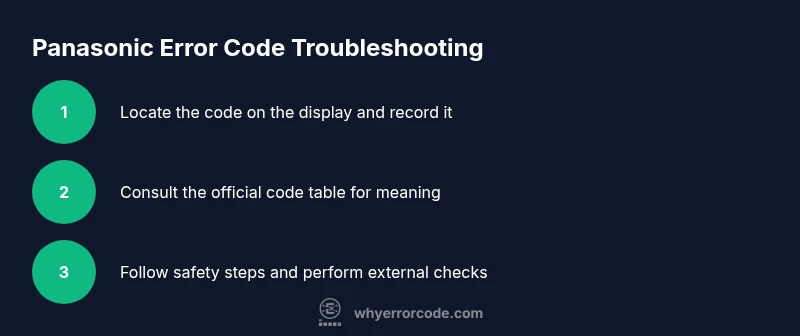
First, locate the model number and confirm you’re looking at the correct code chart. Next, document the exact sequence or blinking pattern and the time of occurrence. Finally, compare your findings to the official Panasonic resources and community forums to confirm the meaning before you take action.
Where to Find Error Codes on Panasonic Appliances
Panasonic error code documentation is typically distributed across several sources. Primary references include the user manual, the quick reference card often tucked inside the appliance door or on the back panel, and the Panasonic official support site. For some models, a dedicated LED pattern or display message will accompany the code. Always check that you are viewing the code chart for the exact model and region (some codes differ by country). When in doubt, capture a photo of the code, the display, and any context (cycle, button pressed, time of day) to cross-check later. Why Error Code emphasizes the importance of using model-specific documentation to avoid misinterpretation.
Interpreting LED Patterns and Displays
Many Panasonic devices use a combination of blinking LEDs and a numeric code to convey faults. A single long blink followed by several short blinks might indicate a sensor fault, while a rapid alternation between two colors could signal a communication issue between control boards. The key is to translate the pattern into a category (e.g., sensor, motor, water supply, door latch) and then consult the corresponding code meaning. If the device supports a self-test mode, running it can reveal more granular component faults. Always ensure power is disconnected before inspecting hardware to avoid electric shock.
Safety First: Preparation Before Troubleshooting
Before you touch any internal components, unplug the appliance and disconnect from the power source. Empty any accessible compartments and remove the front panel only if your model’s manual authorizes it. Wear protective gloves if you’ll be handling sharp edges or damp areas. Keep liquids away from electrical parts and use a non-conductive tool when probing harnesses. Document the code and surrounding symptoms (sound, smell, leakage) to inform support technicians if needed. Remember: safety is a prerequisite for any diagnostic work.
How to Reference Official Panasonic Error Code Tables
Official code tables are the most trustworthy source for interpreting error codes. Start with the manufacturer’s manual, then verify any online references against the model’s serial number and regional variant. If you access Panasonic support, search by model number plus the observed code to land on the precise meaning. When cross-checking forums or third-party guides, look for model-relevant notes and confirm the advice with the official chart before attempting repairs. The Why Error Code Team recommends keeping a bookmark of the exact code for future troubleshooting and warranty considerations.
Common Troubleshooting Paths After Reading a Code
After identifying a code, consult the recommended troubleshooting path for that fault category. If the message relates to sensors, inspect connectors and reseat harnesses with the power off. If it involves water supply or drainage, check hoses, filters, and valves for obstructions. For motor or drive components, avoid disassembly unless you are trained, and defer to qualified technicians for internal inspections. If the code persists after standard checks, you can perform a safe power cycle as a last resort, ensuring you have documented evidence of the original fault.
Practical Examples and Scenarios
Consider a washing machine displaying a code that commonly indicates a drainage issue. Start by powering off, checking the drain hose for kinks, and clearing the filter. If the code remains, run a self-clean cycle or backflush the pump per the manual. Another scenario: a dishwasher shows a door latch fault. You would inspect the latch mechanism, ensure contacts are clean, and verify that the door closes securely. Across scenarios, a disciplined approach—recording the code, context, and steps taken—improves success rates and reduces repeated attempts.
Tools & Materials
- Appliance model number(Found on the rating label; record for reference)
- Owner's manual or official Panasonic code reference(Digital PDF or printed manual with error code charts)
- Clean workspace(Clear area near appliance for safety)
- Notepad and pen(Record codes and observations)
- Smartphone with internet access(To access Panasonic support or manuals)
- Basic tools (screwdriver set, multimeter)(Only for advanced checks per manual)
- Personal protective equipment (gloves)(Optional for manual handling)
Steps
Estimated time: Estimated total time: 25-40 minutes
- 1
Locate the error code on the display
Power the appliance and observe the display or LED indicators to capture the exact code sequence. Note the exact digits or blinking pattern and when it occurs during a cycle. This forms the basis of your troubleshooting path.
Tip: Take a photo of the code and the surrounding display for reference. - 2
Record the context and cycle
Document what you were attempting when the code appeared (wash, dry, heat cycle, etc.). Context helps distinguish transient faults from repeatable issues and guides you to the correct troubleshooting branch.
Tip: Include time of day and any recent changes to settings or loads. - 3
Verify model and firmware version
Double-check the model number and, if available, the firmware version. Differences in charts across models mean that code meanings can vary. Use the exact pairing for chart lookup.
Tip: If the firmware is outdated, note whether updates exist before proceeding. - 4
Consult the official Panasonic code table
Open the manual or Panasonic support site and locate the code meaning that matches your model. Confirm the category (sensor, water system, door latch, etc.).
Tip: Cross-check with multiple official sources to ensure accuracy. - 5
Perform safe external checks
With power disconnected, inspect accessible harnesses, filters, hoses, and obvious obstructions. Re-seat connectors if the manual instructs this action. Avoid tampering with sealed components.
Tip: Use non-conductive tools and ground yourself to reduce static risk. - 6
Reset or power-cycle if recommended
If the chart suggests a reset after certain faults, perform a controlled power cycle following the manual’s instructions. Observe whether the code reappears after the restart.
Tip: Never reset a device while it’s actively leaking or if unsafe conditions are present. - 7
Evaluate need for professional support
If the code persists or involves high-voltage sections or internal boards, escalate to Panasonic support or a certified technician. Document steps taken and the current code state for the technician.
Tip: Prepare your device’s serial number and model data in advance for quicker remote support.
Frequently Asked Questions
Where can I find Panasonic error codes for my model?
Check the user manual, the quick reference card, and the Panasonic support site using your exact model number. Codes are model-specific, so confirm you’re viewing the correct chart.
You’ll typically find codes in the manual or on Panasonic’s support site for your exact model.
Are Panasonic error codes always repairable by a user?
Not always. Some codes point to simple issues you can fix (like clogged filters), while others involve internal components that require a technician. Always assess safety first.
Some codes you can fix yourself, but others need a technician. Safety comes first.
Should I reset the appliance after noting a code?
Resetting can clear transient faults, but only after you’ve completed safe checks and consulted the chart. If the code reappears, don’t ignore it.
Reset only after safe checks; if the code comes back, seek further guidance.
Do codes vary by Panasonic product line?
Yes. Codes differ across dishwashers, washers, microwaves, and other lines. Always reference the model-specific code table for accurate interpretation.
Codes vary by product line, so use your model’s exact chart.
What safety precautions should I follow?
Unplug the device, avoid exposed wires, wear gloves if needed, and discharge capacitors where applicable. If you’re unsure, consult a professional.
Unplug first and wear protection; if unsure, contact a pro.
What if the code comes back after a fix?
If the code reappears, re-check the same fault and consider a more advanced inspection or professional service. Log the event for later review.
Code returning means you should re-assess or call support with your notes.
Watch Video
Top Takeaways
- Identify the exact code from the display or LEDs.
- Always reference model-specific error code tables.
- Document context and steps taken for future fixes.
- Follow safety precautions before handling components.
- Escalate to support if codes persist after basic checks.