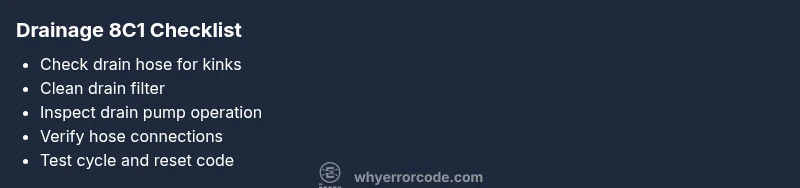
Samsung Washer 8C1 Error Code: Urgent Troubleshooting Guide
Urgent guide to diagnosing and fixing Samsung washer 8C1 error code. Learn quick fixes, step-by-step repair, safety tips, cost ranges, and prevention strategies to minimize downtime.


When a Samsung washer displays 8C1, you’re facing a drainage fault that prevents proper water removal. Start with quick checks: inspect the drain hose for kinks or clogs, clean the pump filter, and verify the pump is not blocked. If the code persists, proceed with the full diagnostic flow or call a professional.
What the 8C1 Error Means for Samsung Washers
The 8C1 code on Samsung washers is a drainage-related fault that interrupts the wash cycle by preventing proper water evacuation. While exact definitions can vary by model, the common thread is a blockage or failure in the drainage path. This means the machine can try to drain but ends up leaving water in the drum, triggering the cycle to stop and display an error. Understanding that 8C1 points to drainage rather than a generic failure helps narrow your focus to components that handle water removal. For developers integrating diagnostic UIs or for technicians building repair workflows, think in terms of a drainage loop: pump, filter, hose, and hose connections. Each element can be a single point of failure or part of a chain that stops drainage. The goal is to verify flow continuity from the tub through the filter and pump to the outlet, while ruling out pressure or sensor anomalies that might falsely trigger the code.
Immediate Symptoms You Might Notice
- Water remains in the drum after a cycle completes or aborts mid-rinse
- Error code appears after a drain or spin step
- Audible humming from the pump area or visible blockages in the filter housing
- Unusual delays in draining or repeated attempts to drain
- Soap residue or lint around the pump filter compartment
These symptoms point toward a drainage path issue rather than a motor failure, which influences the order of checks and repairs. Noting when the error appears (end of cycle vs during) can help distinguish between a clogged filter and a failing drain pump. If you’re troubleshooting in a lab or service environment, record the model number and firmware version because some firmware may affect how drainage errors are reported.
Primary Causes (Most to Least Likely)
- Clogged or blocked drain filter: A common, easily fixable cause that blocks water flow. Likelihood: high.
- Kinked, twisted, or clogged drain hose: A simple exterior obstruction that mimics a pump failure. Likelihood: high.
- Faulty drain pump or impeller jam: A hardware failure that prevents water from leaving the tub. Likelihood: medium.
- Blocked vent or air trap in the drain path: Less common but can trigger drainage alarms. Likelihood: low.
- Faulty pressure sensor or control board misreporting flow: A software/hardware issue that may require professional inspection. Likelihood: low.
If multiple symptoms appear together (e.g., humming plus no water movement), treat it as a potential pump issue before assuming a filter problem. Safety note: never work on electrified components with the power connected; unplug the unit before inspection and use a multimeter only if you’re trained.
Quick Fixes You Can Try Right Now
- Unplug the washer and inspect the drain hose for kinks; straighten and clear any blockages. Reconnect securely and run a short drain test.
- Locate and clean the drain pump filter. Remove lint, hair, and debris. After cleaning, reinstall the filter until it locks in place.
- Check the drain hose connection to the standpipe or sink to ensure it’s not elevated or blocked. A poor drain height can cause siphoning and drainage issues.
- Run a sport or drain cycle with the door closed to observe whether water drains completely. If the drum still retains water, the issue may involve the pump or control electronics.
- If you’re comfortable with basic electrical work, inspect accessible harnesses and connectors for loose pins, especially around the pump and sensor modules. If connectors are corroded or damaged, professional service is recommended.
These quick fixes target the most frequent causes and can save time and money before staging a full repair.
Step-By-Step Repair for the Most Likely Cause (Drained Filter Blockage)
- Unplug the washer and move it to a safe area. Remove the access panel to the drain filter area according to your model’s manual. 2) Place a towel to catch residual water and prepare a shallow tray. 3) Gently rotate and remove the drain pump filter, then clear all debris from the filter and the housing. 4) Reinstall the filter fully, ensuring it seats with a snug seal. 5) Check the nearby hose for visible clogs and clear them, using a long wire or brush designed for plumbing. 6) Reconnect all panels, plug in the unit, and run a short drained cycle to confirm water exits properly. 7) If the error persists, proceed to test the pump and wiring connections or replace the pump if a blockage-free path still generates 8C1. 8) Record the results and reset the error code by cycling power.
Tip: Keep a spare filter on hand for quick replacements and schedule routine filter cleaning every 1–2 months to prevent recurrence.
Other Possible Causes and How to Address Them
If cleaning the filter doesn’t resolve 8C1, inspect the drain hose for deep kinks or crush points that impede flow. A damaged hose should be replaced. If the hose and filter are clear, you may be facing a failing drain pump; test the pump with a multimeter for continuity, listen for motor hum, and consider replacement if readings are outside spec. In some cases, the control board or sensor module misreports drainage status; reseating connectors or updating firmware can help, but a professional technician may need to verify the board’s integrity and perform part replacement. Finally, ensure the standpipe or drain setup matches the model’s requirements to avoid siphoning and improper drainage.
Safety Warnings and When to Call a Professional
- Always unplug the washer before inspecting electrical components or removing panels. Water and electricity are a dangerous mix.
- If you smell burning insulation, notice melted connectors, or see visible damage, stop work and contact a professional.
- If you’re unsure about testing the pump or wiring with a multimeter, don’t guess—professional service can prevent further damage and maintain warranty eligibility.
- Expect service costs to vary by region and model; typical repairs involving hoses, filters, or the pump can range from hundreds of dollars depending on parts and labor. The Why Error Code team recommends obtaining a formal estimate before authorizing work.
Prevention Tips to Stop 8C1 Recurring
- Create a simple monthly drain filter cleaning routine to keep dirt and lint from building up.
- Use the correct load size and recommended detergent to minimize suds that can trap debris in the drainage system.
- Inspect hoses and clamps during routine maintenance checks to ensure secure, kink-free connections.
- Schedule professional maintenance every 1–2 years, especially for high-use households, to catch wear on pumps or sensors early.
Steps
Estimated time: 45-60 minutes
- 1
Power down and access the drain area
Unplug the unit and move it to a location with drip containment. Open the service panel or access cap for the drain filter as described in your model manual. This initial step reduces shock risk and provides a clear view of the drain path.
Tip: Have towels ready and work on a dry, stable surface. - 2
Clean the drain filter
Remove the drain filter, place a tray underneath, and clear all lint, hair, and debris from the filter and the sump. Rinse with warm water and dry before reinstallation.
Tip: Do not force the filter; turn it gently and back it out evenly. - 3
Inspect the drain hose
Check for kinks, twists, or crushed sections. Detach the hose if needed and straighten; run water through the hose to confirm unobstructed flow.
Tip: Ensure hose ends are securely attached to prevent leaks. - 4
Test the drain pump
With the hose reconnected, power the unit and run a drain test. Listen for pump operation and check for clogs in impeller housing. If there is no flow or you hear grinding, pump replacement may be necessary.
Tip: If you’re unsure about electrical testing, skip to a professional service. - 5
Check electrical connections
Inspect wiring harnesses around the pump and control board for loose pins or corrosion. Reseat connectors firmly and inspect for damaged insulation.
Tip: Only handle wiring when the unit is unplugged. - 6
Run a final test cycle
After reassembly, run a short cycle with a drain step to verify complete drainage. If 8C1 reappears, escalate to a pump replacement or board diagnostics.
Tip: Document the results for warranty or service records.
Diagnosis: Error code 8C1 displayed and washer fails to drain water after a wash cycle.
Possible Causes
- highClogged drain filter
- highDrain hose kink or blockage
- mediumDrain pump failure or jam
- lowControl board or sensor misreporting drainage status
Fixes
- easyClean the drain filter and housing
- easyUnkink or replace the drain hose, clear blockages
- mediumTest and replace the drain pump if needed
- hardInspect control board connections and firmware; replace components if faulty
Frequently Asked Questions
What does error code 8C1 mean on Samsung washers?
8C1 generally signals a drainage fault—water isn’t draining properly. Start with filters and hose checks, then test the pump. If the issue persists, a professional should inspect electrical components.
8C1 usually means a drainage fault. Begin with a filter and hose check, then test the pump. If it continues, a pro should inspect the electronics.
Is it safe to run the washer after cleaning the filter?
Yes, after cleaning the filter and hose, run a short drain test to verify flow. If water drains but the code comes back, the pump or board may need service.
Yes, run a short drain test after cleaning. If the code returns, you may need service for the pump or control board.
Can I fix 8C1 myself or should I call a technician?
If you are comfortable with basic appliance maintenance, you can perform filter and hose checks. For pump replacement or board diagnostics, consider a technician to avoid safety risks and warranty issues.
You can try filter and hose checks yourself, but pumps or board work should be done by a technician.
What impacts the cost of fixing 8C1?
Costs vary by region and model. Simple fixes like filters are inexpensive, while pump or board replacements can be higher. Expect a broad estimate range and obtain a written quote before work.
Costs depend on parts and labor; get a written quote before work.
How can I prevent 8C1 from returning?
Regularly clean the drain filter, avoid overfilling, use correct detergent, and schedule preventative maintenance every 1–2 years.
Clean the filter regularly, don’t overload, and schedule maintenance to prevent 8C1.
Does firmware affect drainage errors?
In some models, firmware updates address diagnostic reporting. Check Samsung support for model-specific firmware versions before pursuing hardware fixes.
Firmware can affect reporting on some models; check for updates before hardware repairs.
What should I document for service?
Note the exact error code, when it appears, cycle duration, noise, and water level. This helps technicians diagnose drainage sequencing and determine if a pump or board replacement is needed.
Document when the code shows up, cycle details, and any noises to help the technician.
Is a smell of burning a sign to stop and call a pro?
Yes. A burning smell or melted insulation is a safety hazard. Stop use immediately and contact a professional.
If you smell burning, stop using the washer and call a pro.
Watch Video
Top Takeaways
- Identify 8C1 as a drainage fault and focus on the drain path.
- Start with simple fixes: filter clean, hose check, pump test.
- Escalate to pump or board replacement if needed.
- Keep safety at the forefront and consider professional help for complex repairs.
- Prevent recurrence with regular maintenance and correct detergent usage.