Samsung Washing Machine Error Code D5: Diagnosis and Fixes
Diagnose and fix Samsung washing machine error code D5 quickly with practical steps. Includes symptoms, likely causes, safe repairs, cost ranges, and guidance on when to call a professional.


Samsung washing machine error code d5 usually signals a drainage or water-level issue that halts the cycle. A quick fix starts with a power reset, then verify the drain pump and filter, and inspect the drain hose for kinks. If the error remains, follow the diagnostic flow below or contact a technician.
What samsung washing machine error code d5 Means
For the samsung washing machine error code d5, the meaning can vary by model, but it commonly points to a drainage or water-level sensing fault that prevents the cycle from completing. This is a recoverable fault if addressed promptly. According to Why Error Code Team, the quickest path to relief begins with a safe reset, followed by basic checks of power, water supply, and the drain path. Model-specific nuances exist, so consult your user manual for exact D5 definitions on yours. If you overhear unusual noises during draining or you notice leaks around the pump, treat it as a higher-priority repair and proceed with caution. The goal is to confirm whether the issue is a simple clog or a component failure that requires replacement.
Quick safety checks before you dig in
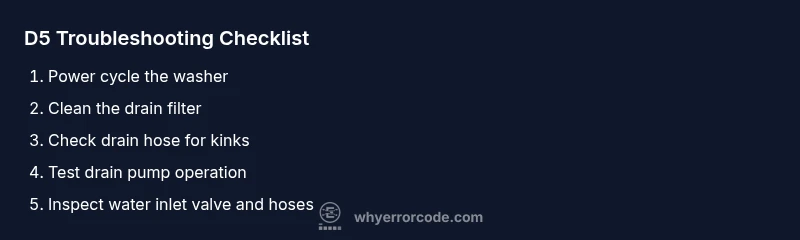
D5 troubleshooting starts with safety. Unplug the washer and shut off the hot and cold water valves if accessible. Do not attempt repairs with power connected. Wear gloves and eye protection when handling pumps or filters. A short power cycle (unplug for 60 seconds, then plug back in) can clear transient faults. If the unit still shows D5 after reset, you’ll need to inspect the drain system and related components, as outlined in the diagnostic flow. The urgency increases if you notice water pooling or a persistent, strong burning smell coming from the motor area.
Diagnostic flow overview: symptoms to fixes
A D5 code generally begins with a classic symptom: the cycle stops mid-run or entry into the drain phase triggers an alarm. The probable causes range from simple blockages to equipment failures. Start with the least invasive fixes: clean filters, inspect hoses, and verify pump operation. If those don’t resolve the code, move to more involved checks—electrical sensors, pressure switches, and the control board. Remember, model variation matters, so tailor steps to your specific machine as documented in the manual. Why Error Code analysis shows that most drain-related D5 issues respond to systematic checks of the pump, filter, and hose, followed by targeted component tests.
Common causes and how to verify them
- Clogged drain pump or filter: Highly common and easy to confirm by removing debris from the filter and listening for the pump during a drain cycle. If noisy or jammed, clear or replace components.
- Kinked or blocked drain hose: Visual inspection plus hose straightening can restore proper drainage. Ensure hose is not crushed beneath the appliance.
- Faulty pressure switch or level sensor: If the water level readings are inconsistent, the washer may prematurely trigger D5. This usually requires sensor testing or replacement by a technician.
- Defective drain pump or control board: Less frequent but more serious. If power and hose checks are fine, a failed pump or board can trigger ongoing D5 codes that require part replacement.
Step-by-step fix: drain pump and filter focused repair
In many cases, D5 resolves when the drain path is clear and the pump can evacuate water properly. This block walks you through the most common, safe steps to attempt first.
- Power off and unplug the unit. 2) Locate and remove the access panel for the drain pump and filter. 3) Take out the filter and clean it under running water, removing all lint and debris. 4) Reinstall the filter securely and reinstall the panel. 5) Plug the washer back in and run a quick drain test to confirm water is evacuating as expected.
If the pump shows signs of wear, grinding, or does not run when commanded, replacement is likely necessary and may be best handled by a pro. Estimated cost for a pump replacement range is moderate, depending on model and local labor rates.
Step-by-step fix: drain hose and inlet checks
A clogged or kinked drain hose can mimic a pump fault. This section covers non-pump fixes that are still highly effective.
- Disconnect power and water supply. 2) Detach the drain hose from the washer and the plumbing inlet. 3) Inspect for kinks, twists, or crushed sections; replace or reposition as needed. 4) Run a test drain to ensure proper flow. 5) Inspect the water inlet valve and hoses for blockages or sediment; flush if necessary. 6) Reassemble and test in your normal wash cycle.
Cost ranges for valve inspections or hose replacements are generally lower than pump replacements, but can vary by region and model.
Electrical and control considerations: when to suspect the board
If physical components check out, the issue may lie in the electronics. D5 can be triggered by sensor faults, a miscalibrated pressure switch, or a borderline control board fault. Symptoms include inconsistent water levels, false readings, or intermittent errors. A technician can perform a voltage and resistance test on sensors and board traces. In many regions, diagnostic service calls for board issues run higher, reflecting labor time and potential part costs.
Time, cost, and when to call a professional
Homeowners often fix D5 with basic drain and hose checks, but if the code persists after all safe inspections, professional service is recommended. Cost estimates for common D5-related repairs vary by model and geography, with small parts and filters costing a modest amount and pump or board replacements typically higher. Early intervention can prevent water damage and avoid larger repair bills later. This is especially true if you notice pooling water, burning smells, or if you are unsure about electrical safety. The Why Error Code Team emphasizes safety first and encourages professional help when symptoms exceed basic maintenance tasks.
Preventive maintenance to avoid D5 in the future
Regular maintenance reduces the likelihood of D5 recurring. Schedule periodic filter cleaning, hose inspections for leaks or kinks, and pump checks. Run a maintenance cycle monthly or quarterly, depending on usage. Keep the drain path clear of lint and debris, and always ensure the drain hose length matches the model’s manual recommendations. For households with hard water, consider occasional descaling of inlet components if recommended by your manual. Staying proactive with these steps helps minimize the risk of D5 and keeps your Samsung washer running smoothly.
Steps
Estimated time: 45-60 minutes
- 1
Power off and unplug
For safety, unplug the washer and, if accessible, shut off the water valves. This prevents accidental shock or leaks while you work. Wait 60 seconds before replugging to reset potential transient faults.
Tip: Double-check the outlet with a tester if you have one. - 2
Access drain components
Locate the drain pump housing and the lint filter. Remove the cover or panel if needed to access these parts. Have a shallow tray ready for any residual water.
Tip: Keep screws organized so you don’t lose any during reassembly. - 3
Clean the drain filter
Remove the filter and rinse under running water. Use a soft brush to remove lint and debris that restricts drainage. Reinsert only after it’s dry.
Tip: Never run the unit with a dirty filter. - 4
Inspect the drain hose
Check the drain hose for kinks, twists, or clogs. Detach and straighten if necessary, then flush with water to confirm free flow.
Tip: Ensure the hose end is not submerged in water or blocked by furniture. - 5
Test the drain pump
With the filter reinstalled, run a drain cycle to hear the pump operate. If you don’t hear it or the water won’t drain, the pump may be failing.
Tip: If the pump is hot or unusually loud, stop and seek professional help. - 6
Check water inlet valve and hoses
Inspect the inlet valve and hoses for blockages and sediment. Flush or replace if needed to ensure proper filling and drainage.
Tip: Sediment can affect fill performance and indirectly influence drainage. - 7
Reset and test
Plug back in, reset the washer, and run a short cycle to confirm whether D5 reappears.
Tip: Document any persistent codes to aid a professional technician. - 8
Evaluate need for part replacement
If the drain pump shows wear, replace it. If the control board or sensors test poorly, plan for professional repair.
Tip: Cost varies by model; ask for a written estimate before work begins. - 9
When to call a professional
If you’re uncomfortable with any step or the error persists after fixes, contact a licensed technician. Electrical safety should never be compromised.
Tip: Professional help can safeguard against water damage and ensure code is resolved.
Diagnosis: D5 error appears during cycle, washer halts drainage
Possible Causes
- highDrain pump blockage or failure
- highClogged/blocked drain filter
- mediumKinked or blocked drain hose
- lowSensor or control board fault
Fixes
- easyClean/remove debris from drain filter
- easyInspect drain hose for kinks and clear blockages
- hardTest drain pump operation or replace pump
- hardReplace faulty pressure sensor/board if required
Frequently Asked Questions
What does the D5 error code mean on Samsung washing machines?
D5 typically indicates a drainage or water-level issue that prevents the cycle from completing. The exact meaning can vary by model, so consult your manual for specifics. Start with a safe reset and basic drain checks before deeper diagnostic steps.
D5 usually points to drainage or level-sensing trouble. Start with a reset and basic drain checks, then follow the full guide if it persists.
Can I fix D5 myself, or do I need a technician?
Many D5 cases are fixable by homeowners through simple steps like cleaning the filter and inspecting the drain hose. If the pump or control board is at fault, or if the problem persists after basic checks, a licensed technician is recommended.
You can handle simple fixes, but call a pro if the issue sticks around or involves the pump or board.
What are the common causes of D5 on Samsung washers?
Common causes include a clogged drain pump/filter, a kinked or blocked drain hose, a faulty pressure switch, or a failing control board. Verifying each in sequence helps isolate the problem.
Most D5 issues come from clogs, hose problems, or sensor/panel faults. Check those first.
How long does a D5 repair take and what does it cost?
Simple fixes (filters, hoses) often take under an hour. More involved repairs (pump or board replacement) can take a few hours and cost ranges that depend on the model and region, typically higher for parts plus labor.
Minor fixes are quick; major repairs take longer and cost more, depending on parts and labor.
When should I call a professional for D5?
Call a professional if the code returns after basic checks, if you notice leaks, or if you’re uncomfortable with electrical components. A pro can safely diagnose sensors, pumps, and boards.
If basic checks don’t solve it or you’re unsure about electrical work, get a professional.
Watch Video
Top Takeaways
- Power cycle and check the drain path first
- Clean filter and verify hose for kinks
- If D5 persists, evaluate pump, sensor, or board faults
- Consult a pro for costly components or unclear diagnostics