Samsung Washing Machine Error Code F5: Urgent Fix Guide
Learn what Samsung washing machine error code F5 means, urgent fixes, diagnostics, step-by-step repair, safety tips, and prevention guidance with expert insights from Why Error Code.


Samsung washing machine error code F5 is a control-board fault shown by the display. The exact meaning varies by model, but it generally signals a safety or drive-related fault. The quickest path is a hard reset, then inspect the door lock and wiring harness, and run a basic diagnostic cycle. If the code persists, contact a pro.
What F5 Means on Samsung Washers
On Samsung washing machines, the F5 error is a fault indicator that appears when the control board detects an abnormal condition affecting safety, drive, or communication between components. Because Samsung models vary, the exact interpretation of F5 can differ from one washer to another. In urgent situations, treat F5 as a sign that the machine has halted mid-cycle and that a safe, thorough check is needed before continuing. Always consult your model’s user manual or Samsung support for model-specific definitions, but you can begin with general safety checks to prevent further damage. The overarching goal is to restore reliable communication between the control board, door lock, and motor while ensuring there are no hidden hazards such as water leaks or exposed wiring. Why Error Code recommends a cautious, methodical approach to avoid voiding warranties or causing additional faults.
Quick Diagnostic Flow for F5
When F5 appears, start with a quick triage to determine whether the issue is electrical, mechanical, or software-related. Look for visible signs such as a door that won’t latch, wires that look loose or scorched, or a reset that doesn’t clear the code. The next step is to check the most common culprits first: the door lock mechanism, the wiring harness connections to the control board, and any obvious components that interact with the motor. If you see damaged insulation, burnt-smelling wiring, or loose connectors, stop and unplug the unit before continuing. Use the diagnostic approach below to guide your actions and document findings to support tech visits if needed.
Step-by-Step Fix for the Most Likely Cause
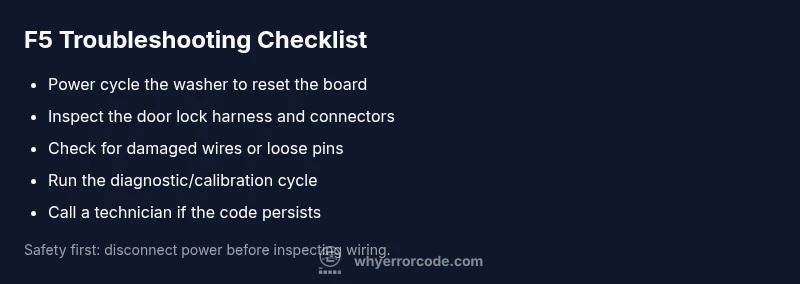
If the door lock and its harness are suspected, begin with safe, controlled checks. Power down and unplug the washer, then inspect the door lock assembly and the harness leading to the control board. Re-seat connectors firmly and look for bent pins or corrosion. If the harness shows damage, replace it and re-test. A reset can clear transient faults: unplug for at least 60 seconds, plug back in, and run a basic diagnostic cycle. If F5 returns, proceed to more thorough checks or consult a technician. Document your findings, including photos of connectors and any error timestamps, to help the repair technician pinpoint the fault quickly.
Other Possible Causes and How to Check Them
Beyond the door lock, F5 can be sparked by wiring harness faults, loose control-board connectors, or a failing motor drive system. Inspect all visible cables for wear, unplugged connectors, or pin misalignment. Some models also monitor pressure switches, water inlet valves, and sensor circuits; a clogged inlet or faulty sensor could trigger a cascade of faults that manifest as F5. If basic checks don’t reveal a clear fault, you may need to run a factory calibration or software reset per the user guide, or enlist professional diagnostic tools that can read error memory and live data from the control board.
Safety Tips and When to Call a Technician
Electrical components and water around live circuits pose real safety risks. Always unplug the unit before inspecting wiring or components. If you notice burning smells, scorch marks, or standing water, stop immediately and call a professional. While some F5 fixes can be done by confident homeowners, persistent errors require a technician to avoid risks like electric shock, water damage, or incorrect component replacement. Expect a diagnostic fee plus potential parts and labor costs; prices vary by region and model, so request a written estimate before proceeding.
Prevention Tips: Reducing F5 Recurrences
Regular maintenance reduces the likelihood of F5 reappearing. Keep the dispenser and filter clean, verify door seals, and inspect hoses for kinks or leaks. Run a monthly self-clean cycle if your model supports it, and ensure the control panel firmware is up to date via official updates from Samsung. Addressing loose connections and worn wiring early prevents cascading faults that can trigger F5 again. If you operate in a multi-user environment, train users to avoid forcing the door or interrupting a cycle mid-process, which can destabilize the control logic.
Steps
Estimated time: 60-90 minutes
- 1
Power down and secure the area
Unplug the washer and shut off the water supply. Wait a minute to ensure capacitors discharge and prevent accidental shock. This creates a safe baseline for inspection.
Tip: Have a flashlight handy to inspect behind access panels without forcing components. - 2
Reset the control memory
Plug the machine back in, then perform a full power cycle by unplugging again after 60 seconds and plugging back in. This clears temporary faults and resets the communication with the door latch.
Tip: Do not press buttons while unplugged; wait 15 seconds after reconnecting before starting a test run. - 3
Inspect door lock and harness
Locate the door lock assembly and follow the wiring to the control board. Reseat all connectors firmly, checking for bent pins or signs of corrosion. If you find damaged wiring, replace the harness or lock.
Tip: Take a photo of each connector orientation before disconnecting anything. - 4
Run a test diagnostic
With the cover back on, run the washer's built-in diagnostic or calibration cycle per the user manual. Note any error codes or alerts that appear during the test.
Tip: If your model requires a specific button sequence for diagnostics, follow the manual precisely. - 5
Decide on next steps
If F5 reappears after these checks, schedule service or replace the most likely faulty components (door lock, control board) with a professional assessment.
Tip: Request a written estimate that itemizes parts and labor before authorizing further work.
Diagnosis: Samsung washing machine shows F5 error and stops mid-cycle.
Possible Causes
- highDoor lock or latch fault
- mediumWiring harness or connector issue to control board
- lowControl board fault or software glitch
Fixes
- easyPower cycle the unit (unplug for 60 seconds) and restart
- easyInspect and reseat the door lock harness and related connectors
- hardCheck for damaged wires or loose terminals; replace door lock assembly or control board if needed
Frequently Asked Questions
What does F5 mean on a Samsung washer?
F5 is a fault code flagged by the control board. The exact meaning varies by model, so refer to your manual or Samsung support for model-specific guidance. In general, it signals a safety or drive-related fault that stops the cycle.
F5 is a fault code from the wash machine's control board. Check the manual for your model to confirm specifics and follow safety steps before continuing.
Can I fix F5 myself?
Some basic resets and inspections are within reach for confident DIYers, such as power cycling and door lock checks. If the code returns or you’re unsure, stop and contact a professional to avoid safety risks.
You can try a reset and door lock check, but if the code comes back or you’re unsure, call a pro.
What should I do first when I see F5?
Power cycle the unit (unplug for 60 seconds) and verify the door lock is seated properly. Check for obvious wiring issues and reseat connectors before running diagnostics.
First, unplug it for a minute, then check the door lock and look for loose wires.
Are repairs covered by warranty?
Warranty coverage depends on model and eligibility; contact Samsung support or your retailer to determine if diagnostic fees or parts are covered, especially for newer units with active warranties.
Check your warranty status with Samsung or the retailer to see if diagnostics or parts are covered.
Is F5 expensive to repair?
Repair costs vary by model and fault origin. Expect a diagnostic fee plus potential parts and labor; typical ranges are broad, so obtain a written estimate before proceeding.
Costs vary; get a written estimate after diagnosis before approving repairs.
When should I call a professional?
If you see signs of electrical issues, leaking water, or the code persists after basic checks, call a qualified technician to prevent damage and ensure safety.
Call a professional if the issue remains after checks or you notice hazards.
Watch Video
Top Takeaways
- Identify F5 meaning for your model quickly.
- Reset and inspect the door lock and wiring harness first.
- If the fault persists, call a professional for safe repair.
- Prevent recurrence with regular maintenance and firmware checks.