Washing Machine Error F5: Fix, Diagnostics & Prevention
Diagnose and fix washing machine error code F5 quickly with practical steps, safety tips, and cost ranges. This Why Error Code guide covers meanings, quick fixes, diagnostics, and when to call a pro.


F5 on most washing machines signals a fault in the door interlock or related control circuitry that prevents the drum from starting a cycle. The quickest path to a fix is to power cycle the machine, inspect the door switch and its wiring, and reseat any loose connectors. If the error persists, replace the door interlock or consult a qualified technician.
What F5 Means on Most Washers
Error code F5 is common across many washer models and often signals a fault in the door interlock or lid switch. When the interlock cannot verify that the door is securely closed, the control board will block the start of a cycle for safety. In some cases a loose harness, corroded contacts, or a failing control board can also trigger F5. Because safety devices protect users from moving drums and electrical faults, addressing F5 promptly reduces risk and water damage. If your machine supports a diagnostic mode, running a self-test can help isolate whether the fault originates in the switch, the wiring, or the main control unit. Always unplug before inspecting any internal parts and avoid probing live circuitry; a careful check will usually reveal the culprit.
Quick Fixes You Can Try Right Now
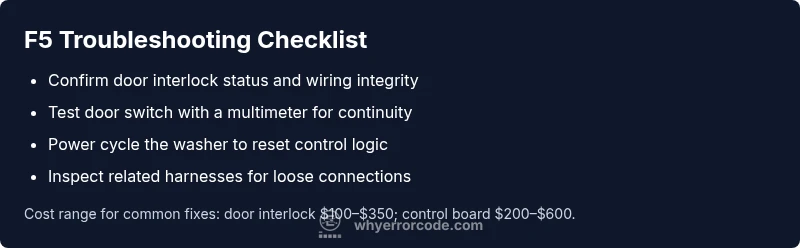
Before you dive into parts replacement, try these fast checks and resets. First, power cycle the washer by unplugging for 60 seconds, then plug back in and restart a test cycle. Next, locate the door interlock or lid switch near the door frame; press it firmly and listen for a click or feel for a proper latch. Inspect the wiring harness at the switch and console connections for loose plugs or damaged wires; reseat any connections you find. If the door switch feels loose or wobbly, test with a multimeter (if you have one) or swap the switch if a spare is available. If F5 persists, the fault is more likely in the interlock assembly or control board, which typically requires part replacement or professional service.
Diagnostic Clues: Symptom-to-Cause Mapping
Symptoms: F5 displayed, machine refuses to start or stops before starting. Possible causes: door interlock fault (high), loose wiring near the door switch (medium), control board fault (low). In most models the order of likelihood is interlock first, wiring second, board third. Solutions: test and reseat connections (easy), replace interlock assembly (medium), or replace the control board (hard). If self-test indicates a stuck interlock, your repair path is clear; otherwise, tracing cables with a multimeter helps confirm the actual fault. Keep in mind that external factors like a jammed door or misaligned latch can mimic an interlock problem, so verify the door closes fully without excessive force.
Step-by-Step Overview (Most Likely Cause: Door Interlock)
This section provides a concise overview of the repair flow so you know what to expect before you begin. The full, detailed steps appear in the STEP-BY-STEP block. You’ll typically start with a power cycle, then test the interlock wiring, and finally decide whether a part replacement is needed. If you’re not comfortable working around live electronics, contact a professional rather than attempting a repair that could cause harm or further damage.
Safety, Costs, and When to Call a Pro
Working on a washer involves electrical components and water, so never skip safety checks. The most common fix for F5 is replacing the door interlock or repairing its wiring, which typically costs between $100 and $350 for parts, plus $60 to $120 in labor depending on your region and model. If the control board is the fault, expect a higher repair cost, often in the $200 to $600 range for parts, with labor around $60 to $180. If your unit is under warranty, many repair costs may be covered; otherwise, compare the cost of repair with a replacement.
For urgent safety, stop using the machine if you notice burning smells, smoke, or water leakage during operation; call a professional immediately. If the fault involves the control board or repeated interlock failures, a pro repair is usually the safest option to prevent electrical hazards and ensure proper diagnostics.
Steps
Estimated time: 30-60 minutes
- 1
Power down and unplug
Begin by unplugging the washer and turning off the supply valve if accessible to prevent any risk of shock or water exposure. Wait at least 60 seconds to discharge capacitors and reset the control logic.
Tip: Take a photo of the wiring layout before disconnecting any connectors. - 2
Access the door interlock
Remove the access panels following your model’s manual to locate the door interlock or lid switch. Check for obvious misalignment, broken tongue, or foreign objects preventing full engagement.
Tip: Use proper screwdriver bits and avoid over-tightening screws. - 3
Test the switch and harness
Disconnect the switch harness and inspect for corrosion or damaged pins. If you have a multimeter, check continuity with the switch closed and verify no continuity when open.
Tip: Do not bend delicate terminals; if pins look corroded, replace the harness or switch. - 4
Reseat and reassemble
Reconnect all connectors firmly, reseat the interlock and any nearby harnesses, then reassemble the panel. Plug the machine back in and run a diagnostic or test cycle to confirm** whether the F5 code clears.
Tip: Double-check that no wires are pinched during reassembly. - 5
Decide on next steps
If F5 remains after reseating, replace the door interlock assembly first. If the code persists, run a formal diagnostic or replace the control board if diagnostics point to it. Contact a professional if you are unsure.
Tip: Keep spare parts on hand and verify compatibility with your model.
Diagnosis: Washing machine displays F5 and won’t start
Possible Causes
- highDoor interlock / lid switch fault
- mediumControl board / PCB fault
- lowLoose wiring or damaged harness near door switch
Fixes
- easyTest and reseat door switch harness; power cycle the machine
- mediumReplace door interlock assembly or repair door latch hardware
- hardInspect and replace control board if diagnostics point to board fault
Frequently Asked Questions
What does F5 mean on my washing machine?
F5 typically indicates a fault related to the door interlock or its wiring, preventing the washer from starting safely. The exact meaning can vary by brand, so consult your manual for model-specific definitions.
F5 usually means a door interlock or wiring issue. Check the door switch and reseat connectors, then test.
How can I tell if the door interlock is faulty?
Signs of a faulty interlock include the door not latching securely, no click when closing, or the cycle not starting despite the door being closed. A continuity test with a multimeter can confirm faults.
If the door won’t latch or you hear no click, the interlock may be bad. Use a multimeter to test continuity.
Can I fix F5 myself safely?
Basic checks like power cycling and reseating connectors are safe for most users. More involved repairs, such as replacing the interlock or control board, should be done by someone comfortable with electrical components.
You can do simple checks, but for parts like the control board, it’s safer to hire a professional.
What are typical costs to fix F5?
Costs vary by part and region. Expect roughly $100–$350 for a door interlock replacement and $200–$600 for a control board replacement, plus labor where applicable.
Interlock repairs are typically cheaper; board replacement can be pricier, with total costs likely in the mid to high hundreds.
Do all brands use F5 the same way?
Not all brands use the same code mapping. Always consult the user manual for your specific model to confirm what F5 means on your machine.
Codes vary by brand, so check your manual for your model.
When should I call a professional?
If the fault involves the control board, if you’re uncomfortable with electrical testing, or if the machine is under warranty, contact a certified technician.
Call a pro if board replacement is needed or if you’re not confident about electrical work.
Watch Video
Top Takeaways
- Inspect door interlock first when F5 appears
- Power cycle to reset control logic
- Reseat all door/wiring connections
- Consider interlock or control board replacement if needed