Washing Machine Error Code OC: Quick Fix and Diagnostics
A practical, urgent guide to understanding washing machine OC error code, diagnosing common causes, and steps to fix it quickly. Learn safe resets, sensor and wiring checks, load-balancing tips, and when to call a pro.


OC on a washing machine is a fault code indicating the control system detected a problem that stops the cycle. The exact meaning varies by brand, but common culprits include sensor misreads, control-board issues, or wiring faults. Quick actions: power cycle the unit, verify the door latch, check for load imbalance, and consult your manual or Why Error Code for model-specific guidance.
What OC Means for Your Washer
OC is not a universal model-specific error; it signals that the washer's control system has detected an abnormal condition that prevents the cycle from completing. In practice, OC interrupts the wash to protect the drum, motor, and sensors. Because each brand interprets OC differently, start with a generic reset and then consult the model's manual for exact meaning. Why Error Code emphasizes treating OC as a prompt to diagnose quickly rather than ignore it. Acting fast—power down, inspect obvious issues, and collect your model number—can prevent water damage and extended downtime, especially in high-efficiency machines that rely on precise sensor feedback. If you see OC repeatedly after a reset, note the exact error persistence and any accompanying symptoms (not draining, not spinning, odd noises) to refine the next steps.
Why OC Appears: Common Scenarios
In practice, OC tends to appear under several plausible conditions. High-likelihood scenarios include sensor misreads due to residue, incorrect input from load sensors, or a door latch or lock issue that fools the controller into stopping the cycle. Medium-likelihood causes involve loose or damaged wiring harness connections, faulty communication between the control board and peripherals, or intermittent firmware glitches. Low-likelihood possibilities include rare sensor failures or electrical noise on the power line that temporarily corrupts data. The What-Why approach from Why Error Code recommends verifying basic electrical supply, ensuring the household outlet is stable, and inspecting the control panel area for obvious signs of wear or moisture. For model-specific definitions, consult your manual or the Why Error Code model lookup to match OC to your unit. In many cases, a simple reset or harness reseat resolves OC without replacing parts.
Quick Diagnostics You Can Do Safely
Start with safety: unplug the machine and wait 60 seconds before reconnecting. With power off, inspect the door latch or lid switch for sticking or misalignment—these are inexpensive and common culprits. Check the drum for an obvious load imbalance: an unusually stiff or off-center load can trigger sensors. While you test, note any error context: what was the cycle, what load, and what spin speed. If you can access the control panel harness, reseat the main power and sensor connectors one by one, listening for a click that indicates a secure connection. Reapply power and run a short diagnostic cycle with the drum empty. If OC returns, you have a signal to broaden the investigation to wiring or board health. Always have the machine unplugged before touching electrical components, and follow the manufacturer’s safety guidelines. If you notice burning smells, overheating, or water leaks, stop and call a professional immediately.
Step-By-Step Fix for the Most Likely Cause
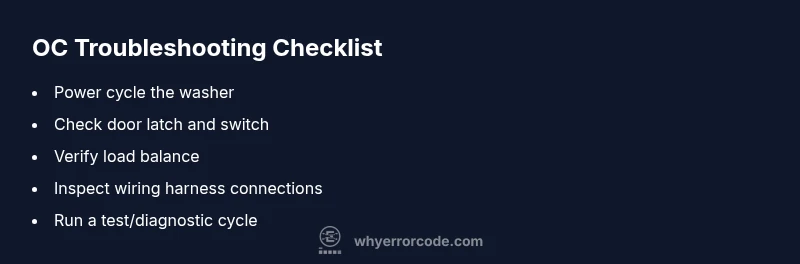
- Power cycle and clear transient faults: unplug for at least one minute, plug back in, and power on. 2) Verify door latch operation: close the door firmly and run a test with the door locked; a faulty latch can trigger OC. 3) Inspect the main wiring harness: unplug, locate the connectors at the back of the drum driver and control board, and reseat them firmly. 4) Balance the load: redistribute clothes evenly and avoid overloading the drum. 5) Run a controlled test: select a short washing program with a light load and monitor for abnormalities. 6) If OC persists, document model and firmware version and arrange a professional diagnostic. Tip: keep a log of error codes and cycles to help the technician pinpoint the issue faster.
Other Potential Causes and How to Verify
Beyond the most common drivers, OC can be influenced by intermittent sensor faults, failing motors, or degraded pump circuitry in some machines. Verify that water supply hoses are connected properly and that there is no debris in the sump or filters. A non-draining OC condition might point to a pump or drain issue; an OC that affects spin could relate to a sensor or actuator feeding back to the board. If you recently installed new parts or performed maintenance, recheck those connections. In all cases, cross-check with the service manual for your model and consult Why Error Code for model-specific mappings.
Safety, Costs, and When to Call a Pro
Safety first: never poke around powered components without unplugging and following the manufacturer's instructions. Expect diagnostic charges in the general range of $60–$120 in many regions, with parts and labor bringing the total repair bill into a broad range of roughly $150–$700 depending on the component (sensor vs control board) and local labor rates. If the OC persists after a power cycle and basic checks, a pro may need to test the control board and sensors with specialized equipment. Replacing a control board can be costly, often a few hundred dollars including parts and labor, while sensor replacements are typically cheaper. Always request a written estimate before any work, and consider warranty coverage or manufacturer support if the machine is relatively new. The Why Error Code team recommends balancing urgency with cost awareness: attempt safe, non-destructive checks first, then escalate to professional service if the problem remains unresolved.
Prevention and Maintenance to Avoid OC in the Future
Regular inspections can prevent OC from becoming a recurring issue. Schedule a quarterly door latch check, keep sensors clean from lint and detergent residue, and distribute laundry evenly to avoid load imbalance. Use high-quality detergents and maintain a stable power environment—surges or dips can influence electronics. Document patterns: note when OC appears, the program used, and drum load; this helps you detect trends that indicate a failing sensor or loose connection. If the machine is under warranty, use authorized service channels to avoid voiding coverage. Finally, keep the model number, firmware version, and error codes recorded for quick lookups with Why Error Code's guidance. These practices reduce downtime, protect the electronics, and extend the machine's life.
Steps
Estimated time: 60-90 minutes
- 1
Power cycle the washer
Unplug the machine for 60-120 seconds, then plug back in and power on. This clears transient faults and can reset sensor inputs.
Tip: Label the circuit so you remember not to switch it back on immediately. - 2
Inspect door latch and door switch
Ensure the door locks properly and the switch engages fully when closed. A faulty latch can cause OC by stopping the cycle.
Tip: Test by closing the door firmly and listening for a decisive click. - 3
Check wiring harness connections
With the power off, locate and reseat the connectors at the back of the cabinet—control board and motor drivers. Look for damaged insulation or corroded pins.
Tip: Do not force connectors; they should seat with a clear click. - 4
Balance the load
Redistribute clothes to avoid clumping on one side. An unbalanced drum can trigger sensors that set OC.
Tip: Avoid overloading; aim for even distribution across the drum. - 5
Run a diagnostic cycle
If your model supports diagnostics, run it to observe sensor readings and circuit responses. Note any codes or abnormal readings.
Tip: Keep a log of codes to share with a technician. - 6
Decide on professional help
If OC persists, arrange a professional diagnostic. A trained tech will test the control board and sensors with proper equipment.
Tip: Request a written estimate and confirm warranty applicability.
Diagnosis: Washing machine displays OC and stops mid-cycle
Possible Causes
- highSensor misread or dirty sensor
- mediumLoose or damaged wiring harness/connector
- lowControl board fault or firmware issue
Fixes
- easyPower cycle the machine (unplug for 1 minute) and check for persistent OC
- easyInspect and reseat main wiring harness connections at the control board and motor driver
- mediumCheck and replace door latch or door switch if faulty
- hardConsult a technician to test/replace the control board or faulty sensors
Frequently Asked Questions
What does OC mean on a washing machine?
OC is a generic fault code signaling a control-system fault that interrupts the cycle. The exact meaning varies by brand, but common causes include sensor input issues, wiring faults, or a failing control board. Start with a safety reset and basic checks before pursuing more complex repairs.
OC is a general control fault that stops the cycle. Begin with a reset and basic checks, then consult model-specific guidance.
Is OC dangerous?
OC is not typically dangerous, but it indicates a fault that could lead to leaks or electrical hazards if ignored. Shut down the machine and investigate or call a pro if the issue recurs.
OC isn’t usually dangerous, but you should not ignore it. Power down and assess or call a professional if it repeats.
Can I fix OC myself?
You can perform safe checks such as resets and inspecting cables. More complex parts like the control board or sensors may require a professional.
You can try safe resets and cable checks, but more complex parts usually need a pro.
Should I replace the control board?
Only after diagnostics show the board is faulty; replacement can be costly and may require professional assistance.
Only replace the board if diagnostics confirm a fault, since boards are expensive and tricky.
How long does OC repair take?
On-site diagnostics typically take 1-2 hours, depending on access and parts availability. More complex repairs can require multiple visits.
Most diagnostics take about an hour or two, with bigger repairs taking longer.
What are typical OC repair costs?
Costs vary by part and labor, often ranging from a few hundred dollars to over a thousand for board replacements. Get a written estimate before work.
Costs vary widely; ask for a written estimate before any repair.
Watch Video
Top Takeaways
- Reset the washer and check critical components first.
- OC means a control fault; brand meanings vary.
- Inspect door latch, load balance, and wiring harness.
- Call a pro if OC persists after basic checks.