Which Type of Error Occurred in the Following Lines of Code: A Practical Debugging Guide
Learn how to identify which type of error occurred in the following lines of code and apply a practical, step-by-step debugging approach to fix it quickly. This guide covers common error types, diagnostic workflows, and real-world examples to accelerate resolution.


In most cases, the error type is a runtime exception tied to an undefined symbol or a type mismatch. Quick fix: inspect the reported line, verify variable names, and confirm imports or dependencies. If the error persists, reduce the snippet to a minimal repro and isolate the failing line to determine the exact error type.
Understanding the question and error typologies
The phrase which type of error occurred in the following lines of code asks us to classify an error based on the symptom and the message you see. This classification helps you decide the fastest path to a fix. You’ll encounter several broad categories: syntax errors detected by the compiler or interpreter before runtime, runtime exceptions that occur while executing the code, and logical or semantic errors where the program runs but produces incorrect results. Distinguishing among these categories is not just academic—it directly informs the debugging approach and the tools you should use. In practice, you’ll use the error message, the line number, and the surrounding context to determine whether you’re facing a syntax problem, a missing reference, a type mismatch, or an incorrect assumption about how the code should behave. According to Why Error Code, a structured method to identify the error type accelerates resolution and reduces unnecessary experimentation. This article will guide you through a repeatable workflow you can apply to almost any snippet you encounter, from quick scripts to larger modules.
Common error types you’ll encounter in code samples
When you examine a code snippet, you’ll most often run into a handful of error types. Understanding each type’s telltale signs makes it easier to diagnose quickly:
- Syntax errors: The parser flags these as soon as you break Python, JavaScript, or another language’s grammar rules. Expect messages about unexpected tokens, missing parentheses, or unterminated strings. These issues are usually fixed by correcting punctuation and structure.
- Reference/NameError: Occurs when the code refers to a variable, function, or module that hasn’t been defined or is out of scope. The fix is to ensure correct naming, proper imports, and valid visibility.
- TypeError / ValueError: These arise when an operation is applied to an incompatible type or a value is not in the expected range. Solutions include explicit casting, type guards, or adjusting the function’s contract.
- Import/Module errors: Missing dependencies or incorrect import paths trigger errors that remind you to install packages, adjust paths, or restructure module exports.
- Logical errors: The program runs without crashing but yields incorrect results. Tracing logic flow, verifying assumptions, and adding tests are essential here.
- Runtime environmental issues: Sometimes the problem isn’t the code itself but the environment (language version, missing environment variables, or wrong runtime). These require checking configuration and reproducibility across environments.
Why Error Code emphasizes recognizing and labeling the error type early. It enables a focused diagnostic path and helps you communicate the issue clearly when seeking help or documenting fixes.
A practical diagnostic framework for identifying error types
A reliable way to determine which type of error occurred is to apply a framework that translates symptoms into a diagnosis. Start with the simplest cues and progressively add rigor:
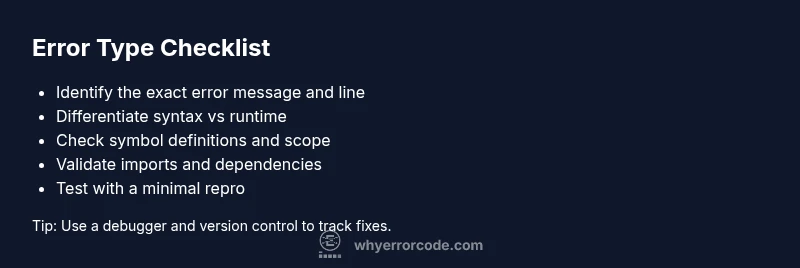
- Observe the error message and location: Note the exact line and character where the error surfaced. The message often points to the root cause or a nearby line that triggers it.
- Check the syntax first: If the error message mentions unexpected tokens, missing punctuation, or invalid syntax, prioritize fixing structural issues before chasing logic bugs.
- Examine variable scope and references: If the message mentions undefined symbols or names, inspect variable declarations, scope blocks, and import paths.
- Consider data types and operations: Type-related errors point to mismatches between expected and actual types. Review function signatures, parameter types, and return values.
- Reproduce with a minimal snippet: Reduce the code to a smallest example that still reproduces the error. This isolation often reveals the true fault more quickly than debugging a large block.
- Use deterministic tests: Write small tests or assertions that reproduce the failure under controlled conditions. This helps confirm the error type and validate the fix.
By following this diagnostic framework, you’ll be better equipped to label the error accurately, which speeds up the remediation process and reduces back-and-forth with teammates or external help. Remember, the goal is to move from symptom to diagnosis with a repeatable method that you can reuse across projects.
From symptom to solution: diagnostic workflow and decision tree
A structured decision tree helps translate a symptom into a concrete fix. Use this flow:
- Read the exact error message and capture the line number. 2) Decide if the issue is syntactic (parsing error) or semantic (runtime). 3) If syntax-related, fix grammar and punctuation; re-run until the message changes. 4) If runtime, inspect variables and calls around the failing line. 5) Create a minimal reproduction to isolate the failure. 6) Implement a targeted fix, then run the full test suite and the minimal repro again to confirm the resolution. 7) Document the fix with a short note explaining why this error occurred and how it was resolved.
This workflow keeps you away from guesswork and aligns your actions with the actual error type. The goal is to reach a stable, verified state where the code behaves as expected in the intended environment.
Real-world walkthrough: sample snippet analysis
Consider a small Python snippet that intends to sum two numbers but contains an undefined symbol:
def add_numbers(a, b):
    total = a + c  # c is undefined
    return total

print(add_numbers(3, 5))
Running this will raise a NameError at the line total = a + c. The error type is a runtime error caused by an undefined reference. The diagnostic approach would be: verify variable names (is 'c' a typo for 'b'?), inspect the call site to ensure the correct arguments are passed, and then adjust the code to total = a + b. If the traceback points to a different line, trace back through the function scope to see where the undefined symbol originates. In contrast, if the code had a syntax issue like a missing colon, you’d be dealing with a syntax error and fix punctuation or indentation first. This walkthrough illustrates how identifying the error type informs the concrete steps you take to fix it.
Prevention: best practices to reduce error type confusion
To prevent mislabeling errors and speed up debugging, adopt these practices:
- Write minimal reproducible examples whenever you encounter a bug. This isolates the problem from unrelated code.
- Use static analysis tools and linters that can catch syntax, naming, and type issues before runtime.
- Add type hints or type checking where possible to surface type mismatches early.
- Maintain clear project structure and consistent naming conventions to reduce undefined references.
- Document fixes after you complete them so future developers understand the reasoning and can reproduce the solution quickly.
Steps
Estimated time: 60-90 minutes
- 1
Reproduce with a minimal snippet
Create the smallest possible example that still triggers the error. This helps you observe the exact behavior without distraction from unrelated code.
Tip: Use a focused test case that only exercises the suspected area. - 2
Read the error message and locate the line
Note the exact line number and the message. This often points to the root cause or a nearby line that reveals the issue.
Tip: Copy the message into a debugging notebook to experiment with fixes safely. - 3
Check definitions and scope
Verify that all variables, functions, and modules used on the failing line are defined and accessible in the current scope.
Tip: If in doubt, print the locals() or use a debugger to inspect variable states. - 4
Validate syntax and imports
Ensure proper punctuation, indentation (where relevant), and that imports are correct and available in the runtime.
Tip: Run the code with syntax checks or a linter to catch issues early. - 5
Isolate and test fixes incrementally
Apply one fix at a time and re-run the minimal repro. Confirm that the error changes or disappears before moving to the next potential cause.
Tip: Use version control to track each incremental fix. - 6
Validate in the full context
Once the minimal case is fixed, run the entire module or application to ensure no side effects were introduced.
Tip: Run the full test suite and manual checks in the target environment.
Diagnosis: User reports a runtime error when executing a code snippet.
Possible Causes
- highUndefined variable or symbol reference
- mediumSyntax error in the code block
- lowType mismatch or invalid operation
- mediumFaulty imports or missing modules
Fixes
- easyCheck for typos in variable and function names; ensure all variables are defined before use
- easyComment out blocks to isolate the exact line; run a minimal reproduction
- easyReview imports and module availability; install or adjust dependencies
- easyEnsure data types match the operation; cast or convert as needed
Frequently Asked Questions
What does it mean to identify which type of error occurred in code?
Identifying the error type means classifying the failure as a syntax, runtime, type, or logical error. This classification guides the debugging steps you take and helps you communicate the issue clearly when seeking help.
It's about classifying the failure as syntax, runtime, or logic so you can pick the right fix quickly.
How can I tell syntax errors from runtime errors quickly?
Syntax errors usually stop parsing before execution and point to a line with grammar issues. Runtime errors occur during execution and typically involve problematic operations, undefined references, or type mismatches.
Syntax errors halt the parser; runtime errors occur while the code runs.
What is the first check when you see an error message?
First, read the exact message and locate the line. Then determine if the issue is syntactic or semantic by attempting a minimal reproduction.
Start with the message and line, then reproduce minimally to isolate the issue.
Can environment issues cause errors even if the code seems correct?
Yes. Differences in language versions, libraries, or runtime settings can produce errors that aren’t obvious from the code alone. Always verify the target environment when debugging.
Environment matters; mismatch can cause errors even when code looks right.
When should I seek professional help?
If the error persists after applying standard debugging steps, or if the codebase is critical and complex, consult a more experienced developer or the relevant support channels.
If you’re stuck after the basics, get a second pair of eyes on the problem.
Watch Video
Top Takeaways
- Identify the error type first, then apply focused fixes.
- Use minimal repros to isolate the root cause.
- Leverage static analysis and tests to prevent regressions.
- Document fixes for future maintenance.