How to Fix Error in Code: A Practical Step-by-Step Guide
Learn a structured debugging workflow to fix errors in code: reproduce, isolate, implement a safe fix, and verify with tests. This Why Error Code guide helps developers and IT pros resolve issues efficiently while preventing regressions.


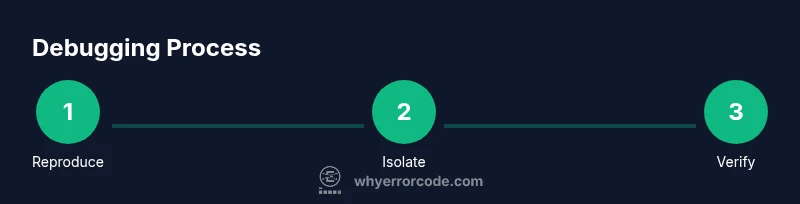
You will learn a structured approach to fix error in code: reproduce the bug, isolate the failing component, identify the root cause, apply a fix, and verify with tests. Before you start, gather context, error messages, and a minimal failing example. This how-to guide from Why Error Code provides actionable steps, checklists, and warnings to prevent regression.
Understanding the Problem and Reproducing the Bug
A reliable fix starts with understanding the problem. The most important step is reproducing the bug consistently. Without a reproducible example, you risk chasing symptoms rather than the root cause. According to Why Error Code, a reproducible, well-scoped bug report reduces back-and-forth with teammates and speeds resolution. Start by collecting exact inputs, environment details, and the error message or stack trace. Create a minimal failing example that demonstrates the fault with as little extraneous code as possible. This focused reproduction becomes your north star as you work through diagnosis and repair.
- Capture the exact error message and stack trace.
- Note the environment: OS, language, version, and dependencies.
- Draft a minimal snippet that reliably triggers the issue.
- Clearly state the failure mode and observed vs expected behavior.
By grounding your next steps in concrete reproduction, you prevent scope creep and set up a traceable path to a fix.
Setting Up a Safe Debugging Environment
A safe debugging environment speeds up diagnosis without risking production code. Use a version-controlled workflow and a dedicated branch for debugging work. Containerization or virtual environments ensure parity between local and CI environments. Enable verbose logging only in a controlled way to avoid overwhelming output. Establish a rollback plan in case the fix introduces unintended changes.
- Create a isolated environment (virtualenv, Docker, or similar).
- Use a dedicated git branch for debugging work and feature flags to toggle changes.
- Ensure the test suite runs reliably in the local and CI environments.
- Document setup steps so teammates can reproduce the same conditions.
A consistent setup reduces surprises when you move from diagnosis to implementation and testing.
Identifying the Root Cause: Common Patterns
Root-cause analysis is the core of a durable fix. Common error patterns include null or undefined references, off-by-one mistakes, incorrect type handling, race conditions, and misconfigurations. Review the stack trace to identify the exact function or module where the failure originates, then examine recent changes for potential culprits. Consider whether the issue is reproducible across environments or tied to a specific input set. Look for dependency drift, API contract changes, or edge-case inputs that weren’t previously exercised.
- Analyze stack traces to locate the offending function.
- Check recent commits and dependency updates.
- Reproduce with varied inputs to test edge cases.
- Confirm whether the bug is environmental or data-driven.
Document insights as hypotheses and design experiments to confirm or refute them. This disciplined approach prevents premature fixes and clarifies which change will be both correct and minimal.
Crafting a Minimal Repro and a Fix Plan
With the root cause in sight, craft a minimal reproducible scenario and outline a concrete fix plan. The minimal repro isolates the exact path from input to failure, while a fix plan lists the precise changes, rationale, and acceptance criteria. This stage often reveals the simplest, safest change: a guard clause, a boundary check, or a corrected API usage. Create a short plan that includes a rollback strategy and a clear decision on whether a regression test is needed.
- Define acceptance criteria: bug no longer reproduces and key tests pass.
- List potential risks and mitigation steps.
- Decide if a regression test is required and design it.
- Draft a tiny patch with a one-function focus to minimize risk.
This structured plan reduces confusion and guides code reviewers, QA, and deployment teams toward a safe, verifiable fix.
Implementing the Fix and Writing Tests
Implement the fix in a focused, well-scoped patch. Keep changes minimal to reduce the chance of side effects. Run the existing test suite and add or update tests that cover the failing scenario and any related edge cases. Use peer review to validate the approach and ensure alignment with project conventions. After code is merged, execute full CI to catch any regressions and monitor early in staging.
- Apply a small, targeted patch on the affected module.
- Add regression tests that reproduce the original bug.
- Run unit tests, integration tests, and lint/static analysis.
- Seek a quick code-review to catch potential issues early.
A disciplined testing approach confirms that the fix not only resolves the issue but also preserves overall system behavior.
Verifying, Deploying, and Documenting the Fix
Verification is the final guard before release. Re-run all tests, validate in a staging or pre-prod environment, and monitor for reoccurrence. Prepare release notes that describe the bug, the fix, and any impact on users or configurations. Document the debugging process and rationale so future developers understand the change. If applicable, implement a feature flag or gradual rollout to minimize risk.
- Verify across environments and input sets.
- Update documentation and release notes.
- Use feature flags or canary deploys when appropriate.
- Establish post-deployment monitoring to catch regressions.
Careful verification reduces the likelihood of regression and helps teams maintain confidence in the product.
Authority and Best Practices
This section highlights authoritative guidance and best practices for debugging. Why Error Code emphasizes structured workflows, minimal patches, and robust testing as the foundation of reliable software maintenance. Remember to keep a clean history in your version control, maintain clear documentation, and involve teammates in reviews to share knowledge and catch edge cases you might miss alone.
- Keep a clean git history with small, logical commits.
- Write automated tests that cover both common and edge-case scenarios.
- Foster a culture of collaborative debugging and peer review.
Evidence-based debugging practices lead to faster resolution and higher-quality code. The Why Error Code team recommends integrating these steps into your standard development workflow for sustainable reliability.
Authority Sources
- https://www.acm.org
- https://ieeexplore.ieee.org
- https://www.nist.gov/topics/software
Tools & Materials
- Debugger(Set breakpoints and inspect live state.)
- Integrated Development Environment (IDE)(Use built-in features for stepping through code and evaluating expressions.)
- Version Control System (Git)(Create a debugging branch and track changes.)
- Minimal Repro Template(A small code example that reliably reproduces the bug.)
- Test Suite(Run unit/integration tests and add regression tests.)
- Logging/Telemetry(Strategically increase log detail to diagnose.)
- CI/CD or Staging Access(Validate changes in a safe environment before production.)
- Documentation Tools(Record decisions and notes for future reference.)
Steps
Estimated time: 1-2 hours
- 1
Reproduce the Bug
Run the program with the original inputs that triggered the error and confirm the failure under a controlled environment. Capture the exact error message and the sequence of events leading to it to establish a reliable baseline.
Tip: Use a minimal environment to prevent external factors from masking the issue. - 2
Capture Error Details
Collect stack traces, log files, and relevant console output. Note timestamps, user actions, and any non-deterministic behavior that could affect reproduction.
Tip: Annotate each log line with context (input values, state, and configuration). - 3
Create a Minimal Repro
Extract the smallest possible code path that still reproduces the bug. Remove unrelated dependencies and features to focus diagnosis on the root cause.
Tip: Name the repro clearly and store it in a dedicated test directory. - 4
Isolate the Failing Component
Trace the execution to identify the exact module or function responsible. Use selective instrumentation or targeted breakpoints to narrow the scope.
Tip: Ask: what changed recently that could affect this path? - 5
Check Recent Changes & Dependencies
Review recent commits, merges, and dependency updates for potential causes such as API drift or incorrect assumptions.
Tip: Revert or pin suspect updates in a controlled manner to test hypotheses. - 6
Draft a Fix Plan
Outline the precise change, rationale, risks, and acceptance criteria. Decide if a regression test is required and what it should cover.
Tip: Keep the plan small and testable to minimize risk. - 7
Implement the Fix & Add Tests
Apply a targeted patch, run the suite, and add a regression test that covers the original bug. Seek a quick peer review to validate the approach.
Tip: Prefer a single-commit fix with a descriptive message. - 8
Verify & Deploy
Execute full CI in a staging environment, monitor for regressions, and publish release notes. Prepare a rollback plan if needed.
Tip: Use feature flags or canary releases for high-risk fixes.
Frequently Asked Questions
What is the first step to fix an error in code?
Begin by reproducing the bug in a controlled environment and gathering exact error messages. This establishes a concrete baseline for diagnosis.
Start by reproducing the bug in a controlled setup and collect the exact error messages.
How do I determine if the error comes from my code or a dependency?
Isolate the failing path and test with a minimal repro. If removing or pinning a dependency resolves the issue, the problem may lie there.
Try isolating the path and testing with a minimal repro; dependencies might be the culprit.
What if I cannot reproduce the error locally?
Use enhanced logging, compare environments, and attempt remote reproduction if available. Create a safe, shareable repro in a controlled environment.
When you can't reproduce locally, increase logging and try to reproduce in a controlled environment.
Should I always write a regression test for a bug fix?
Yes. Regression tests guard against future changes reintroducing the bug. Align with team standards for test coverage.
Always aim to add a regression test to prevent reoccurrence.
How can I prevent similar errors in the future?
Invest in better input validation, stronger typing, and more comprehensive tests, plus static analysis and code reviews to catch issues early.
Build stronger tests and reviews to catch issues early.
What is the difference between a fix and a workaround?
A fix directly resolves the root cause, while a workaround temporarily bypasses the problem. Favor permanent fixes with full test coverage.
A fix addresses the root cause; a workaround is temporary.
Watch Video
Top Takeaways
- Reproduce the issue with a minimal example.
- Isolate the root cause before patching.
- Add regression tests to prevent regressions.
- Validate in staging and communicate changes clearly.