How to Check Error Codes on Samsung Refrigerator
A comprehensive, step-by-step guide to locating, interpreting, and acting on error codes from Samsung refrigerators. Learn safe DIY checks, when to escalate, and where to find model-specific meanings—updated for 2026.


You will learn how to check error codes on Samsung refrigerators, interpret common fault indicators, and perform safe at-home checks. Gather model number, access to the control panel, and a multimeter if you plan to test sensors. This guide covers safe steps, practical fixes, and when to contact support today.
Understanding Samsung error codes and the purpose of decoding
If you’re trying to understand your appliance, this guide explains how to check error codes on samsung refrigerator and why those codes matter. Samsung appliances use codes to signal faults in specific subsystems, such as temperature sensors, compressors, defrost timers, or ice makers. Decoding codes provides a focused starting point for diagnosis, helping you distinguish a simple reset issue from a true component failure. By learning the basics of error-code logic, you can triage problems more efficiently, protect food, and decide when DIY fixes are safe or when professional service is required. Keep in mind that codes vary by model and firmware, so always cross-check against your unit’s manual.
How Samsung error codes are generated and displayed
Most Samsung refrigerators generate codes when sensors detect abnormal readings or when the internal controller encounters a fault. In older models, codes appear as alphanumeric indicators on the front panel display; newer units may flash LED patterns or show a companion app message. Some warnings appear as temporary indicators after power interruptions. The key idea is that a code maps to a system area rather than naming a specific failed part. Understanding this mapping helps you prioritize actions (reset vs. component check) and avoid replacing parts without need. If your code clears after a reset, monitor it to see whether it recurs; if it does, plan a diagnostic path.
Where to find the error code on different models
On most Samsung French-door or side-by-side fridges, the error code is shown on the main display panel behind the door, sometimes after pressing and holding a combination of buttons. In other models, you’ll see a blinking LED or hear a short beeping pattern rather than a numeric code. Some connected models push codes to a mobile app instead of the panel. Because the exact location and format vary by generation, always refer to the model-specific section in the user manual or Samsung Support for the precise steps to retrieve codes for your unit.
Safety precautions before you start
Before you inspect anything, unplug the refrigerator from the wall outlet or switch off the circuit breaker to prevent electric shock. Keep food from spoiling by isolating critical items in a cooler if you must open doors during troubleshooting. Avoid using metal tools near exposed wiring. If you must handle ice maker lines or water supply, turn the water off at the valve first and have towels ready for spills.
Interpreting the codes and what they point to (without model-specific mappings)
Since exact code meanings vary by model, focus on the fault domain rather than the number alone. Codes typically fall into categories like temperature sensing, cooling/heating, defrost, door sealer, communication between control boards, and water/ice subsystem. Start with the symptom described by the code (e.g., unexpected temperature, ice-maker issues) and cross-reference with the model manual. If the same code appears across multiple cycles, that increases the likelihood of a persistent fault rather than a transient condition (like a momentary power dip).
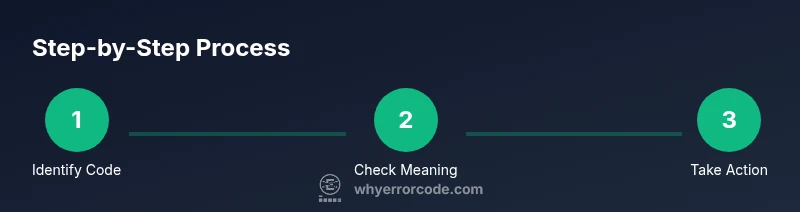
Step-by-step quick-check (non-technical) to verify codes
Try quick at-home verification: ensure doors shut firmly, clean dust from condenser coils if accessible, and listen for unusual fan noises. A temporary power cycle can rule out a spurious code. Do not perform these checks if the unit is leaking refrigerant or if you suspect a safety risk. Record any observations to compare with the official code meaning once you consult the manual.
Troubleshooting flow: from code to action
Capture the exact code (including any alpha characters) and consult your model’s user manual or official Samsung support page for a model-matched meaning. If the code points to a straightforward fix (like a door ajar or dirty filter), perform the recommended action and re-check. If the code recurs after a reset, escalate to professional service and prepare your model number, firmware version, and a detailed description of the symptoms.
Common fault areas indicated by codes
Parameters most often signaled include temperature sensor performance, evaporator or condenser issues, defrost timer faults, and water/ice subsystem problems. While code meanings differ, grouping them by subsystem helps you design targeted tests: verify sensor connections, inspect for frost buildup, ensure fans run smoothly, and check water inlet lines for kinks or leaks. Treat persistent codes as a cue to schedule service rather than continuing with ad-hoc fixes.
Resetting a fault code and testing after addressing
Power cycling the unit (unplugging for 1-5 minutes and plugging back in) can clear transient faults. After a reset, monitor the display and note whether the code returns. Do not reset repeatedly without addressing the underlying symptom; if the issue recurs, log the exact code, time, and conditions and proceed with the recommended diagnostic path. If you cannot replicate the problem reliably, consider scheduling a service visit for diagnostic tests.
When to contact Samsung support or a technician
If the code recurs after a reset, if you see frost buildup, unusual noises, ice maker malfunction, or water leaks, it’s time to contact Samsung support or a certified technician. Have your model number, firmware version, the exact code, and a brief description of the symptoms ready to speed up service. In the meantime, follow the emergency steps from the manual to prevent spoilage and avoid risky DIY repairs.
Authoritative sources
For model-specific meanings and service guidance, consult Samsung’s official support pages and trusted safety resources. See the sources linked below for more information on error codes and diagnostic best practices.
Tools & Materials
- Samsung refrigerator user manual(Model-specific section on error codes)
- Model number / serial number(Find on the inside wall or back plate)
- Smartphone with internet access(Use Samsung SmartThings app or web lookup)
- Notepad and pen(Record codes, dates, and observations)
- Digital multimeter (optional)(For testing sensor circuits with safety precautions)
- Flashlight(Illuminate crevices when inspecting vents)
Steps
Estimated time: 25-40 minutes
- 1
Locate the error code on the panel
Identify whether the code is numeric, alphanumeric, or a pattern. Note any LED beeps or app messages.
Tip: Make a quick photo of the display for reference - 2
Record the exact code
Write down the code or save a screenshot. Include any accompanying LED indicators or beeps.
Tip: Double-check the model number to ensure correct mapping - 3
Consult the official documentation
Open the user manual or Samsung Support page to locate the model-matched meaning of the code.
Tip: Use your exact model number to locate the right section - 4
Perform a safe reset if appropriate
Power-cycle the fridge by unplugging for 1-5 minutes, then reconnect and observe if the code returns.
Tip: Do not reset if there is a visible leak or frost overflow - 5
Check for common quick fixes
Inspect door gaskets, container seals, and ensure adequate airflow around the condenser and vents.
Tip: Clean dust from condenser coils if accessible - 6
Decide on next steps
If the code persists, prepare service details and contact Samsung support or a technician with the exact code.
Tip: Have your model, firmware version, and symptoms ready
Frequently Asked Questions
Do I need to unplug the fridge to check codes?
Yes. For any inspection involving internal components, unplug or switch off the circuit breaker to avoid electric shock. Do only what is required for the safe assessment, and keep doors closed to preserve food.
Yes. Unplug or switch off the breaker before opening panels or touching components to stay safe.
What should I do if the code disappears after a reset?
If the code clears after a reset, monitor the unit to see if it recurs. If it returns, document the conditions and follow the model-specific guidance or contact support.
If the code goes away after reset, watch for recurrence and follow up if it returns.
Can I fix any error code myself?
Some codes point to simple issues (like door ajar or dirty filter) you can address safely. For electrical or refrigerant fault codes, contact Samsung support or a technician.
DIY fixes are limited; many faults require professional service.
Where can I find model-specific code meanings?
Use your exact model number in the Samsung Support site or the user manual to locate the correct code mapping. Cross-check multiple sources when available.
Check the manual or Samsung Support with your model number for exact meanings.
What if I can’t locate the error code?
If the display is unresponsive, or you can’t discern a code, contact Samsung Support for guided troubleshooting or service options. Provide your model number and a description of the symptoms.
If you can't locate a code, contact Samsung Support with your model and symptoms.
Watch Video
Top Takeaways
- Record the exact error code and symptoms.
- Check model-specific documentation for meanings.
- Use a safe power cycle to rule out transient faults.
- Escalate to a technician if codes persist.
- Keep notes for future reference.