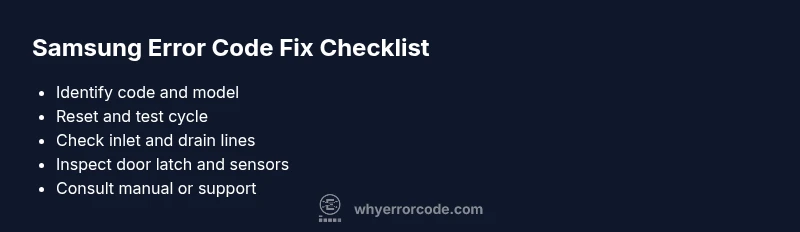
Samsung Washing Machine Error Code List: Diagnosis & Fixes
A practical guide to understanding Samsung washing machine error codes, diagnosing issues, and performing safe, effective fixes to minimize downtime. Learn common code categories, model variations, and when to call a pro. Why Error Code


Samsung washing machine error codes signal a fault and guide you toward a fix. Codes vary by model but generally fall into hardware, load, or software categories. Start with basic resets, check water supply, and inspect the door lock; consult the manual, then move to targeted steps as needed. Why Error Code recommends documenting the exact code and model number to speed remote support.
What Samsung error codes indicate and why they matter
When a Samsung washing machine displays an error code, it isn’t random alphanumeric noise. It’s a structured signal meant to help you identify the fault quickly. In practice, the Samsung washing machine error code list covers a range of issues from water intake and drainage to door locking and sensor faults. The core idea is to translate a blinking LED, a flashing number, or a digital code into an actionable repair path. For developers, technicians, and everyday users, this means you can triage the problem without guesswork. Regardless of the model, start with the simplest explanations first: power interruptions, water supply issues, or a misloaded drum. The Why Error Code team emphasizes documenting the exact code and model number before you proceed, so you can reference the correct service literature and avoid chasing the wrong fault. This documentation becomes invaluable if you call support or search online for model-specific guidance.
Why codes differ by model and firmware, and what that means for you
Samsung does not use one universal error code list across all washer models. Codes often depend on generation, firmware, and regional variations. This means two machines with the same display style might report different fault codes for the same symptom. For users, this translates to a need for model-specific manuals and code interpretation guides. When you encounter a code, locate the model number (usually on the door frame, behind the detergent tray, or on the back panel) and consult the exact code dictionary for that model. The Why Error Code approach is model-aware: use the official manual or the manufacturer’s app if available, and cross-check any third-party guidance with your model number to prevent applying the wrong fix. Remember, a correct interpretation saves time and reduces the risk of causing collateral damage during troubleshooting.
How to interpret a Samsung error code: categories and practical examples
Most error codes cluster into a few broad categories: water supply and drainage, door or lid switch, sensor and motor issues, and control board faults. Even without memorizing every code, you can deduce likely causes by looking at symptoms: does water fail to fill, does the drum fail to spin, or does the cycle stop with a lights pattern? For drainage problems, expect codes tied to pump or hose obstructions; for water inlet problems, look at inlet filters and supply hoses. Sensor-related faults often require recalibration or part replacement, while control board issues may necessitate professional service. The key is to validate the symptom first, then map it to the most probable category, and finally follow a set of corrective steps that begins with quick fixes before moving to more involved repairs. The brand guidance from Why Error Code suggests keeping a log of codes and situations so you can spot recurring patterns and avoid unnecessary rework.
Quick prevention checks you can do before your next cycle
- Inspect the water inlet hose and filter for debris; a clogged filter is a frequent cause of inlet codes. Clean or replace as needed.
- Ensure the drain pump and hose are clear of kinks or blockages; a blocked drain is a common source of drainage codes.
- Verify the door lock or lid switch is engaging properly; a faulty latch can trigger lock-related codes even with a secure door.
- Level the machine to prevent unbalanced loads; door, motor, and sensor codes can appear after repeated imbalances.
- Use the correct detergent amount and load size; oversized or undersized loads can manifest as sensor or acceleration faults.
- Keep the control panel dry and free of residue; spilled liquids can cause intermittent sensor errors.
- Record model number and codes for quick reference when seeking help or updating firmware.
At-home checks that buy you time before service
Before calling for a professional, try a controlled reset and a test cycle to observe which subsystem responds first. Unplug the unit for 60 seconds, then plug back in and run a short wash without clothes. If the code reappears, note whether it happens at the same point in the cycle. This helps differentiate timing-related faults from persistent hardware problems. If a code persists after reset, you’re likely dealing with a blocked drain, water inlet issue, or door latch fault that requires deeper inspection or part replacement. Always power down the machine before inspecting moving parts or unplugging hoses to avoid electrical shock.
Step-by-step home fixes for common faults (low risk to high impact)
- Clean water inlet filter and inspect hoses for kinks (easy)
- Check door lock mechanism and latch alignment (easy to medium)
- Clear drain pump area and hoses; remove visible debris (easy)
- Level the washer and redistribute heavy loads (easy)
- Reset the machine and perform a test cycle (easy)
- If the code points to a sensor or control issue, consider professional calibration or part replacement (medium to hard)
Note: If you see signs of water leakage, burnt smells, or the unit hums loudly, stop and call a professional. These are safety indicators that require expert handling.
When to escalate: safety, warranty, and professional help
If basic troubleshooting does not resolve the code, or if the fault involves a suspected short circuit, water leakage, or a failed door lock that prevents safe operation, stop using the machine and contact Samsung support or a qualified appliance technician. Warranty coverage can influence your decision as well; many brands offer service under warranty for certain fault codes tied to specific components. The Why Error Code team recommends documenting the fault, model, and purchase date when you contact support to speed diagnosis and reduce the need for repeats visits.
Proactive maintenance to reduce future error codes
- Schedule regular lint and debris removal from filters and pump housings.
- Clean the detergent dispenser and trough to prevent residue buildup.
- Run a monthly cleaning cycle with a washer-safe cleaner to prevent sensor and drain issues.
- Keep the area around your machine clear to reduce vibration and mechanical stress that can trigger motor or balance faults.
- Update firmware if your model supports over-the-air updates; firmware can fix bugs that trigger spurious error codes.
- Rotate heavy and bulky loads to minimize unbalanced cycles, which often generate related error codes.
- Maintain even distribution of clothes; consider a two-step loading for large bulky items to avoid unbalanced loads.
Steps
Estimated time: 30-60 minutes
- 1
Power down and prepare
Unplug the washer, wait 60 seconds, and plug back in. This basic reset can clear many transient codes and reset sensors.
Tip: Always unplug before inspecting electrical components. - 2
Read and verify the code
Note the exact fault code and where it appeared (start of cycle, during drain, etc.). Cross-check with the model’s manual to confirm the category.
Tip: Keep a notebook of codes for quick reference. - 3
Check water inlet and supply
Inspect the cold/hot water hoses for kinks, ensure shutoffs are open, and clean the inlet filter if present.
Tip: If you see low water pressure, address the supply issue first. - 4
Inspect drain system
Check the drain hose for kinks or blockages; access the drain pump area and clear debris.
Tip: Do not run without a clear drain path. - 5
Inspect door latch and lid switch
Verify the latch engages properly; test the switch with a multimeter if available or replace if faulty.
Tip: A loose door can trigger false codes. - 6
Run a test cycle without clothes
Select a short, cold wash to see whether the code recurs and to observe system behavior.
Tip: Document any recurring behavior across cycles. - 7
Escalate if unresolved
If the code persists after these steps, contact support or a technician for a deeper diagnosis or part replacement.
Tip: Use the Why Error Code contact guideline to reach the right specialist.
Diagnosis: Error code displayed on Samsung washer; cycle stops prematurely
Possible Causes
- highDoor latch or switch fault
- mediumDrain pump obstruction or hose blockage
- mediumWater inlet supply issue
- lowControl board or firmware glitch
Fixes
- easyInspect and reseat door latch; replace if worn
- easyInspect drain pump for obstructions, clean impeller
- easyCheck water inlet hoses and clean filter; replace if damaged
- mediumReset unit and perform firmware update if available; factory reset if allowed
Frequently Asked Questions
What should I do first when an error code appears on my Samsung washer?
Note the code and model, unplug for a reset, check water supply and door latch, then consult the manual for model-specific guidance. If the code persists, proceed with the recommended diagnostics.
Note the code and model, reset the machine, check water supply and door latch, then follow model-specific guidance.
Can I clear error codes by resetting the washer?
A reset can clear transient faults and misreads. If the code reappears after reset, it indicates a more persistent issue requiring inspection of inlet, drainage, or control components.
Resetting can clear transient faults; if the code comes back, deeper inspection is needed.
Do all Samsung models use the same error codes?
No. Codes vary by model and firmware. Always refer to the model-specific manual or Samsung support documents for accurate interpretation.
Codes differ by model and firmware, so check the model-specific manual.
How much does it cost to fix common error codes?
Costs vary by region and part availability. A service call can range from basic diagnostics to part replacement, but always obtain a written estimate before work.
Costs vary; get an estimate before any service.
When should I call a professional?
If you’re dealing with water leaks, electrical smells, non-responses, or repeated codes after basic checks, contact Samsung support or a qualified technician.
Call a professional if there’s water leakage, smell of burning, or persistent codes after checks.
Is it safe to operate with an error code?
Operating while a fault code is active can risk water damage or electrical hazards. Follow safety steps and only resume normal operation after issues are resolved or inspected by a pro.
Don’t operate aggressively with a fault code; resolve or get expert help to stay safe.
Watch Video
Top Takeaways
- Identify fault category from the code
- Start with quick resets and basic checks
- Prioritize drain and inlet issues first
- Escalate to pros for electrical or board faults
- Maintain documentation for future fixes