Whirlpool Dishwasher Error Code H2O: Urgent Fix Guide
This urgent guide tackles Whirlpool dishwasher error code H2O, explains what it means, and provides quick fixes, diagnostic steps, and safety guidelines—when to call a pro.


According to Why Error Code, the Whirlpool dishwasher error code H2O signals a water fill or overflow issue that prevents normal operation. It typically points to a blocked drain, a faulty inlet valve, or a sensor problem. Quick fixes include checking hoses, cleaning the filter, and resetting control panel immediately.
What the H2O Code Really Means
The H2O code on Whirlpool dishwashers isn't just a generic alarm—it signals a water fill or overflow condition that interrupts the wash cycle. In plain terms, the machine has detected water levels that exceed safe limits or, conversely, a failure to fill to the expected level. This is why the unit stops mid-cycle and displays the H2O alert. Understanding the root cause helps you pick the right quick fixes and avoid unnecessary parts replacement. According to Why Error Code, most H2O interruptions are triggered by drainage or inlet issues, sensor faults, or controller hiccups. Start by confirming basic, non-technical checks: water supply is on and unobstructed, hoses are straight and kink-free, and the drain filter is clean. If these checks don’t restore normal operation, move into the diagnostic steps outlined below. This approach saves time, reduces risk, and aligns with our 2026 guidance for consumers and pros alike.
Common Symptoms You Might See
When H2O is active, you’ll notice one or more of the following: the cycle stops unexpectedly, water collects in the bottom tub, the display shows H2O or a related overflow alert, the pump runs continuously or briefly hums without agitation, the door may lock but not unlock, and you might detect a damp or musty smell from retained moisture. Inconsistent water levels across cycles or seen water on the floor are red flags needing immediate attention. If you observe any of these, document the cycle time, detergents used, and load type to help pinpoint whether the issue is drainage, inlet, or sensor-related. Always prioritize safety: unplug or switch off power before inspecting components to avoid electric shock.
Primary Causes (Ranked by Likelihood)
- High likelihood: Clogged drain, pump debris, or a blocked filter preventing proper drainage, causing water to back up and trigger overflow. - Medium likelihood: Water inlet hose kinks or a partially blocked inlet valve restricting fill, leading to improper water levels. - Low likelihood: Faulty water level sensor, float switch, or control board malfunction that misreads water height or interrupts the cycle. - Other causes: Loose wiring at the control panel or pump assembly, or a leak causing abnormal water behavior.
Quick Fixes You Can Try Right Now
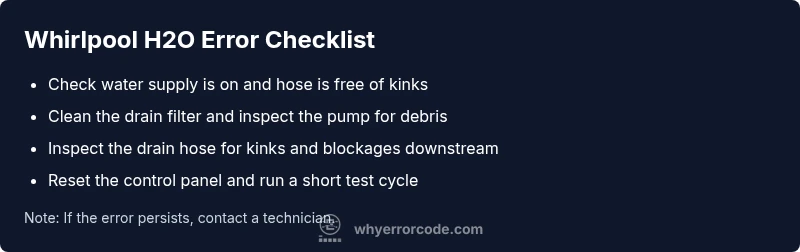
- Check that the home water valve is fully open and the supply hose isn’t kinked. 2) Inspect and clean the drain filter and interior sump; remove debris and run a rinse to verify flow. 3) Ensure the drain hose isn’t compressed or blocked downstream. 4) Reset the dishwasher by powering off at the outlet or breaker for 60 seconds, then power back on and run a short test cycle. 5) Load a small amount of water and detergent in a clean cycle to see if the fill level stabilizes. 6) If the error persists, proceed to a deeper diagnostic.
Safety, Costs, and When to Call a Pro
Dealing with electrical appliances around water requires caution. Always unplug the unit before inspecting interior components, and never bypass safety interlocks. DIY fixes usually incur minimal parts cost (filters, hoses) but can require a service visit for more complex parts. Typical professional repair costs for H2O-related issues vary by model and region, with diagnostic fees commonly ranging from moderate to substantial if parts replacement is needed. Expect a range roughly from a low hundreds to higher hundreds depending on the root cause, labor, and replacement parts. If you notice persistent leaks, burning smells, or arcing, stop immediately and call a qualified technician.
Steps
Estimated time: 60-90 minutes
- 1
Power Down and Safety Check
Unplug the dishwasher or switch off the circuit breaker. Confirm the unit is completely de-energized before touching any interior components.
Tip: Use a non-contact voltage tester if available. - 2
Inspect Water Inlet & Supply
Verify the water shutoff is fully open and the supply hose is free of kinks. Detach the hose at the valve end if needed to inspect for blockages.
Tip: Have a towel ready for any minor drips. - 3
Clean Filter and Drain
Remove the lower rack and locate the filter assembly. Rinse under warm water, remove any debris, and reassemble securely.
Tip: Do not use harsh cleaners that could leave residues. - 4
Check Drain Hose and Pump
Inspect the drain hose for kinks or clogs downstream of the unit. Listen for the pump’s humming during a cycle—no humming may indicate a pump failure.
Tip: Ensure hose clamps are tight to prevent leaks. - 5
Reset and Test Run
Power the unit back on and run a short wash with a small load to observe water fill and drainage behavior. If the H2O code returns, proceed to deeper diagnostics.
Tip: Note any error codes that appear, as they guide the next step. - 6
Advanced Diagnostics or Replacement
If symptoms persist, test the water level sensor/float switch and inspect wiring. Replacing the sensor or calling a pro may be necessary for a reliable fix.
Tip: Avoid attempting high-voltage tests without professional guidance.
Diagnosis: Whirlpool dishwasher displays error code H2O and won’t run a cycle
Possible Causes
- highBlocked drain or pump debris causing overflow
- mediumKinked or blocked water inlet hose / faulty inlet valve
- lowFaulty water level sensor or float switch
Fixes
- easyClean the drain filter and inspect the pump for debris
- easyCheck water supply, straighten hoses, and ensure inlet valve operates
- hardTest or replace faulty sensor/float switch or control board
Frequently Asked Questions
What does Whirlpool dishwasher error code H2O mean?
H2O indicates a water fill or overflow issue that interrupts a wash cycle. It often points to drainage, inlet, or sensor problems. Start with basic checks like water supply, hose condition, and filter cleanliness.
H2O means the dishwasher detected an abnormal water level, usually due to drainage or inlet problems. Start with basic checks and clean steps before deeper diagnostics.
Can I fix H2O myself?
Yes, many H2O causes are addressable with simple steps: verify water supply, clear the drain, clean the filter, and reset the control. If the code persists, a professional should diagnose electrical or sensor faults.
You can try basic fixes like checking water supply and cleaning filters, but persistent codes need a professional.
What’s the typical cost to repair H2O issues?
DIY parts cost is usually low (filters and hoses). Professional diagnostics often range from about 100 to 500 depending on the problem and parts needed.
Costs vary, but expect a professional diagnostic to be around a hundred dollars and parts plus labor to rise with complexity.
How do I prevent H2O errors in the future?
Regularly clean the filter, inspect hoses for kinks, ensure proper installation, and run periodic maintenance cycles. Keep the drainage area clear and check for leaks.
Keep filters clean, hoses straight, and run maintenance cycles to reduce future H2O errors.
When should I call a professional?
If you hear burning smells, see damaged wiring, or cannot identify the root cause after basic checks, contact a licensed technician. Complex sensor or control-board issues often require professional service.
Call a pro if you smell burning, see damaged wiring, or the code persists after safe DIY steps.
Watch Video
Top Takeaways
- Identify whether the issue is drainage, inlet, or sensor-related.
- Start with simple checks before deeper diagnostics.
- Safety first: unplug and avoid water contact with live electronics.
- If in doubt, call a pro to prevent further damage.