Whirlpool F06 Error Code: Urgent Diagnostics and Fixes
Understand the whirlpool f06 error code, how to diagnose quickly, step-by-step fixes, safety tips, and when to call a pro. Get a practical guide to restore normal operation.


The whirlpool f06 error code signals a fault detected by the washer’s control system, often related to drainage, door lock, or a controller issue. It requires prompt action: reset the unit, inspect the door latch and drainage path, and run a basic diagnostic. If the code persists after these steps, continue with the deeper diagnostics or contact a professional.
What the Whirlpool F06 Error Code Means
In Whirlpool washers, the F06 error code appears on the display when the control system detects a fault severe enough to halt operation. Because washer models vary, F06 can map to different subsystems from drain or door lock to a controller fault. The common thread is that the unit cannot complete a cycle safely, so you must act quickly to prevent further damage. The goal here is to confirm the symptom, identify the most likely cause for your model, and apply a safe, practical fix before resorting to pricey service visits. For troubleshooting, always reference your model’s manual and Whirlpool support resources for precise fault mapping tied to the F06 code. The core takeaway: F06 is a generic fault flag that requires targeted checks rather than guesswork, and acting fast reduces the risk of water damage or electrical hazards.
- Key idea: F06 signals a fault, not a single component failure. Model-specific mappings can shift the focus between drainage, door mechanisms, and control electronics.
- Immediate actions you can take: power cycle the washer, verify the door latch status, and inspect hoses and pumps for clogs or kinks.
- Safety note: Always disconnect power before inspecting internal components or connectors.
In all cases, keep the model and observed symptoms handy when you contact support, and document the sequence of events that led to the error. This helps technicians reproduce the issue accurately and speeds up resolution.
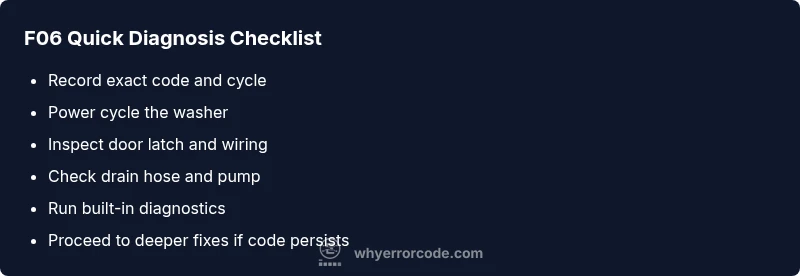
Quick Diagnostic Checklist (Before You Dig In)
Before diving deep, perform a quick, safe sweep to rule out obvious causes and confirm consistency of the F06 code:
- Record exact code, cycle, and any audible clanks or unusual noises. A recurring F06 across cycles is more telling than a one-time alert.
- Power cycle the washer: unplug for 60 seconds, then plug back in and restart a cycle to see if the code clears.
- Inspect the door latch and lock assembly: look for bent linkage or loose connectors; a faulty latch often triggers safety faults.
- Check the drain path: inspect hoses for kinks, the drain pump screen for debris, and ensure the drain hose is not blocked or siphoning.
- Check for visible wiring issues: loose or corroded connectors near the control board or sensor plugs can trigger fault codes.
- If you have access to a built-in diagnostic mode, run it and note any additional fault codes reported alongside F06.
If the code clears after resets and basic checks, monitor the washer for a repeat occurrence. If it returns, proceed with the deeper diagnostic flow and consider professional service for complex electrical faults.
In-Depth Diagnostic Flow for F06
A structured approach helps you isolate the problem without unnecessary part replacements. Start with the most probable, high-impact causes and progress to less likely ones. This flow assumes you’re comfortable with basic electrical safety and can follow step-by-step checks:
- Symptom: F06 code displayed, operation halted, and no spin occurs.
- Likely causes (ordered by likelihood):
- Drainage path blockage or pump fault (high)
- Door latch/lock fault or misalignment (medium)
- Wiring harness or connector issue near the control board (medium)
- Controller/firmware fault (low)
- Practical fixes:
- Clear drainage path, clean pump screen, and test the drain pump operation.
- Inspect door latch and re-seat the latch wiring; replace if damaged.
- Inspect main wiring harness and connectors for looseness or corrosion; reseat or replace as needed.
- If no hardware fault is found, consider a software reset or firmware update if available from Whirlpool.
Document each step and test cycle outcomes. If the F06 reappears after these checks, a professional diagnosis is likely required to inspect the control board or power electronics.
Step-By-Step Fix: Most Common Cause
This section walks through the most common F06 trigger: drainage issues. Follow these steps in order to ensure a safe, effective repair. Each step includes a quick verification to confirm you’re on the right track.
- Safety first: unplug the washer and turn off the water supply if needed to prevent leaks during inspection.
- Access the drainage area: remove the kick panel or access panel per your model’s manual and locate the drain pump and filter.
- Clear the filter: remove any lint, coins, or debris from the pump filter and wipe the housing clean.
- Inspect the drain hose: check for kinks or blockages; ensure the hose is properly connected and not siphoning.
- Test the pump: with power reconnected, run a short test cycle to observe pump operation and listen for normal noise patterns.
- Reassemble and monitor: reattach all panels securely, run a short cycle, and observe if F06 persists. If the code returns, the fault may be elsewhere.
If you can confirm a clogged pump or clogged filter caused the issue, replacing the filter is typically inexpensive, but replacing a failed pump or wiring harness will enter higher-cost repair territory.
Other Possible Causes and How to Prune Them
Beyond drainage complaints, several other issues can trigger F06. Use a process of elimination to avoid unnecessary replacements:
- Door latch/micro-switch fault: a misaligned or worn latch stops cycles. Fix by reseating or replacing the latch assembly.
- Wiring harness faults: damaged or loose connectors near the control module can mimic drainage faults. Check harness integrity with the power off and reseat connections.
- Control board fault: microcontroller or communication problems can surface as F06; this usually requires a professional diagnosis and replacement.
- Firmware/glitch: software hiccups can trigger fault codes; perform a factory reset and check for firmware updates on supported models.
Document findings, avoid guessing about internal components, and do not force electrical connections. If in doubt, call a qualified technician to avoid electrical hazards.
Safety, Costs, and When to Hire a Pro
Safety is the top priority when dealing with electrical appliances. If you smell burning, hear buzzing, notice unusual heat, or if water is leaking during testing, stop immediately and unplug. For cost awareness, expect a broad range:
- Simple fixes (drain filter clean, reseat connectors): $50–$150 for parts and minor service.
- Moderate repairs (drain pump replacement, door latch): $150–$350 including parts and labor.
- Complex repairs (control board or firmware): $300–$700+ depending on model and availability of parts.
Pro help is recommended when there is any risk of electrical fault, water ingress into electronics, or if the model is under warranty. A pro can verify connector integrity, test the control module with specialized equipment, and ensure firmware/diagnostics are properly performed.
Maintenance Tips to Prevent F06 in the Future
Preventive care reduces the likelihood of F06 recurring. Implement these regular maintenance steps:
- Schedule a biannual filter and pump screen cleaning to keep drainage clear.
- Inspect door latch alignment every few months and replace worn parts promptly.
- Use recommended detergents and load sizes to minimize stress on the drainage and locking mechanisms.
- Keep the control area free of moisture and dust; seal panels properly after any service.
- Run routine diagnostic tests if your model supports them and apply firmware updates when available.
Steps
Estimated time: 45-75 minutes
- 1
Power down and safety check
Unplug the washer and turn off the water supply if needed. Wait 60 seconds, then reconnect power to reset the control system.
Tip: Label cords or take a photo to ensure correct reconnection. - 2
Open access to drainage area
Remove the lower access panel (or filter cover) following your model’s manual. Locate the drain pump and filter housing.
Tip: Have a towel ready for minor water spillage. - 3
Clean the pump filter
Remove the filter and clear out debris such as lint, coins, or hair. Rinse the filter and reinstall securely.
Tip: Check for partial blockages that could recur. - 4
Inspect drain hose and pump
Check hoses for kinks or clogs. If possible, test the pump operation by manually rotating the impeller or listening for pumping during a test cycle.
Tip: Do not run the pump dry; keep water present during testing. - 5
Check door latch and wiring
Inspect the door latch and its wiring for looseness or damage. Re-seat connectors or replace the latch if signs of wear are present.
Tip: A simple reseat can fix intermittent faults. - 6
Run diagnostic mode or a short test cycle
If the model supports it, run the built-in diagnostic test and note any additional fault codes. Observe if F06 reappears after fixes.
Tip: Record test results for technician reference.
Diagnosis: Whirlpool F06 error code displayed, washer halts mid-cycle
Possible Causes
- highDrain or pump obstruction/blockage
- mediumDoor latch/lock fault or misalignment
- mediumWiring harness/connectors loose or damaged
- lowControl board/firmware fault
Fixes
- easyClear drain path, clean pump screen, and test drain operation
- easyInspect and reseat door latch wiring; replace if faulty
- mediumInspect and secure wiring harnesses; replace damaged connections
- hardPerform reset and update firmware or replace control board if needed
Frequently Asked Questions
What does F06 mean on a Whirlpool washer?
F06 is a general fault code indicating the washer detected a problem preventing operation. The exact subsystem it maps to can vary by model, so consult your manual or Whirlpool support for model-specific details.
F06 is a general fault code; check the manual for model-specific details and follow safe troubleshooting steps.
Is F06 usually a drain or door issue?
F06 commonly relates to drainage or door/lock problems, but it can also appear due to control module glitches. Start with drainage and door latch inspections before moving to electronics.
Most often, F06 points to drainage or door latch problems, but electronics can trigger it too. Start with the basics.
Can I fix F06 myself?
Yes for simple steps like resetting, cleaning the drain, and reseating connectors. More complex issues like a faulty control board require professional service and sometimes part replacement.
You can try resets and basic checks, but complex faults usually need a pro.
How much does F06 repair cost on average?
Repair costs vary by cause and region. Expect ranges from around $50–$150 for basic fixes to $150–$700 for major component replacements, including labor and parts.
Costs can vary widely; minor fixes are cheaper, major component repairs are more expensive.
Will resetting clear the F06 code permanently?
Resetting can clear the code temporarily, but if a fault persists, the code will return. Ongoing failures require diagnosis of the underlying cause.
Resetting might clear it briefly, but a persistent fault needs a fix.
When should I call a professional for F06?
Call a professional if the code recurs after basic checks, if you detect burnt wiring, leaks, or if you’re not comfortable with electrical components. A pro can safely diagnose and replace the control board or wiring harness.
If F06 keeps showing up or you see wiring or water issues, get a pro.
Watch Video
Top Takeaways
- Identify F06 as a generic fault flag, not a single part failure
- Prioritize drainage and door latch checks as first fixes
- Use safe power resets before deep inspections
- Call a pro for control board or firmware issues and when in doubt