How to Create Error Codes: A Practical Developer Guide
Master designing, implementing, testing, and documenting robust error codes with practical naming schemes, messages, and maintenance tips for reliable software.


By the end of this guide, you will be able to design, implement, and maintain a robust error-code system. You’ll learn a clear taxonomy, naming conventions, and how to map codes to user-facing messages and internal logs. This structured approach reduces debugging time and improves reliability across services.
What is an error code and why it's essential
An error code is a standardized identifier that helps developers, operators, and end users recognize and respond to failures quickly. It ties a specific failure category to actionable guidance, rather than leaving users with a single vague message. A well-designed error-code system also enables automated tooling, such as dashboards, alerting rules, and incident postmortems. When teams agree on a taxonomy and a consistent format, different services—written in diverse languages—can emit the same class of errors in a predictable way. According to Why Error Code, a well-structured error code system reduces debugging time and improves user experience by providing consistent signals across components, services, and languages. The Why Error Code team found that formal coding schemes improve triage clarity and incident response speed across teams, from frontend to backend and across microservices.
Designing your error code taxonomy
A solid taxonomy starts with broad families (e.g., client errors, server errors, and domain-specific failures) and then narrows into subcategories. A consistent prefix or range helps you classify errors across modules without duplicating codes. For example, 1XXX might indicate user input issues, 2XXX could denote server-side problems, and 3XXX might cover integration or external dependencies. Document each family’s scope, typical root causes, and suggested remediation. Include cross-references to the relevant API endpoints, services, and data models. This taxonomy should be stable enough to survive refactors while flexible enough to accommodate new services. As you design, engage stakeholders from product, security, and ops to ensure the scheme aligns with business goals and resilience plans.
Choosing a numbering scheme
Choose a fixed-length, human-friendly scheme that makes it easy to sort, search, and translate. A common approach is a 4-digit code with a 1-2 digit family prefix and a 2- or 3-digit subcode (e.g., 1xxx-01, 2xxx-15). Avoid mixing numeric and alphabetic characters unless you have a compelling reason. Keep codes stable for backward compatibility and plan a deprecation policy. Prefer codes that stay stable during releases to preserve historical logs and analytics. If multilingual audiences are involved, consider embedding a language-agnostic code and keeping messages in locale files. This balance of stability and clarity supports robust monitoring and user-friendly debugging.
Defining error codes vs messages
Error codes are identifiers; messages are human-readable explanations. Separate concerns: emit a code in logs and telemetry, present a concise, localization-friendly message to users, and provide deeper technical details in internal docs for developers. A well-crafted mapping table links each code to a short user message, a longer developer note, remediation steps, and links to relevant docs. Avoid exposing internal stack traces or sensitive data in user-facing messages. Regularly review mappings to ensure consistency, accuracy, and alignment with security guidelines.
Example: common error code families
Consider this illustrative taxonomy: 1000–1999 for input validation, 2000–2999 for authentication/authorization, 3000–3999 for resource state, 4000–4999 for integration and third-party errors, and 5000–5999 for system outages. Within 1000, you might have 1001 (Missing required field), 1002 (Invalid format), and 1003 (Unsupported value). In 2000-series, 2001 could be Invalid credentials, 2002 MFA required, 2003 Token expired. These examples show a pattern that scales as your domain grows. The exact numbers aren’t as important as keeping the scheme consistent and well-documented.
Standards and best practices
Adopt a documented standard for codes and messages. Keep codes immutable for historical data integrity, and record deprecations with clear timelines in release notes. Use descriptive, locale-friendly messages and avoid leaking sensitive details. Maintain a centralized registry that all services can reference, with automated checks to prevent duplicate codes. Align codes with your monitoring dashboards so each error type maps to specific alert rules and remediation playbooks. Regular audits help keep the taxonomy clean and useful across teams.
Implementing error codes in code
Implementing error codes involves both language-agnostic design and language-specific patterns. In strongly typed languages, encoders often use enums or sealed classes to represent error categories. In dynamic languages, a structured object or dictionary can serve as a contract for all errors. The essential idea is to emit a code alongside a concise message, then route that pair to logs, metrics, traces, and user interfaces. Example approaches include a central error factory that returns a code, message, and documentation URL, or a dedicated error registry maintained alongside your API schemas.
Logging and instrumentation considerations
Error codes should travel with the full context of the failure. Include correlation IDs, request IDs, and relevant payload fields when safe to do so. Also log the code with appropriate severity—often a client error should be logged at warning or info, while server or integration failures warrant error or critical levels. Instrument dashboards so that you can filter by code, family, service, and environment. When you structure logs to include the error code consistently, you unlock powerful query capabilities for incident reviews and SRE postmortems.
Testing error codes
Tests should verify that each code is unique, documented, and triggers the correct user and developer messages. Validate mappings between codes and messages, both in unit tests and integration tests. Include negative tests that simulate invalid input, authentication failures, and dependency outages to ensure the codes reflect real error conditions. Automated tests should also check that deprecations don’t reintroduce stale codes and that promoted codes route to the right remediation guidance in documentation.
Documentation and user-facing messaging
Document your error codes in a central, searchable catalog with fields for code, name, family, description, remediation steps, and links to deeper docs. Provide user-facing messages tailored to locales and accessible formats. Include troubleshooting paths and example requests that reproduce the error. Documentation should be versioned, and changes must be communicated to developers and product teams. Clear docs reduce support load and empower developers to resolve issues quickly.
Security considerations when exposing error codes
Avoid exposing excessive internal details through codes or messages. If a code could reveal sensitive backend architecture, consider adding a sanitized message and a reference ID for support. Use generic messages where possible and keep sensitive logic in secure logs. Consistency across services prevents attackers from inferring architecture. Periodically review your messages for leaked implementation details and update as needed to minimize information leakage while preserving helpful guidance for users.
Migration and deprecation of codes
When deprecating codes, publish a deprecation timeline and provide a migration path. Maintain backward compatibility for a defined period and clearly log deprecated codes in release notes. Offer new codes with improved naming and messages, and redirect old code references to updated docs or remediation steps. A well-planned deprecation strategy prevents sudden failures in client integrations and preserves data integrity in logs and analytics.
Tools & Materials
- Project brief and scope document(Outline goals, success metrics, and stakeholders)
- Domain glossary or ontology(Define terms for consistent naming)
- Diagramming tool (e.g., draw.io, Lucidchart)(Map taxonomy and code flows)
- Codebase access or API specs(Reference points for integration)
- Localization files or i18n framework(Prepare messages for locales)
- Issue tracker or wiki(Document and track codes and changes)
Steps
Estimated time: 8-12 hours
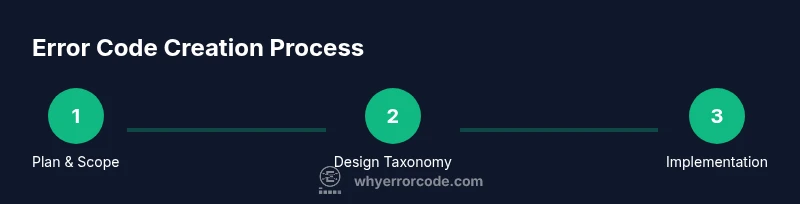
- 1
Define scope and goals
Outline what problems your error codes should cover, who will use them, and how success will be measured. Create a one-page charter that includes stakeholders and intended outcomes.
Tip: Align with incident response goals and customer support needs. - 2
Design taxonomy
Choose families and prefixes that map to failure domains (client, server, data, auth, etc.). Document the scope of each family and the expected remediation paths.
Tip: Keep prefixes stable across versions to preserve history. - 3
Choose a numbering scheme
Select a fixed-length pattern and decide on prefixes vs. subcodes. Ensure the scheme supports growth and global localization without leaking internal details.
Tip: Prefer numeric codes with a separate message catalog. - 4
Define code-to-message mapping
Create a registry that links each code to a short user message, a longer developer note, remediation steps, and docs URL.
Tip: Keep user messages short and locale-ready. - 5
Implement in code
Implement a centralized factory or registry that produces codes and messages, then wire it into logs, traces, and user interfaces.
Tip: Avoid duplicating codes across services. - 6
Add observability
Integrate with logging and metrics so each code appears in dashboards and alerts with context like request IDs and environment.
Tip: Use correlation IDs to link traces across services. - 7
Create tests
Write unit and integration tests to verify code uniqueness, message accuracy, and proper routing to remediation guidance.
Tip: Include negative tests for invalid inputs and auth failures. - 8
Document and publish
Publish a central catalog, provide localization-ready messages, and link to remediation steps and docs for each code.
Tip: Version the catalog and announce changes in release notes.
Frequently Asked Questions
What is the primary purpose of an error code?
Error codes provide a consistent, actionable identifier for failures. They help developers diagnose issues faster and guide users with appropriate remediation steps.
Error codes give a consistent identifier for failures, aiding quick diagnosis and user guidance.
Should codes be stable across releases?
Yes. Keeping codes stable preserves historical logs and analytics and allows clients to refer to older incidents without ambiguity.
Yes. Stability helps preserve history and analytics and avoids breaking client integrations.
How should messages relate to codes?
Codes are the identifiers; messages are human explanations. Keep messages concise, locale-friendly, and avoid leaking internal details.
Codes are identifiers; messages explain them clearly and locally.
What counts as a good deprecation policy?
Provide a deprecation timeline, migrate users to new codes, and document changes in release notes and the central catalog.
Provide a clear deprecation timeline and migration path with documentation.
How do I test error-code mappings?
Verify each code maps to the correct message, remediation steps, and documentation URL across services and locales.
Test mappings end-to-end to ensure accuracy and localization.
Can I reuse codes across modules?
Avoid reusing codes across modules to prevent confusion; reuse families but maintain unique codes within the registry.
Avoid reusing codes; keep a unique registry per code.
Watch Video
Top Takeaways
- Define a stable error-code taxonomy first.
- Separate codes from user messages for clarity.
- Document thoroughly and publish a central catalog.
- Integrate codes into logs, metrics, and alerts.
- Plan deprecation to avoid breaking changes.