How to Use Error Codes: A Practical Troubleshooting Guide
Master how to use error codes to diagnose, interpret, and fix issues across software, devices, and networks. Learn structure, decoding, workflows, and best practices for efficient troubleshooting.


With this guide, you will learn how to use error codes to diagnose and fix issues across devices and software. You’ll identify what an error code means, locate the source quickly, and apply proven steps to resolve common failures. By following a structured approach, you’ll save time and reduce guesswork when troubleshooting.
What is an error code and why it matters
Error codes are compact signals emitted by software, hardware, and services to indicate a fault or abnormal condition. They are not the final fix themselves; instead, they guide you to the likely failure domain and the next steps needed to recover. The value of a well-documented error code is that it creates a shared vocabulary between users, operators, and automation. According to Why Error Code, a clear code reduces ambiguity and speeds up triage by pointing you to the right subsystem, the right documentation, and the right team. Beyond the single moment of failure, error codes enable repeatable remediation workflows, better incident communication, and more reliable post-mortems. In practice, you’ll encounter error codes across APIs, operating systems, network devices, and consumer electronics. Learning to use them effectively means learning to translate a symbol into a plan of action.
How error codes are structured and interpreted
Most error codes combine a prefix or category with a numeric or alphanumeric component. This structure helps you identify the subsystem (for example, an API, kernel, or device driver) and the nature of the fault (temporary vs persistent). While the exact format varies by domain, the goal is consistency: a given code should map to the same diagnosis across runs. In many ecosystems, a severity or status indicator is embedded in or associated with the code, guiding triage priorities. For example, some environments use a leading letter to indicate category (E for error, W for warning), while others use numerical ranges. By interpreting these parts, you can quickly narrow your search, find relevant documentation, and choose the right remediation path. The key is to develop a mental model: what subsystem does the code point to, what operation triggered it, and what environmental factors were present at the time.
Common sources of error codes and how to decode them
Error codes arise from configuration mistakes, resource constraints, permission issues, and transient faults. Start by checking recent changes, then examine logs for correlated events. If the code appears after a failed operation, review the inputs, dependencies, and network state. Decode patterns: repeated timeouts usually signal connectivity issues; authentication or permission errors indicate access problems; data or format errors point to invalid inputs. In enterprise environments, codes are often accompanied by human-readable messages or contextual data—capture those as well. According to Why Error Code Team, an effective decoding strategy treats codes as hypotheses to be tested rather than final truths, using logs, reproduction steps, and environmental data to validate or refute each possibility.
Step-by-step workflow to use an error code for troubleshooting
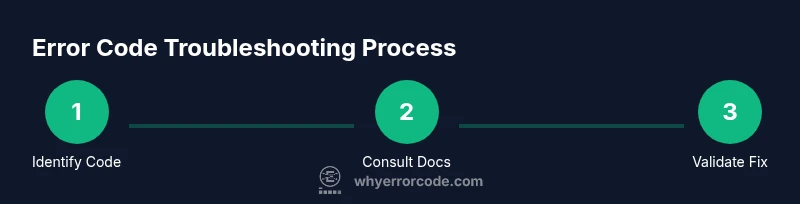
A reliable workflow starts with identifying the exact code, then mapping it to documentation, and finally testing a targeted fix. Build your workflow around three questions: What does this code signify? Where did it originate? What should be tried first? Use a loop: verify the fix with the same conditions that produced the error, monitor for recurrence, and adjust as needed. The goal is to move from guesswork to a testable hypothesis and a documented resolution.
Practical examples across common systems
Across systems you’ll encounter a range of error codes with similar meanings but different contexts. For web services, an authentication-related code typically indicates missing or invalid credentials. On a local operating system, a permission-denied code flags access restrictions to a file or resource. In databases, a constraint-violation code points to data integrity failures. In consumer devices, a timeout or a format error often signals a requested operation attempted under unexpected conditions. Regardless of the domain, the practice remains: identify, verify with logs, and apply a minimal, reversible change that you can observe and measure.
Best practices, common mistakes, and how to document your findings
Best practices include treating codes as navigational aids rather than final answers, keeping a consistent log of codes and outcomes, and maintaining a searchable knowledge base. Document every step: what code was seen, the environment, actions taken, and the result. Avoid rushing to a fix without verification; unintended side effects can mask root causes. Common mistakes include ignoring accompanying messages, assuming a single code covers all cases, and changing multiple components at once. A disciplined approach improves future triage and supports faster incident reviews.
How to validate that the error code resolution worked
Validation means reproducing the failure conditions or validating the absence of the fault under the same environment. Re-run the operation, monitor logs and metrics, and confirm that the code no longer appears or that related indicators improve. If the issue persists, loop back to the mapping step and re-evaluate possible root causes. Final validation should be observable, reportable, and repeatable.
Tools & Materials
- Device or system under test(Have the exact device or system you’re diagnosing ready)
- Official documentation access(Vendor manuals, knowledge base, or API references)
- Log viewer or debugger(Collect logs, traces, and error dumps)
- Notebook or digital notes(Record codes, steps, outcomes, and timestamps)
- Diagnostic tools or CLI(Optional if you rely on built-in commands or scripts)
- Power backup or safe environment setup(Use when working with hardware or unreliable power)
Steps
Estimated time: 45-60 minutes
- 1
Identify the error code and context
Record the exact code, accompanying message, and when it occurred. Note the affected subsystem and user actions to establish context. This creates a reproducible starting point for diagnosis.
Tip: Capture a timestamp and try to reproduce the failure with minimal variables. - 2
Consult official documentation and resources
Search the vendor’s docs or knowledge base for the code, related subcodes, and suggested remediation. Compare the context in your case to documented scenarios to refine hypotheses.
Tip: Use precise search terms and consider related codes or prefixes. - 3
Isolate the failing component or subsystem
Narrow the fault to one module by reviewing logs and tracing the code path or workflow. Confirm you can reproduce the issue with controlled inputs to avoid confounding factors.
Tip: Avoid changing multiple components at once; a single-variable test yields clearer results. - 4
Apply a safe remediation or workaround
Implement the smallest, lowest-risk fix recommended by documentation or your internal playbooks. If unsure, escalate to a higher-support tier with your evidence.
Tip: Document every change and rationale so others can follow your process. - 5
Verify the outcome and monitor
Re-run the original operation under the same conditions and monitor relevant logs and metrics. Look for the absence of the code or improvement in related indicators.
Tip: Set a short observation window and alert if the issue recurs. - 6
Document and share lessons learned
Update runbooks or knowledge bases with the successful remediation steps, caveats, and any remaining uncertainties. Share findings with the team to prevent recurrence.
Tip: Create a concise, shareable summary for future incidents.
Frequently Asked Questions
What is an error code and how should I read it?
An error code is a concise signal that points to where a fault happened and what type of fault it is. Read the code in the context of the operation and consult the corresponding documentation to understand the recommended remediation.
An error code signals where a fault occurred and what kind of fault it is. Check the code and the docs to find the recommended fix.
Where can I find official documentation for codes?
Official documentation is usually in the vendor’s knowledge base, API reference, or product manuals. Start with the exact code and search for related subcodes, error messages, or troubleshooting guides.
Look up the exact code in the vendor’s official docs or knowledge base to find the recommended steps.
What if two codes appear at once?
If multiple codes appear, prioritize the one that directly relates to the failing operation and reproduce the sequence to verify which code triggers first. Treat the earliest non-redundant code as the starting hypothesis.
If you see more than one code, start with the one tied to the failed operation and test that code first.
Should I reset or power cycle to fix an error?
Only reset or power cycle if it's safe and supported by the remediation guide. Always back up data and capture the state before changing hardware or software.
Only reset if the guide says it's safe, and back up data first.
How do I verify a fix after applying steps?
Reproduce the original scenario, monitor logs and metrics, and confirm the error code no longer appears or that related indicators show improvement.
Re-run the scenario and watch the logs to confirm the issue is resolved.
Watch Video
Top Takeaways
- Identify the exact code and context before acting
- Consult official docs to map code to remediation
- Isolate the failing component to avoid collateral changes
- Test fixes, verify outcomes, and document results