How to Check for Error Codes: A Practical Troubleshooting Guide
Learn how to locate, capture, and interpret error codes across devices, apps, and servers with a repeatable workflow. This guide provides actionable steps, tools, and best practices to resolve issues faster and prevent recurrence.


By the end of this guide you will know how to locate, capture, and interpret error codes from devices, software, and services. You'll establish a repeatable checklist, verify codes against official references, and outline concrete next steps to fix or escalate. According to Why Error Code, this practical workflow scales from desktops to embedded devices and applies across platforms.
What is an error code and why check for them?
Error codes are structured signals issued by software, hardware, or network components to indicate the type of problem that occurred. They can be numeric, alphanumeric, or even symbolic, and they often accompany a message that provides additional context. The value of error codes lies in their ability to narrow down root causes quickly, especially when an issue spans multiple subsystems. In practice, you’ll encounter error codes in user interfaces, log files, crash dumps, REST responses, and telemetry dashboards. A standardized code can point you toward a domain (network, permissions, input validation, resource limits) and help you avoid generic guessing. As you begin checking for error codes, remember that there are different kinds of codes (system-level, application-level, and protocol-level) and that each type may require different sources for interpretation. For troubleshooting success, you should treat codes as structured data that you collect, benchmark, and reference against official documentation. Why Error Code emphasizes that understanding the type of code you’re dealing with is the first critical step in a reliable debugging workflow. By building familiarity with common code families, you reduce back-and-forth with support teams and speed up resolution.
Where to find error codes across platforms
Across devices, apps, and services, error codes surface in a variety of places. Desktop software might show a dialog with a code such as ERR-XYZ, while a web service returns a numeric HTTP status like 500 or a descriptive code in a JSON payload. System logs (Windows Event Viewer, macOS Console, Linux journalctl) often record codes alongside timestamps, process names, and stack traces. Mobile apps log codes in crash reports or analytics events. Network devices may announce SNMP, syslog, or proprietary codes indicating authentication failures or packet drops. The key is consistency: capture the code in the same moment as the symptom, then reference official sources to interpret it. In practice, you’ll establish a habit of collecting the code, the context, and any user-facing messages so you can reproduce and verify fixes later. This approach aligns with a disciplined troubleshooting mindset advocated by Why Error Code.
Understanding common formats and what they mean
Error codes come in several formats, and recognizing them quickly saves precious time. Numeric codes (for example, 404, 500, or 0xC000) often map to standardized families like HTTP status or Windows error codes. Alphanumeric codes (such as ERR-1001 or APP210) usually originate from application layers and indicate domain-specific issues. Some codes include prefixes that hint at the subsystem (NET for network, AUTH for authentication, DB for database). In many ecosystems, a code is paired with a message that elaborates the symptom but not the fix; always use the code as the primary key when searching official references. When interpreting codes, avoid assuming causation from a single value—correlate with logs, replication steps, and recent changes. Why Error Code reminds practitioners that context matters: two identical codes can have different root causes in different environments.
Tools you need to collect before troubleshooting
Before you start checking error codes, assemble a lightweight toolkit that keeps you organized and efficient. You’ll want:
- A computer with internet access and a quiet workspace for documentation.
- Access to the relevant logs (application logs, system logs, server logs).
- A reliable time reference (NTP synchronized clock) to correlate events.
- A code reference guide or official documentation URL for the platform.
- A simple checklist or template to capture symptoms, codes, steps to reproduce, and outcomes.
- A method to reproduce the issue safely (test environment, staging, or sandbox). Having these items ready reduces back-and-forth and helps you build a defensible tech-support ticket or a post-mortem.
A reproducible workflow to check error codes
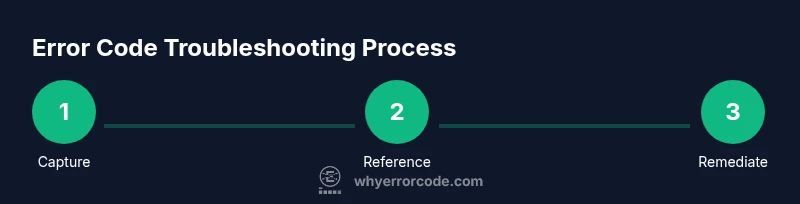
A robust workflow starts with defining the problem and collecting the necessary data. First, record the symptom, the exact moment it occurred, and the visible error code. Second, locate the code in the UI, log file, or API response. Third, verify the code against official references and cross-check with related logs or events. Fourth, attempt to reproduce the issue in a controlled environment to confirm the code’s behavior is consistent. Fifth, identify potential causes by examining recent changes or environmental factors (network, permissions, configuration). Sixth, apply a targeted fix or workaround and re-test. Finally, document the outcome, including whether the fix resolved the symptom and any follow-up steps. This repeatable workflow helps you stay methodical even under pressure and is a core part of reliable incident response.
Pro tip: keep a running glossary of common codes you encounter and their documented meanings to accelerate future troubleshooting.
Interpreting codes and mapping to fixes
Once you have a reliable code, map it to a probable cause and a corresponding action. Start with the simplest, least invasive fix that addresses the symptom: verify credentials or permissions, check resource availability, ensure correct configurations, and confirm network connectivity. If the code points clearly to a specific subsystem, focus your investigation there; otherwise, broaden your scope to include related subsystems that could influence the outcome. In many cases, a code will suggest a workaround (such as retrying after a timeout) or a patch to apply. Always validate the fix with a controlled reproduction and monitor for any recurrence. If you cannot determine the cause or the environment is unstable, escalate with a structured ticket that includes the code, context, steps to reproduce, and a plan for validation. This approach helps teams prioritize remediation and reduces blind remediation guesses.
Escalation, documentation, and post-mortem practices
Not all error codes can be resolved in isolation. When escalation is necessary, provide a concise briefing that includes the code, system context, recent changes, and precise reproduction steps. Documentation should capture: the symptom description, exact code, environment details, and the verification steps. A post-mortem should analyze what happened, why the code appeared, and what long-term changes will prevent recurrence (monitors, alerts, or configuration updates). The goal is to learn from each incident and improve future responses. In this spirit, Why Error Code recommends maintaining a shared playbook of common codes, proven fixes, and escalation paths to speed up incident response for your entire team.
Tools & Materials
- Computer with internet access(Any modern OS, updated browser)
- Access to logs and dashboards(Application logs, system logs, server metrics)
- Time synchronization reference(NTP or similar to align timestamps)
- Official error-code references(Documentation URL or PDF for the platform)
- Troubleshooting checklist(A prebuilt template to capture symptoms and outcomes)
- Safe test environment(Staging or sandbox to reproduce issues)
Steps
Estimated time: 45-90 minutes (depends on environment and complexity)
- 1
Capture the symptom
Document what happened, when it happened, and who or what was affected. Note any on-screen error codes, messages, and the user actions just prior to the issue. Take a screenshot or save logs if available.
Tip: Include a timestamp and the affected component to speed up triage. - 2
Locate the error code
Find the exact code in the UI, log entry, API response, or crash report. If multiple codes appear, prioritize the primary code that correlates with the symptom.
Tip: If the code is buried in a long log, use a search term tied to the symptom to filter quickly. - 3
Check for context and scope
Determine if the error is isolated or systemic. Look for patterns across users, devices, regions, or timelines. Collect related logs and events to build context.
Tip: Correlate with recent deployments or configuration changes to identify potential triggers. - 4
Consult official references
Cross-check the code against official documentation, release notes, and knowledge bases. Different ecosystems assign different meanings to codes.
Tip: Document the exact reference URL used for later validation. - 5
Replicate in a safe environment
If possible, reproduce the issue in a test or staging environment to confirm the code behavior without impacting production.
Tip: Use a sanitized dataset and controlled steps to minimize side effects. - 6
Identify probable causes
Based on the code family and context, list 2–4 plausible root causes. Prioritize fixes that address multiple symptoms when possible.
Tip: Limit hypothesis to testable causes; discard guesses that don’t align with evidence. - 7
Apply and verify the fix
Implement the smallest concrete fix, then re-run the steps you used to reproduce the issue. Verify that the symptom no longer occurs and monitor for recurrences.
Tip: If the fix fails, revert and escalate with updated evidence. - 8
Document and close
Update the incident record with steps taken, outcomes, and any learned lessons. Schedule follow-up monitoring if necessary.
Tip: Share the resolution in the team playbook to prevent repeat issues.
Frequently Asked Questions
What is an error code and why does it exist?
An error code is a concise identifier emitted by a system to indicate a specific problem. It helps developers and operators narrow down the root cause without sifting through long messages. Interpreting codes requires context from logs, environment, and recent changes.
An error code is a quick identifier for a problem that helps you pinpoint causes using context like logs and recent changes.
Should I always consult official references?
Yes. Official references are the most reliable source for meanings and recommended fixes. They reduce guesswork and align your actions with supported guidance.
Always check official references to confirm what the code means and the supported fixes.
What if the code isn’t listed in the docs?
If a code isn’t documented, capture full context, check related logs, and escalate with a clear summary. Documenting the environment and steps to reproduce helps the team identify a workaround or create a new entry in the knowledge base.
If you can’t find the code in docs, capture details and escalate with a clear summary.
Can error codes indicate multiple root causes?
Yes. A single code can map to several underlying issues depending on the subsystem. Corroborate with additional data, such as logs from related components, to isolate the true cause.
Codes can point to more than one issue, so gather more data to confirm.
When should I escalate a problematic error code?
Escalate when the code is not resolvable with known fixes, when production impact persists, or when timelines threaten service quality. Provide context, reproduce steps, and any attempted fixes.
Escalate if you can’t resolve it quickly or it affects production.
How can I prevent recurring error codes?
Document resolved cases, implement monitoring for the same codes, and update runbooks with prevention steps. Regular reviews of incident data help anticipate and avoid repeats.
Update playbooks and monitors to prevent recurrence.
Watch Video
Top Takeaways
- Follow a repeatable workflow to check error codes.
- Capture code, context, and consequences consistently.
- Reference official docs before chasing a fix.
- Document outcomes to improve future troubleshooting.