LG Portable AC E5 Error Code: Quick Diagnosis and Fixes
Urgent guide to diagnose and fix LG portable air conditioner E5 error code. Learn common causes, safe quick fixes, and when to call a pro with trusted steps from Why Error Code.


An E5 error on LG portable air conditioners signals a detected fault requiring immediate attention. The code typically points to sensor, drainage, or safety-system issues and may stop cooling. Start with a reset, check the air filter and drainage pan, and ensure proper venting. If the error persists, consult the user manual or contact support.
What E5 Means on LG Portable AC
LG portable air conditioners use numeric error codes to signal specific faults. The E5 code is a generic fault indicator that triggers a safety shutdown to prevent damage. Exact meaning and remedies vary by model and production year, so always check your unit’s user manual for model-specific guidance. In general, E5 points to one of three domains: drainage/condensation management, sensor or communication faults, or an essential safety interlock. Recognizing which domain is affected helps prioritize fixes and reduce downtime.
Quick Checks You Can Do Right Now
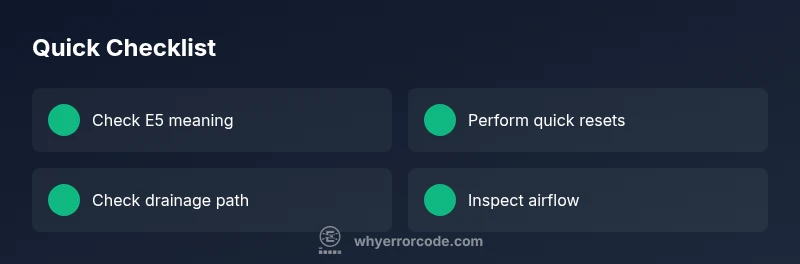
If you just saw E5, perform these quick, harm-free checks before diving into deeper repair. Power cycle the unit by unplugging for 60 seconds, then plug back in. Inspect and clean the air filter; a clogged filter can trigger safety codes. Empty the drainage pan or water tank if present, and ensure the drain hose is not kinked or blocked. Make sure the exhaust vent and room intake are clear of obstructions and that the unit sits on a level surface. Finally, verify the power outlet and avoid daisy-chaining through adapters or extension cords.
Step-by-Step Fix for the Most Likely Cause
-
Power cycle and reset: Unplug the unit, wait 60 seconds, plug back in, and perform a fresh start. This clears transient faults and reinitializes sensors. Tip: avoid using a power strip; plug directly into a wall outlet.
-
Clean/replace the air filter: Remove the filter, rinse with cold water, and let it dry completely before reinstalling. A dirty filter increases pressure and can trigger fault codes. Tip: schedule monthly checks during peak season.
-
Drainage check: Inspect the reservoir or drain pan; empty if full. Ensure the drain hose is free of kinks and leaks. Tip: route the hose to a nearby drain to prevent standing water in the tray.
-
Inspect connections and seals: Look for loose wiring or disconnected plugs around the control board and sensors. Re-seat connectors gently. Tip: power off before handling any internal components.
-
Run a self-diagnosis (if available): Some models offer a diagnostic mode via the control panel or app. Follow the manual’s steps to trigger it and note any additional codes.
-
Test operation: After completing the above, run the unit in cool mode for 10–15 minutes to verify stability. If E5 returns, move to deeper diagnostics or professional service. Tip: record any blinking patterns for reference.
Deeper Diagnostics If E5 Persists
If the code remains after the quick fixes, a deeper fault is likely present. Check for firmware updates from LG’s support site and apply them if available. Examine the control board for signs of moisture damage, corrosion, or burn marks; these indicate a potential board fault. Use a multimeter to test sensor resistance where safe and permitted by the user manual. If you observe wiring damage, melted insulation, or hot components, discontinue use and seek professional service immediately. Note that some deeper diagnostics require certified technicians and official parts to avoid voiding warranties.
Other Causes and Fixes
Beyond drainage and sensor faults, E5 can stem from electrical supply issues, unsafe venting, or obstructed airflow. Ensure the unit is plugged into a stable outlet with adequate voltage, and avoid running near heat sources or direct sunlight. Check that the window kit is sealed properly to prevent improper pressure readings, and ensure room air can circulate around the unit. If the refrigerant circuit is compromised, only a licensed technician should handle repairs, as improper handling can be dangerous and illegal in some regions. Lastly, verify that the unit’s external components (hose, window panel, and seals) are in good condition and not cracked or warped.
Safety Considerations and When to Call a Pro
Always unplug the appliance before inspecting internal components. Do not attempt refrigerant-related repairs yourself. If you smell chemical odors, hear buzzing, or notice excessive heat, stop immediately and contact a certified service technician. Warranty coverage can be affected by DIY repairs; consult the user manual and warranty terms before proceeding. Costs for professional repair vary by region and issue, with typical ranges for common E5-related faults starting from a few hundred dollars for simple sensor or drainage fixes to well over a thousand for motherboard or refrigerant-related repairs.
How to Prevent E5 in the Future
Establish a regular maintenance routine: clean the filter every 2–4 weeks during heavy use, inspect drainage components monthly, and keep the unit on a level, stable surface. Use a dedicated, properly grounded outlet to avoid voltage fluctuations. Store and use the unit away from dusty environments to minimize sensor contamination. Finally, perform periodic firmware updates if LG provides them for your model, as software improvements can reduce spurious fault codes.
Steps
Estimated time: 30-60 minutes
- 1
Power cycle the unit
Unplug the AC, wait 60 seconds, plug back in, and restart in cooling mode. This clears minor glitches that trigger E5.
Tip: Avoid using extension cords; plug directly into a wall outlet. - 2
Clean the air filter
Remove the filter, rinse the mesh under cold water, and let it dry completely before reinstalling.
Tip: Do not operate a damp filter; moisture can trigger further faults. - 3
Check drainage components
Empty the water reservoir/pan if applicable and ensure the drain hose is not kinked or blocked.
Tip: Secure the hose above any puddling area to prevent backflow. - 4
Inspect connections
Gently reseat any accessible connectors near the control board and sensors after power is off.
Tip: Handle cables by connectors, not wires, to avoid damage. - 5
Test self-diagnostic (if available)
Enter the unit’s diagnostic mode per the manual and note any additional codes that appear.
Tip: Document codes to share with support if needed. - 6
Rerun a cooldown test
Set to cool and allow 10–15 minutes of operation to confirm E5 does not reappear.
Tip: If E5 returns quickly, proceed to deeper diagnostics or professional service.
Diagnosis: Machine displays E5 and stops cooling on LG portable AC
Possible Causes
- highDrainage system blockage or full water tank
- mediumSensor or communications fault between display and control board
- lowPower supply fluctuation or control board malfunction
Fixes
- easyReset the unit and perform power cycle
- easyClean/empty drainage components and check hose routing
- mediumInspect and reseat sensor/board connections, then retest
- hardUpdate firmware or seek professional inspection for control boards
Frequently Asked Questions
What does the E5 error code mean on LG portable air conditioners?
E5 is a general fault code indicating a protective shutdown. The exact cause varies by model, but it often relates to drainage, sensors, or safety interlocks. Check the user manual for model-specific details.
E5 is a general fault code indicating a protective shutdown. Check your manual for model-specific details and then start with drainage and sensor checks.
Can I fix E5 at home, or should I call a technician?
Many E5 issues are solvable with simple steps like power cycling, cleaning filters, and drainage checks. If the code persists after these steps, or if you suspect a control-board or refrigerant problem, seek professional service.
Many E5 issues can be handled at home with basic checks. If it persists, consider professional service.
What quick fixes are recommended for E5?
Reset the unit, clean the filter, empty the water pan, and verify proper venting. If the problem continues, perform deeper diagnostics or contact support.
Quick fixes are reset, filter cleaning, drainage check, and re-testing.
How long do repairs usually take for E5?
Repair time varies by cause. Simple fixes may take 30–60 minutes; more complex sensor or board issues can require several hours or a visit from a technician.
Simple fixes may take under an hour; complex repairs may need a technician for several hours.
Will E5 fixes affect my warranty?
DIY fixes are generally covered in warranty terms if performed according to the manual. Unauthorized or improper repairs can void coverage; check your warranty and LG support policy.
Warranty depends on terms; follow the manual and LG guidance to preserve coverage.
Is restarting the unit enough to clear E5 in all cases?
Restarting can clear transient faults and reset sensors, but persistent E5 after a restart indicates a deeper issue that needs inspection.
Restarting can help, but if E5 returns, deeper checks are needed.
Watch Video
Top Takeaways
- Follow a structured diagnostic flow for E5.
- Prioritize drainage, then sensors, then board faults.
- Reset, clean, and reseat connections before calling a pro.
- Electrical safety and warranty terms matter for repairs.