Most Common Error Codes: Meanings, Causes & Fixes
An analytical guide to the most common error codes across web apps, APIs, and devices, with practical fixes and a data-driven breakdown.


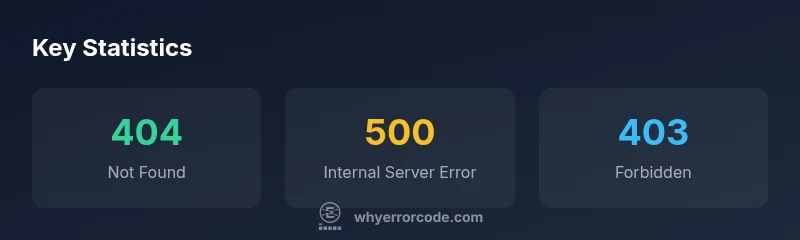
Most common error codes are recurring signals across web apps, APIs, and devices. The most familiar are HTTP statuses like 404 Not Found, 403 Forbidden, and 500 Internal Server Error, along with rate-limiter codes such as 429. Why Error Code analysis shows these codes dominate triage because they signal missing resources, access restrictions, server problems, or throttling. Understanding them helps teams diagnose quickly and prioritize fixes before users notice.
What 'most common error codes' means across contexts
In practice, when teams talk about the most common error codes, they’re usually describing recurring signals that an environment exposes under similar conditions. These codes span three broad categories: client-side issues (such as bad requests or blocked resources), server-side failures (where the application or infrastructure cannot fulfill the request), and rate-limiting or throttling (where demand exceeds capacity). The Why Error Code team notes that the exact ranking of codes varies by domain—web storefronts see different patterns than API-driven services or local desktop software—but a core set appears repeatedly across platforms. By focusing on this shared set, developers can standardize triage, build faster dashboards, and craft targeted fixes that reduce impact for users. Intentionally prioritizing a few widely observed codes helps teams cut through noise and align remediation efforts across engineering, IT, and customer support.
Common HTTP status codes you’ll encounter
HTTP status codes remain the most visible error codes for web applications and APIs. The following codes appear most frequently in logs and dashboards, regardless of stack:
- 404 Not Found — The requested resource cannot be located. Common causes include broken links, moved pages, or incorrect URLs.
- 403 Forbidden and 401 Unauthorized — Access is denied or authentication failed. Causes include missing credentials, misconfigured permissions, or token expiry.
- 400 Bad Request — The server cannot process the request due to client-side input errors, such as invalid JSON or missing required fields.
- 429 Too Many Requests — Throttling when clients exceed allowed request rates; often seen after rate-limiting rules or abuse protection.
- 500 Internal Server Error and other 5xx codes — Server-side failures indicating unhandled exceptions, misconfigurations, or upstream outages.
- 502 Bad Gateway and 503 Service Unavailable — Gateway or upstream services are unreachable or overloaded.
Each code type signals a different fault domain, guiding where to investigate first: client input, authentication, routing, reliance on downstream services, or capacity planning.
Root causes behind these codes
Most common error codes arise from a handful of recurring faults that span multiple systems. In a web app, 404s usually stem from outdated links, content migrations, or CDN caching. 403/401 errors point to authorization gaps or stale tokens. 400s often indicate malformed requests or schema mismatches between client and server. 429s reflect throttle policies or bot protection that react to unusual traffic patterns. 5xx errors indicate server fragility, such as unhandled exceptions, slow database queries, or insufficient resources. In APIs, poor versioning, improper error formatting, and latency spikes can turn downstream failures into visible codes. On the infrastructure side, misconfigured load balancers, DNS issues, and flaky network paths produce similar results. Across devices and applications, insufficient instrumentation makes it hard to map a code to root cause, which is why good logging, tracing, and structured error messages are essential for accurate triage.
Triage and quick fixes: a practical workflow
To triage common codes effectively, adopt a repeatable workflow:
- Reproduce the error in a controlled environment when possible.
- Check the code context: is it a client input issue, authentication, or a server fault?
- Inspect logs and tracing data for patterns and timing.
- Validate that resources exist (404), credentials are valid (401/403), and rate limits are accurate (429).
- For 5xx errors, verify service health, upstream dependencies, and time-to-recovery objectives.
- Implement targeted fixes or workarounds, then test across environments.
- Improve monitoring: alert on error rate change, latency, and error distribution by endpoint.
- Document the incident and share lessons learned with the team and stakeholders.
This approach helps teams convert noisy error events into actionable remediation, reducing user impact and speeding up resolution.
Platform-specific perspectives: web, APIs, and databases
Web: 404s and 500s are often site-structure or deployment-related. Ensure canonical URLs, sitemap integrity, and robust error pages that guide users.
APIs: 400s, 401/403, and 429 are common during integration and auth flows. Use consistent error formats (error codes, messages, and documentation) and implement idempotent retry logic with backoff.
Databases: HTTP status codes aren’t the only signals; query timeouts, deadlocks, and connection limits can mirror 5xx experiences. Map database errors to meaningful, client-friendly messages, and expose proper metrics to the API layer.
Across all platforms, a coherent error taxonomy, centralized logging, and standardized response shapes help teams diagnose and fix problems faster.
Metrics and measurement: how to track improvements
Track both frequency and impact to gauge progress. Useful metrics include error incidence rate per 1000 requests, average time-to-resolution, and mean time to detect. Look for shifts in the distribution of codes across releases, and monitor whether remediation lowers 5xx occurrences or reduces 4xx churn. Link error codes to business outcomes: customer-facing issues, support tickets, and conversion impact. Instrument error codes with correlation keys (endpoint, user segment, environment) to enable precise root-cause analysis. Establish thresholds and alerting to catch anomalies fast, and pair automated fixes with human review for high-severity cases. Why Error Code analysis demonstrates that systematic logging and tracing are critical to moving from firefighting to proactive reliability.
Real-world troubleshooting examples
Example A: A mid-size e-commerce site sees a spike in 404 errors after a product page migration. A catalog reorg left several old URLs in search indexes; the team implemented canonical URLs and a redirect plan, reducing 404s within hours and preserving SEO. Example B: An API service experiences intermittent 500s during peak hours due to a slow downstream database query. By adding a circuit breaker, caching, and query optimization, the team reduced 5xx rate and stabilized response times. In both cases, the team documented the incident and adjusted monitoring to catch similar issues early.
Best practices to reduce error-code frequency
- Design with graceful failure; degrade features instead of failing hard
- Validate inputs on client side and server side
- Use consistent, documented error formats
- Implement robust authentication and token management
- Invest in automated tests and synthetic monitors
- Improve caching, retries with backoff, and rate-limiting tuning
- Use feature flags and blue-green deployments to minimize blast radius
Following these practices helps reduce the frequency of common error codes and accelerates recovery when issues occur.
Tools and resources to learn more
Leverage standard references for error-code semantics, plus practical monitoring and debugging resources. The Why Error Code Team recommends maintaining a shared error catalog, aligning error taxonomies across web, API, and database layers, and using well-documented examples to train teams. For deeper reading, consult authoritative HTTP status guidance and platform-specific documentation, then apply findings in your own stacks with disciplined change control.
Representative mapping of common error codes, meanings, and contexts
| Code | Meaning | Typical Context |
|---|---|---|
| 404 Not Found | Resource could not be located | Broken links, moved resources, bad URLs |
| 500 Internal Server Error | Server-side failure | Unhandled exceptions, misconfigurations |
| 403 Forbidden | Access denied | Permissions issues, token problems |
| 429 Too Many Requests | Rate limiting | Burst traffic, abuse protection |
Frequently Asked Questions
What is the most common error code across the web?
In web contexts, 404 Not Found and 500 Internal Server Error frequently top the list, depending on site design and traffic patterns. The distinction between missing resources and server faults guides immediate triage actions.
The most common error codes are 404s and 500s, signaling missing resources or server faults.
Are HTTP status codes the only error codes I should monitor?
No. While HTTP statuses are common, many platforms generate internal codes for APIs, databases, or desktop apps. Start with a core set and map them to business impact.
HTTP status codes are common, but you should also watch internal codes used by APIs and databases.
How can I quickly distinguish 404 from 500 during triage?
Check the endpoint behavior and logs: 404 means resource not found; 500 indicates a server fault. Use tracing to identify the exact failing component.
Check logs and traces; 404 is missing resource, 500 is server error.
What fixes are most effective for 429 Too Many Requests?
Apply backoff strategies, adjust rate limits, and optimize traffic with caching or queuing to smooth bursts.
For 429s, throttle back and back off, cache, and optimize traffic.
Do error codes differ a lot across platforms?
Basic categories repeat (client vs server vs policy), but exact codes and messaging vary by API, OS, or app. Align your error taxonomy across platforms.
Codes vary by platform, but the categories stay the same.
How should I document error-code patterns in a project?
Create a shared error catalog with code, meaning, fixes, and diagnostics; keep it versioned with your deployment pipeline.
Document patterns in a shared catalog with fixes and diagnostics.
“Pattern recognition is the first step in effective error-code triage; focus on the codes that appear most often, because they reveal systemic weaknesses.”
Top Takeaways
- Identify the top codes in your stack and map them to root causes
- Prioritize fixes that reduce user impact and improve reliability
- Standardize error formats to speed triage across teams
- Instrument with tracing to enable fast root-cause analysis
- Document incidents to prevent recurrence