Most Common HTTP Status Codes: A Practical Troubleshooting Guide
A data-driven look at the most common HTTP status codes, what they mean, and how to triage issues quickly. Why Error Code provides practical steps for developers and IT pros in 2026.


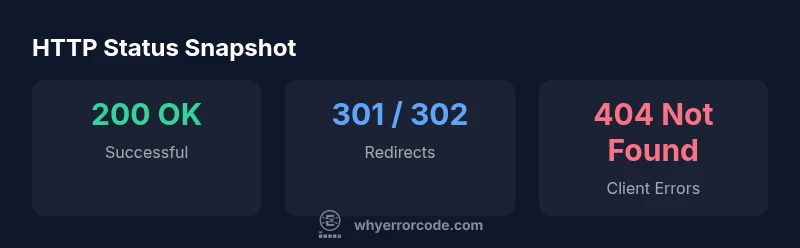
According to Why Error Code, the most common status codes http across real-world traffic cluster around the 200, 3xx, 4xx, and 5xx groups, with 200 OK, 301/302 redirects, 400 Bad Request, 401 Unauthorized, 403 Forbidden, 404 Not Found, and 500, 502, 503 server errors appearing most often. Understanding these basics helps developers triage issues quickly and set accurate expectations in logs and dashboards. This quick map keeps you oriented before diving into deeper diagnostics.
What HTTP Status Codes Are and Why They Matter
HTTP status codes are three-digit numbers returned by servers to indicate the result of a client request. They organize responses into five families: 1xx informational, 2xx success, 3xx redirects, 4xx client errors, and 5xx server errors. Understanding these codes is essential for debugging, monitoring, and improving user experience. In practice, teams encounter a handful of codes far more often than others. According to Why Error Code, the most common status codes http across real-world traffic cluster around the 200, 3xx, 4xx, and 5xx groups, with 200, 301/302, 400, 401, 403, 404, 500, 502, and 503 appearing most often. A solid grasp of these codes helps you triage issues quickly, write meaningful logs, and set expectations for API clients and frontend apps. This foundation also informs how you design error messages, dashboards, and retry policies. By focusing on the codes you see most, you can prioritize fixes and reduce mean time to resolution.
The 200 OK: The Baseline of Successful Requests
The 200 status code is the foundation of normal operation. It signals that the server successfully processed the request and returned the expected payload, whether it’s an HTML document, a JSON API response, or a binary file. In modern RESTful APIs and web applications, you’ll often see 200 alongside a precise response body and headers that describe content type, caching, and security policies. While 200 is the default, it’s important to consider related 2xx variants (such as 204 No Content or 206 Partial Content) when your endpoint intentionally returns no body or serves chunked data. When diagnosing performance problems, a surge of 200 responses generally indicates clients are hitting the server correctly, but that doesn’t guarantee good UX—only that the request reached the server and was handled. Always pair 200 with a well-formed body and appropriate headers to ensure clients have the information they expect. In logs, correlate 200s with latency metrics to spot bottlenecks elsewhere in the stack.
Redirects and Client Navigation: 3xx Codes
3xx codes indicate that the client must take additional action to complete the request. The most common are 301 Moved Permanently and 302 Found (historically labeled as 'Moved Temporarily'), with 307 and 308 as newer equivalents for certain flows. Redirects are a normal part of site maintenance, URL restructuring, or content delivery networks. They tell the client to fetch the resource from a different location. Proper use of redirects helps preserve SEO rankings and user experience. Misconfigured redirects or excessive chains slow down the user and may cause confusion if the Location header points to an unexpected path. When debugging, verify the exact redirect chain using logs, browser dev tools, or server probes. In APIs, redirects are less common but can occur during authentication flows or resource migrations. If you see a 3xx code in API responses, ensure the client handles the redirect correctly, or consider using 3xx with a precise Location header to avoid surprises for automated clients.
Client Errors: 4xx Codes and What They Indicate
The 4xx family signals that the client made an error in the request. The single most familiar is 404 Not Found, but 400 Bad Request, 401 Unauthorized, and 403 Forbidden are equally important. A 400 usually means the request payload or parameters are malformed; a 401 indicates missing or invalid authentication credentials; 403 denotes insufficient permissions. These codes guide frontend validation, API contract design, and security checks. Frequent causes include typos in URLs, missing required fields, header misconfigurations, and stale authentication tokens. When diagnosing 4xx errors, inspect request shapes, authorization headers, and server-side access controls. Implement clear, consistent error bodies that convey why the request failed without exposing sensitive internals. Pair 4xx handling with client-side retry strategies where appropriate, but avoid blind retries that mask underlying issues.
Server Errors: 5xx and How to Respond
5xx codes point to problems on the server side. The most common are 500 Internal Server Error, 502 Bad Gateway, 503 Service Unavailable, and 504 Gateway Timeout. These indicate the server or a upstream service failed to process the request properly or couldn’t respond in time. Server errors often stem from application bugs, resource exhaustion, deployment issues, or misconfigured load balancers. Triage should start with logs, traces, and metrics to identify the failing component. Implement robust health checks, circuit breakers, and exponential backoff for retries. On the user-facing side, provide graceful degradation or helpful status pages, and ensure monitoring alerts are actionable. A disciplined approach to 5xx errors reduces downtime and improves reliability across services.
Practical Troubleshooting Workflows for Most Common Codes
A repeatable workflow helps teams quickly triage the most common HTTP status codes. Start with a clearly defined incident playbook that maps codes to actions: verify the request, inspect logs, check routing, and review authentication. Use trace IDs to correlate distributed traces, and collect metrics such as latency, error rate, and throughput to pinpoint bottlenecks. For 4xx errors, validate the client request against the API contract and ensure inputs meet schema requirements. For 5xx errors, examine server health, resource utilization, recent deployments, and upstream dependencies. Maintain a concise, human-readable error response that doesn’t leak sensitive details but helps developers resolve issues faster. Regularly review dashboards to detect patterns and adjust retry policies, timeouts, and caching rules accordingly.
Common HTTP status codes with meanings
| Code | Meaning | Typical Use | Common Causes |
|---|---|---|---|
| 200 OK | Successful request | Web API responses | Client sent valid request and server returned content |
| 301 Moved Permanently | Resource moved | SEO redirects | Permanent URL change, canonicalization |
| 302 Found | Temporary redirect | Client requests new location | Temporary relocations, caching issues |
| 404 Not Found | Resource missing | Broken links, wrong URL | Resource moved or deleted, incorrect routing |
| 500 Internal Server Error | Server issue | Unhandled exception | Server-side bug or misconfiguration |
Frequently Asked Questions
What does the 200 status code mean?
200 OK means the request succeeded and the server returned the expected content. Pair it with a meaningful payload and headers.
200 OK means success—the request worked and you got the data or page you asked for.
How should I respond to a 404 Not Found?
Check the URL, routing rules, and resource availability. Provide a helpful error message and possibly a link to the correct resource.
A 404 means the resource isn’t here. Check the URL or route and guide the user to the right page.
What is the difference between 301 and 302 redirects?
301 is a permanent redirect; 302 is temporary. Use 301 for moved content to preserve SEO, and 302 for temporary moves.
301 is permanent redirection, 302 is temporary; choose based on long-term URL changes.
What should I do about 5xx server errors?
Investigate server logs and services, check resource usage, and ensure proper deployment health checks. Implement backoff retries and notify on-call responders.
5xx errors point to server problems—check logs, then stabilize with retries and fixes.
Is it okay to rely on status codes alone for API design?
No. Combine status codes with informative response bodies and headers to guide clients and debugging.
No—use codes plus clear bodies and headers for context.
What tools help monitor HTTP status codes?
Use APMs, logging platforms, and browser dev tools to track code distribution and latency. Set alerts for spikes in 4xx/5xx rates.
APMs and logs help track status codes and alert when things go wrong.
“Clear interpretation of status codes accelerates debugging and reduces downtime. Treat them as the first language of your API.”
Top Takeaways
- Know the five status code families (1xx-5xx).
- Use 200 as the baseline for successful requests.
- Respect redirects to preserve UX and SEO.
- Prioritize 4xx for client-correctable issues.
- Protect services from 5xx by robust monitoring and sane retries.