How to Fix Roblox Error 403 (Forbidden)
Urgent guide to fix Roblox error 403 Forbidden. Learn common causes, quick checks, and step-by-step fixes to restore access to Roblox content fast.


Error code 403 Roblox means access to the requested resource is forbidden. Common causes include region restrictions, account limits, or a temporary server block, often triggered by parental controls or VPN usage. The quickest fixes are to verify your access region, disable VPNs or proxies, clear cookies/cache for Roblox, and restart the app. If the problem persists, contact Roblox Support for guidance.
What Roblox Error 403 Really Means in Practice
Roblox error code 403 is a permissions-based response. It indicates that the server is actively denying access to the resource you requested. In practice, you might see this when trying to join a game, access a private area, or load content that your account or network isn't allowed to reach. According to Why Error Code Team, 403s are rarely a mere glitch; they point to how your access is being controlled—by your account, your region, or a policy Roblox enforces. Understanding this helps you narrow down whether the problem is regional, account-related, or network-driven. The goal is to identify the category of restriction and apply a targeted fix rather than guessing at a general connectivity issue.
Quick Checks You Can Do Right Now
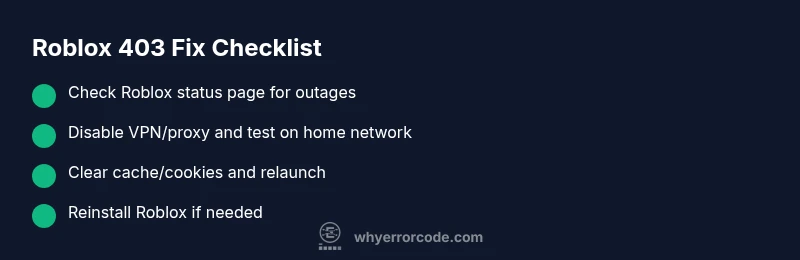
Before you drown in troubleshooting, run through a quick checklist to rule out the most common, low-effort causes. Start by turning off any VPNs or proxies and reconnecting to your home network. Sign out of Roblox on all devices and sign back in to refresh your credentials. Clear the Roblox app and browser cache, then relaunch Roblox. Check Roblox's official status page for outages in your region. Finally, try a different device or network (for example, mobile data) to see if the issue follows your device or your connection. These steps are often enough to restore access without deeper fixes.
Common Causes of Roblox Error 403
- Regional or account restrictions (high likelihood): Some regions or account types have limited access to certain content or features. If your account is under moderation or your region blocks a specific game, you may get a 403 instead of the expected content.
- VPNs, proxies, or corporate firewalls (medium): Using a VPN or a network proxy can trigger access blocks when Roblox detects unusual traffic or mismatched location data.
- Temporary server-side blocks or game permissions (low): Occasionally a game or asset is set to private or restricted, which can trigger a 403 for unauthorized users.
Quick Fixes You Can Try Immediately
- Disable VPNs and proxies, and connect directly to your home network.
- Sign out of Roblox on all devices and sign back in to refresh authentication.
- Clear cookies and cache for both your browser and the Roblox app data.
- Restart your device and router to reset network state.
- Check Roblox status and try a different network if the issue persists.
Deeper Troubleshooting If the Issue Persists
If the error remains after basic fixes, inspect account settings for parental controls or age-restriction flags, verify your country/region, and test access with a different Roblox account if available. Review firewall or antivirus rules that could block Roblox traffic, then consider reinstalling the Roblox client to ensure a clean start. If nothing helps, collect error details (time, device, network, and actions) and contact Roblox Support with a clear description of steps taken.
Safety, Privacy, and When to Call a Pro
Avoid sharing your Roblox password or account details with anyone claiming to fix the error. If you suspect account compromise, change passwords immediately and enable two-factor authentication where possible. If you are on a managed corporate or school network, consult your IT admin before disabling network protections.
Real-World Scenarios and Practical Outcomes
Different users report different paths to resolution. A user on a regional block may simply need to wait for policy changes or switch to a supported region via account settings. Another user with VPN-based traffic often resolves the issue by disconnecting VPNs and using a private home network. The key is to identify the root cause and apply a targeted fix rather than broad, guesswork troubleshooting.
Steps
Estimated time: 45-60 minutes
- 1
Check Roblox Status and Permissions
Open the official Roblox status page and look for any outage reports. Verify that your account region is supported for the content you are trying to access and confirm there are no moderation flags affecting your account.
Tip: Note times of outages and any region-specific advisories for faster follow-up. - 2
Isolate the Network
Disconnect from VPNs or proxies and reconnect to a home network. If you’re on mobile data, switch to a stable Wi‑Fi network to compare results.
Tip: Some workplaces block gaming ports; testing on a home network helps confirm this. - 3
Refresh Your Roblox Session
Sign out of Roblox on all devices, close the app, clear local storage, then sign back in. For browsers, clear cookies and cache; for the Roblox app, clear app data if the device allows.
Tip: Keep a note of your login method (email or username) to streamline sign-in. - 4
Test on a Different Device/Network
Attempt access on another device or network to determine if the issue is device-specific or network-wide. If it works elsewhere, the problem is likely tied to your original device or network settings.
Tip: Document which device works and which doesn’t for support guidance. - 5
Carry Out a Clean Reinstall
Uninstall Roblox, reboot the device, and reinstall the latest version. This eliminates corrupted files or misconfigurations that can trigger 403 errors.
Tip: Back up saved progress if possible before uninstalling.
Diagnosis: User cannot access Roblox content; receives 403 Forbidden error when joining games or loading content
Possible Causes
- highAccount region restrictions or moderation status
- mediumVPN/proxy or altered network path triggering blocks
- lowTemporary server-side blocks or game permissions
Fixes
- easyCheck Roblox status and confirm region permissions are intact
- easyDisable VPN/proxy and reconnect to a local network
- easyClear cookies/cache and refresh session across devices
- easyRestart devices and, if possible, test on a different network
- mediumIf persists, reinstall Roblox or contact support with details
Frequently Asked Questions
What does Roblox error 403 mean?
Roblox error 403 means access to the requested resource is forbidden. It usually indicates a permission or policy-based restriction rather than a simple connectivity issue.
403 means forbidden access, typically due to region or account restrictions, or a VPN-related block.
What causes Roblox error 403?
Common causes include regional restrictions, account moderation or parental controls, VPN or proxy usage, and occasional game permissions that restrict access.
Causes include region blocks, account limits, VPNs, and temporary server blocks.
Will resetting my device fix Roblox error 403?
Resetting can resolve issues caused by cached data or misconfigured app settings. It may not fix account-based blocks or regional restrictions.
Resetting can help with cache, but may not fix region or account blocks.
Can Roblox Support fix a 403 error for me?
Yes. Roblox Support can clarify outages, verify account status, and help resolve region or permission-related blocks when you provide details of the issue and steps you've tried.
Support can confirm status and assist with account-related blocks.
Should I keep playing if I see a 403 error often?
If 403 errors persist, pause and follow the recommended troubleshooting steps. Prolonged issues may indicate a policy or regional restriction requiring official support or changes.
If it keeps happening, pause and troubleshoot with the guide or support.
Watch Video
Top Takeaways
- Identify whether the block is regional, account-based, or network-related
- Start with quick fixes (VPN off, cache clear, session refresh)
- Escalate to Roblox Support with precise details if needed
- Protect account security and don’t bypass protections