Xbox error code 4b538e50: Urgent Repair Guide
Discover what xbox error code 4b538e50 means and how to diagnose it quickly. This urgent guide covers quick fixes, a step by step repair flow, and prevention tips to restore online play fast.


Xbox error code 4b538e50 signals a network or service interruption impacting sign in or multiplayer. The quickest route to relief is to power cycle the console and router, verify Xbox Live status, and reconnect. If the issue persists, move on to a network test, DNS flush, and profile re sign in. Also ensure your console firmware is current and NAT is open.
What xbox error code 4b538e50 means
From a troubleshooting perspective, xbox error code 4b538e50 is more about connectivity to online services than a single faulty hardware component. It typically appears when the console cannot establish or maintain a stable connection to Xbox Live, matchmaking servers, or cloud saves. It can pop up during sign in attempts, while loading digital content, or when joining multiplayer games. According to Why Error Code, this code is frequently observed during periods of service instability or when local network configurations interfere with proper routing. In practice, the problem is usually a network or service status issue, occasionally compounded by cached data or an improper NAT type. The result can feel disruptive, with sign-ins failing, games dropping from matchmaking, or downloads stalling. The good news is that most instances are resolvable with a structured approach and the right sequence of fixes.
Quick Fixes You Can Try Right Now
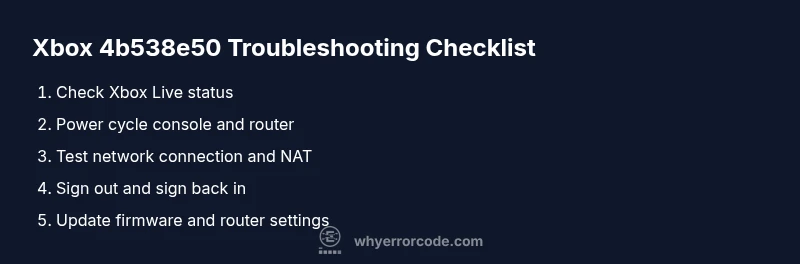
- Power cycle the console by holding the power button for 10 seconds, then unplug the power for 60 seconds before reconnecting.
- Check the Xbox Live status page for outages in your region and verify that services you rely on are online.
- Run a network test from Settings > General > Network settings to verify NAT type and connection quality.
- Sign out of your account and back in, or remove and re-add your profile if sign-in remains problematic.
- Ensure your console firmware is up to date; install any pending updates and restart.
Diagnostic Flow Overview
A practical diagnostic flow starts with symptoms, moves to probable causes, and ends with practical fixes. For xbox error code 4b538e50, common symptoms include sign-in failures or dropouts in online multiplayer. Causes typically map to service outages (high likelihood), network configuration issues (medium), or cached data or profile data problems (low). The corresponding fixes range from quick checks (easy) to more involved steps like resetting network settings or re-signing into the profile (medium). This flow prioritizes quick wins before deeper repairs, guided by your exact symptoms and environment.
Steps
Estimated time: 20-40 minutes
- 1
Verify service status and network basics
Check the Xbox Live status page for outages in your region and confirm your internet connection is active. If services are down, the fix may be waiting for Microsoft to resolve the outage. If services are online, proceed to the next step.
Tip: Always confirm service status before performing device resets to avoid unnecessary steps. - 2
Power cycle the console and network gear
Shut down the Xbox, unplug the power cord for 60 seconds, re-plug, and power on. Do the same for your router or modem. This clears transient routing issues that can trigger 4b538e50.
Tip: Avoid pressing the power button repeatedly during the reset; a full cycle is more effective. - 3
Run a network test and check NAT type
Navigate to Settings > General > Network settings and run a test. Ensure NAT is open or at least moderate. If NAT is strict, try enabling UPnP on the router or forwarding Xbox Live ports.
Tip: Document your current NAT type in case you need to revert changes. - 4
Sign out and back into your profile
Sign out of your Microsoft account on the Xbox and sign back in. If sign-in continues to fail, remove and re-add your profile, which may re-sync your saved data.
Tip: Back up saves to cloud if possible before removing the profile. - 5
Consider a factory reset as a last resort
If all else fails, perform a factory reset from Settings > System > Console info > Reset console, choose Reset and remove everything. This can fix deep-seated cache or corrupted files but will erase data.
Tip: Back up game saves and important data to cloud or an external drive if supported.
Diagnosis: Xbox shows error code 4b538e50 on startup or during online play
Possible Causes
- highXbox Live service outage or regional incident
- mediumNetwork configuration issues (NAT, DNS, gateway)
- lowCached data or profile corruption on the console
Fixes
- easyCheck Xbox Live status page and outage tracker
- easyPower cycle console and router
- easyTest network connection, adjust NAT, and renew IP/DNS
- mediumRemove and re-add your Xbox profile or clear local cache
- hardFactory reset as a last resort (data backup required)
Frequently Asked Questions
What does Xbox error code 4b538e50 mean?
It usually signals a connectivity issue with Xbox Live services, network routing, or profile cache. Checking service status and performing network tests will typically resolve it.
4b538e50 usually means a connectivity issue; start with a service check and then test your network.
Is this problem on Microsofts side or my network?
Both are possible. Check Xbox Live status first; if services are online, test your network and NAT settings to pinpoint the cause.
First see if Xbox Live has outages; if not, inspect your network.
Will a cache clear erase my saved games?
Clearing system cache can fix issues without deleting saves; removing and re-adding your profile may re-sync saves from the cloud.
Caching clears won't delete saves, but re-signing in might.
Should I contact Microsoft support?
If the issue persists after the above steps, contact Microsoft support or visit Xbox support pages for guided diagnostics and service advisories.
If it continues after steps, reach out to Xbox support.
Can a factory reset fix this for good?
A factory reset can fix deep-seated problems but will erase apps and data; try every less drastic option first.
Factory reset is a last-resort fix.
Do VPNs or proxies affect this error code?
VPNs or proxies can disrupt routing and trigger 4b538e50; disable them during troubleshooting.
Disable VPNs while troubleshooting.
Watch Video
Top Takeaways
- Triage: check service status first, then network health.
- Most 4b538e50 issues resolve with quick reboots and network tests.
- Avoid jumping to a factory reset first; try profile re-sign in and NAT fixes.
- If outages persist, contact support with outage details and console logs.