Error.codes Similar to 404: Understanding HTTP Status Codes
A data-driven guide to error.codes similar to 404, including 403, 410, and 405, with practical fixes for UX and SEO across web apps and APIs.


Error.codes similar to 404 are HTTP status codes in the 4xx and 5xx families that indicate missing resources, permissions issues, or server problems. Understanding these codes helps developers diagnose user experience gaps and optimize web behavior. Common examples include 403, 410, and 405, each signaling a different cause and recommended remedy. This guide explains how to interpret them and choose appropriate fixes.
What 'error.codes similar to 404' means in practice
The phrase error.codes similar to 404 captures a family of HTTP status codes that help distinguish why a resource can't be retrieved. In practice, these codes sit in the 4xx (client errors) and 5xx (server errors) ranges. Understanding this distinction is crucial for both developers and content teams because it guides where to look first: the client request versus the server's ability to serve content. According to Why Error Code, prioritizing user-facing messaging and robust server-side handling reduces churn and preserves SEO has the biggest payoff. The goal is to translate a raw numeric signal into actionable behavior: show a helpful error page, log the root cause, and implement a safe fallback. The bottom line is that 404 alone isn't enough; you need a map of similar codes that share the same underlying patterns but require different remediation steps.
Category-aware interpretation: 4xx vs 5xx
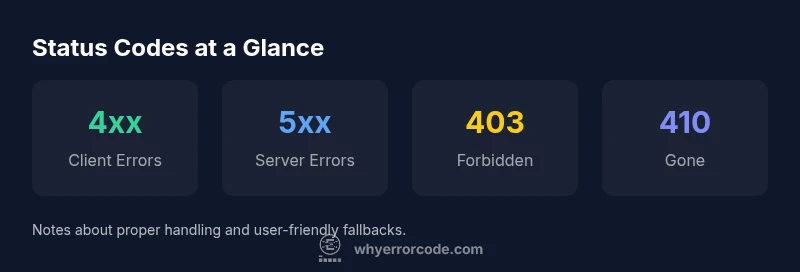
The HTTP protocol uses distinct categories to communicate the source of a problem. 4xx codes indicate the client sent a bad or unauthorized request; 5xx codes indicate the server failed to process a valid request. For error.codes similar to 404, this taxonomy matters because it changes who fixes the issue and how it should be surfaced to users. If you encounter a 403, you know access rights are the problem; a 410 signals permanent removal; a 405 means the method used is not allowed for that resource. Planning for these flavors during design and testing helps teams respond consistently and avoid masking the root cause. In practice, a strategic approach to 4xx/5xx mapping improves reliability and sets clear recovery paths for users and bots alike.
Common codes to know: 403, 410, 404, 405
While 404 Not Found remains the archetype, other codes in the same family are routinely observed on real sites. A 403 Forbidden points to permission problems; 410 Gone indicates a resource was removed intentionally and should be treated as permanent. A 405 Method Not Allowed reveals misused HTTP verbs, often corrected by adjusting endpoints or API contracts. Finally, remember that some services and proxies might return custom 4xx codes that reflect internal routing, not just standard HTTP semantics. The practical takeaway is to streamline your code handling by canonical meaning while accommodating vendor-specific deviations. This awareness helps avoid confusing users and search engines alike.
UX and SEO implications of 404-like errors
User experience is the frontline battleground for 404-like errors. A poor error page design, ambiguous messaging, or broken navigation can frustrate visitors and raise bounce rates. From an SEO perspective, search engines interpret missing content differently based on the code and context. Consistent use of meaningful titles, helpful guidance, and reliable redirects preserves crawl equity and minimizes the risk of deindexing. A well-crafted 404 page with clear navigation, a site search option, and suggestions to discover related content can recover engagement quickly. In contrast, silent failures or inconsistent error handling degrade trust and hinder indexing signals over time.
Common HTTP status code interpretations
| Code Class | Typical Meaning | Who Handles | Example Behavior |
|---|---|---|---|
| 4xx Client Error | Request failed due to client issue | Frontend/Apps | 404 Not Found |
| 403 Forbidden | Access denied | Server/Auth | 403 Forbidden |
| 410 Gone | Resource permanently removed | Content team | Resource intentionally removed |
| 405 Method Not Allowed | HTTP verb not allowed for this resource | Frontend/Backend/API gateway | POST on a GET-only endpoint |
Frequently Asked Questions
What is the difference between 404 and 410?
A 404 means the page could not be found but may return in the future; a 410 indicates the resource is gone permanently and is not expected to return. Treat 410 as a stronger signal of permanence.
404 means not found; 410 means gone for good.
Do these codes affect SEO?
Yes, search engines respond differently to 404s, 410s, and other 4xx/5xx codes. Proper handling helps preserve crawl efficiency and reduces long-term ranking risk.
They can affect SEO, but proper handling helps.
How should I fix a 404-like error on a site?
Redirect relevant missing URLs to related content where appropriate, implement a clear and helpful 404 page, and audit internal links to prevent new 404s.
Use redirects, a helpful 404 page, and link checks.
What is the best practice for API error handling?
Return precise 4xx/5xx codes with clear messages, document error formats for clients, and include retry or backoff guidance where applicable.
Give clear codes and messages; make recovery possible.
Can cache/CDN cause 404-like errors?
Yes, stale caches can serve 404/410. Ensure timely cache invalidation, appropriate TTLs, and alignment with origin responses.
Caches can cause 404-like errors; fix with invalidation.
“Status codes are diagnostic signals that reveal where the fault lies—client, server, or resource relocation. Proper handling reduces downtime and improves user experience.”
Top Takeaways
- Identify the code class before debugging
- Treat 404-like errors as signals, not failures
- Implement user-friendly error pages and redirects
- Monitor status codes to protect UX and SEO
- Standardize handling across frontend, API, and CDN
- Test edge cases with real user flows