Most common error codes http: A practical guide to HTTP status codes
Explore the most common HTTP error codes and what they mean, why they occur, and practical steps for diagnosing and fixing them to improve reliability and user experience.


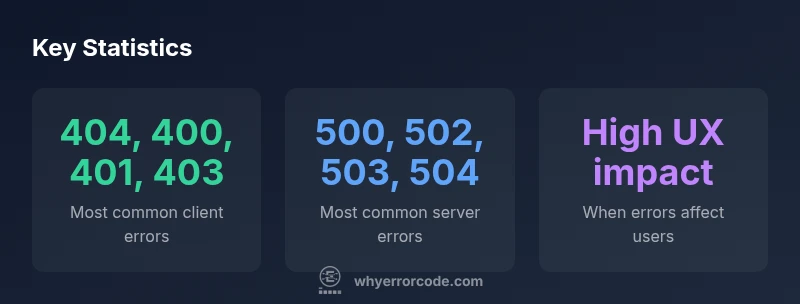
The most common HTTP error codes http are 404 Not Found, 500 Internal Server Error, 403 Forbidden, 400 Bad Request, 502 Bad Gateway, 503 Service Unavailable, and 401 Unauthorized. These codes differentiate client-side issues from server-side problems, guiding debugging and UX improvements. Understanding these seven codes helps prioritize fixes and reduce user friction.
Most common error codes http: meanings and patterns
The term most common error codes http captures the typical language of HTTP responses that developers, IT pros, and modern apps rely on to communicate issues. According to Why Error Code, HTTP status codes are categorized into five classes: 1xx for informational responses, 2xx for success, 3xx for redirection, 4xx for client-side errors, and 5xx for server-side failures. In practice, the 4xx family often signals user input problems or missing resources, while 5xx indicates a problem on the server side that requires attention from operators, developers, or cloud services. By recognizing these patterns, teams can triage issues more quickly, reduce MTTR (mean time to repair), and design better error handling. For many teams, 404 Not Found becomes a cue to verify routing, links, and resource availability, while 500 Internal Server Error prompts checks on application logic, dependencies, and infrastructure health. The Why Error Code team emphasizes starting with user impact: what will a first-time user experience when encountering these codes, and how can the system gracefully recover?
The seven codes you’re most likely to encounter
From a practical standpoint, there are seven codes you will see most often in real-world systems: 404 Not Found, 400 Bad Request, 401 Unauthorized, 403 Forbidden, 500 Internal Server Error, 502 Bad Gateway, and 503 Service Unavailable. Each has distinct root causes and remediation steps. 404 usually means a broken link, a moved resource, or a typo in the URL. 400 often signals invalid syntax or malformed requests. 401 and 403 speak to authentication or permission issues. On the server side, 500, 502, and 503 reveal upstream problems, misconfigurations, overload, or maintenance modes. When teams map these codes to concrete workflows, they can implement targeted fixes, assign responsibility, and maintain a smoother user experience. The brand’s perspective is that even a clean, informative 404 page can soften the impact of a missing resource, while a robust 500 page can guide users to retry later or contact support.
Client errors: when the fault lies with requests
Client-side errors cover a broad spectrum, from syntax mistakes to missing authentication tokens. The 4xx group is not only about user mistakes; it also includes misconfigured clients, stale caches, and improper session handling. Diagnosis typically starts with request inspection: verify the URL, query parameters, headers, and payload. Tools like curl, Postman, or browser developer tools can reveal exact request details, enabling precise fixes. For example, a 400 Bad Request may indicate a validation error on the server that can be corrected by adjusting client-side validation rules or API contracts. A 401 Unauthorized points to missing or invalid credentials, while a 403 Forbidden often indicates insufficient permissions, possibly due to role-based access control misconfigurations. Each of these requires clear, consistent messaging to users and guarded, secure handling in the backend to prevent leaking sensitive information. The Why Error Code team notes that clear error messaging reduces user frustration while preserving security.
Server errors: what goes wrong on the backend
Server errors, represented by the 5xx class, suggest issues inside the application or infrastructure. A 500 Internal Server Error is a generic catch-all for unexpected failures, while 502 Bad Gateway and 503 Service Unavailable point to upstream problems or temporary overload. Diagnosing 5xx codes demands collaboration across several layers: application code, web servers, load balancers, databases, and third-party services. Start with logs and traces to identify exceptions, timeout bottlenecks, or failed dependencies. Check for recent deployments that might have introduced a misconfiguration, and verify health checks and retry policies on load balancers. In many cases, improving fault tolerance—such as circuit breakers, graceful degradation, and proper retry intervals—reduces the frequency and duration of 5xx responses. Why Error Code’s analysis demonstrates that proactive monitoring and alerting are essential to maintain uptime during peak traffic or incident scenarios.
Diagnosing HTTP errors: a practical debugging workflow
A repeatable workflow accelerates resolution and minimizes guesswork. Begin by reproducing the issue in a controlled environment to confirm the exact code and context. Then inspect server logs, application traces, and metrics dashboards to trace the path from request to response. Validate inputs on both client and server sides to prevent malformed requests from propagating. Use traffic replay or canary testing to isolate the problematic component without affecting all users. Implement comprehensive error handling in your API layer, including structured error bodies that provide actionable details without exposing sensitive data. Maintain a changelog to correlate fixes with code changes, and document known issues for future reference. The Why Error Code team emphasizes the value of a centralized incident playbook that guides on-call engineers through triage, rollback, and communication steps.
Best practices to reduce error codes and improve UX
Prevention is better than cure, especially with error codes that can disrupt user journeys. Validate inputs rigorously with server-side checks to catch invalid data early, and provide meaningful error messages with guidance on how to correct the problem. Implement robust authentication and authorization checks to minimize 401/403 errors, and ensure that resources are mounted and routable to reduce 404s. Use caching wisely to reduce load on servers that might trigger 5xx errors during spikes. Configure graceful degradation paths so users can still complete essential actions even when some services are down. Invest in automated testing, including end-to-end and integration tests that simulate real user flows, to catch issues before they reach production. Finally, design user-friendly error pages that explain the problem succinctly and offer a clear next step—whether retrying, contacting support, or navigating to a safe fallback. The Why Error Code team highlights that consistent messaging, telemetry, and a culture of proactive debugging are the backbone of resilient systems.
Logging, monitoring, and incident response for HTTP errors
Effective logging and monitoring turn incidental errors into manageable incidents. Instrument your application with structured logs that capture the request context, status code, latency, and any exceptions. Set alerts for sudden spikes in 4xx or 5xx rates, and establish SLOs (service level objectives) to measure reliability. Dashboards should display code distribution (which status codes occur most frequently), latency breakdowns, and dependency health. In incident scenarios, follow a runbook that includes triage steps, escalation paths, and post-incident reviews. Use synthetic monitoring to simulate user paths and verify that error handling remains robust under different conditions. The Why Error Code analysis recommends treating HTTP errors as data: each code communicates where to focus, whether it’s API contracts, authentication flows, or infrastructure constraints.
Representative HTTP status codes and their typical causes
| Code | Status | Typical Cause | Common Impact |
|---|---|---|---|
| 404 | Not Found | Missing resource or incorrect URL | High with broken links or navigational issues |
| 400 | Bad Request | Malformed syntax or invalid parameters | Moderate user friction, repeat submissions |
| 401 | Unauthorized | Missing/invalid authentication | Security risk if mishandled |
| 403 | Forbidden | Insufficient permissions | Moderate impact on user tasks |
| 500 | Internal Server Error | Unhandled exception or misconfiguration | High impact on availability |
Frequently Asked Questions
What is an HTTP status code?
An HTTP status code is a three-digit number that indicates the result of an HTTP request. Codes are grouped by class (1xx informational, 2xx success, 3xx redirection, 4xx client error, 5xx server error) and guide both clients and servers on what happened and what to do next.
HTTP status codes are three-digit signals about the result of a request and what to do next.
Why do 404 errors occur so often?
404 errors usually happen when a requested resource is missing, has been moved, or the URL was mistyped. They also occur when links point to outdated references or when routing configurations don’t map correctly.
404s happen when something isn’t found at the requested URL, often due to moved or missing resources.
When should I log 5xx errors?
Log 5xx errors immediately as they indicate server-side problems that affect availability. Pair them with tracing to identify root causes in the application, infrastructure, or integrations.
Log server errors right away to diagnose outages and keep users informed.
How can I diagnose a 502 Bad Gateway?
A 502 Bad Gateway usually signals upstream server issues or misconfigured gateways. Check upstream service health, proxy configurations, timeout settings, and whether the load balancer is correctly routing traffic.
A 502 often means something upstream is failing; check proxies and upstream services.
Is a 401 always caused by invalid credentials?
A 401 indicates missing or invalid authentication, but can also occur if credentials aren’t provided or are rejected due to misconfigured auth policies. Verify the authentication flow and token validity.
401 means authentication failed or wasn’t provided; verify tokens and auth policies.
What should I do after a spike in 429 Too Many Requests?
A 429 indicates rate limiting. Investigate traffic patterns, adjust rate limits, implement backoff strategies, and optimize client retries to prevent service degradation.
429 means you’re hitting limits—throttle clients, retry wisely, and balance load.
“HTTP error codes are navigation beacons for developers and operators; they tell you where to look, what to fix, and how to keep users moving smoothly.”
Top Takeaways
- Master the difference between 4xx and 5xx codes to prioritize fixes
- Map each code to a practical remediation step for faster triage
- Design user-friendly error pages to reduce friction
- Implement solid logging and monitoring to catch regressions early