HTTP Error Code 12002: Urgent Timeout Troubleshooting
Urgent guide to diagnosing and fixing HTTP error code 12002—client-side timeouts that block requests. Step-by-step fixes, diagnostic flow, and cost estimates to keep systems online.


HTTP error code 12002 indicates a client-side timeout before the server can respond. Quick fixes: retry with exponential backoff, verify network connectivity, and temporarily raise the timeout where possible. If it persists, inspect DNS, proxy settings, and firewall rules. According to Why Error Code, confirming network health is the safest first step before deeper repairs.
What HTTP error code 12002 means
HTTP error code 12002 is a client-side timeout, signaling that the request to the server did not receive a response within the configured timeout window. In practical terms, your application timed out before the server replied, or the intermediate network failed to relay the response in time. This is not a server error (4xx/5xx); it’s about time constraints and connectivity. Understanding this distinction helps you prioritize fixes.
Commonly, this error appears during API calls, content fetches, or when loading remote resources on slower networks. It’s a symptom, not a single culprit, and the fastest path to resolution is to verify connectivity, adjust timeouts, and confirm that intermediaries like proxies and CDNs aren’t introducing delays. According to Why Error Code, the most reliable early step is to confirm the network path and retry with sensible backoff.
Common causes of 12002 timeouts
- Slow or unstable network connections (wired or wireless) that impede responses.
- Low client-side timeout settings or aggressive backoff policies that trigger a timeout too soon.
- DNS resolution issues or flaky DNS servers causing delayed responses.
- Proxies, VPNs, or firewalls that interfere with the traffic path.
- Server-side delays or overload that still result in a timeout from the client’s perspective (e.g., long-running requests).
Note: Server overload is a possible contributor but often is not the primary cause of 12002 timeouts.
Quick fixes you can try now
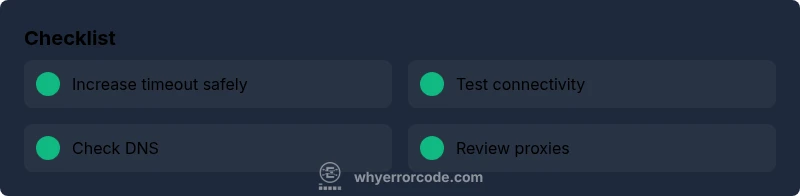
- Retry the request with exponential backoff and a modest timeout increase where allowed by your app.
- Check basic connectivity: ping the host, run traceroute or tracert to identify hops with delays, and perform a simple curl or wget against the endpoint to observe timing.
- Verify DNS settings and flush DNS cache; ensure you can resolve the target hostname reliably.
- Review any proxies, firewall rules, or VPNs that could slow or block traffic; temporarily disable them to test.
- If you control the server, check for slow endpoints, long-running queries, or rate limiting that could trigger timeouts.
Step-by-step diagnosis for persistent timeouts
A structured approach helps isolate root causes. Start by confirming the exact endpoint and time the error occurs, then test connectivity, then review client timeouts and retry logic. Move to DNS, proxies, and finally server-side performance checks. Document findings at each step to compare against future incidents.
Advanced fixes for stubborn timeouts
- Increase client-side timeout only if safe, and prefer backoff strategies over blunt limits.
- Enable detailed logging on the client and server to capture timing data, DNS lookups, and handshake events.
- Optimize network path: select a faster DNS resolver, adjust MTU, or switch to a CDN/edge service closer to users.
- Review TLS handshakes and certificate checks; sometimes slow handshakes masquerade as timeouts.
- If using a proxy or VPN, test without it or switch to a direct connection to verify the behavior.
Safety, costs, and when to call a professional
If you’re seeing repeated 12002 timeouts after basic checks, consider professional help. Cost estimates for repairs vary widely by scope: software/network fixes from USD 50–200 for straightforward configuration tweaks, diagnostics from USD 100–300, and full on-site support or hosted service changes from USD 300–1000+. For enterprise environments, budgeting for a structured incident response plan is prudent.
Prevention and best practices
- Implement robust timeout policies with backoff and jitter to avoid cascading failures.
- Monitor network health with synthetic tests across multiple regions or networks.
- Keep DNS resolvers, proxies, and CDNs updated and aligned with your infrastructure.
- Establish a standard runbook for timeouts and publish it so teams respond consistently.
- Regularly review server performance, query optimization, and load balancing to prevent overload-induced timeouts.
Steps
Estimated time: 60-90 minutes
- 1
Confirm the exact error context
Note the endpoint, timestamp, and whether the timeout occurs consistently or sporadically. Collect logs from the client and any intermediary devices to establish a reproducible scenario.
Tip: Write down a reproducible workflow and capture the exact error message. - 2
Test basic connectivity
Ping the host, run traceroute or tracert to identify hops with delays, and perform a simple curl or wget against the endpoint to observe timing.
Tip: Use multiple networks (Wi‑Fi, cellular) to compare results. - 3
Review and adjust timeouts/backoff
Check your client’s timeout settings and retry strategy. Replace fixed timeouts with exponential backoff and add jitter to avoid synchronized retries.
Tip: Avoid extremely long timeouts that mask underlying faults. - 4
Check DNS and proxies
Verify DNS resolution, flush caches, and inspect proxies or VPNs between client and server. Temporarily bypass proxies to test baseline behavior.
Tip: Record DNS query times for later correlation. - 5
Assess server-side response
If you control the server, inspect load, database queries, and long-running endpoints. Check application logs for timeouts or slow queries.
Tip: Look for rate limiting or slow endpoints contributing to the timeout.
Diagnosis: HTTP error code 12002 occurs during API calls or page loads, timeout before response
Possible Causes
- highClient-side timeout threshold too low
- highWeak or unstable network connection
- mediumDNS resolution issues or DNS server delays
- mediumProxies or VPN interference
- lowServer overload or long-running endpoint
Fixes
- easyIncrease client-side timeout and enable exponential backoff
- easyTest connectivity from multiple networks/devices
- easyCheck DNS settings and flush DNS cache
- easyReview proxy/VPN configuration or disable temporarily
- mediumMonitor server performance; investigate slow endpoints or rate limiting
Frequently Asked Questions
What is HTTP error code 12002?
HTTP error code 12002 is a client-side timeout indicating the request didn’t receive a server response within the configured timeout. It’s a connectivity/timing issue rather than a server error.
HTTP error 12002 means the request timed out on the client side. It points to timing or connectivity, not a server error.
What commonly causes 12002 timeouts?
Common causes include slow networks, overly aggressive timeouts, DNS problems, proxies or VPN interference, and occasional server-side delays that still appear as timeouts.
Common causes are slow networks, DNS problems, proxies, and aggressive timeouts.
Is 12002 a client-side or server-side error?
12002 is typically a client-side timeout error, meaning the client didn’t receive a response in time. It can be influenced by server-side delays, but the error originates on the client side.
It’s usually a client-side timeout, though server delays can trigger it indirectly.
How can I fix 12002 quickly?
Quick fixes include retrying with backoff, testing on another network, and increasing the client timeout if safe. Validate DNS and verify proxies or VPNs aren’t introducing delays.
Try retrying with backoff and check network and DNS.
When should I contact my ISP or hosting provider?
If failures persist across multiple networks and devices, or if you observe packet loss or increased latency on the path to the server, contact your ISP or hosting provider for path-level diagnostics.
If it continues across networks, involve your provider for path diagnostics.
Does increasing timeout affect security?
Raising timeouts can affect system throughput and exposure to slowloris-like attacks; balance user experience with security by using backoff and monitoring instead of perpetual long timeouts.
Long timeouts can impact security and performance, so use balanced backoffs and monitoring.
Watch Video
Top Takeaways
- Identify if timeout is client-side or network
- Increase timeouts with caution and backoff
- Check DNS and proxies first
- Monitor server performance to prevent delays