Timeout Issue Error Code: Troubleshooting Guide
A comprehensive, urgent guide to diagnosing and fixing timeout issue error codes across client and server layers. Learn a diagnostic flow, practical fixes, and prevention tips to keep systems responsive.


A timeout issue error code is typically caused by network delays, server overload, or long-running operations that exceed the configured timeout. Start with the simplest fixes: verify connectivity to the service, confirm the endpoint is reachable, and retry with a longer timeout if you control it. If the issue persists, inspect logs and metrics or escalate to your IT team.
What is a timeout issue error code?
A timeout issue error code signals that a request did not complete within the allotted time window. This can happen anywhere along the path—from the client making the request, through proxies or load balancers, to the target service or database. Understanding the root cause hinges on where the timeout occurs: client libraries may give a local timeout, network infrastructure can stall traffic, and servers can be slow to respond or reject due to load. According to Why Error Code, these codes function as early warnings that the system isn’t finishing work within expectations. In practice, you’ll see messages indicating the operation timed out after a certain period, or a specific error code that maps to timeout behavior. Distinguishing between a transient network blip and a persistent bottleneck is crucial for choosing the right remedy. The timeout category spans connection timeouts (can’t establish a link), read timeouts (no data received in time), and write timeouts (server or intermediary hesitates to accept data). Each flavor hints at different layers to investigate, from DNS and routing to application server health and query performance.
Symptoms and signals you might encounter when a timeout occurs
- Users see a long loading spinner or a failed response after a fixed interval.
- Error messages explicitly mention a timeout code or a message like "Request timed out".
- Logs show latency spikes, stalled requests, or repeated retries without success.
- Monitoring dashboards report rising p95/p99 latency or increased request queues.
- Automated tests intermittently fail with timeout errors, even when endpoints appear reachable.
These signals help narrow the problem space: a client-side timeout often points to client configuration or flaky network paths, while server-side timeouts suggest backend bottlenecks or slow downstream dependencies.
Client-side vs server-side timeouts
Client-side timeouts occur when the client library or framework terminates a request because the remote side failed to respond quickly enough. This is common when a mobile app has a short timeout to preserve battery life, or a browser script times out due to slow API responses. Server-side timeouts happen when the server or a downstream service takes too long to respond, or when an intermediate proxy or load balancer imposes its own limits. Distinguishing the two is essential because the fixes differ: client-side timeouts often require adjusting timeouts or network reliability on the client, while server-side timeouts require monitoring server health, query performance, and downstream services.
Root causes across layers (network, application, and data)
Timeout issues rarely have a single cause. At the network layer, DNS misconfigurations, flaky routes, or congested networks can delay connections. Proxies, firewalls, or WAFs can also silently drop or delay traffic. On the application layer, overloaded servers, thread pool exhaustion, or inefficient queries can push response times past the timeout threshold. In the data layer, slow database queries, locking, or insufficient indexes can dramatically increase latency. Multi-tier architectures amplify these effects: even a fast database won’t help if a downstream API is slow or if an upstream service is intermittently failing. The most effective approach is to map latency by layer, from the client to the back end, and validate each component under load.
Quick checks you can perform today (before deep debugging)
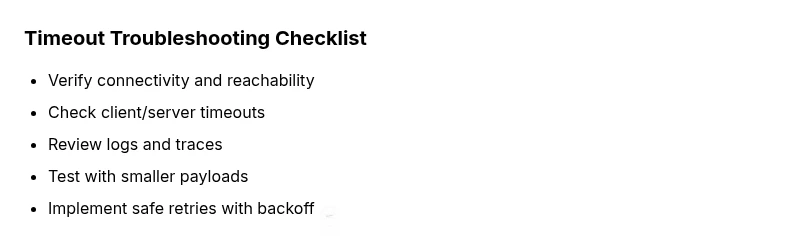
- Confirm the target service is reachable from the client (ping, traceroute, or a simple curl).
- Verify there are no recent configuration changes that lowered timeouts or introduced throttling.
- Check current system load, network latency, and error rates on the server and proxies.
- Review recent deployments for code paths that may slow down responses or create deadlocks.
- Run a controlled test with a smaller payload or a cached response to see if the timeout persists.
- Ensure retries are idempotent and accompanied by backoff to avoid thundering herd issues.
If these quick checks don’t reveal the issue, proceed with the diagnostic flow to isolate the root cause.
Diagnostic flow: symptom → diagnosis → solutions
A methodical flow helps isolate timeout problems quickly. Start with the most common, easily verifiable causes and progressively move to deeper investigations. Log timestamps on both client and server to measure end-to-end latency. Use tracing tools to identify where the delay occurs: network, service, or data layer. Apply fixes in the order that minimizes risk and preserves data integrity. Always test in a staging environment when possible before applying changes to production systems.
Prevention, best practices, and safe fixes
- Set sensible default timeouts and allow controlled increases for known slow operations.
- Use exponential backoff with jitter for retries to avoid cascading delays.
- Design APIs to be idempotent so retries are safe and predictable.
- Enable distributed tracing to quickly identify where latency spikes originate.
- Monitor latency, error rates, and capacity (CPU, memory, I/O) to catch bottlenecks early.
- Regularly review query performance and optimize indexes and access patterns.
These practices reduce the likelihood of future timeouts and improve overall system resilience.
When to escalate and how to document the issue
If timeouts persist after applying standard fixes, escalate to the appropriate teams with a concise, repeatable reproduction scenario. Document the exact steps to reproduce, including payload sizes, endpoints, and timing information. Provide logs, traces, and metrics that show the latency curve and any side effects (like partial failures). Escalation should include a plan for verification, rollback procedures, and a timeline for follow-up. Proactive communication with stakeholders helps preserve confidence during investigation and remediation.
Steps
Estimated time: 60-90 minutes
- 1
Reproduce the timeout in a controlled environment
Begin by reproducing the timeout with a minimal payload and capture the exact endpoint, method, and timing. Use consistent test data to isolate variability. This helps confirm whether the issue is intermittent or reproducible.
Tip: Document the exact request parameters used during reproduction. - 2
Check client timeout configuration
Review client libraries for timeout settings and ensure they align with expected service response times. If a short timeout is currently set, try a modest increase to see if the operation completes.
Tip: Avoid hard-coding timeouts in production code; use configuration. - 3
Verify network reachability to the endpoint
Verify that DNS resolves correctly and that there are no blocking firewall rules. Run traceroute and examine hops for unusual latency or drops.
Tip: Consider running tests from different network paths (LAN vs VPN) for comparison. - 4
Inspect server health and downstream dependencies
Check CPU, memory, disk I/O, and thread pools. Look for bottlenecks in databases or external APIs that the server relies on. Collect recent error rates and latency distributions.
Tip: Enable detailed tracing around slow endpoints to identify specific calls causing delays. - 5
Test with smaller payloads and controlled data
Reducing payload size can reveal whether timeouts are data-dependent. If smaller requests succeed, investigate large payload processing, batching, or streaming options.
Tip: Use representative sample data to avoid masking issues. - 6
Tune timeout values and enable backoff retries
Increase the timeout thresholds incrementally and implement exponential backoff with jitter for retries. Ensure retries are idempotent to prevent duplicate effects.
Tip: Monitor impact after each adjustment to avoid creating new issues. - 7
Measure end-to-end latency with tracing
Use distributed tracing to see where delays accumulate across services. Identify whether the bottleneck is network, server, or data layer.
Tip: Share trace IDs with teammates to speed up collaboration. - 8
Validate fix and implement monitoring
After applying the fix, re-run tests and monitor metrics to confirm resolution. Establish a plan for ongoing monitoring and alerting to catch future timeouts early.
Tip: Document the change and rationale for future audits.
Diagnosis: Application or service reports a timeout error code after initiating a request
Possible Causes
- highNetwork connectivity issues or DNS resolution problems
- highServer overload or slow downstream services
- mediumClient-side timeout settings are too aggressive
- lowFirewall, proxy, or load balancer throttling
Fixes
- easyTest basic connectivity to the endpoint (ping, traceroute, curl) and verify DNS resolution.
- mediumExamine server logs and metrics for saturation, and check downstream dependencies for latency.
- easyIncrease client or server timeout values cautiously and enable backoff for retries.
- mediumReview firewall, proxy, and load balancer rules to ensure traffic isn’t being dropped or delayed.
- easyImplement or validate idempotent retries and ensure operations can safely repeat without side effects.
Frequently Asked Questions
What is a timeout issue error code?
A timeout issue error code signals that a request did not finish within the allotted time. It can indicate a network, server, or data-layer bottleneck. Identifying the layer responsible is the first step to a safe fix.
A timeout error means a request took too long to complete, usually due to network or server delays. Start by checking connectivity and logs to find where the delay happens.
How can I tell if the timeout is client-side or server-side?
Compare where the timeout originates: if the client library terminates first, the issue is client-side; if the server or downstream service delays, it’s server-side. Use traces and logs to confirm the bottleneck.
Look at traces and logs from both ends. If the client times out quickly but the server remains idle, the problem is likely client-side; otherwise, it’s server-side.
Should I increase the timeout value?
Increase timeouts only after validating root causes. Prolonged timeouts can hide issues and cause worse user experiences. Pair changes with monitoring and staged testing.
Only raise timeouts after you’ve identified a legitimate slow path and tested safely in a controlled environment.
What logs should I check for timeout errors?
Check client and server logs, including request/response times, error stacks, and retries. Review database or downstream API latency, and enable tracing for deeper insight.
Look at end-to-end traces, latency histograms, and error stacks to locate where delays originate.
Can proxies or firewalls cause timeouts?
Yes. Proxies, load balancers, and firewalls can delay or drop traffic. Verify allowed ports, rules, and health checks to ensure smooth pass-through.
Firewalls and proxies can be culprits—check rules and port accessibility to rule them out.
When should I escalate to support?
Escalate when you cannot reproduce locally, the issue affects production users, or basic checks fail to identify root cause. Provide logs, traces, and a reproducible scenario.
If you’re stuck after the basics and users are impacted, escalate with a clear reproduction scenario.
Watch Video
Top Takeaways
- Identify whether the timeout is client- or server-side.
- Use a structured diagnostic flow to isolate the root cause.
- Avoid knee-jerk timeout increases; validate with logs and traces.
- Implement safe retries and monitor outcomes to prevent recurrence.