Error Code for Timeout: Troubleshoot and Fix
Learn to diagnose and resolve a timeout error across networks, apps, and servers. Practical steps, a clear diagnostic flow, and safe escalation for the error code for timeout.


An error code for timeout typically means a request exceeded the server's time limit or a network connection was blocked. Start with a quick check of your network stability and server reachability, then retry with a shorter operation or increased timeout setting. If the problem persists, inspect intermediate proxies or load balancers for delays and consider retry/back-off strategies.
What the error code for timeout means in practice
The term error code for timeout describes a failure when a request does not complete within the allocated time and the system returns a timeout indicator. In practical terms, this signals a bottleneck somewhere along the request path—on the client, in the network, or on the server. According to Why Error Code, understanding where the delay originates is essential because the fix differs by layer: a quick client tweak won't solve a congested network or an overwhelmed service. Start by defining the exact scope: is this a user-facing page request, an API call, or a long-running batch job? Is the timeout configured by the client, by a reverse proxy, or by the server itself? With the problem space clarified, you can map the end-to-end path and decide which layer to investigate first. A precise diagnosis saves time and reduces the risk of introducing new issues through hasty changes.
Common scenarios that trigger timeouts
Timeouts appear in many contexts. A slow or dropped network connection is a frequent culprit, especially on mobile or flaky Wi-Fi. Large payloads or streaming data can push response times past the limit if the server isn’t optimized for throughput. Back-end services that are overloaded, poorly performing database queries, or long GC pauses can all cause threads to stall. Third-party APIs and CDN endpoints can also introduce delays, as can misconfigured proxies, load balancers, or firewall rules that throttle traffic. Finally, client-side misconfigurations—such as too-short timeout values for the operation or brittle retry logic—often produce misleading timeout symptoms. Understanding these scenarios helps you prioritize fixes and avoid chasing non-issues.
Core network and server factors to inspect
Several layers can contribute to timeouts. On the network, check latency, jitter, MTU, and packet loss. Ensure DNS resolution is fast and stable, and verify that necessary ports are open end-to-end. On the server side, review thread pools, worker queues, and database connections. Look for long-running queries, lock contention, or slow external service calls. Load balancers and reverse proxies can accumulate delays when misconfigured or when back-ends slow down. Finally, examine timeouts configured at different layers: client, gateway, load balancer, and server, and ensure they are aligned with the actual operation duration. A mismatch between layers is a classic timeout trigger.
Quick checks you can perform right now
- Test basic connectivity from the client to the target service (ping, traceroute).
- Verify DNS resolution and ensure there are no stale caches.
- Compare response times from a working network vs the problematic one.
- Review recent configuration changes that touched timeouts, retries, or proxy settings.
- Check service health dashboards and error rates for correlated spikes.
- Attempt a minimal version of the operation to see if the timeout still occurs. These steps are low-risk and frequently reveal the root cause when done in a controlled environment.
Layered causes: client, network, server, and third-party services
Timeouts can stem from several layers. Client-side issues include overly aggressive timeout settings or brittle retry logic. Network problems involve latency spikes, packet loss, or DNS failures. Server-side causes cover slow queries, saturated worker pools, or memory pressure. Third-party services can introduce delays due to rate limits or outages. The key is to test each layer independently and in combination, so you don’t conflate issues across layers.
How to collect evidence: logs, traces, and metrics
Enable end-to-end tracing and ensure correlation IDs travel across services. Collect timestamps, request IDs, and error codes from client logs, gateway logs, and back-end services. Monitor response times, error rates, and queue depths with dashboards. Use distributed tracing or sampling to identify where delays begin and how long each hop takes. This structured evidence makes root cause analysis faster and reduces guesswork.
Practical fixes: retry strategies and timeouts
Start with safe changes: increase the operation timeout to match actual work duration when appropriate, but avoid masking root causes. Implement exponential backoff with jitter for retries to prevent synchronized retries and further load. Ensure operations are idempotent before retrying, and cap the number of retries to avoid infinite loops. For long-running tasks, consider asynchronous patterns, queues, or staged processing to decouple user experience from backend latency. Improve backend performance where possible, and apply caching or pre-computation to reduce expensive calls.
When to escalate: professional help and safe handoff
If timeouts persist after applying safe fixes, escalate with concrete data: impacted endpoints, observed latency, and failure modes. Engage network or backend specialists and share logs, traces, and health metrics. Document the changes you tried and the outcomes to avoid looping back. In critical production systems, establishing a formal escalation path and change control is essential for safe resolution.
Preventing timeouts: design and architecture tips
Prevent timeouts by designing systems with resilience in mind: implement circuit breakers, sane timeout budgets, and graceful degradation. Use caching for frequently requested data, paginate large responses, and apply load testing to understand how the system behaves under pressure. Keep dependencies in check with timeout limits and fallback strategies, and continuously monitor for latency trends to catch issues before users are affected.
Steps
Estimated time: 45-90 minutes
- 1
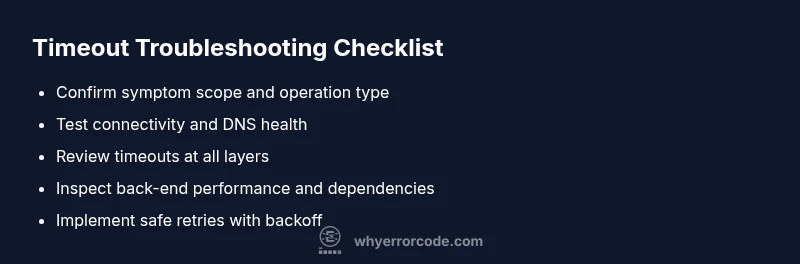
Confirm the symptom scope
Identify whether the timeout affects a single user, a subset of users, or system-wide calls. Note the operation type (API, page load, batch job) and the exact timeout value configured at each layer.
Tip: Document the observed values and associated timestamps. - 2
Check basic connectivity
Run simple network tests (ping, traceroute) from affected clients to the target service. Look for packet loss, high latency, or routing anomalies that align with the timeout event.
Tip: Compare results across networks to identify discrepancies. - 3
Validate client and gateway timeouts
Review client-side timeouts and any gateway or proxy timeouts. Ensure they are not lower than the operation's typical duration plus a safety margin.
Tip: Avoid setting timeouts to zero or extremely high values without justification. - 4
Inspect server back-end health
Check back-end service health, queue depths, thread pools, and database query performance. Look for slow calls, locks, or resource exhaustion that could stall responses.
Tip: Enable detailed traces for the slow path. - 5
Review dependencies and third-party calls
Assess external APIs, CDN endpoints, and internal microservices. Look for rate limiting, outages, or degraded performance that could propagate delays.
Tip: Implement timeouts and fallbacks for external calls. - 6
Implement safe retries and backoff
If retries are necessary, apply exponential backoff with jitter and ensure idempotent operations. Limit retry counts to avoid masking root causes.
Tip: Measure post-fix latency to confirm improvement. - 7
Test with load and regression checks
Perform load testing or chaos testing to observe timeout behavior under pressure. Ensure changes hold under realistic traffic.
Tip: Automate tests to catch regressions early. - 8
Document and escalate if unresolved
Prepare a handoff packet with symptoms, evidence, and attempted fixes. Escalate to the appropriate team with actionable findings.
Tip: Keep stakeholders informed of status and risks.
Diagnosis: Application or API call times out with an error code for timeout
Possible Causes
- highClient-side timeout settings are too aggressive or misconfigured
- highNetwork path congestion or intermittent connectivity
- highBack-end service or database is slow or overloaded
- mediumThird-party API or service throttling/latency
- mediumMisaligned timeout across layers (client/gateway/server)
Fixes
- easyReview and adjust client and gateway timeouts to match operation duration
- easyTest connectivity (ping/traceroute) and stabilize the network path
- mediumProfile and optimize slow back-end operations; scale resources or refine queries
- mediumIntroduce caching, queues, or asynchronous processing for long tasks
- mediumAudit third-party integrations; implement timeouts and fallbacks
Frequently Asked Questions
What is the meaning of a timeout error and what does the error code for timeout indicate?
A timeout error means a request took too long to complete and was terminated. It often points to network latency, server load, or misconfigured timeouts. Identify where the delay originates and apply targeted fixes.
A timeout message means the request didn't finish in time. Check where the delay happens, then fix or adjust timeouts and retries as needed.
How can I verify whether the issue is client-side or server-side?
Start by testing locally with minimal payloads, then compare behavior from a different network. If the problem persists across networks, it’s likely server-side. Use logs to trace the path.
Test from multiple networks and compare logs to tell if the issue is on the client or server.
What should I check first when a timeout occurs?
Check the configured timeout values at every layer, confirm network health, and inspect recent configuration changes. Then test with a reduced workload to see if the timeout still happens.
Check timeouts, network health, and recent changes first.
Is increasing timeout a safe fix?
Increasing timeout can help if the operation legitimately needs more time, but it may mask root causes. Use it only while you also diagnose and fix underlying delays.
Bumping timeouts can help temporarily, but don’t ignore the underlying cause.
How do I implement a retry strategy without causing duplicates?
Make sure operations are idempotent before retrying. Use exponential backoff with jitter and cap the total retry window to prevent repeated effects.
Use safe retries with backoff and ensure operations are idempotent.
When should I seek professional help for timeouts?
If retries and fixes don’t resolve the timeout after a thorough diagnostic flow, escalate to network or backend specialists with logs, traces, and impact details.
If it remains unresolved after your checks, bring in specialists with evidence.
Watch Video
Top Takeaways
- Identify whether the timeout is on the client, network, or server.
- Collect logs, traces, and metrics to pinpoint bottlenecks.
- Use safe retries with backoff and ensure idempotence.
- Escalate with evidence when root cause is unclear.
- Architect timeouts with caching, pagination, and load testing to prevent recurrences.