http error code 401: Unauthorized Access Explained
Learn why http error code 401 occurs, how to diagnose its causes, and step-by-step fixes to restore authenticated access quickly. Practical guidance for developers and IT pros handling authentication failures.


HTTP error code 401 means the request lacks valid authentication credentials for the target resource. It signals that the client must authenticate to obtain access, often due to missing, expired, or invalid tokens. The quickest path to resolution is to verify credentials, refresh tokens, and ensure the correct auth scheme is used. This guidance covers common fixes and when to escalate.
What http error code 401 means
HTTP error code 401 Unauthorized indicates that the request could not be completed because it lacks valid authentication credentials. In practice, this error appears when accessing a protected API or web resource without presenting a correct token or session. A 401 is different from a 403 Forbidden: 401 asks you to authenticate, while 403 says you are authenticated but lack permission. For security reasons, some servers provide minimal detail in the response body, but the WWW-Authenticate header usually hints at the required scheme (Bearer, Basic, etc.). Understanding this distinction is essential to debugging authentication problems quickly and avoiding misdiagnosis in complex systems.
Common causes of HTTP 401 Unauthorized
- Missing or malformed Authorization header (e.g., Bearer token not provided or incorrectly formatted like "Authorization: Bearer ")
- Expired, revoked, or invalid token (the most frequent cause in production)
- Incorrect audience, issuer, or scope in the token configuration
- Clock skew between client and server causing token validity to appear out of range
- Using the wrong endpoint or client credentials for the requested resource
- Session cookies or token cookies mismanaged in client applications Each cause maps to a different remediation path. Start by confirming the Authorization header, then validate the token against your provider. If a token has expired, refresh it. If the endpoint requires a specific scope, ensure the token includes it.
Quick fixes you can try now
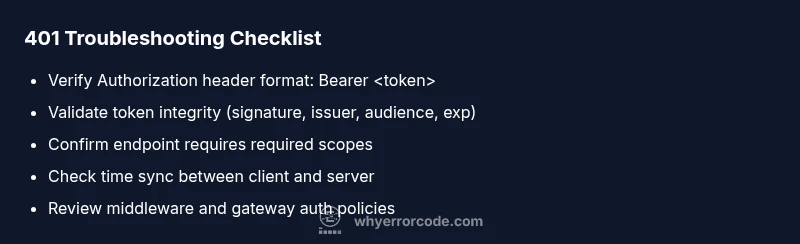
- Verify the Authorization header is present and correctly formatted: "Authorization: Bearer <token>". A missing or extra space can trigger a 401.
- Validate the token's integrity and claims: signature, issuer, audience, and expiration. Use your provider's introspection or JWKS endpoint for verification.
- Refresh or re-authenticate to obtain a fresh token. If using refresh tokens, ensure the refresh flow is correctly implemented.
- Confirm you are calling the correct API endpoint with the right credentials and scope. Some services require different tokens for different resources.
- Check system time synchronization on both client and server; large clock skew can cause token validity checks to fail.
- Review server logs and the WWW-Authenticate header in the response to identify the required authentication scheme.
Step-by-step diagnostic and fix (most common cause: invalid/expired token)
- Reproduce the error with a known-good client to confirm it's not a transient issue. Observe the exact response body and headers.
- Inspect the WWW-Authenticate header for hints about the required scheme (e.g., Bearer).
- Retrieve a fresh token via your authentication flow (login, token refresh).
- Validate the new token locally or against the provider using JWKS or token introspection to confirm claims like issuer, audience, and scope.
- Ensure the requested resource's scope matches the token's permissions and that the endpoint requires no additional parameter beyond the token.
- If the 401 persists, check middleware configuration, token validation libraries, and any custom auth rules that could inadvertently reject valid tokens.
- Test again with a clean environment and monitor logs for any recurring patterns.
- If using an API gateway, verify policy definitions and gateway-level auth settings.
Other causes and fixes
- Clock skew and time drift: straighten NTP configuration on both ends and re-test.
- Incorrect token audience or scope: regenerate tokens with proper audience, issuer, and scope parameters.
- Token revocation or blacklist: ensure tokens aren’t revoked; implement token rotation and short lifetimes to minimize risk.
- Endpoint-specific requirements: some services require per-endpoint scopes or claims; verify those against the API docs.
- Misconfigured client credentials: double-check client IDs/secrets and their binding to the intended resource; re-register the client if needed.
Security considerations and best practices
- Do not log tokens or secrets in any logs or error messages; mask sensitive parts of tokens.
- Use short-lived access tokens with refresh tokens and rotate them regularly.
- Implement robust error handling that exposes minimal information to end users while logging detailed diagnostics privately for security audits.
- Ensure rate limiting and monitor for credential stuffing patterns; block abusive clients while maintaining legitimate access.
Prevention and proactive checks
- Enforce strict token validation with automatic expiry checks and clock skew allowances (e.g., a few minutes).
- Maintain a clear separation between authentication and authorization; ensure that authorization checks aren’t inadvertently triggering 401s where 403 would be appropriate.
- Regularly audit authentication flows and dependencies (OAuth providers, JWT libraries) for updates and vulnerability fixes.
- Provide clear, secure user-facing messages that encourage re-authentication without exposing internal token details.
Steps
Estimated time: 45-90 minutes
- 1
Reproduce and capture the response
Run the request in a controlled client to confirm the 401. Note the response headers and body for clues, especially WWW-Authenticate.
Tip: Use a tool like curl with -v to see header details. - 2
Check the Authorization header
Verify the header exists and is correctly formed: Authorization: Bearer <token>. Look for extra spaces or missing token.
Tip: Copy the token from a trusted source to avoid transcription errors. - 3
Validate token integrity
Verify signature, issuer, audience, and expiration against your provider’s JWKS or introspection endpoint.
Tip: If in doubt, rotate the signing key and test again. - 4
Compare token scope with endpoint requirements
Confirm the token’s scopes include what the API requires; adjust client permissions if necessary.
Tip: Consult API docs for exact scope names. - 5
Test with a fresh token
Obtain a new token via login or refresh flow and retry the request against the protected resource.
Tip: Use a fresh environment to avoid cached credentials. - 6
Review server and gateway configurations
Check authentication middleware, gateway policies, and logs for misconfigurations that reject valid tokens.
Tip: Enable verbose logging temporarily if safe in production. - 7
Perform end-to-end verification
After fixes, run the full auth flow and API call chain to confirm the 401 is resolved and access is granted.
Tip: Document the change for future audits.
Diagnosis: HTTP 401 Unauthorized appears when accessing a protected API endpoint
Possible Causes
- highMissing Authorization header or malformed token
- highExpired or invalid token
- lowToken audience/issuer mismatch or incorrect scope
Fixes
- easyEnsure the request includes a properly formatted Authorization header: Bearer <token>
- easyRefresh or obtain a new token via your OAuth flow and retry
- mediumValidate token claims (issuer, audience, expiration) with your auth provider or JWT library; adjust config if needed
Frequently Asked Questions
What is the difference between HTTP 401 and 403?
A 401 indicates authentication is missing or invalid, while a 403 means the user is authenticated but not authorized to access the resource. In practice, 401 prompts re-authentication; 403 suggests permission issues.
HTTP 401 means you need to sign in or refresh your credentials, while HTTP 403 means you’re signed in but not allowed to access this resource.
How can I quickly fix a 401 error on an API call?
Verify the Authorization header, refresh the token, and ensure the token’s audience and scope match the API requirements. If the issue persists, check server logs for the exact cause.
First check your auth header, refresh the token, and confirm the token’s claims align with the API’s needs.
What should I check in server logs when a 401 occurs?
Look for token validation errors, missing headers, misconfigured middleware, or gateway policy messages. The WWW-Authenticate header can reveal the required scheme.
Look for token validation errors and the authentication scheme requested in the response header.
Is 401 always due to expired tokens?
Not always. 401 can arise from missing headers, invalid signatures, or misconfigured audience. Check the token's expiration, but also inspect header format and claims.
401 can be caused by more than just expired tokens, so verify all token details and headers.
Should I fix 401s in production differently than in development?
In production, prioritize secure diagnostics and minimize user-facing details. Reproduce with safe test endpoints, rotate credentials, and deploy fixes in a controlled release.
Fix production 401s by secure diagnostics and careful deployment with minimal user impact.
What’s a good practice to prevent 401s altogether?
Use short-lived access tokens, automatic refresh, proper scope mapping, and clock synchronization. Regularly audit auth configurations and keep dependencies up to date.
Implement short tokens with automatic refresh and correct scopes to prevent most 401s.
Watch Video
Top Takeaways
- Understand 401 means authentication is required
- Verify Authorization header before digging into server logs
- Refresh tokens and confirm token claims match endpoint needs
- Check clock synchronization to avoid time-based rejections
- Reserve detailed diagnostics for secure channels and logs