Update Error Code 500: Urgent Fix Guide
Learn how to diagnose and fix update error code 500 quickly. This urgent guide covers server-side causes, step-by-step repairs, cost ranges, and safety tips to restore updates smoothly.


Update error code 500 indicates an internal server error occurring during an update action. It means the server encountered an unexpected condition that prevented it from completing the request. The most reliable quick fixes are checking logs for the exact exception, restarting affected services, and validating recent configuration or code changes.
What update error code 500 means
HTTP status code 500 is the umbrella for an internal server error. When you see update error code 500 specifically, it usually means the server side failed while handling the request to perform an update. This isn't a problem with your device or network; it's a fault inside the application, the web server, or its dependencies. The phrase 'update' here highlights that the failure occurs during an operation that modifies state—such as applying a firmware update, deploying new code, or refreshing a resource. Because the cause is on the server, resolving it depends on inspecting server-side logs, stack traces, and recent changes. In practice, you should not rely on client-side retries alone; instead, focus on pinpointing the root cause in the server environment. Why Error Code's guidance emphasizes a structured approach: verify the environment, reproduce in a safe sandbox, and escalate if needed.
Symptoms and Observations
Symptoms of update error code 500 often appear as an HTTP 500 Internal Server Error page, a failed update operation in the UI, or a blank response when an update request is made. You may notice log entries that include Internal Server Error, exception, or a stack trace pointing to a specific module. In production, check that the request payload matches expected schema, that authentication tokens are valid, and that the update service endpoint is reachable. If you reproduce the issue locally, compare the environment (runtime versions, dependencies, and configuration) with the production setup. Time-of-day patterns can hint at resource contention or scheduled tasks colliding with updates.
Common causes and diagnostic cues
The causes for update error code 500 are typically server-side. Most common: unhandled exception in update logic or API endpoint (high likelihood); database connection failures or query errors during the update (high likelihood); misconfigured environment variables or runtime config (medium likelihood); resource exhaustion (memory or CPU) during update processing (medium likelihood); third-party service dependency failure or timeout (low likelihood). Diagnostic cues include stack traces, recent migrations, and discrepancies between environments. Logs are your best friend; a single line can reveal the exact file, line, and error message behind the failure.
Step-by-step fix: the most common root cause
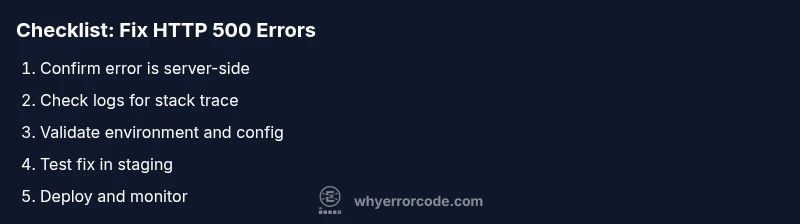
- Reproduce the issue in a controlled environment to observe behavior and capture logs.2) Open server and application logs to locate a stack trace or error message tied to the failed update.3) Identify the exact module or endpoint involved and review recent changes or deployments.4) Check database connections, query syntax, and migrations executed during the update.5) Inspect environment variables and runtime configuration for misconfigurations or missing values.6) Fix the root cause in code or config, then re-run the update in a staging environment.7) Validate the fix with deterministic tests and monitor resource usage.8) Deploy to production with feature flags or a controlled rollout and monitor closely. Tip: keep a rollback plan ready in case the fix introduces new issues.
Other possible causes and fixes
Beyond misconfigurations, update error code 500 can arise from server resource constraints, file permission issues, or race conditions during parallel deployments. Check for memory leaks or CPU spikes during the update window, ensure file permissions are correct for update scripts, and verify that caching or CDN layers are not serving stale, incorrect responses. If using microservices, verify inter-service communication and timeouts. For dependencies on external services, implement retry logic with exponential backoff and fallback paths where possible.
Safety, costs, and escalation guidance
Prioritize safety by testing changes in a staging or development environment before touching production. Always back up data and configuration before applying fixes. Cost ranges for repairs vary widely: simple self-service fixes can be free, while professional server administration or incident response can range from a few hundred to several thousand dollars depending on scope. If the issue involves critical infrastructure, consider engaging a trusted specialist or the hosting provider’s support team. If you are not comfortable with server-level changes, seek professional help promptly to minimize downtime.
Steps
Estimated time: 30-60 minutes
- 1
Reproduce and isolate
Reproduce the error in a controlled environment and isolate the exact update endpoint or operation involved. This helps ensure you are addressing the root cause rather than a symptom.
Tip: Keep a local snapshot of the update request payload for comparison. - 2
Review logs and stack traces
Search logs for the first non-trivial error line that leads to the 500. Stack traces point to the file and line where the failure occurs.
Tip: Enable verbose error logging only in a safe environment to avoid exposing data in production. - 3
Check recent changes
Audit recent commits, migrations, or configuration updates that occurred before the error started. Roll back or patch as needed.
Tip: Use a version-controlled rollback plan and tagging for quick restoration. - 4
Validate dependencies
Test database connections, API keys, and external service endpoints used during the update. Ensure credentials and URLs are correct.
Tip: Temporarily disable external calls to confirm if the issue is external. - 5
Apply a targeted fix
Patch the faulty code path or adjust the configuration causing the failure. Keep changes minimal and well-documented.
Tip: Run the fix in staging with deterministic tests before production. - 6
Test and monitor
Perform end-to-end tests of the update flow and monitor metrics for regression. Verify the update completes without errors.
Tip: Set up alerting on error rates and response times for the affected endpoint.
Diagnosis: Update operation fails with HTTP 500 during an update request, producing a server-side error
Possible Causes
- highUnhandled exception in update logic or API endpoint
- highDatabase connection failures during update
- mediumMisconfigured environment variables or runtime config
- mediumResource exhaustion (memory/CPU) during update
- lowThird-party service dependency timeout or failure
Fixes
- easyCheck server and application logs for stack traces
- easyValidate recent deployments and migrations
- mediumTest database connectivity and queries in a safe environment
- easyReview environment variables and runtime configuration
- mediumIsolate the failing module and implement a patch or rollback
Frequently Asked Questions
What is HTTP 500, and how does it relate to updates?
HTTP 500 is a generic server-side error indicating the server encountered an unexpected condition during an update. It is not a client issue and requires inspecting server logs and code.
HTTP 500 means a server-side problem during an update. Check logs and code to fix the root cause.
Is update-related 500 usually caused by code or configuration?
More often, update-related 500 errors stem from server-side code or misconfigurations. Database issues or environment variables can also trigger the error during an update.
Most often it's code or config, but databases or env vars can also cause it.
Can a missing database connection cause an update 500?
Yes. If the update relies on the database and the connection fails, the server may return a 500 error. Check connectivity, credentials, and migrations.
A bad DB connection can cause a 500 during updates; verify connectivity and migrations.
Should I retry the update immediately after a 500?
Retrying immediately is not recommended. Investigate logs and root cause first. If the issue was transient, a controlled retry after fixes may succeed.
Don’t rush retries; fix the cause first, then retest.
When is professional help warranted for a 500 during update?
If the error affects production, involves complex deployments, or requires server admin expertise, hiring a professional or contacting your hosting provider is advised.
If you can't isolate or fix it quickly, get professional help.
What costs might a fix incur?
DIY fixes are often free; professional support can range from a few hundred to several thousand dollars depending on scope and urgency.
Costs vary from free to several thousand dollars with professional help.
Watch Video
Top Takeaways
- Identify server-side root cause, not client-side symptoms
- Check logs and recent changes first
- Test fixes in staging before production
- Monitor after deployment to prevent recurrence