Why Error Code 403: Urgent Diagnosis and Fixes
Urgent, practical guidance to diagnose and fix 403 Forbidden errors. Learn common causes, quick resolutions, server configurations, and prevention strategies from Why Error Code.


403 Forbidden means the server understood the request but refuses to authorize it. This explains why error code 403 occurs: authentication may be valid, but your account or role lacks permission to access the resource. If you own the resource, review ACLs and server rules; if you’re a user, verify your permissions or contact the administrator for access. In short, the fix centers on authorization, not just login credentials.
Understanding the meaning of 403 Forbidden
403 Forbidden means the server understands the request but refuses to authorize it. This isn't a login failure; it's an authorization decision. The phrase 'why error code 403' captures the core question: who is allowed to access what, and under which conditions? In practice, 403s arise when the resource is protected by permissions, roles, or policy rules and the client lacks one or more required criteria.
For developers and IT pros, a 401 error signals 'you must authenticate,' while a 403 signals 'you are authenticated but not allowed.' The distinction matters for auditing and remediation, because fixing a 403 is not about re-logging in; it's about correct authorization, proper resource ownership, and correct access controls. You may see subcodes such as 403.1 (execute access forbidden), 403.3 (read access forbidden by configuration), or 403.13 (domain or IP blocking). Understanding these signals helps you triage quickly and avoid chasing non-issues.
From the perspective of the Why Error Code team, the fastest path to resolution is to isolate whether access is denied by a policy, a resource owner, or a runtime gate such as a firewall or WAF. Document recent changes to roles, permissions, or network rules, and reproduce the failure with minimal variables to confirm the root cause.
tip
Steps
Estimated time: 30-60 minutes
- 1
Verify the request URL and method
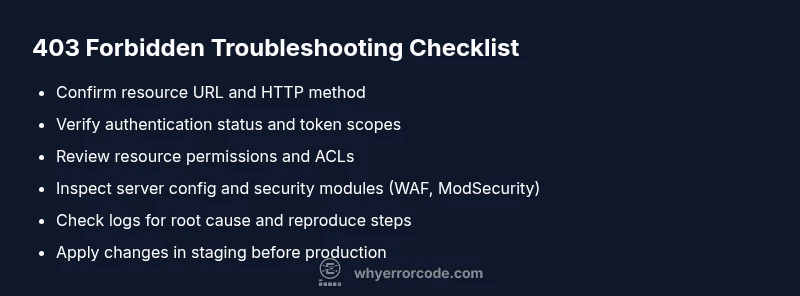
Confirm you are requesting the correct resource with the supported HTTP method. A mismatched path or unsupported method can trigger a 403 by policy rules rather than a server error. Tip: Copy the exact URL from logs or the browser address bar and try again with the expected method.
Tip: Document the exact endpoint and method to reproduce quickly. - 2
Check authentication status and tokens
Ensure you are authenticated if required and that your tokens or session cookies are valid. Expired or revoked credentials are a common cause of 403 when authorization checks fail. Tip: Use a fresh login or token refresh flow and verify token scopes align with resource permissions.
Tip: Never reuse expired tokens or leaked credentials. - 3
Validate permissions and access controls
Review the resource’s access policies, ACLs, and role assignments. If you’re the owner, confirm the entity (user/group/service) has explicit permission for the resource. Tip: Compare working and non-working users to isolate permission mismatches.
Tip: Document changes and test with a minimal privilege set. - 4
Inspect server configuration and security layers
Look for rules in web server config, application middleware, and security modules (WAF, ModSecurity) that could deny access. Subtle misconfigurations here are a frequent source of 403s. Tip: Review recent config changes and enable verbose logging during testing.
Tip: Isolate whether the denial is policy, token, or gateway-based. - 5
Analyze logs and headers for clues
Check application logs, access logs, and response headers. Some servers include hints in the body or headers about which policy blocked the request. Tip: Look for patterns tied to user identity, resource path, or IP address.
Tip: Capture a reproducible test case for faster triage. - 6
Apply changes in a safe environment and validate
Make one change at a time in a staging environment, then re-test access. If access is restored, monitor to confirm no side effects across dependent resources. Tip: Use feature flags or version control to manage changes.
Tip: Rollback plan ready in case of unintended access changes. - 7
Escalate to administration when needed
If you cannot modify the server or policy, coordinate with the resource owner or security admin. Escalation is appropriate for production-critical services or suspected misconfigurations. Tip: Prepare evidence (timestamps, resource path, user, token scopes) before contacting support.
Tip: Keep stakeholders informed with clear, reproducible steps.
Diagnosis: User reports access to a protected page returns 403 Forbidden
Possible Causes
- highInsufficient permissions or misconfigured ACLs
- highExpired or invalid credentials or tokens
- mediumIP-based restrictions or geoblocking
- mediumResource-specific access controls or server config (WAF, ModSecurity)
Fixes
- easyReview and update ACLs/RBAC to ensure the user/role has access
- easyRe-authenticate or refresh tokens and verify scopes
- mediumCheck for IP allow/deny rules and adjust if legitimate access is blocked
- hardInspect server config or WAF rules that deny access to the resource; adjust as needed
Frequently Asked Questions
What is the difference between a 403 and a 401 error?
A 401 indicates missing or invalid authentication, while a 403 means the user is authenticated but not authorized to access the resource. In practice, treat 401 as login, and 403 as permission denial. Check access controls and resource policies to resolve it.
A 401 means you need to log in; a 403 means you’re not allowed to access the item even if you’re logged in.
Why do I see 403 Forbidden on a site I own?
This usually points to misconfigured permissions, overly strict ACLs, or an active security rule denying access. Start with resource policies, then verify tokens and client permissions.
403 on your own site usually means a policy or permission mismatch, not a failing login.
How can I fix a 403 error on my website?
Audit ACLs and roles, verify the requester’s permissions, confirm token scopes, and inspect security modules. Apply changes in a staging environment before pushing to production.
Begin by checking who is allowed, then adjust policies or credentials as needed.
Can IP blocking cause a 403?
Yes. If the source IP is blocked by a firewall or WAF, requests will be denied with 403. Review allow/deny lists and verify legitimate addresses.
IP-based restrictions can block access even with valid credentials.
Is a 403 caused by CORS or hotlink protection?
CORS misconfigurations can produce a 403 in some setups, and hotlink protection can deny embedding or direct linking. Check policy headers and related rules.
CORS or hotlink rules can trigger 403s if not configured correctly.
When should I call a professional?
If you don’t own the resource, or if the fix requires changes to security policies or server configuration, escalate to a system administrator or security specialist.
Call a pro when the change involves security policies or production systems.
Watch Video
Top Takeaways
- Identify if the 403 is auth- or permission-related
- Check ACLs, RBAC, and token scopes first
- Verify URL, method, and resource ownership
- Review logs and security rules for root causes
- Escalate when changes require admin rights