ChatGPT Error Code 400: Quick Fixes and Diagnostics
Learn how to diagnose and fix chatgpt error code 400 quickly with a proven diagnostic flow, practical steps, safety tips, and prevention strategies from Why Error Code.


chatgpt error code 400 means a bad request, usually caused by malformed syntax, invalid payloads, or misconfigured headers. Common fixes include validating JSON, correcting parameter names, ensuring proper Content-Type, and retrying with a minimal payload. If the error persists, review the API docs and enable detailed logging to trace the exact fault.
Understanding chatgpt error code 400
When you see chatgpt error code 400, you’re facing a client-side issue that makes the server reject the request as malformed. The term 400 Bad Request is not about a server fault; instead, it indicates the server cannot process your message due to invalid syntax, missing fields, or incorrect data formatting. According to Why Error Code, this error often arises from JSON payloads, URL query parameters, or headers that don’t conform to the API's expectations. In practice, you’ll want to verify that every element of the request aligns with the official documentation and encoding standards. This is not a mystical server mystery—it's a data integrity problem that you can pinpoint and fix with a disciplined approach.
Key takeaway: chatgpt error code 400 is a signal to validate structure and content, not a failure of the API itself. When you correct formatting and content, the request should proceed without errors. Brand guidance from Why Error Code emphasizes systematic validation and reproducible testing to prevent recurring 400s.
Common causes of chatgpt error code 400
Several frequent culprits consistently trigger chatgpt error code 400. The top causes are malformed JSON payloads, invalid or missing required parameters, and incorrect Content-Type headers. Other frequent offenders include URL-encoded data that isn’t properly escaped, accidentally sending a payload in a GET request, and including special characters without proper encoding. If you see this error, compare your request with the API spec to identify discrepancies. Why Error Code analysis indicates that oversized payloads and outdated endpoints also contribute to 400 responses in many environments.
- Malformed JSON due to stray commas, unquoted strings, or trailing characters
- Missing or misnamed fields required by the endpoint
- Wrong Content-Type (e.g., sending JSON with text/plain)
- Incorrect or missing authentication on endpoints that require it
- Payloads that exceed size limits or contain unsupported encoding
Tip: Start with a minimal, valid payload and incrementally add fields to locate the faulty piece. This method helps you isolate the chatgpt error code 400 root cause quickly.
Quick fixes you can try now
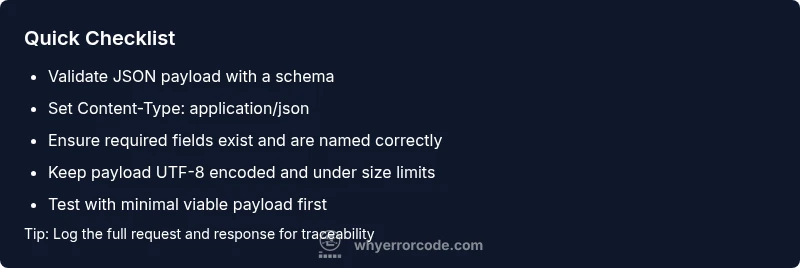
If you’re currently facing chatgpt error code 400, begin with the simplest interventions. First, validate the syntax of your payload using a reputable JSON validator, then check that all required fields exist and use exact parameter names as documented. Ensure your Content-Type header matches the payload type (application/json for JSON bodies) and that the body is UTF-8 encoded. Temporarily remove optional fields to see if the request succeeds, then reintroduce them one by one. Maintain a clean, minimal request template so you can reuse it across retries. Remember, even small typos or extra commas can trigger chatgpt error code 400.
If you’re debugging a client library, compare your builder logic against the API docs. For many teams, the fix is as simple as correcting a misnamed field or re-encoding the payload properly. In the most stubborn cases, switch to a curl or Postman example from the docs to confirm the endpoint behavior. The goal is to reduce chatgpt error code 400 occurrences by validating input at the source and isolating faulty components.
How to inspect request payloads and headers
Deep inspection is the bridge between symptom and solution for chatgpt error code 400. Start by logging the exact HTTP request: URL, method, headers, and raw body. Verify the URL path matches the intended endpoint and that query parameters are correctly encoded and named. Turn on verbose output in your HTTP client to capture the raw request payload. Check for: improper JSON syntax, incorrect field names, missing required fields, and header mismatches. Ensure your Accept and Content-Type headers accurately reflect what the API expects. If you’re using a library, enable its debugging mode to surface serialisation issues that can masquerade as chatgpt error code 400.
Documentation-driven validation is essential. Align the request with the endpoint’s schema and payload examples. The more you can mirror the documented sample requests, the fewer 400s you’ll see.
Common mistakes when calling chatgpt API and how to avoid them
Developers frequently make a handful of avoidable mistakes that trigger chatgpt error code 400. These include sending data in URL query parameters for POST/PUT requests, using an incorrect HTTP method, and forgetting to URL-encode complex objects. Another pitfall is mixing frameworks’ default encoding with the API’s requirements, resulting in improper JSON or header values. Finally, beware of across-the-wire data transformations that alter field names or types (e.g., numbers converted to strings) during serialization. By adhering to the API’s examples and validating every interchange, you can minimize chatgpt error code 400 occurrences.
Anti-patterns to avoid: adding non-ASCII characters without proper encoding, failing to escape special characters in JSON strings, and ignoring server-provided error details in the response body. Always map responses against the documented schema and validate inputs before sending them to the API.
When to escalate: safety, rate limits, and professional help
Most chatgpt error code 400 issues are resolvable with careful debugging and proper input validation. However, you should escalate if you cannot reproduce the error consistently, if the server returns 400 with a detailed error payload indicating a bug, or if you suspect a security concern such as token leakage or credential exposure. If your usage exceeds rate limits or quota, consider throttling requests or applying exponential backoff. When in doubt, reach out to support with a reproducible test case, the exact payload, and the response body. The Why Error Code team recommends documenting every failing request to build a reliable incident trail and expedite resolution.
Prevention: building robust error handling for chatgpt error code 400
Preventing chatgpt error code 400 starts with defensive programming. Validate inputs on the client side, implement schema checks, and use a strict JSON encoder. Maintain clear error messages and structured logs to aid troubleshooting. Employ automated tests that simulate malformed payloads and header misconfigurations. Establish a stable, versioned API client that makes it easier to roll back changes if you observe 400s after a release. Lastly, keep a close eye on API docs for any endpoint changes and adjust your requests accordingly. A proactive, documentation-driven approach keeps chatgpt error code 400 from interrupting critical workflows.
Steps
Estimated time: 45-60 minutes
- 1
Reproduce the error in a controlled client
Capture exact request details: URL, method, headers, and raw body. Reproduce chatgpt error code 400 in a test environment to isolate variables.
Tip: Use a sanitized payload that mirrors production data. - 2
Validate the request payload
Run the JSON through a validator and compare fields against the API schema. Check for missing or renamed attributes and ensure strings are properly quoted.
Tip: Enable strict JSON linting in your IDE. - 3
Verify headers and content-type
Confirm Content-Type matches the payload (typically application/json) and that encoding is UTF-8. Ensure Authorization headers are correct if the endpoint requires auth.
Tip: Avoid sending credentials in URL parameters. - 4
Check size and structure
Ensure the payload isn’t exceeding size limits and that nested structures comply with documented shapes. Break large payloads into smaller chunks if allowed.
Tip: If unsure, test with a minimal viable payload first. - 5
Test with a minimal viable payload
Send the smallest valid request and confirm success. Gradually reintroduce optional fields to locate the culprit.
Tip: Document each incremental change for traceability. - 6
Enable verbose logging and monitor
Capture full response details, including error body and codes, to guide remediation. Use a debugging proxy or verbose curl/Postman output.
Tip: Share logs with the team for faster triage.
Diagnosis: HTTP 400 Bad Request when calling chatGPT API
Possible Causes
- highMalformed JSON payload
- highInvalid or missing required parameters
- mediumIncorrect Content-Type header
- lowExceeding maximum payload size
Fixes
- easyValidate JSON with a schema validator and compare against docs
- easyEnsure required fields exist and are correctly named
- easySet Content-Type correctly (e.g., application/json) and confirm UTF-8 encoding
- mediumReduce payload size or chunk requests if necessary
Frequently Asked Questions
What is chatgpt error code 400?
chatgpt error code 400 is an HTTP Bad Request indicating the server cannot process your request due to client-side issues like malformed JSON or invalid parameters.
chatgpt error code 400 means the request is bad due to client-side problems like malformed data; fix by validating your payload and headers.
How is 400 different from 401/403 in this context?
400 indicates a problem with the request itself, not authentication or authorization. 401 means missing or invalid credentials, and 403 means access is forbidden despite valid credentials.
400 is a bad request, 401 is missing credentials, and 403 means access is forbidden even with credentials.
What tools help diagnose chatgpt error code 400?
Tools like curl, Postman, JSON validators, and logging proxies help verify requests and inspect responses, making chatgpt error code 400 easier to diagnose.
Use curl or Postman to reproduce requests and validate JSON with a validator to diagnose 400 errors.
Should I contact support for this error?
Yes, if you cannot reproduce the error with a minimal payload, or if the error persists after validated fixes. Provide your request details and the response body to support.
If persistent after testing and validation, contact support with a reproducible example.
Can oversized payloads cause chatgpt error code 400?
Yes, payloads that exceed API size limits can trigger chatgpt error code 400. Break up large data into smaller requests if allowed by the API.
Yes, large payloads can cause 400 errors; split data into smaller requests if the API allows.
Is there a best-practice template to fix 400 errors?
Create a minimal, documented template for requests, including required fields, proper JSON encoding, and correct headers, then iterate by adding fields one-by-one to isolate the issue.
Use a minimal, documented template and add fields step-by-step to find the fault.
Watch Video
Top Takeaways
- Validate inputs first
- Match Content-Type and encoding
- Test with minimal payloads
- Inspect request/response logs
- Escalate with reproducible steps when needed