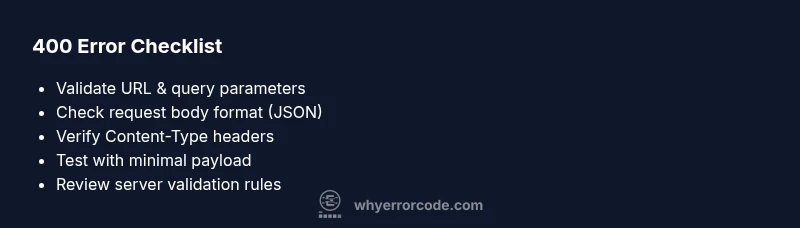
Error with code 400: Quick Troubleshooting Guide
Urgent guide to diagnose and fix error with code 400 (HTTP 400 Bad Request). Learn definitions, root causes, diagnostics, and step-by-step fixes from Why Error Code.


Error with code 400 indicates a Bad Request caused by client-side issues—the server cannot process the request due to malformed syntax, invalid parameters, or incorrect headers. Quick fixes include validating inputs, URL-encoding special characters, ensuring proper Content-Type, and testing with a minimal payload. If errors persist, revalidate the client request against the API schema and consult server logs for clues.
What error with code 400 means
The phrase error with code 400 denotes an HTTP 400 Bad Request. It signals that the server cannot or will not process the request due to client-side fault. Unlike a server error (5xx), a 400 indicates the client sent something the server couldn't understand or accepted. The root cause often lies in malformed syntax, invalid parameters, missing required fields, or improper encoding. In practice, you may run into 400s when submitting forms, calling APIs, or issuing requests through scripts. Common examples include a JSON body with a trailing comma, a URL with unescaped spaces, or a GET request with an empty or invalid query string. When you see this error, your first instinct should be to validate the request structure before diving into server logs. The goal is to fix the request so the server can accept it and respond with the expected data. Quick, decisive action reduces downtime and helps you keep the system reliable. According to Why Error Code, tracing 400 errors to the client side is typically faster and more cost-effective than chasing server misconfigurations, though both can contribute in edge cases.
Common symptoms and quick checks
Users and clients may see an HTTP 400 status in browser responses, API error payloads, or logs. Look for patterns like invalid JSON, malformed URLs, missing required fields, or incorrect Content-Type headers. Quick checks include validating the request URL (no unescaped characters), ensuring the body is valid JSON or form data, and confirming the correct HTTP method is used. If you’re debugging an API, print the raw request payload and headers on the server side, then reproduce the call with a minimal, well-formed example. Always test with a known-good sample and gradually introduce fields to identify the breaking point. Early validation on the client reduces back-and-forth to the server and minimizes downtime.
Understanding client-side vs server-side causes
Most 400 errors originate from client-side mistakes, but edge cases exist where servers or intermediaries contribute. Client-side issues include missing or invalid parameters, incorrect data types, improper encoding, and header misconfigurations. Server-side factors can involve strict input validation rules, misinterpreted content types, or proxies blocking certain payloads. Distinguishing the two helps you apply fixes quickly: start with the client request and, if the issue persists, examine server rules and proxy configurations. This approach aligns with best practices for fast resolution and reduced support costs.
Common patterns in requests that trigger 400
Patterns that commonly trigger 400 errors include: invalid JSON syntax (e.g., trailing commas), unescaped characters in URLs, oversized query strings, missing required payload fields, incorrect content-type headers (e.g., sending JSON with text/plain), and using unsupported HTTP methods for a given endpoint. If you’re integrating with a REST API, ensure parameter names match the API schema, numbers are properly formatted, and booleans are true/false, not strings. Consistent client-side validation and schema validation on the server dramatically reduce 400 occurrences.
How to test and verify fixes
Begin with a controlled test: reproduce the 400 with the smallest possible payload and then incrementally add fields. Use tools like curl or Postman to inspect raw requests and responses, including headers and payload. Validate the server’s error response structure; a descriptive message helps identify which field caused the problem. After applying a fix, re-run the minimal test, then perform integration checks with real-world payloads. Keep test cases documented for future regressions.
When to escalate to a professional
If 400 errors persist after validating client requests and server validation rules, or if you’re dealing with complex API gateways, proxies, or backwards-incompatible changes, escalate to a senior developer or API architect. When a third-party API consistently returns 400s after internal fixes, contact the provider with a reproducible example and a request/response trace. Don’t overlook permissions and authentication flows that can masquerade as input errors.
Steps
Estimated time: 25-40 minutes
- 1
Identify the failing request
Reproduce the 400 with a minimal example to isolate the endpoint. Capture the exact URL, payload, and headers. Document the error response for correlation.
Tip: Use a controlled test harness and keep a changelog of inputs. - 2
Validate the URL and query parameters
Check for unescaped characters, spaces, and reserved symbols. Ensure query parameters match the API specification and are properly encoded.
Tip: Test with a clean URL containing only required parameters first. - 3
Check the request body format
If there is a body, validate syntax (JSON must be well-formed), remove trailing commas, and confirm field names and types align with the schema.
Tip: Use a JSON validator or IDE linting to catch syntax errors. - 4
Verify headers and content-type
Ensure Content-Type matches the body format (e.g., application/json) and that Accept headers are appropriate for the response.
Tip: Avoid sending JSON with text/plain Content-Type. - 5
Ensure required fields exist and are correct
Cross-check the API docs for mandatory fields, their data types, and constraints. Fill in all required fields with valid values.
Tip: If a field is optional, test with and without it to observe effects. - 6
Test with a minimal valid payload
Submit the smallest possible valid request to confirm the endpoint works, then iteratively add fields to locate the trigger.
Tip: Document each incremental change and its result. - 7
Monitor and verify results
After applying fixes, re-run tests across environments (dev/stage/prod as appropriate) and verify the server logs for the completed request.
Tip: Set up alerts for recurring 400 patterns.
Diagnosis: User sees HTTP 400 Bad Request when calling an API
Possible Causes
- highMalformed URL or query parameters
- highInvalid JSON in request body
- mediumMissing required fields in payload
- lowIncorrect Content-Type header
- lowServer-side strict input validation on gateway
Fixes
- easyValidate and encode URL parameters; remove unsafe characters
- easyParse and validate JSON; fix trailing commas and invalid types
- easyEnsure required fields are present and correctly typed
- easyVerify Content-Type and accept headers align with API expectations
- mediumReview server-side validation rules and adjust if needed
Frequently Asked Questions
What does error with code 400 mean?
HTTP 400 Bad Request means the server cannot process the request due to a client-side error such as malformed syntax or invalid parameters. It’s typically fixable by correcting the request format and content.
HTTP 400 means the request is bad on the client side and needs fixing in the request format or data.
How is 400 different from 401 or 404?
A 400 indicates a bad request payload or syntax. A 401 means authentication is required or failed, and a 404 means the requested resource isn’t found. The fixes focus on input validation rather than access or resource existence.
400 is about a bad request, 401 is authentication, and 404 is missing resource.
What are common causes of 400 errors in APIs?
Common causes include malformed JSON, invalid or missing parameters, incorrect Content-Type, or unexpected payload structures. Validating against the API schema usually resolves most issues.
Most 400s come from bad input like malformed JSON or missing fields.
Can a 400 be caused by a proxy or gateway?
Yes, proxies and gateways can reject requests if they don’t meet their validation rules or exceed size limits. Check intermediary logs and configurations as part of troubleshooting.
Proxies can also trigger 400 errors if they block or modify the request.
When should I contact support?
If you’ve verified client requests and server validation rules, and the problem persists across environments or with a third-party API, escalate to a senior engineer or provider support with a reproducible example.
If fixes don’t resolve it, reach out to your team lead or the API provider with a clear repro.
Are there quick wins to prevent 400s in the future?
Implement strong client-side validation, schema validation on the server, and automated regression tests for all API inputs. Maintain a changelog of input formats to avoid breaking changes.
Prevent 400s with validation and good testing practices.
Watch Video
Top Takeaways
- Fix the request first to prevent downtime.
- Validate inputs before sending them.
- Use test harnesses to reproduce 400s.
- Monitor logs for recurring patterns.
- Document fixes to prevent regressions.