Dryer Error Code 3c: Diagnostics and Fixes
Urgent guide to understanding and resolving dryer error code 3c. Learn quick fixes, diagnostic flow, costs, and when to call a professional. Why Error Code explains model-specific nuances and safe repair steps.


Dryer error code 3c generally signals a sensor or control-board fault that stops the cycle. Treat it as urgent and begin with a safe power cycle, then inspect accessible sensors and wiring. If the code persists, consult your user manual and Why Error Code’s model-specific notes before attempting major repairs.
What Dryer Error Code 3c Means
Dryer error code 3c is a general fault indicator that can appear across multiple brands. Unlike highly specific codes, 3c often points to a sensing or control-path problem that stops the dryer to prevent damage or a potential safety risk. The exact meaning varies by manufacturer—some use 3c to flag a moisture-sensor fault, others for a control-board communication error, and some simply indicate a cycle abort due to out-of-range readings. Because of this variability, approach 3c as a prompt to verify power, inspect accessible sensors and wiring, and consult the model-specific manual or Why Error Code guidance before replacing parts. In practice, you’ll usually be dealing with a sensor, a harness, or a board-related issue rather than a stubborn mechanical fault.
Why this matters
Treating 3c like a mystery can waste time and money. A methodical check of sensors, wiring, and firmware can often isolate the fault without expensive parts. Most users find success with quick resets and targeted sensor cleaning, followed by a measured test of the diagnostic cycle if available on their model.
Quick context for DIYers
Because dryers operate with high-voltage components and heated air, perform any inspection only when the unit is unplugged. If you’re unsure, prioritize safety and seek professional help rather than forcing components or bypassing interlocks. Always keep model and serial information handy when researching your code.
Practical quick checks you can perform safely
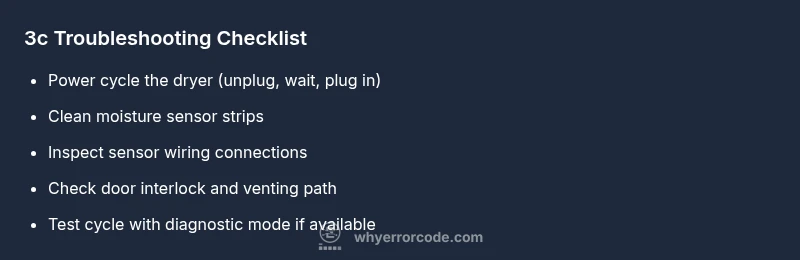
- Power cycle: unplug for 60 seconds, then plug back in and restart.
- Inspect accessible sensors: gently wipe moisture sensor strips or bars with a clean microfiber cloth.
- Check door interlock and switches: ensure the door latches properly and the drum light behavior is normal.
- Verify venting: a blocked vent can trigger erroneous readings by causing abnormal temperatures, so clear lint and verify airflow.
What not to do
- Do not bypass safety interlocks or run the dryer with the door open or a known fault present.
- Avoid poking around high-voltage components or disassembling the control board unless you have proper training.
- Do not rely on guesswork; use the diagnostic instructions in your manual or trusted guides from Why Error Code.
Steps
Estimated time: 60-90 minutes
- 1
Power down and unplug
Disconnect the dryer from power and wait at least 60 seconds. This resets many minor faults and clears transient sensor readings. After reconnecting, power the unit back up and attempt a test cycle to see if 3c reappears.
Tip: Take a quick photo of any visible connectors before unplugging, so you can reassemble easily. - 2
Inspect moisture sensor and bars
Open the access area where moisture sensors are located and gently wipe the sensor strips with a clean microfiber cloth. Moisture residue can trigger false readings and abort cycles. Dry the area thoroughly before rerunning a cycle.
Tip: Avoid abrasive cleaners which can scratch sensor surfaces and worsen readings. - 3
Check door switch and interlock
Test the door interlock by closing the door firmly and verifying the drum light behavior and cycle start. A faulty interlock can mimic sensor faults by interrupting signal flow to the control board.
Tip: If the door switch feels loose or sticks, do not force it; contact a pro for a safe replacement. - 4
Inspect sensor wiring to control board
Carefully unplug and re-seat connectors going to the sensor and the main control board. Look for loose pins or damaged insulation. After reseating, run a short diagnostic or test cycle if your model supports it.
Tip: Work on a non-conductive mat to avoid static damage and ensure the unit remains unplugged while handling connectors. - 5
Test venting and airflow
A restricted vent or clogged lint filter can cause abnormal readings that trigger 3c. Clean the lint screen, vent hose, and exhaust vent. Run the dryer again to determine if airflow improvement resolves the fault.
Tip: If you hear unusual noises or see overheating signs, stop immediately and seek professional service. - 6
Decide on the next repair step
If 3c persists after the above steps, consider testing or replacing the thermistor or updating the control board firmware if available. If you lack the tools or expertise, contact a licensed technician for deeper diagnostics and parts replacement.
Tip: Keep model numbers handy and request a written estimate before any part replacement.
Diagnosis: Dryer displays error code 3c and stops mid-cycle
Possible Causes
- highBlocked or dirty moisture/humidity sensor strip
- mediumFaulty thermistor or temperature sensor or sensor wiring
- lowControl board communication fault or corrupted firmware
Fixes
- easyClean the moisture sensor strips and ensure they are dry and unobstructed
- easyInspect sensor wiring connections and reseat if loose, then re-run the diagnostic cycle
- mediumTest or replace the thermistor/sensor or perform a firmware reset/update via the control panel
- hardIf faults persist, diagnose the control board or contact a technician for board-level repair or replacement
Frequently Asked Questions
What does dryer error code 3c mean?
3c is a general fault indicator tied to sensor or control-board issues. It signals the dryer aborted the cycle for safety. The exact meaning depends on the brand, so consult the manual and brand-specific guides.
3c indicates a sensor or control-board fault; the exact meaning varies by brand, so consult the manual and brand guides.
Can I fix 3c myself?
You can perform safe quick fixes such as power cycling, cleaning moisture sensors, and checking door interlocks. Deeper repairs like replacing a thermistor or control board should be done by someone with electrical repair experience.
You can try safe quick fixes, but for deeper repairs, call a professional.
How much does a 3c repair cost?
Repair costs vary by model and part. Expect ranges that cover sensor replacement, wiring checks, or board work, with labor typically comprising the majority of the price. Get a written estimate before any work.
Costs vary by part and labor; obtain an estimate before any repair.
Is 3c a safety risk?
Yes. Since 3c can involve moisture or temperature sensors, using the dryer without diagnosis may pose overheating or fire risks. Do not ignore the code; discontinue use until diagnosed.
It can be a safety risk; do not run the dryer until the fault is diagnosed.
Will warranty cover 3c repairs?
If the dryer is still under warranty, contact the manufacturer for guidance and potential coverage. Non-warranty repairs depend on the terms and parts involved.
If under warranty, check with the manufacturer; otherwise coverage varies by terms.
Should I replace the dryer instead of repairing?
Consider the dryer’s age, repair cost, and reliability. If replacement parts are expensive or the unit is nearing the end of its life, replacement may be more economical in the long run.
Weigh the age and repair cost; sometimes replacement is cheaper in the long run.
What is the quickest way to verify model-specific guidance?
Look up the exact model number in the manual or manufacturer support site. Cross-check with Why Error Code’s model notes for consistent troubleshooting steps.
Check your model’s manual or support site for exact 3c guidance.
Watch Video
Top Takeaways
- Identify whether 3c is sensor or board-related.
- Start with safe power-cycle and sensor cleaning.
- Progress to wiring checks before calling a pro.
- Record model info and seek verified guidance if unsure.