Error Code 525 SSL Handshake Failed: Urgent Troubleshooting Guide
Urgent guide to diagnose and fix error code 525 SSL handshake failed. Learn causes, step-by-step fixes, and prevention strategies to restore secure connections quickly.


Error code 525 SSL handshake failed means Cloudflare couldn't complete the TLS handshake with your origin server. Most often this is caused by a TLS misconfiguration or an invalid/expired origin certificate. Quick fixes: ensure TLS is enabled on port 443, renew/install a valid origin certificate, and verify TLS 1.2 or 1.3 support with proper cipher suites. If problems persist, contact your hosting provider.
What Error Code 525 Means
Error code 525 occurs when Cloudflare cannot establish a secure TLS handshake with your origin server. In practice, this means the initial, encrypted connection cannot be negotiated between Cloudflare's edge network and your server. Unlike other 5xx errors, a 525 typically signals a server-side TLS issue rather than a network outage. Understanding this distinction helps you target the problem quickly and minimize downtime. The key is that the handshake failure prevents any secure data exchange, so clients see a blank page or a security warning until the TLS path is fixed. This guide uses practical, repeatable steps validated by the Why Error Code team (analysis through 2026) to restore trust and security fast.
How the TLS Handshake Works (In Plain Language)
When a client (browser or app) connects via HTTPS, the two ends negotiate the TLS version and cipher suites, then exchange certificates and verify the origin's identity. If the certificates don’t validate or the server can’t agree on a secure protocol, the handshake fails, and the connection is aborted. Cloudflare sits between the user and your origin; a 525 means the edge could not complete that negotiation with your server. This is not just a network blip—it’s a security negotiation problem that often points to TLS configuration or certificate health. Understanding these steps helps you pinpoint where the failure originates and what to fix first. As of 2026, most fixes center on certificate validity, TLS support, and correct hostname configuration.
Common Causes That Trigger 525
- Origin TLS not enabled or port 443 not reachable from Cloudflare: If the origin server is not listening on 443 for TLS, Cloudflare cannot complete the handshake. This has a high likelihood in misconfigured servers or new deployments.
- Expired or invalid origin certificate: An expired cert or a misconfigured certificate chain causes the client to reject the handshake.
- TLS version or cipher mismatch: If the origin supports only old protocols or incompatible ciphers, Cloudflare’s client cannot establish a secure session.
- SNI or hostname misconfiguration: If the certificate does not match the requested hostname, the handshake fails during certificate validation.
- Network security appliances blocking TLS: Firewalls or outbound proxies can interfere with TLS negotiation between Cloudflare and the origin. This is less common but possible.
How to Diagnose Quickly
Begin with a quick sanity check: confirm the origin is reachable on port 443 from Cloudflare’s edge network, and verify the origin certificate is valid and trusted. Use browser tools, curl, or OpenSSL to inspect the certificate chain and the TLS handshake. Look for expiry dates, missing intermediates, or mismatched hostnames. Compare the TLS configuration between the origin and Cloudflare’s recommended settings (TLS 1.2/1.3, modern ciphers). Log analysis from the origin server and Cloudflare’s event logs can reveal whether the failure is due to certificate rejection or protocol negotiation. By 2026, many teams rely on automated TLS health checks and certificate monitoring to catch issues before users see errors.
Quick Fixes You Can Try Right Now
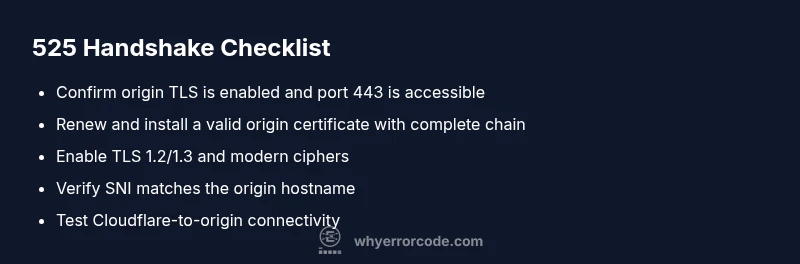
- Verify TLS is enabled on the origin and that port 443 is open to Cloudflare. This is the fastest fail-soft check.
- Renew or install a valid origin certificate and ensure the certificate chain is complete with intermediate certs.
- Enable TLS 1.2 or 1.3 on the origin and disable deprecated protocols to maximize compatibility.
- Verify the origin hostname matches the certificate (SNI should point to the correct domain).
- Review Cloudflare SSL mode and ensure it aligns with your origin configuration (e.g., full or strict mode).
Deeper Server TLS Tuning and Cloudflare Configuration
If the basic fixes don’t resolve the 525, it’s time to fine-tune the TLS stack. Ensure your server supports modern TLS versions and ciphers, and that the certificate chain is complete with intermediates. Confirm the server’s TLS configuration is not forcing weak ciphers or old protocols and that SNI is correctly configured for all hostnames behind Cloudflare. On Cloudflare’s side, switch to a compatible SSL mode (strict when the origin presents a valid certificate) and review any Cloudflare Page Rules or firewall settings that might block the handshake. Regular certificate monitoring and automatic renewal reduce recurrence.
Safety, Costs, and When to Call a Pro
Working with TLS often falls into a gray area between in-house IT and hosting support. If you’re unsure, consult your hosting provider or a security-focused sysadmin. Cost considerations vary: certificate renewal or reissuance for a basic TLS cert can range from free to a few hundred dollars per year in managed scenarios; server configuration changes may incur hourly support fees (often in the $50–$200 per hour range); complex TLS tuning or migrating to a new CA could involve one-time setup costs. For persistent handshake failures after basic checks, professional help is strongly advised to avoid misconfigurations that could expose data or degrade security.
Prevention: Best Practices to Avoid 525 in the Future
- Implement automated certificate renewal and monitor expiry dates.
- Maintain a current TLS configuration: TLS 1.2/1.3 enabled, modern ciphers, and proper certificate chains.
- Regularly test TLS health from different networks and use Cloudflare’s diagnostic tools to catch issues early.
- Document origin hostname mappings and ensure SNI accuracy for all domains behind Cloudflare.
- Establish a change-management process for TLS settings so updates don’t surprise users with 525 errors.
Steps
Estimated time: 1-2 hours
- 1
Verify origin TLS is enabled and port 443 is open
Check that the origin server is listening on 443 with TLS enabled. Use network diagnostics and a direct test (e.g., curl -v https://origin-domain:443) from a trusted network to confirm the handshake can start. If traffic cannot reach 443, fix firewall rules or network paths.
Tip: Test from multiple networks to rule out local firewall issues. - 2
Renew or install a valid origin certificate
Obtain a current certificate and install it with the proper chain. Verify the chain includes all intermediates and that the certificate is valid for the origin domain. Reboot the service if required and recheck TLS handshake.
Tip: Check expiry dates and chain completeness with an SSL checker tool. - 3
Enable TLS 1.2/1.3 and modern ciphers on origin
Update the server to support TLS 1.2 or 1.3 and disable deprecated protocols. Align cipher suites with current best practices to ensure Cloudflare can negotiate a secure session.
Tip: Avoid vendors or defaults that enable only old TLS versions. - 4
Verify SNI and hostname matching
Ensure the server certificate matches the exact hostname behind Cloudflare and that SNI is configured correctly in your server and Cloudflare settings.
Tip: A mismatch will cause the handshake to fail during certificate validation. - 5
Test handshake from Cloudflare to origin
Use Cloudflare’s diagnostic tools or a controlled test to confirm Cloudflare can reach and negotiate TLS with the origin after changes.
Tip: If tests fail, re-check DNS mappings and origin firewall rules. - 6
Escalate if issues persist
If the handshake still fails after the above steps, contact your hosting provider or a security-focused sysadmin for in-depth TLS debugging and potential infrastructure changes.
Tip: Keep logs and test results handy to speed up resolution.
Diagnosis: Cloudflare shows 525 SSL handshake failed when visiting site behind Cloudflare
Possible Causes
- highOrigin server not serving TLS on port 443
- highExpired or invalid origin certificate
- mediumTLS version/cipher mismatch between Cloudflare and origin
- mediumSNI misconfiguration or hostname mismatch
Fixes
- easyVerify origin TLS is enabled and port 443 is reachable from Cloudflare
- easyRenew or replace origin certificate and verify the chain
- mediumConfigure origin to support TLS 1.2/1.3 and modern ciphers
- mediumVerify SNI and hostname match the origin certificate
Frequently Asked Questions
What does error code 525 SSL handshake failed mean?
Error 525 indicates Cloudflare could not complete the TLS handshake with your origin. It usually points to TLS configuration or certificate issues on the origin rather than a simple connectivity problem.
525 means Cloudflare couldn't finish the TLS handshake with your server; TLS config or certificate problems on the origin are typically the cause.
Can Cloudflare cause a 525 error?
Yes. While the error originates at the origin, Cloudflare's attempt to establish a TLS session can fail if the origin isn't reachable by TLS or if Cloudflare's settings conflict with the origin TLS setup.
Cloudflare can be involved when its handshake with the origin fails due to TLS config or reachability issues on the origin side.
What are the most common causes of 525?
The main causes are an inactive TLS on the origin, an expired or invalid certificate, TLS version or cipher incompatibilities, and SNI/hostname misconfigurations. Each requires different fixes on the origin or Cloudflare side.
Most 525s come from TLS misconfig or bad certificates on the origin, plus version or SNI issues.
How can I fix error code 525 quickly?
Start by verifying 443 is TLS-enabled on the origin and the certificate is valid. Then update TLS versions, check the certificate chain, and ensure SNI matches. If unresolved, contact hosting support.
Quickly fix 525 by checking TLS on the origin, certificate validity, and SNI configuration, then seek hosting help if needed.
Is 525 the same as a general SSL handshake error?
525 is Cloudflare’s specific indicator that the TLS handshake with the origin failed. Other SSL handshake errors may appear with different indicators or via direct browser security warnings.
525 is Cloudflare-specific, but it signals a TLS handshake failure just like other SSL handshake errors.
When should I call a professional for 525?
If certificate issues, TLS configuration, and Cloudflare settings all seem correct but the problem persists, a professional can diagnose server-side TLS behavior, verify chain integrity, and ensure secure configurations.
Call a professional if you’ve checked TLS config and certificates but the handshake still fails.
Watch Video
Top Takeaways
- Validate origin TLS and port 443 first
- Renew origin certificate and verify certificate chain
- Enable TLS 1.2/1.3 and modern ciphers
- Escalate to hosting/provider if needed