Error Code 526 Fix: Urgent TLS Handshake Resolution Guide
Learn how to fix Cloudflare error code 526 (Invalid SSL certificate) with a clear diagnostic flow, practical steps, and best practices to prevent recurrence. A must-read for developers, IT pros, and everyday users facing TLS handshake issues.


Error code 526 means the origin TLS certificate presented to Cloudflare is invalid, causing a TLS handshake failure. The quick fix is to ensure the origin certificate is valid, properly chained, and matches the domain, then verify Cloudflare SSL/TLS mode aligns with the origin. After updating, test the handshake to confirm the fix.
What Error Code 526 Means and Why It Happens
Error code 526 from Cloudflare signals that Cloudflare could connect to the origin, but the origin's SSL certificate is invalid or not presented correctly during the TLS handshake. This results in a failed secure connection and an error page for users. The root causes typically include an expired certificate, a CN/SAN mismatch where the certificate doesn’t cover the domain, an incomplete certificate chain missing intermediates, or the origin not presenting a certificate at all. Because SSL/TLS is foundational to trust and SEO, resolving 526 quickly safeguards both security and performance. In this Why Error Code guide, we frame the problem as an “error code 526 fix” process and outline practical, safe steps you can perform without guessing. The focus is on clear diagnostics, minimal downtime, and a reliable path to restoration.
In this section, you’ll learn the exact meaning of 526, how it manifests in real-world scenarios, and why certificate validity is the central pivot for a successful fix. We’ll emphasize the origin certificate’s validity, chain completeness, and domain coverage as the core checks to run first.
Steps
Estimated time: 60-90 minutes
- 1
Verify origin certificate validity
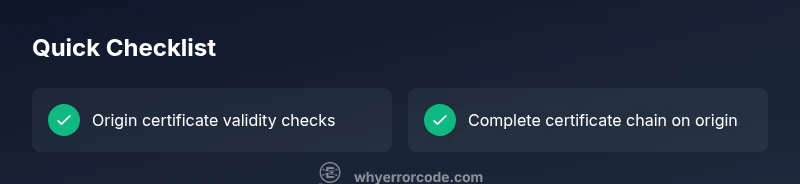
Begin by checking the origin certificate status. Confirm that the certificate is not expired and is issued by a trusted CA. Use OpenSSL s_client or your hosting control panel to inspect the expiry date, issuer, and subject. If the certificate is near expiration, schedule renewal immediately.
Tip: Keep a renewal calendar and set auto-renew if supported. - 2
Check CN/SAN matches the domain
Review the certificate's Common Name (CN) and Subject Alternative Names (SAN) to ensure they include your domain and any subdomains. A mismatch will trigger a handshake failure even if the cert is valid otherwise. If there’s a mismatch, obtain a certificate that covers all required names.
Tip: Use online certificate checkers to quickly compare CN/SAN with your domain. - 3
Validate the certificate chain on the origin
Ensure the origin serves a complete chain, including all intermediate certificates. A broken or incomplete chain is a common cause of 526. Some servers require explicitly configuring the chain file or bundling the full chain in the certificate bundle.
Tip: Verify chain with curl -v https://yourdomain and look for a complete chain path. - 4
Renew/install certificate and rebind on origin
If renewal is needed or the chain is incomplete, install the renewed certificate and ensure the private key matches. After installation, restart the web server to apply changes. Double-check that the server is presenting the new, valid cert on TLS handshake.
Tip: Backup existing certs and config before replacing them. - 5
Align Cloudflare SSL/TLS mode with origin
In Cloudflare, set SSL/TLS mode to Full or Full (Strict) depending on whether the origin uses a CA-signed cert. Flexible mode should be avoided in this scenario as it often masks origin certificate issues. Confirm that Cloudflare is not permitting insecure fallback.
Tip: If in doubt, start with Full (Strict) and test thoroughly. - 6
Test TLS handshake and confirm fix
Perform direct TLS checks from multiple networks. Use curl -Iv https://yourdomain to observe the handshake and certificate chain. Validate that Cloudflare can reach a valid origin certificate and that no further 526 errors appear. Document results for ongoing monitoring.
Tip: Record the exact curl output for future comparisons.
Diagnosis: Cloudflare shows error 526: Invalid SSL certificate
Possible Causes
- highExpired origin certificate
- highCertificate not installed or misconfigured on origin
- mediumCN/SAN mismatch with domain
- lowIncomplete certificate chain on origin
Fixes
- mediumRenew or replace origin certificate and ensure domain match
- easyInstall intermediate certificates and complete the chain on the origin
- mediumReissue certificate with correct CN/SAN and upload to origin
- mediumSet Cloudflare SSL/TLS mode to Full or Full (Strict) to match origin
Frequently Asked Questions
What does error code 526 mean?
526 indicates a TLS handshake failure caused by an invalid origin certificate. Cloudflare can connect to the domain, but the SSL chain validation fails during the handshake.
526 means the TLS handshake failed because the origin certificate is invalid or not properly presented.
How can I fix error code 526?
Follow a diagnostic flow: verify origin certificate validity, ensure the chain is complete, reinstall or renew the certificate, and set Cloudflare to Full or Strict to match the origin. Test after each step.
Follow the step-by-step flow to fix 526 and test as you go.
Can Cloudflare settings cause 526?
Yes. If Cloudflare’s SSL mode does not align with the origin certificate (for example, Flexible vs Full/Strict), 526 can appear. Use Full or Strict as appropriate for your origin’s certificate state.
Cloudflare settings can trigger 526 if they don’t match your origin certificate.
Do I need a new certificate from my host?
Not always. Often you simply need to install or renew the origin certificate and ensure the chain is complete. If the cert is expired, renewal is required.
Usually renewing or reinstalling the origin certificate fixes 526.
What tools help verify TLS?
Use curl -Iv, OpenSSL s_client, or online TLS checkers to inspect the certificate, expiry, and chain. They help you quickly confirm if the handshake will succeed.
Try curl -Iv or OpenSSL tools to check the TLS setup.
When should I contact a professional?
If you cannot access the origin or cannot install certificates, contact your hosting provider or a certified administrator. Complex server configurations may require expert hands.
If you’re stuck and can’t access the origin, consider a pro.
Watch Video
Top Takeaways
- Verify origin cert validity and domain coverage.
- Ensure a complete certificate chain is served.
- Match Cloudflare mode to origin certificate state.
- Test and monitor TLS after every change.