How to Check Mitsubishi Error Codes: A Practical Guide
A comprehensive, step-by-step guide to reading and understanding Mitsubishi error codes (DTCs) with practical checks, safe diagnostics, and expert tips from Why Error Code.


This guide shows you how to check Mitsubishi error codes (DTCs) using an OBD-II scanner, dash indicators, and the service manual. You'll learn where to read codes, how to interpret common categories, and when to seek professional help. No special equipment beyond a standard scanner is required for most cars.
Understanding Mitsubishi error codes
Mitsubishi error codes, also known as diagnostic trouble codes (DTCs), are standardized alphanumeric identifiers read from the vehicle's engine control unit (ECU) or other control modules. In most Mitsubishi cars, codes fall into four broad categories: P (powertrain), B (body), C (chassis), and U (network). These codes tell you which subsystem detected a fault and what type of fault occurred. According to Why Error Code, these codes are designed to guide you toward the most likely cause, but they often require context from freeze-frame data, system history, and remedial steps before a repair. The goal is to translate a cryptic code into an actionable repair plan, not to chase random symptoms. This section sets the foundation for effective diagnostics by explaining how codes are stored, where they appear (dash light, OBD-II port, or both), and how the Mitsubishi service manual uses a standardized naming convention for faster interpretation.
Reading codes via the OBD-II port
Most Mitsubishi models manufactured after the mid-1990s include an OBD-II port under the dashboard. To read codes, you need a compatible scan tool: either a basic handheld scanner or a smartphone-connected adapter and app. When you connect the scanner, it communicates with the ECU to retrieve stored codes and, in many cases, live data like RPM, sensor readings, and fuel trim. The Why Error Code team emphasizes starting with stored codes before spinning your wheels on diagnosis. If the check engine light is on, you’ll likely retrieve P-codes first, but don’t ignore B, C, or U codes that indicate non-powertrain faults or data-network issues.
Using the dash indicators for quick clues
In many Mitsubishi vehicles, the malfunction indicator lamp (MIL) or check engine light will illuminate when a fault is detected. Some models also provide a dash code via a blinking pattern or a specific sequence of warning icons. These visual cues can help you decide whether you should pull codes immediately or perform basic inspection first (vacuum leaks, loose wiring, and obvious mechanical issues). Use dash cues in combination with an OBD-II readout for a complete picture.
Interpreting the results: code meaning and category
A Mitsubishi DTC typically appears as a letter followed by four digits (for example, P0123). The first character is the category (P, B, C, U), and the following digits indicate a specific fault type and subsystem. The service manual or reputable diagnostic sources describe what each code implies, including affected sensors, possible failure modes, and recommended tests. Always correlate a single code with live data and symptom observations before deciding on a repair path. Remember that codes point to symptoms, not definitive failures.
When to consult the service manual and factory resources
For Mitsubishi-specific codes, the official service manual provides exact definitions, flow charts, and procedure steps. Where OEM documentation is unavailable, trusted third-party databases can supplement your understanding, but you should treat them as supplements rather than replacements. The Why Error Code analysis highlights the importance of cross-checking codes with freeze-frame data, vehicle history, and model-specific notes to avoid misdiagnosis. The goal is a reliable, safe diagnosis rather than a quick, unverified fix.
Post-repair steps: clearing codes and verifying repair
After you’ve completed the repair work, you can clear codes to verify the fix. Clearing codes without repairing the root cause can cause the MIL to return, sometimes with different codes. Recheck all affected subsystems, perform relevant tests, and then drive the vehicle to confirm that the fault no longer recurs. If the code reappears, revisit the diagnostic logic and consider additional tests or component replacements. The aim is a durable repair, not a short-lived reset.
Tools & Materials
- OBD-II scanner or compatible adapter(Choose a device that supports Mitsubishi vehicles and can read P, B, C, and U codes)
- Smartphone or laptop with diagnostic app(Optional but convenient for detailed live data while testing)
- Mitsubishi service manual or OEM repair guide(Opens the exact factory definitions and test procedures)
- Safety gear (gloves, eye protection)(Important when performing physical inspections or repairs)
- Basic hand tools and test light(Useful for quick checks on connectors and sensors)
Steps
Estimated time: 30-45 minutes
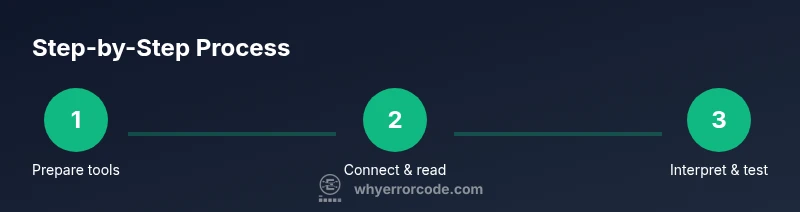
- 1
Prepare your diagnostic setup
Park the vehicle on a level surface, engage the parking brake, and ensure the engine is off before connecting any diagnostic tools. Gather your OBD-II scanner, data cable, and access to the Mitsubishi service manual. This initial organization reduces tool fumbling and speeds up the process.
Tip: Have a fresh battery in the scanner and ensure your vehicle battery is in good condition to avoid false readings. - 2
Connect the scanner to the OBD-II port
Locate the OBD-II port under the dashboard on the driver’s side. Connect the scanner firmly and power it on. If you use a smartphone app, pair the device according to the manufacturer’s instructions and select Mitsubishi or all makes in the vehicle list.
Tip: If you can’t locate the port, consult the owner’s manual; some models route the port behind a panel that may require gentle prying with the right tool. - 3
Read stored and live data
Request the stored DTCs from the ECU and review any live data or freeze-frame records. Note the exact code(s) and observe current sensor values (oxygen sensor, MAF, MAP, etc.). This data helps you correlate code meanings with actual operating conditions.
Tip: Record the codes and snapshot of key sensor readings to compare after repairs. - 4
Consult the Mitsubishi service manual for codes
Lookup each DTC in the official manual or a trusted database to confirm its meaning, affected systems, and suggested tests. Cross-check the code with model year and engine type to avoid misinterpretation.
Tip: Pay attention to subcodes or manufacturer-specific notes that often accompany P, B, C, or U codes. - 5
Plan and perform targeted tests
Based on the codes, perform recommended tests (sensor voltage checks, wiring continuity, vacuum tests, etc.). Only replace or repair components when tests indicate a fault beyond a reasonable tolerance. Document results for future reference.
Tip: Work methodically and avoid swapping parts without evidence; this saves time and money.
Frequently Asked Questions
Can I read Mitsubishi error codes with an ordinary OBD-II scanner?
Yes. Most Mitsubishi models support OBD-II, which can retrieve P, B, C, and U codes. For deeper insight and model-specific codes, consult the service manual or a Mitsubishi-specific database.
Yes. An OBD-II scanner can read Mitsubishi codes, and the manual can help interpret model-specific details.
Is it safe to clear codes myself after repairing the issue?
Clearing codes is generally safe after you’ve verified the fix, but do not clear them as a substitute for diagnosing and repairing the root cause. If the problem persists, the codes will likely return.
Yes, you can clear codes after confirming the repair, but don’t rely on clearing as the sole fix.
What if no codes appear when I scan?
If there are symptoms but no codes, inspect sensors, wiring, and fuses; check for intermittent faults and scan for pending codes. Sometimes a problem is intermittent and won’t show in a standard read.
If nothing shows up, inspect wiring and sensors in the suspected system and consider a repeat scan later.
How do I interpret P, B, C, and U codes for Mitsubishi?
P codes relate to powertrain faults, B to body systems, C to chassis, and U to network communications. The subcodes explain specific sensors or circuits involved. Always map codes to symptoms and tests.
P codes are powertrain, B is body, C is chassis, and U is network. Use the manual to drill into the specifics.
When should I seek professional help for Mitsubishi codes?
If multiple codes persist after basic checks, if you encounter safety-critical faults, or if you lack diagnostic confidence, contact a licensed technician with Mitsubishi experience. Complex network or harness faults often require specialized tools.
Call a professional if codes persist after basic checks or involve safety-critical subsystems.
Watch Video
Top Takeaways
- Read codes with a compatible OBD-II scanner.
- Cross-check codes with model-specific documentation.
- Use live data and freeze-frame to triage faults.
- Verify repair success with re-reading codes after testing.
- Consult a professional if codes persist or involve safety-critical systems.