How to Clear an Error Code: A Practical IT Guide
Learn a structured, step-by-step approach to clearing error codes. Identify the code, reset safely, validate results, and prevent recurrence with practical guidance from Why Error Code.


You're about to learn how to clear an error code across devices and software. This guide covers identifying the code, confirming safety, performing a structured reset or remediation, and validating the fix. It also explains when to seek help. Following Why Error Code's guidance minimizes downtime and prevents recurrence. Start now for faster resolution.
What is an error code and what clearing means
Error codes are concise, machine-readable signals that something in a system didn't operate as expected. They come from software, hardware controllers, or network services and point you toward the underlying issue. Clearing an error code means removing the visible indicator after you have verified that the root cause is resolved, or at least mitigated to a safe state. Importantly, clearing should not be a shortcut to ignore a fault. Instead, it should serve as a confirmation that normal operation can resume and that the condition has been addressed or isolated. In practice, clearing typically involves restoring normal power, resetting subsystems, applying a software or firmware fix, or clearing error flags in logs. It may also require re-testing to ensure the system re-enters a healthy state. When you learn how to clear error code correctly, you reduce downtime and decrease the likelihood that a transient issue reoccurs. This article provides a structured approach rooted in industry best practices.
Before you start: safety, backups, and planning
Clearing an error code safely begins with a plan. Ensure you have a known-good backup of critical settings or data, and confirm you have access to the device’s maintenance menus or vendor tools. Power safety is essential: if you’re dealing with electrical equipment, disconnect power only after you’ve prepared a safe space and a clear sequence. Document the exact scenario that triggered the code: the time, user actions, and any recent configuration changes. According to Why Error Code, a defensive preparation phase reduces the risk of data loss and makes remediation clearer. Finally, set expectations: not every code can be cleared on the first try, and some require concurrent fixes across subsystems. Maintain a calm, methodical mindset to avoid introducing new issues.
Gather context: collect data and reproduce the issue
Accurate data is your best ally when clearing an error code. Gather the code text, any accompanying messages, and the symptoms observed before the code appeared. Capture screenshots, log files, timestamps, and environmental conditions. Try to reproduce the issue in a controlled scenario to confirm whether the code is persistent or intermittent. Why Error Code analysis shows that most recurring issues stem from misconfigurations, transient connectivity glitches, or stale software state. Having a reproducible context helps you verify a fix later and prevents guesswork that can cause inefficient cycles of clearing and reclearing.
Step-by-step overview: a structured approach
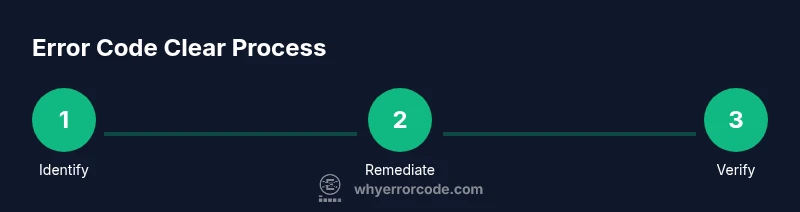
A structured approach keeps you aligned with industry best practices. Start with identification, move to verification, apply a safe remediation, and finally validate the outcome. This overview maps to the detailed STEP-BY-STEP section below, but it’s useful to frame your mindset: stay data-driven, apply least-risk fixes first, and document every action. The goal is to restore normal operation with confidence, not simply hide the symptom. By following a disciplined workflow, you minimize downtime and improve reproducibility for future incidents.
Safe reset and remediation techniques
Remediation techniques tend to fall into two families: resets that clear transient state, and targeted updates that fix root causes. A basic power cycle—completely removing and restoring power after a short delay—often clears flaky latch conditions. If the device supports it, perform a safe reset from the official maintenance menu rather than unplugging it abruptly. Firmware or software updates can resolve known bugs that trigger codes, but only when the update is verified compatible with your hardware. Always back up settings before applying updates, and avoid interrupting a live update. Do not clear error codes while an update is in progress, as this can leave the system in an inconsistent state. Following a carefully executed remediation reduces the chance of a recurring fault and preserves data integrity.
Verifying the outcome: test and monitor
After remediation, re-run the same actions that originally produced the code to confirm that it no longer appears. Monitor for a defined period and review logs for any related warnings that might surface after the fix. If the code reappears, document the new context and escalate to a higher tier of support. A successful clearance means the system returns to normal operation, with health checks passing and no new errors or degraded performance indicators. Keep an ongoing watch on closely related subsystems since some fixes reveal latent issues elsewhere. Consistent verification helps build confidence that the fix is durable.
When to escalate and document your fix
If the error code persists after completing safe remediation and verification, escalate to an experienced colleague or vendor support. Prepare a concise incident report that includes the original code, environment details, steps taken, and observed outcomes. This documentation will accelerate triage and prevent repetitive questions. In many organizations, a post-mortem or knowledge-base entry is created to capture lessons learned and to prevent recurrence. Documenting the fix also helps with audit and compliance requirements, ensuring future troubleshooting is faster and less error-prone.
Practical examples: common error codes and how to clear them
While every system uses its own coding scheme, the practical approach is universal. Consider categories like connectivity failures, authentication problems, resource constraints, and invalid configurations. For connectivity issues, verify network paths, DNS resolution, and firewall rules before attempting a reset. For authentication failures, confirm credentials, token validity, and multi-factor status. For resource constraints, check available memory, disk space, and process load. For configuration drift, compare current settings against a known-good baseline and apply corrective changes. In all cases, clear the code only after you’ve confirmed the root cause has been mitigated and that the system is in a safe state to resume operation.
Tips to prevent future error codes
Prevention is better than remediation. Implement proactive monitoring to detect anomalies before they escalate, standardize change control to minimize drift, and schedule regular maintenance windows to apply updates. Maintain a single source of truth for configurations, and keep a rollback plan handy. Automate routine checks and test suites to verify system health after updates. Finally, cultivate a culture of meticulous logging so you can quickly diagnose issues when they occur again. By prioritizing prevention, you’ll spend less time clearing error codes and more time delivering value.
Tools & Materials
- User manual or vendor documentation(Always have the exact model and firmware version documented.)
- Power source access(Ensure safe disconnection and reconnection procedures.)
- Multimeter or diagnostic tool(Useful for electrical checks in hardware faults.)
- Software/firmware update package(Use only official releases matching the device.)
- Cleanup materials(Soft brush or compressed air for dust clearing.)
- Log capture tool(Save logs and screenshots for analysis.)
- Backup configuration(Export current settings before updates.)
Steps
Estimated time: 45-90 minutes
- 1
Identify the error code and context
Record the exact code text, timestamp, and the actions leading up to the error. This creates a baseline for troubleshooting and helps determine whether the issue is recurring or isolated.
Tip: Use a standardized template to capture code, time, and environment. - 2
Review documentation and logs
Consult official manuals and system logs to understand the error code's meaning and its triggers. Cross-check with recent changes, software versions, or recent hardware events.
Tip: Keep a central log of all error codes and fixes for future reference. - 3
Check for obvious hardware or connectivity issues
Inspect cables, ports, power supply, and environmental conditions. Simple faults like loose cables can mimic more complex errors.
Tip: Secure all connections before proceeding to remediation. - 4
Perform a safe reset or remediation
Execute a controlled power cycle or official reset procedure. If supported, apply a targeted firmware or software update after ensuring compatibility.
Tip: Avoid unplugging during a firmware update to prevent bricking. - 5
Apply software/firmware updates if available
Install recommended updates that address the root cause. Validate that the update completed successfully and that the system restarted cleanly.
Tip: Verify integrity checks post-update. - 6
Reproduce the issue to confirm fix
Recreate the user or system actions that previously triggered the code to verify the fault no longer appears.
Tip: If the code appears intermittently, broaden the test scenarios. - 7
Document the resolution and monitor
Record the final outcome, changes made, and any follow-up steps. Set a monitoring window to ensure stability.
Tip: Create a knowledge-base entry to aid future repairs. - 8
Escalate if the code persists
If the issue remains after all safe remediation steps, escalate to a higher support tier with all evidence gathered.
Tip: Provide clear reproduction steps and logs to speed triage.
Frequently Asked Questions
What is an error code?
An error code is a standardized signal emitted by a device or software indicating a fault or abnormal condition. It helps identify where the problem exists and guides troubleshooting.
An error code signals a fault and helps you locate where the problem is.
Is clearing an error code the same as repairing the issue?
No. Clearing the code removes the visible indicator after you’ve addressed the root cause or confirmed it’s safe to resume. Repairing involves fixing the underlying problem so the code does not recur.
Clearing hides the symptom; repairing fixes the root cause to prevent recurrence.
What should I do first when I see an error code?
Document the code and context, check safety, and review any recent changes. This gives you a solid starting point for any remediation.
First, write down the code and what you were doing, then check safety and recent changes.
How long should a reset take?
A safe reset typically completes within minutes, but some devices may require longer post-reset initialization. Always follow the device’s official guidance.
Most resets finish in a few minutes, but some devices take a bit longer to reinitialize.
When should I contact support?
If the error code recurs after a safe remediation or if you can’t determine the root cause safely you should escalate to professional support.
If the code comes back after you’ve tried safe fixes, or you’re unsure, contact support.
Can I clear an error code remotely?
Remote clearing can be possible in some environments, but only after confirming root cause and ensuring secure access. Avoid clearing while remote operations are ongoing without safeguards.
Clearing remotely is possible in some setups, but make sure you’ve confirmed the fix and have secure access first.
Top Takeaways
- Identify code and context before acting
- Use safe, documented remediation steps
- Verify fix with re-test and monitoring
- Document the resolution for future incidents