How to fix error code: practical, step-by-step guide
A complete, practical guide to diagnosing and fixing error code across software, hardware, and networks. Learn a proven workflow with actionable steps, safety tips, and reliable debugging strategies from the Why Error Code team.


You’ll learn a practical, repeatable process to fix error code across software, hardware, and networks. Start by identifying the code, reproducing the error, and collecting logs and context. Then isolate the cause, apply a safe, testable fix, verify with targeted tests, and monitor to confirm the issue stays resolved. This approach reduces downtime and increases repeatable success.
What is an error code and why it matters
Error codes are signals that something in your system, app, or device couldn’t complete a task as expected. They’re designed to be actionable, not mysterious. According to Why Error Code, understanding a code’s meaning and context is the first step toward a reliable fix. In practice, error codes help narrow down the likely failure mode—user input, network communication, file access, or a failing service. The Why Error Code team stresses that treating every error code as a separate puzzle wastes time. By adopting a consistent approach, you treat codes as pointers to root causes rather than verdicts of failure. This mindset sets the stage for a robust debugging workflow you can apply across domains.
Common categories and meanings of error codes
Error codes come in several familiar families: client-side vs server-side, network transport vs application-layer, and hardware fault indicators. In web operations, HTTP status codes like 400s and 5xxs map to user errors vs server faults. In software, exception codes reveal library or API issues; in hardware, fault codes signal peripheral or power problems. Why Error Code analysis shows that most incidents follow a familiar pattern: an initial signal (the code), a set of symptoms (logs, timestamps, stack traces), and a probable root cause (dependencies, configuration, environment). Recognizing these categories helps you triage quickly and design resilient fixes.
Prepare for diagnosis: data, logs, and reproducibility
The most effective fixes start with good context. Gather the exact error code, the full error message, timestamps, and the user actions leading up to the failure. Collect environment details—compute resources, OS version, software versions, and network conditions. If possible, capture logs, traces, and screenshots. Why Error Code emphasizes reproducibility: being able to consistently reproduce the error in a safe environment is the fastest path to a reliable diagnosis. Without repeatability, you’ll chase symptoms rather than the root cause.
Isolate and reproduce: narrowing down the root cause
Isolation is about removing variables one by one. Reproduce the error in a controlled environment that mirrors production as closely as possible. Start by confirming the error occurs with a minimal set of inputs, then gradually reintroduce components (modules, services, dependencies) to see when it reappears. Use feature flags or a staging environment to isolate changes. The goal is a narrow, testable scenario that points to a root cause. This disciplined approach prevents speculative fixes that can introduce new problems.
Step-by-step fix workflow: a universal approach
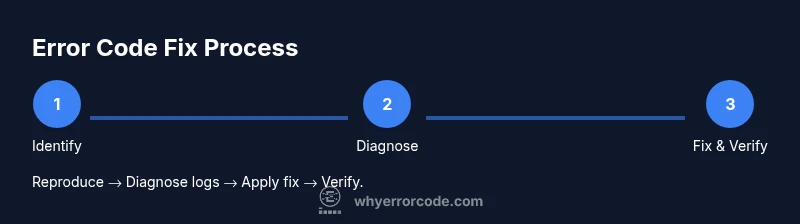
- Reproduce and document: capture exact steps, inputs, and outcomes. 2) Check logs and metrics: identify correlated events and timing gaps. 3) Isolate environment: determine if the issue is local, network, or dependent on a service. 4) Apply a safe fix: implement the smallest, tested change with a rollback plan. 5) Validate with tests: run unit, integration, and end-to-end checks. 6) Monitor post-fix: watch live traffic and error rates for a defined period. This six-step workflow, when followed consistently, reduces regression risk and accelerates recovery. Tip: automate test coverage for the most common error code scenarios.
Domain-specific examples: practical fixes you’ll likely perform
In web APIs, a 500 error can result from a failed upstream dependency; the fix often involves retry logic, circuit breakers, or dependency health checks. In a database task, a deadlock error may require transaction isolation adjustments or query tuning. In client software, a 403 or 401 might be resolved by updating credentials or permission scopes. While fixes vary by domain, the core process remains the same: reproduce, diagnose via logs, apply the smallest safe change, and verify with tests. Always document the exact changes for future reference.
Safety, testing, and rollback practices
Before making changes, ensure you have a tested rollback plan: a clean way to revert if the fix causes new issues. Use staging or a canary deployment to minimize exposure to users. Write tests that specifically cover the error code scenario, and track metrics to verify recovery. If a fix depends on external services, implement timeouts and retry limits to avoid cascading failures. Remember: the safest fix is one that you can undo quickly if necessary.
Pitfalls and common mistakes to avoid
Avoid confusing correlation with causation; a nearby log entry isn’t proof of root cause. Don’t patch symptoms with quick hacks that bypass proper validation. Never skip tests or skip documenting changes. Be mindful of edge cases and user scenarios; what works for a test case may fail under real traffic. Lastly, resist over-optimistic assumptions—multiple errors often share a single underlying cause.
Next steps and how Why Error Code can help
With a solid, repeatable workflow, you can fix error code problems faster and with less risk. The Why Error Code team recommends building a library of verified fixes and sharing playbooks across teams to improve incident response. Continuous learning and post-incident reviews turn each fix into a durable improvement for your systems.
Tools & Materials
- Computer or mobile device(Have debugging tools installed and network access enabled)
- Stable internet connection(Reliable access for logs, remote services, and documentation)
- Debugger/trace tools (e.g., Postman, curl, browser dev tools)(Use to reproduce and inspect calls)
- Code editor or IDE(For making and reviewing changes)
- Documentation and access to service logs(Center for results and context)
- Notepad or note-taking app(Record steps, hypotheses, and confirmations)
- Backup/rollback plan(Able to revert changes if necessary)
Steps
Estimated time: 1-3 hours
- 1
Reproduce the error, capture context
Trigger the error in a controlled environment and record the exact steps, inputs, and observed outputs. Include timestamps and user actions to help correlate events later.
Tip: Create a small repro case that isolates the failure. - 2
Collect logs and diagnostics
Gather relevant logs, traces, and metrics. Note the time window and service names involved to minimize log noise.
Tip: Use centralized logging if available to simplify correlation. - 3
Isolate the environment and dependencies
Determine whether the issue is local, network-related, or caused by a dependency. Disable nonessential components to narrow down the culprit.
Tip: Use feature flags or staging environments to isolate changes. - 4
Apply a safe, testable fix
Implement the smallest change that plausibly resolves the issue, with a rollback path ready. Avoid sweeping rewrites in production without tests.
Tip: Prefer configuration or retry adjustments over invasive code changes when possible. - 5
Validate with comprehensive tests
Run unit, integration, and end-to-end tests focused on the error scenario. Include regression checks to prevent future returns.
Tip: Automate tests to cover both success and failure paths. - 6
Monitor and verify in production
Observe error rates, latency, and user impact after deployment. Confirm the fix is durable and not causing new issues.
Tip: Set up alerts for any recurrence within a defined window. - 7
Document the fix for future use
Update runbooks, knowledge base, and internal dashboards with the root cause, steps taken, and verification results.
Tip: Share lessons learned to prevent recurrence.
Frequently Asked Questions
What is an error code, and what does it signify?
An error code is a structured signal that something failed to complete a task. It points to a probable failure area and helps narrow down the root cause when paired with context such as logs and user actions.
An error code is a signal that something failed. It points to where to look and, with logs and context, helps identify the root cause.
How do I interpret an unfamiliar error code?
Look up the code in the system’s documentation or error registry, note associated messages, and correlate with recent changes. If the code has a standard meaning (e.g., HTTP status 5xx), map it to a probable class of failure.
Check the code in the docs, review the message, and relate it to recent changes to guess the failure class.
Should I restart services to fix an error code?
Restarting can clear transient faults but may not address the root cause. Use controlled restarts only after documenting the risk and ensuring you have a rollback path.
Restarting can help with temporary glitches, but it’s not a cure. Do it only after planning and with a rollback.
How can I prevent error codes from recurring?
Implement robust monitoring, automated tests, and change-control processes. Build resilient defaults, retries with backoff, and clear runbooks so teams react consistently.
Prevent it by improving tests, monitoring, and reliable recovery practices.
When should I escalate an error code?
Escalate when you cannot reproduce, lack access to logs, or the issue impacts critical users. Document what you tried and who is responsible for the escalation.
Escalate when reproduction fails or it blocks important users; keep a clear log of actions taken.
Where can I find reliable documentation for error codes?
Refer to official docs for your platform and reach out to vendor support if the code isn’t well documented. Maintain a personal knowledge base that links codes to root causes learned.
Use official docs and vendor support for unclear codes; keep your own knowledge base updated.
Top Takeaways
- Identify code context before acting
- Gather logs and reproduce reliably
- Use a six-step fix workflow and test thoroughly
- Document fixes and monitor outcomes
- Share knowledge to prevent regression