HTML Unknown Error Code: Troubleshooting and Fixes
A practical, urgent guide to diagnosing and fixing the HTML unknown error code. Learn common causes, validation steps, and server/client checks to restore reliable rendering and error handling.


An HTML unknown error code usually signals a parsing or encoding problem on the client, or an unexpected server response. Start with validating the HTML, confirming UTF-8 encoding, and verifying HTTP headers. If the error persists, isolate the issue by disabling extensions and testing with a minimal page to reproduce the behavior.
What is an HTML Unknown Error Code?
An HTML unknown error code is a generic, non-standard signal indicating something failed while the browser tried to load, parse, or render a page. It isn’t a fixed HTTP status like 404 or 500; rather, it acts as a catch-all for failures that don’t fit a single predefined code. In practice, you’ll see this error when the browser can’t interpret the document correctly or when the server responds with content that the client cannot safely process. The Why Error Code team notes that this type of error frequently stems from parsing or encoding problems, or from responses that have been altered by a proxy or CDN. The objective is to determine whether the root cause resides on the client (malformed HTML, bad scripts, encoding), on the server (headers, content-type, or delivered content), or somewhere in between (network devices or middleware).
Common Causes of html unknown error code
- Malformed or incomplete HTML that confuses the parser.
- Non-ASCII characters or an encoding declaration that doesn’t match the actual bytes (e.g., UTF-8 vs. ISO-8859-1).
- Incorrect Content-Type header, or missing charset in HTTP headers.
- Inline scripts or styles loaded with the wrong MIME type or blocked by a security policy (CSP).
- Proxies, CDNs, or security gateways altering responses.
- Browser extensions injecting scripts or altering page content, especially in development builds.
Quick Fixes to Try First
Below are safe, low-risk steps you can perform to narrow the issue without heavy debugging. Start with the easiest checks and move to more targeted tests as needed:
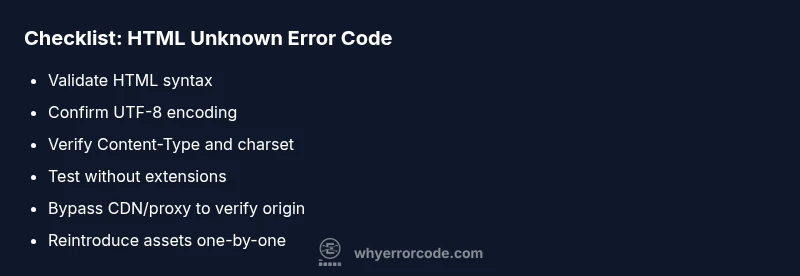
- Run HTML validation on the source and on what’s served to the client, fixing any syntax issues flagged by validators.
- Ensure UTF-8 encoding is used end-to-end: declare charset in HTML meta and confirm the server sends charset in headers.
- Temporarily disable browser extensions and reload in an incognito/private window to rule out client-side interference.
- Build a minimal, self-contained page that reproduces the error with no external resources, then compare against the full page.
In-Depth Troubleshooting: Client to Server
When the quick checks don’t reveal the culprit, adopt a systematic approach that traces the issue from the browser back to the server. Start by opening the browser’s developer tools and inspecting the Console and Network tabs for any parsing errors, MIME type mismatches, or blocked resources. In the Network tab, review the response headers for Content-Type and charset; ensure the declared encoding matches the actual bytes. On the server side, check logs for errors, and test the response with curl or a head request to confirm headers and body content. If a CDN or reverse proxy sits in front of your origin, temporarily bypass it to determine where the modification occurs. Finally, verify there are no BOM characters or unusual byte-order marks at the start of HTML documents that could disrupt parsing.
Best Practices to Prevent It
Prevention is cheaper than debugging. Adopt these practices to minimize the chances of an html unknown error code recurring:
- Always declare and enforce UTF-8 encoding, and configure servers and CDNs to preserve it.
- Validate HTML automatically as part of your CI/CD pipeline and before deployment, catching syntax errors early.
- Ensure Content-Type and charset are correctly set on all server responses and not rewritten by proxies.
- Maintain a clean codebase: avoid mixed encodings, stray hidden characters, or non-ASCII literals in templates.
- Implement robust logging and synthetic checks that simulate real-user access across browsers to catch issues that only appear in production.
Diagnostic Path Overview
This section provides a structured, repeatable workflow that maps symptoms to probable causes and fixes. The flow starts with a reproducible symptom (the unknown error code) and iterates through client-side checks, server headers, and network intermediaries. Use the following flow as a reference when you implement your own diagnostic tools or runbooks, and adapt as needed for your stack.
Steps
Estimated time: 60-90 minutes
- 1
Reproduce in a clean environment
Open the page in an incognito window, disable all extensions, and compare with a minimal HTML file that loads no external resources to confirm the issue is reproducible in a controlled setting.
Tip: Tip: Use a consistent browser and profile to ensure reproducibility. - 2
Run HTML validation
Validate the original HTML with a reputable validator. Fix any syntax errors and re-load the page to check if the error resolves.
Tip: Tip: Validate both the source file and the served output. - 3
Check encoding
Ensure the document declares UTF-8 and that the server sends a charset of UTF-8 in the headers. Adjust any mismatches detected by validators or server logs.
Tip: Tip: Look for BOM characters at the start of the file. - 4
Inspect HTTP headers
Review the network response headers for Content-Type and charset. Confirm the header values align with the actual document encoding.
Tip: Tip: Use curl -I or a browser dev tools Network tab for verification. - 5
Isolate client resources
Test with a minimal page that loads no scripts or external assets. If the minimal page loads correctly, gradually reintroduce assets to locate the offender.
Tip: Tip: Disable ad-blockers and security extensions during testing. - 6
Deploy and monitor
Apply the verified fixes in staging, then monitor production traffic and browser console logs to ensure the error does not recur.
Tip: Tip: Maintain a change log and unit tests for encoding and validation.
Diagnosis: Error message 'html unknown error code' appears when loading a page in the browser or during an API response.
Possible Causes
- highMalformed or unclosed HTML that breaks parsing
- mediumEncoding mismatch or BOM issues
- mediumIncorrect Content-Type or missing charset in HTTP headers
- lowProxy/CDN modifying responses or compressing incorrectly
- lowBrowser extension or ad/script injection interfering with rendering
Fixes
- easyValidate and fix HTML syntax and encoding (UTF-8) at the source
- easyVerify HTTP headers and Content-Type/charset on server responses
- easyTest page in clean environments (incognito, disable extensions) to rule out client interference
- mediumIsolate by removing third-party resources and reintroducing one by one to identify the offender
- mediumIf a CDN/reverse proxy is involved, temporarily bypass it to verify origin behavior or adjust its rules
Frequently Asked Questions
What does the 'html unknown error code' mean in my browser console?
It signals a generic failure in parsing or an unexpected server response, not a specific HTTP code. Check HTML validity, encoding, and headers to pinpoint the issue.
It’s a general parsing or response issue. Start with validating HTML, encoding, and headers.
How can I reproduce this error reliably?
Create a minimal reproducer page with no external resources and test across a clean session (incognito, no extensions). Compare results with the full page to identify discrepancies.
Make a tiny page that triggers the error and test in a clean session.
Should I blame the browser or the server for this error?
Both are possible. Start with client-side checks (HTML, scripts, encoding), then inspect server headers and content delivery to confirm where the problem lies.
It could be either; start with client checks and then verify server headers.
What encoding issues commonly cause this error?
Common culprits are mismatched encodings (UTF-8 vs. declared charset) and hidden BOM characters. Ensure the document and server headers consistently use UTF-8.
Encoding mismatches and BOMs can cause this—ensure UTF-8 everywhere.
When should I involve a professional?
If the issue involves complex server configurations, proxies, or security concerns, consider consulting a specialist or vendor support to avoid downtime.
If it’s beyond your scope, get expert help.
What steps can prevent this issue from recurring?
Implement strict encoding policies, automatic HTML validation, and monitoring across browsers to catch issues before they reach users.
Set up checks and encoding standards to prevent repeats.
Watch Video
Top Takeaways
- Validate HTML syntax to remove parsing errors.
- Enforce UTF-8 encoding across server and pages.
- Check HTTP headers and MIME types consistently.
- Test in multiple environments to reproduce reliably.